Posting consistently on Instagram is only half the job, and knowing how your content actually performs is what separates creators who grow from those who guess. Instagram Insights gives you a free, built-in analytics dashboard to track reach, engagement, follower growth, and more. Here’s exactly how to check Instagram reach and insights in 2026.
Let’s have a quick look.
What Is Instagram Insight and Who Can Access It
Instagram Insights is the platform’s native, free analytics tool available exclusively to Business and Creator accounts. It tracks key metrics across all content types like grid posts, Reels, Stories, and Live videos. This gives you real-time data on accounts reached, accounts engaged, impressions, follower demographics, and content performance. Personal accounts do not have access to Insights.
Note: You must have a professional (Business or Creator) account to view Instagram Insights.
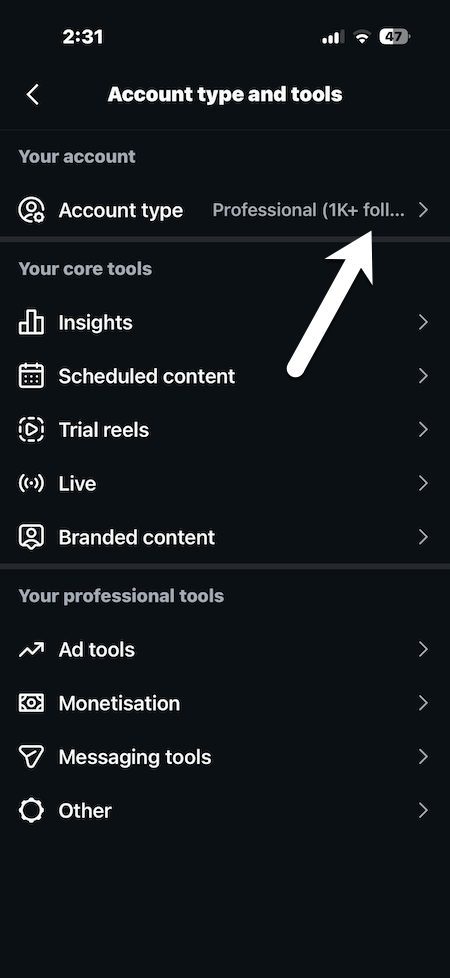
To switch, go to your profile, tap the three lines, and hit Settings > Account type and tools, and then Switch to Professional Account. It’s free and takes under a minute.
Key Instagram Metrics You Will See in 2026
It’s 2026, and this year, Instagram has shifted its primary metric to Views to standardize across Reels and static posts. Here are the core metrics inside your dashboard:
- Accounts Reached
- Accounts Engaged
- Impressions
- Follower Growth
- Reel Views
- Most Active Times
Follow the steps below to check Instagram Insights.
How to Check Instagram Reach and Insights
Step 1: Tap your profile icon in the bottom-right corner of the Instagram app. And tap Professional Dashboard below your bio to open your full analytics suite.
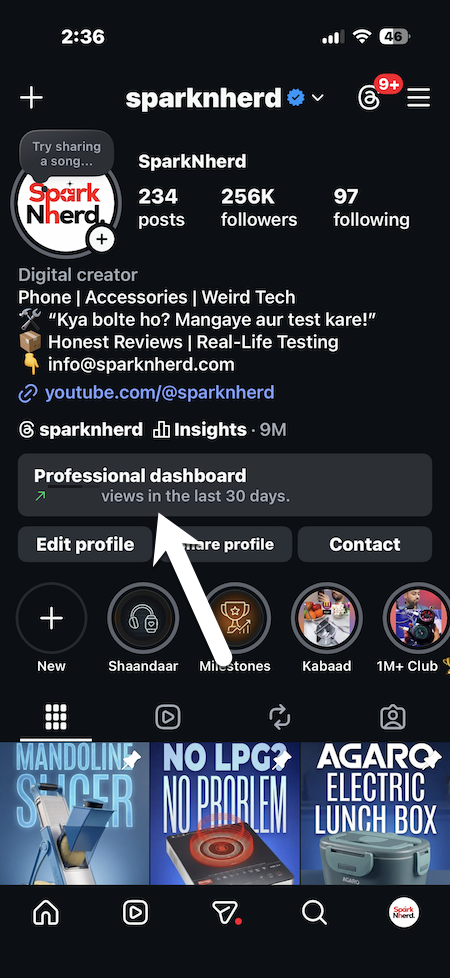
Step 2: Inside the dashboard, you will be able to view Reach, Engagement, and Followers, and all the other important metrics.
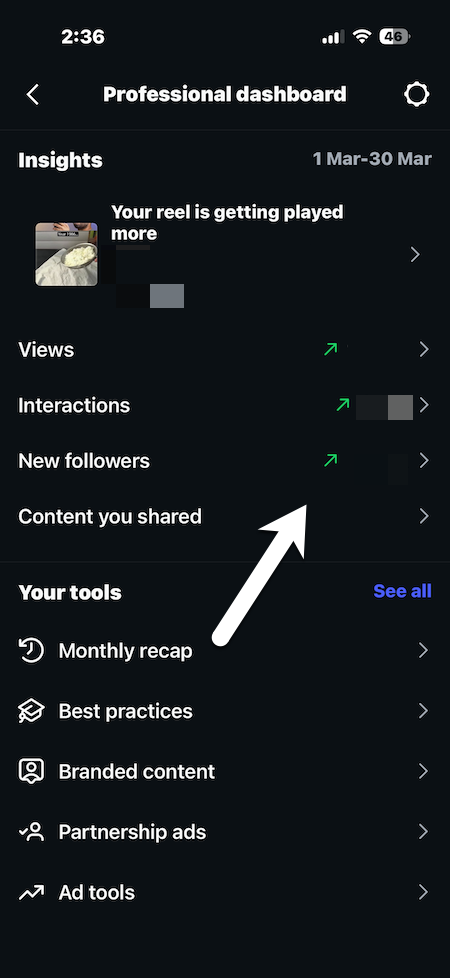
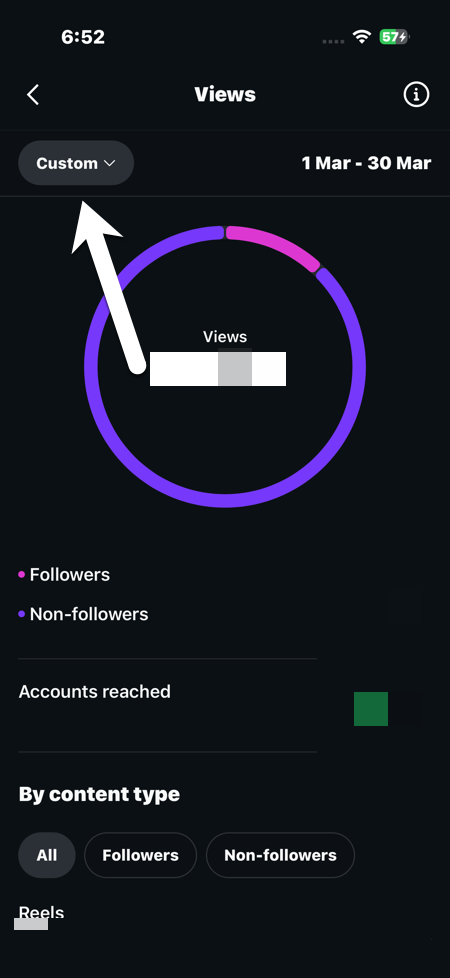
Instagram also gives you access to a range of other valuable insights. All you need to do is tap on one of the metrics to get a detailed overview. Here, you can use the drop-down at the top-left and filter by 7, 30, or 90 days.
Step 4: To see your monthly performance, tap on Monthly Recap and tap on the month of your choice.
Note: Go to Total Followers and scroll down inside Insights to see a bar graph showing when your audience is most active each day. Schedule your Reels and carousels 30 minutes before your peak hour to catch the rising wave of traffic from the algorithm.
Why Can’t I See Instagram Insights on My Account?
Insights only work on business or creator accounts. To see Instagram Insights, you can switch for free in account settings.
This was how you can check Instagram reach and insights. Regularly checking your insights allows you to make smarter content decisions, post at the right time, and improve your overall Instagram strategy. It is a simple habit that can make a big difference in growing your account.