Instagram is one of the most competitive platforms for creators and influencers. As such, standing out requires not only creativity but also consistency, speed, and staying on top of trends, among many other factors. At the same time, it requires a deep understanding of what your audience wants. So, to stay on top of your game, it is almost necessary that you use AI on Instagram for content creation.
The right AI tool can help you produce high-quality content faster and smarter. On that note, here is how to use AI to streamline content creation.
See Also: Top Ways to Secure Your Instagram Account From Hackers
Create Instagram Captions with AI
Instagram is intelligent today, and while it can understand what the content is about, it is necessary that you add your share of captions. And here, the most challenging part is consistently coming up with energetic captions and fresh post ideas.
This is where AI tools like ChatGPT and Jasper can come to your rescue. They can ease the ideation stage, from where you can take over and add your dash of creativity.
ChatGPT
ChatGPT is perhaps one of the most widely used AI tools today, and if you know the right ways to use it, it can prove to be a smart and capable assistant for your Instagram. Simply give it a rough sketch of what you want, and it will come up with caption and post idea options in no time.
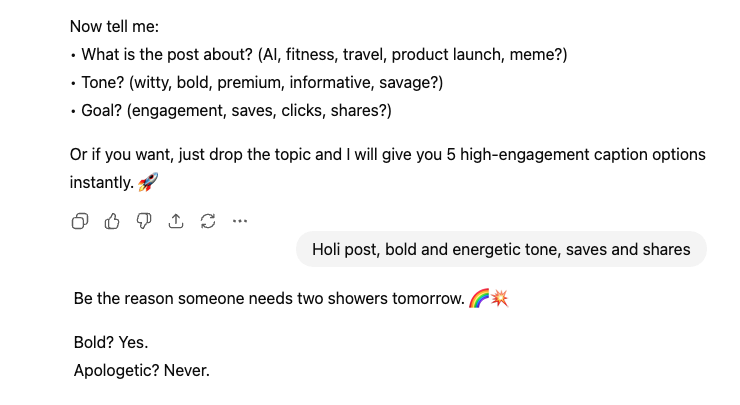
You can also tweak the prompt to get something funny or energetic, or even play with the length, and then add your own dash of creativity.
Not only does it make creating content on Instagram easier, but it also helps you stay consistent. Needless to say, it saves you time and energy. Energy that you can instead spend studying your competitors.
Jasper
Another alternative to ChatGPT is Jasper. This one is a paid AI tool that helps creators generate captions, post ideas, and other content that truly connects with their audience. Where it differs from ChatGPT is that it offers guided content creation and also helps you streamline your content creation process.
Create and Edit Instagram Images with AI
Long before content creation was a buzzword, Instagram used to be a platform strictly focused on visuals, and that still holds true. And now, with the aid of the right tool, you can make them visually more appealing. Not only does this save you the energy needed for extensive graphic design, but it also saves you plenty of time.
Canva AI
Canva AI is a freemium app that makes the process of creating and boosting Instagram posts super easy. It suggests layouts, colors, and templates, and even helps with tasks like background removal or resizing for different Instagram formats. With Canva AI, you can focus on being creative while it handles the tricky design work for you.
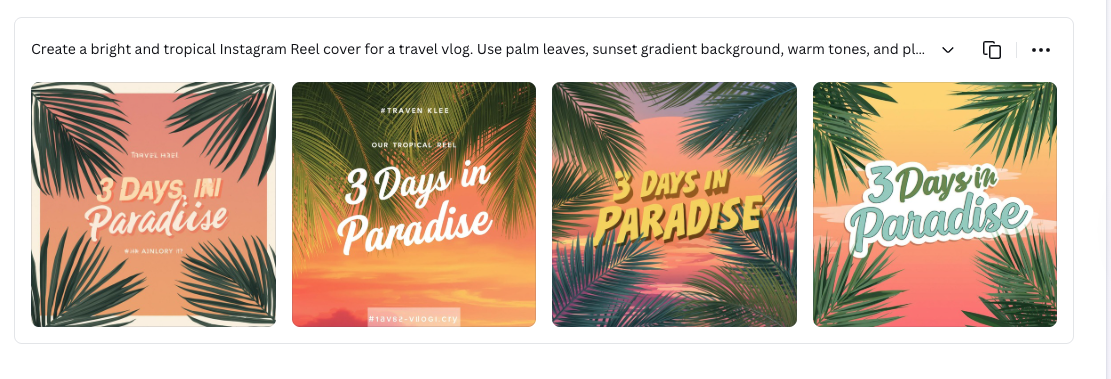
From eye-catching carousels to nifty Stories, there is a lot you can do with Canva and the AI features built into it.
Adobe Express
If you want to create slightly uncommon visuals and posts on Canva, trust Adobe Express to do the work for you. It comes with ready-made templates, and the built-in AI toolkit lets you create posts of your choice through prompts.
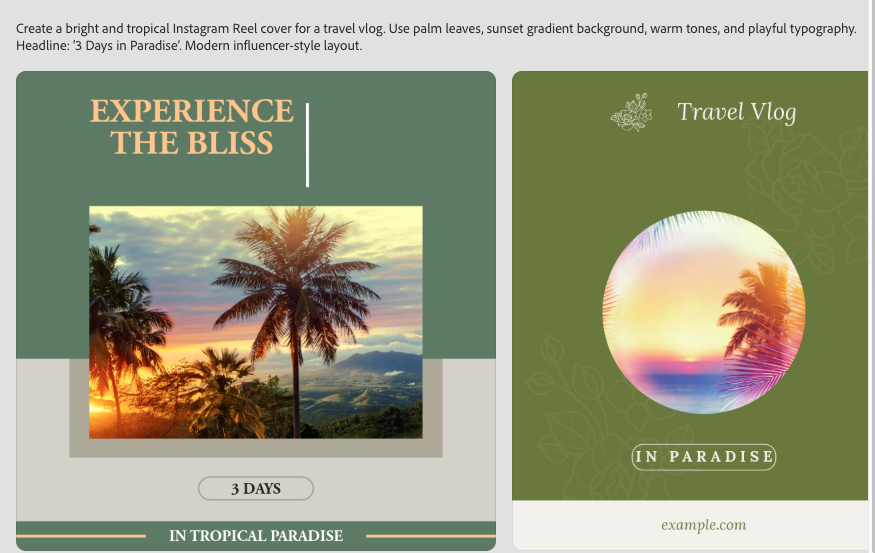
Whether you are experimenting with colors, layouts, or effects, Adobe Express helps you bring your ideas to life without needing advanced design skills. That said, the tool needs a bit of time to get used to. Since this is paid, I felt the quality of the creative was a notch better.
AI Tools to Create Short Videos & Reels
When it comes to Instagram, Reels dominate the ecosystem like nothing else. However, as you may already know, creating a 15-second-long Reel often takes more time and effort than long-form content. As such, you must have all the right resources to make engaging videos. In this case, AI video tools like InVideo and CapCut can come to your rescue.
Invideo
Invideo makes creating Instagram videos and Reels super easy. You can quickly put together clips, add text, and use smooth transitions to make your videos look polished, all without spending hours editing.
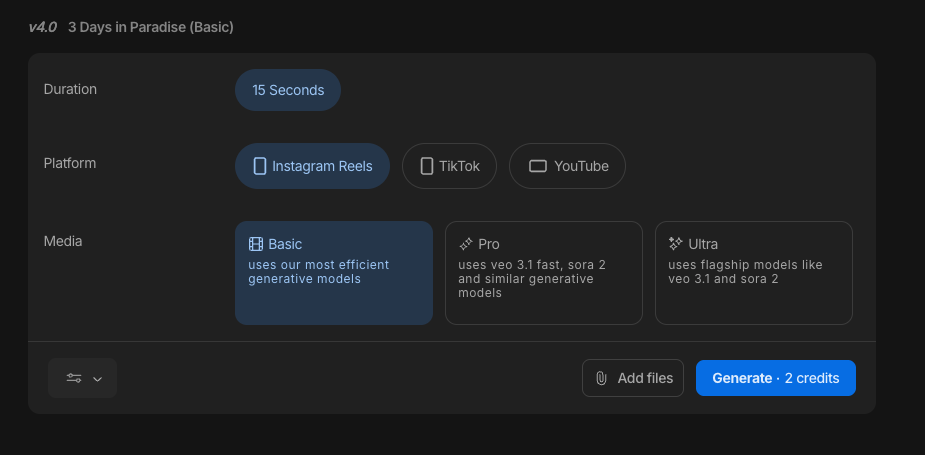
It is perfect for creators who want quality videos fast. That said, the basic plan is limited in terms of the images and audio. If you are willing to spend a little time, energy, and money, then Highsfield and Heygen AI are cool tools to explore.
CapCut
CapCut is a powerful AI video editor that helps your Reels stand out. It can add auto-subtitles, AI-generated effects, and other cool touches that make your content look professional. Even if you are working alone, CapCut makes video editing simple and fun.
So, while AI can’t help create Instagram Reels fully, you can tweak it so that it matches your style.
Create Background Music Seamlessly with AI
Music plays a huge role in making Instagram content more engaging, especially for Reels and Stories. While the rule of thumb is to use trending music if it fits well with your videos and posts, there will be times when it does not match your content or brand tone. In such cases, AI music platforms can help you find the right music for your Reels.
Google Gemini’s Lyria 3
How about we tell you that you can create your own custom track in Gemini with just a few prompts? Pretty cool, right? Say hi to Lyria 3, which lets you generate the perfect track in seconds.
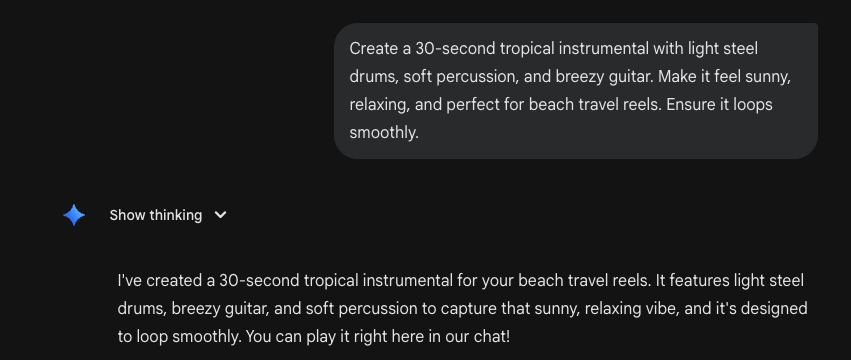
Have a travel video? Use an appropriate prompt, and you will have a travel-inspired track ready in front of you. That said, do note that Lyria 3 currently lets you create tracks that are up to 30 seconds long.
Also See: Google Unveils Veo 3.1 Update: AI Video Creation with Image Ingredients
Final Thoughts
These were some of the best AI tools for Instagram. AI is not here to replace creativity. Instead, you can leverage its power and use it to boost your creativity. By using these AI tools together, you can build a streamlined and efficient content workflow. In a world where attention spans are short, efficiency paired with creativity is key, and AI gives creators the best of both worlds.