Instagram’s algorithm keeps changing, making it increasingly easy for your content to get buried and for followers to miss important updates. That is where Instagram Broadcast Channels come in. In this post, we will see how to create Instagram broadcast channels so that you can share updates, behind-the-scenes moments, polls, and exclusive content directly with followers.
What Is an Instagram Broadcast Channel?
An Instagram broadcast channel is a one-to-many messaging feature built inside your Instagram DMs. It works almost the same as a group chat, but with one key difference, i.e, only the creator can send messages.
Rather than sitting in the feed or disappearing after 24 hours like a Story, broadcast messages land directly in a follower’s DM inbox.
Furthermore, since followers choose to join and notifications are on by default, the chances of updates being seen are much higher compared to standard feed content.
Who Can Create an Instagram Broadcast Channel?
So, before clicking the Create Broadcast Channel button, it is important to know the basic requirements for creating an Instagram creator broadcast channel.
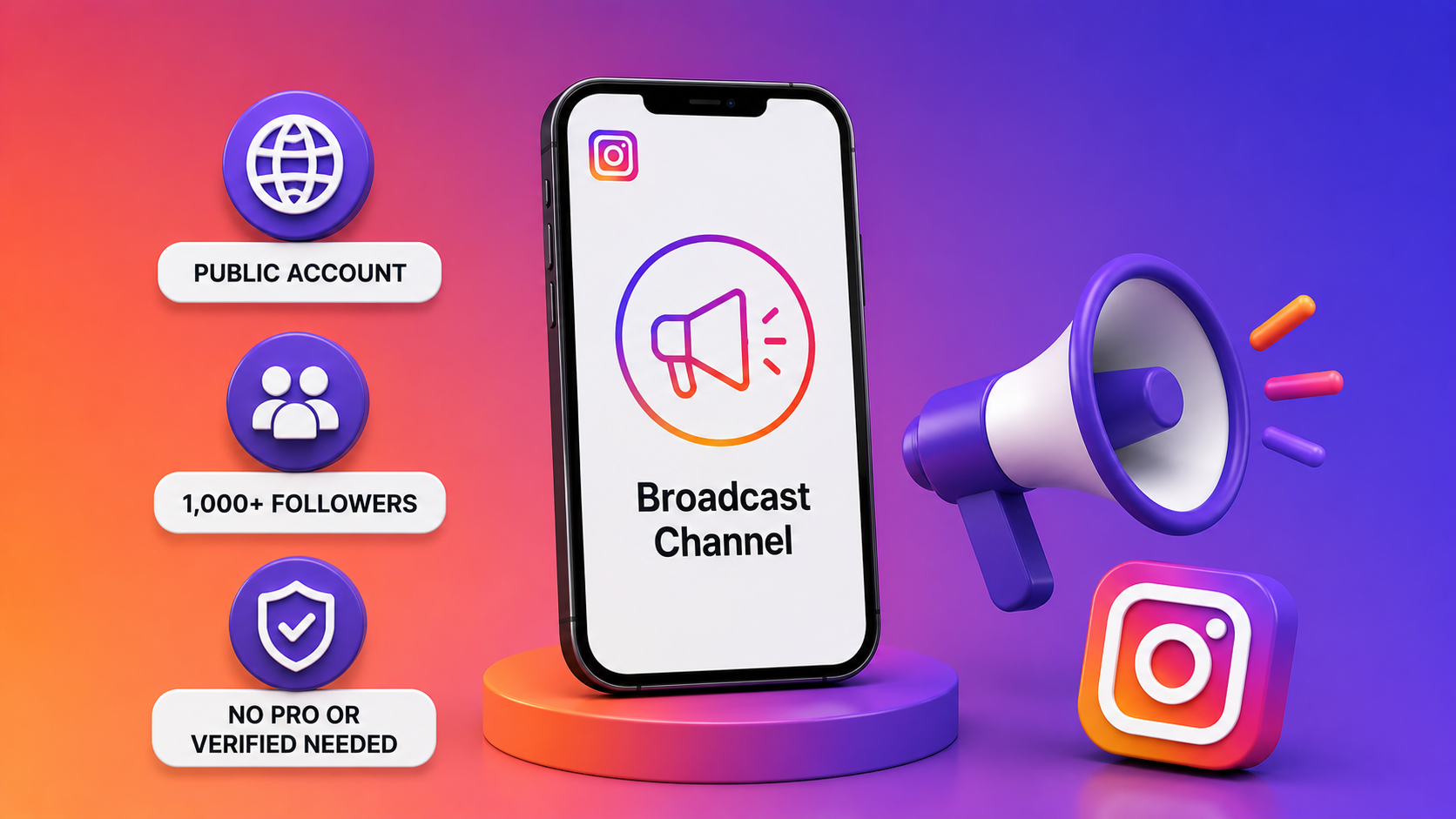
As per Instagram’s official Help Center, these can be created by any public account with more than 1,000 followers. You do not need any professional or verified account, so that is a big plus.
Please note that the feature is still being gradually rolled out, so it may not be visible to every eligible account just yet.
If the option does not appear inside DMs, the most probable reasons are that either your account is set to private or your follower count has not crossed 1,000. Or, the feature has not rolled out to that account or region yet.
How to Create an Instagram Broadcast Channel
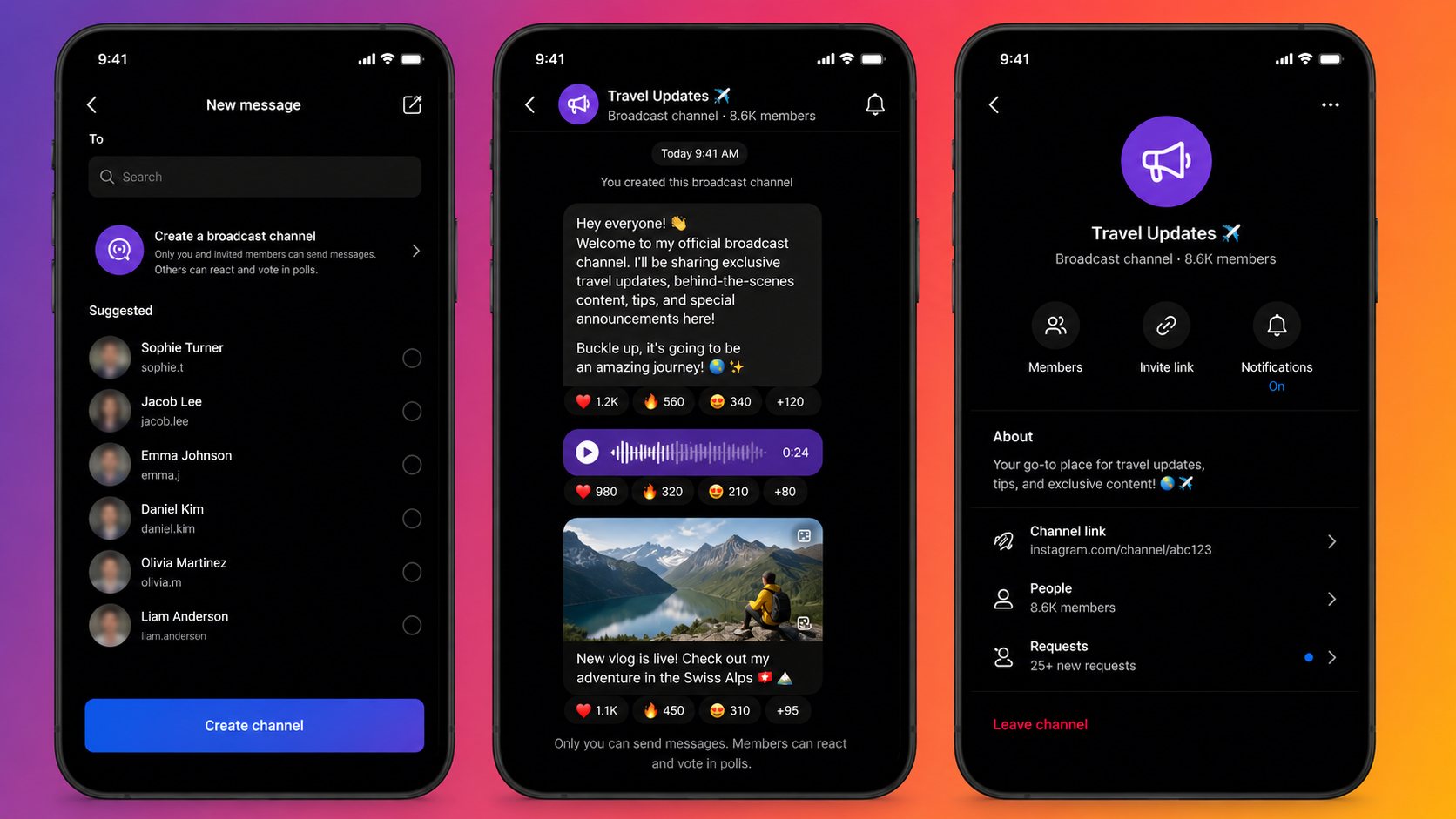
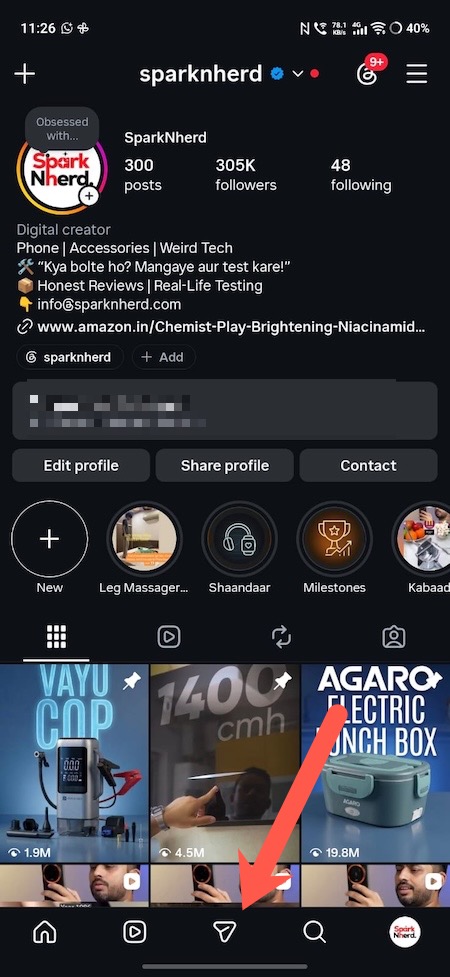
Step 1: Open Instagram, tap the Messages icon, then tap the Pencil or Compose icon on the top-right corner.
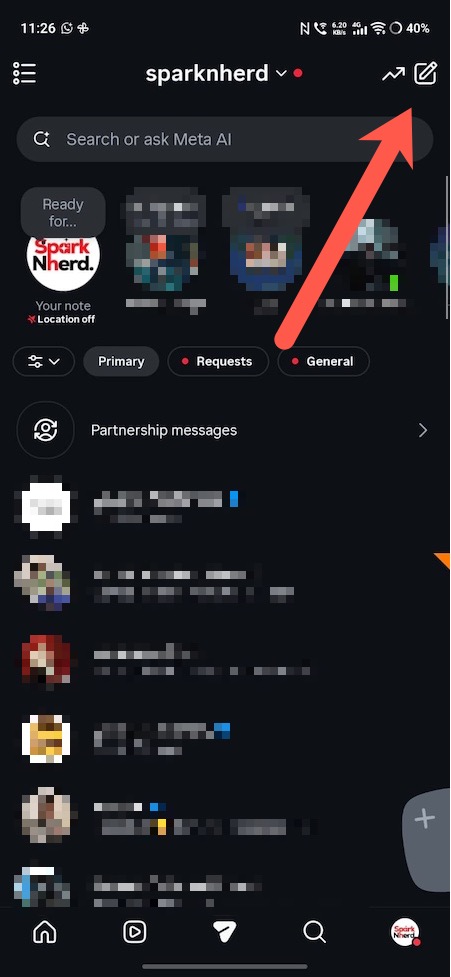
Step 2: Once done, select Create Channel and choose a channel name that clearly reflects the content your subscribers can expect. Here, you can set the audience to either followers only or open to all Instagram users.
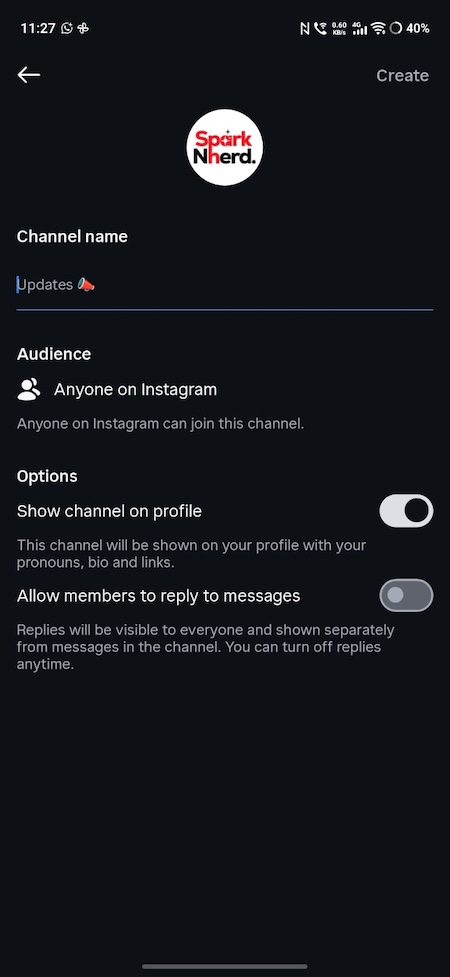
Furthermore, you can enable Show channel on profile so the channel link appears in the bio and is easy to discover.
Step 3: Tap Create and send a welcome message explaining what the channel is for and how often updates will be posted. That’s it. The channel is now live and ready to use.
Instagram Broadcast Channel Features
One of the reasons Instagram channels have gained popularity is the range of content formats and tools available inside them.
You can share text, photos, videos, and voice notes, giving flexibility in how content is delivered. Polls are also built in for quick feedback or to let followers weigh in on upcoming content.

Moreover, Instagram has added nested replies that function like comment threads, keeping responses organised under individual posts.
There is also a 24-hour response prompt that lets creators collect text or photo replies within a set window, useful for Q&As or time-sensitive campaigns.
A Smarter Way to Reach Your Audience
At the end of the day, social media is about connection. While trends, algorithms, and features will continue to change, having a space where you can communicate directly with your audience remains incredibly valuable.
Instagram Broadcast Channels make that possible, giving creators a simple way to stay visible, relevant, and connected to the people who matter most.
FAQs
What is an Instagram Broadcast Channel?
Instagram Broadcast Channel is a one-to-many DM feature where only the creator sends messages, and followers can react, vote in polls, or reply.
Who can create an Instagram Broadcast Channel?
Creators and Business accounts with at least 10,000 followers and a public profile.
How do I create a Broadcast Channel on Instagram?
Go to DMs, tap the compose icon, select Create Broadcast Channel, name it, set the audience, and tap Create.