Samsung’s Galaxy AI features have become the most useful suite of tools on any Android phone, and most people are only using a fraction of them. From Circle to Search to the brand-new Now Nudge, here is every Galaxy AI enhancement on theSamsung Galaxy S26 and older devices that you should actually be using right now.
What Is Galaxy AI and Which Devices Support It?
Galaxy AI is Samsung’s umbrella term for all on-device and cloud-powered artificial intelligence features built into its Galaxy lineup. It was first introduced with the Galaxy S24 series and has now reached its third generation. Galaxy AI 2026 introduces a new layer of agentic AI, which means it no longer just responds to commands. It anticipates your needs and acts proactively in the background.
Most features are available on the Galaxy S24, Galaxy S25, and Galaxy S26 series via One UI updates. Some newer features, like Now Nudge and Privacy Display, are currently exclusive to the Galaxy S26 series.
Top Galaxy AI Features
Galaxy AI has powerful tools like Circle to Search, Photo Assist, Now Nudge, and Scam Detection. All these are designed to make your Samsung phone smarter, faster, and more intuitive every day.
Now Nudge
Now Nudge is the flagship new Galaxy AI feature on the Galaxy S26. What this means is when a friend texts you about evening plans, then Galaxy AI automatically checks your calendar, detects any scheduling conflicts, and displays a contextual pop-up without you ever switching apps.
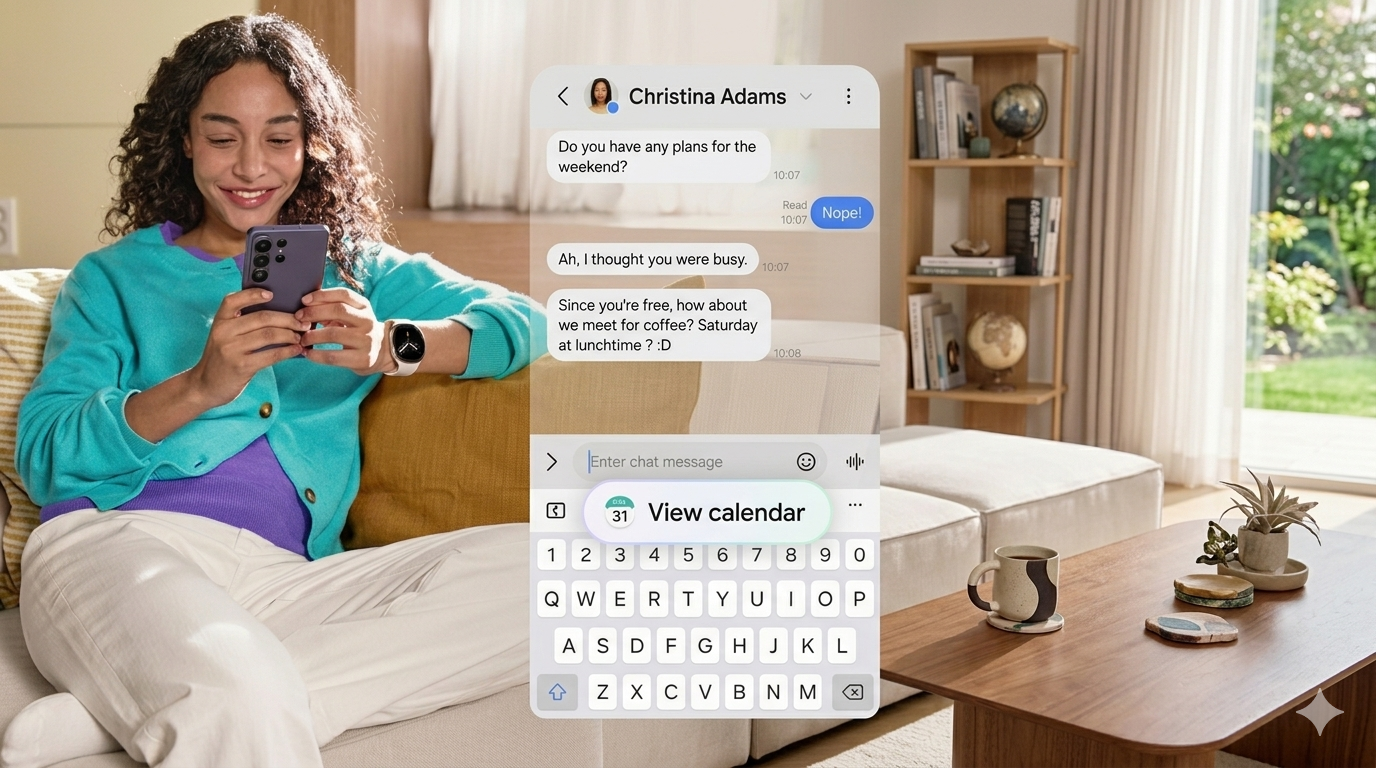
It reduces unnecessary app-switching and surfaces the right information at exactly the right moment. To use it, go to Settings > Advanced Features > Galaxy AI > Now Nudge on your Samsung Galaxy phone and toggle it on.
Circle to Search
Circle to Search on Galaxy lets you draw a circle around anything on your screen, like a word, image, or product, to instantly trigger a Google search without leaving the app.
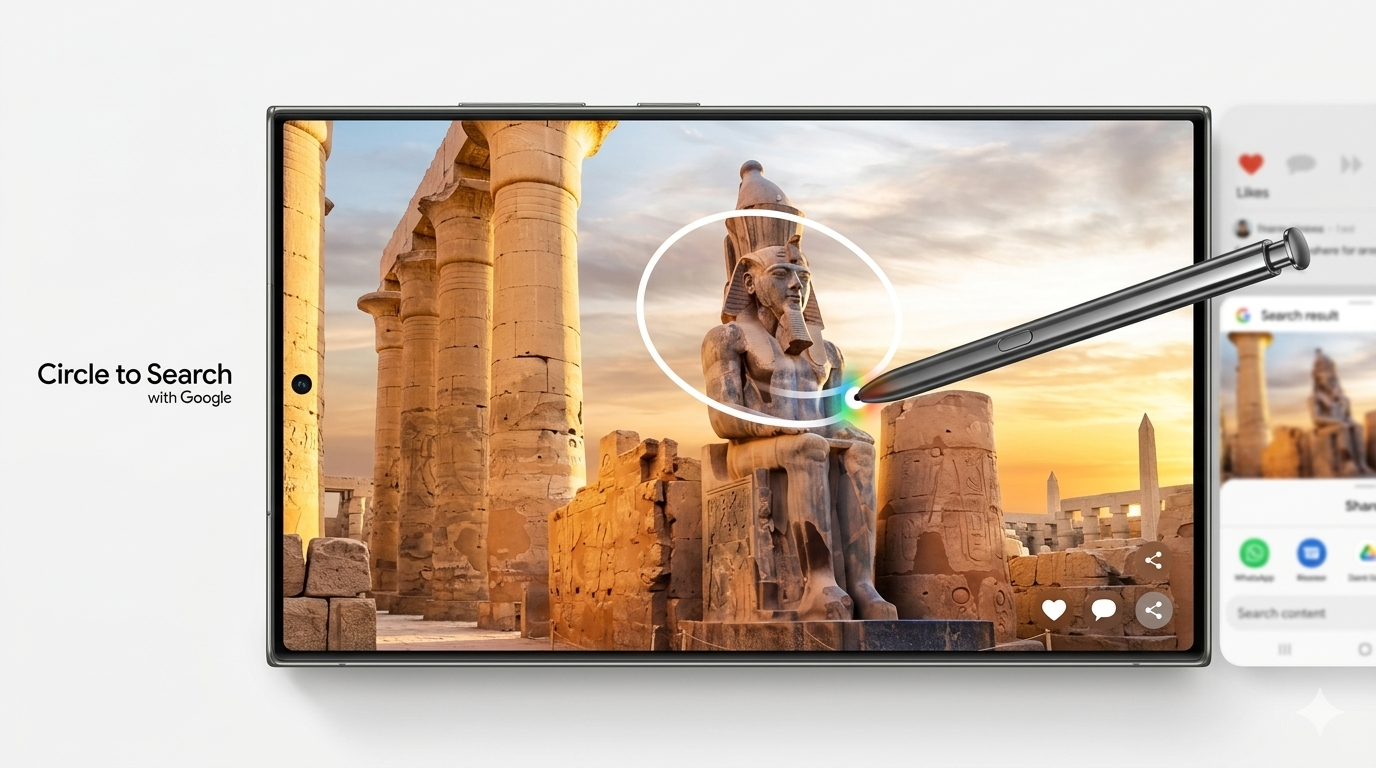
In 2026, it has evolved to support multi-element searches. All you need to do is circle a celebrity’s full outfit, and Galaxy AI generates a curated shopping list to recreate the look piece by piece. To activate it, just long-press the home button on any screen.
Note: Use Circle to Search during video playback. Pause the frame, circle the item you want, and search without closing the video. It works across YouTube, Instagram Reels, and any video app.
Photo Assist
Galaxy AI’s Photo Assist lets you edit photos by simply describing what you want changed. Type turn this daytime shot into night or remove the person on the left, and the AI handles it entirely on-device.
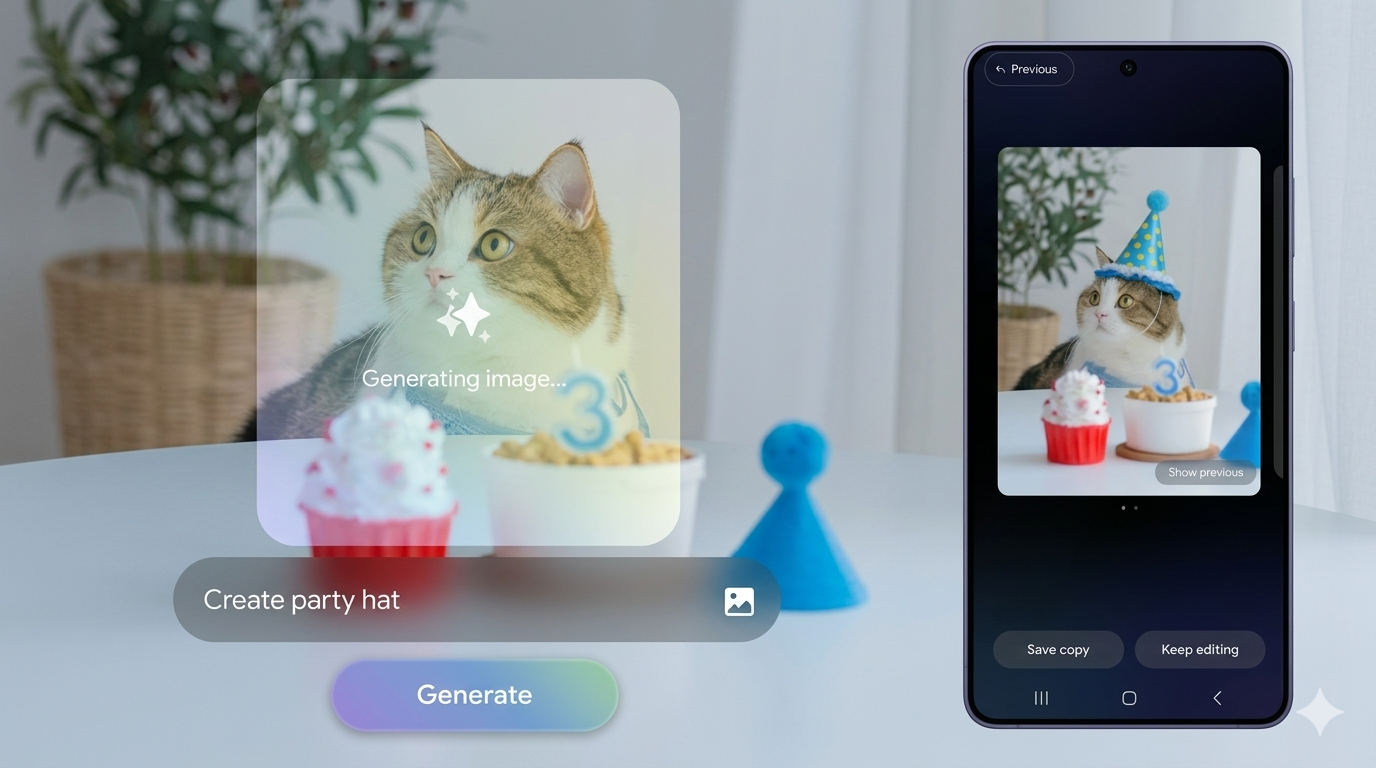
It supports over 41 languages and extends to restoring missing parts of objects. To test this Galaxy AI feature, open the Gallery app, tap any photo, and hit the Edit pencil > Photo Assist.
Scam Detection
Scam Detection is powered by Google’s on-device Gemini model. Galaxy AI Scam Detection monitors your live phone calls in real time and alerts you instantly via audio and haptic feedback if it detects suspicious scam patterns.
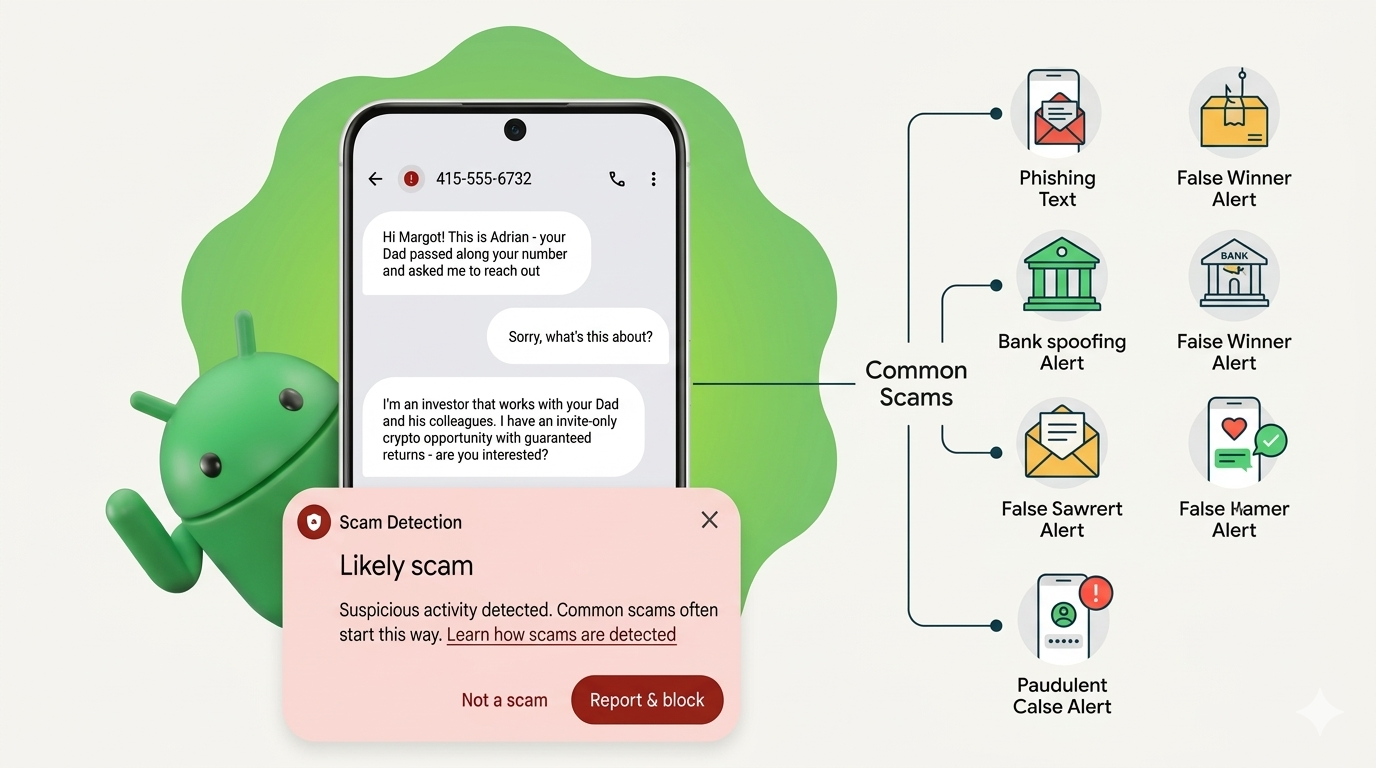
All analysis happens entirely on your device, so nothing leaves your phone. It is automatically disabled for contacts in your address book. To enable it, head over to Phone app > Settings > Scam Detection on your Samsung Galaxy smartphone.
Also Read: Best Free Truecaller Alternatives in India 2026
Creative Studio
Another cool Galaxy AI feature is Galaxy AI Creative Studio. Using this, you can transform your photos into different artistic styles. What’s more, it generates personalized sticker sets from your images and creates custom wallpapers from text prompts.
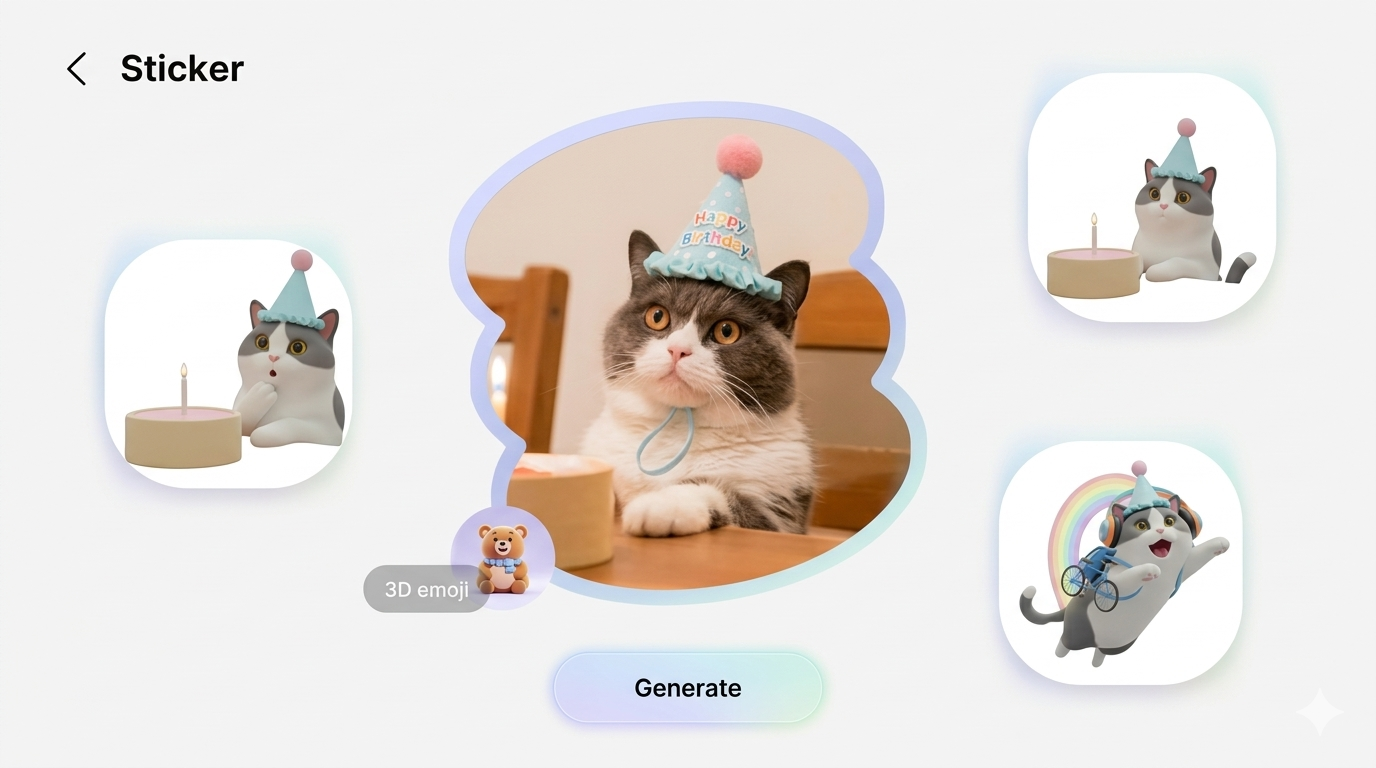
It unifies content creation and personalisation in one place. To do so, head over to Gallery app > Edit > Creative Studio.
AI Document Scan
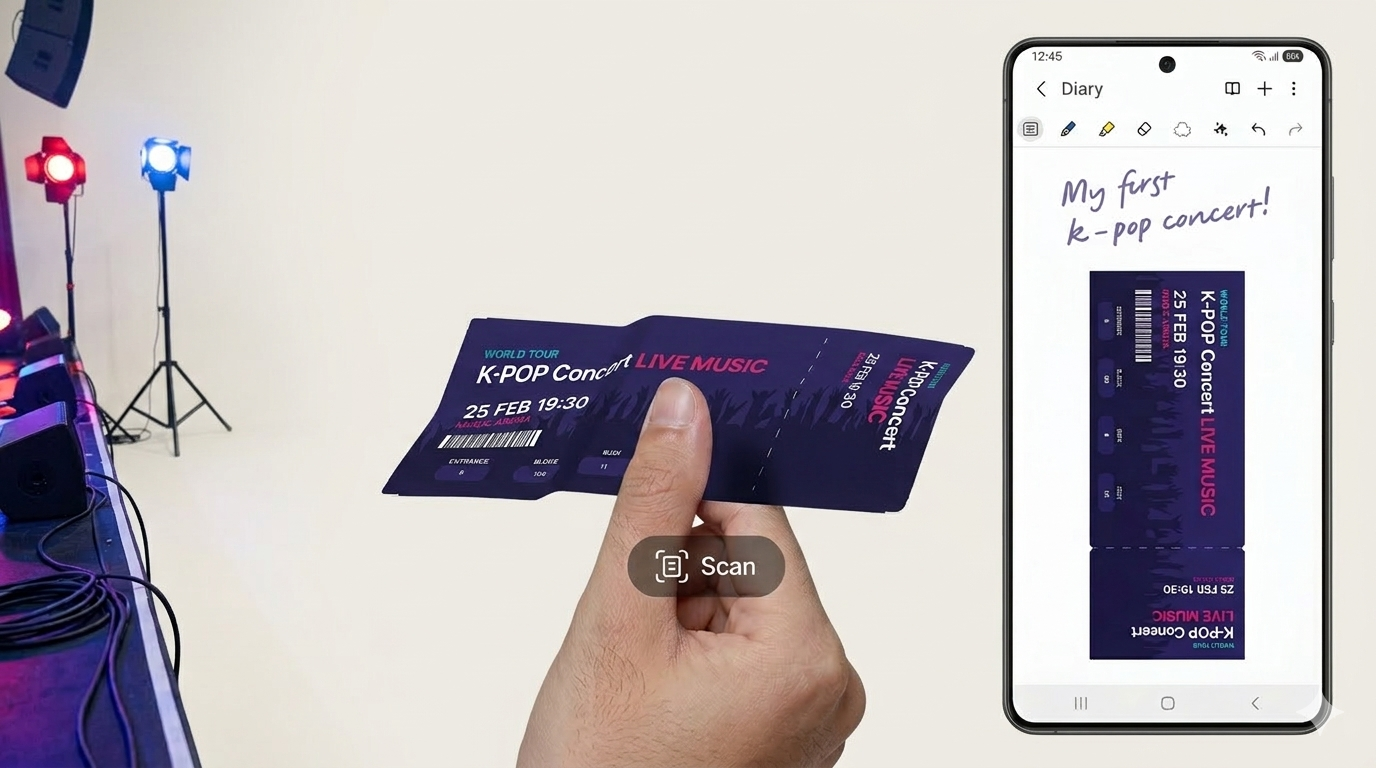
Galaxy AI’s Document Scan uses your camera to detect, flatten, clean, and convert physical documents like receipts, contracts, and handwritten notes into polished, ready-to-share digital files in seconds.
It automatically corrects perspective, removes shadows, and outputs a clean PDF or image. Access it via the Camera app >More > Document Scan or through Samsung Notes.
Note: Most Samsung Galaxy AI features list items, including Circle to Search, Photo Assist, Creative Studio, and Document Scan, as available on Galaxy S24, S25, and Galaxy S26 series via One UI updates. Now, Nudge, Scam Detection, and Super Steady Horizontal Lock are currently Galaxy S26 exclusive. Privacy Display is S26 Ultra only.
Final Thoughts
Samsung’s Galaxy AI is now more powerful than ever and is a smarter way to use your phone. From Now Nudge to Photo Assist, these tools are built for real life. Start using them today and let your Galaxy work harder for you.
Galaxy AI Feature: FAQs
What is Galaxy AI, and which phones support it?
Galaxy AI is Samsung’s set of smart features on Galaxy phones like S24, S25, and S26, added through One UI updates to simplify everyday tasks.
Is Galaxy AI free to use or paid?
Samsung recently said these AI features will stay free. But some third-party AI tools on Galaxy devices might come with their own terms or possible charges.
What is Now Nudge and how does it actually work?
Now Nudge understands what’s on your screen and your device, and suggests useful actions at the right moment, making things quicker and more convenient.