Instagram is a strangely beautiful place. It’s where we share snippets of our lives, silently observe others, and sometimes dive deep into someone’s feed without ever leaving a trace. Hence, it’s only natural to wonder who views our Instagram profile. And trust me, you are not alone — millions of users have the same question.
So, in this post, we will break down what Instagram allows you to see, what remains hidden, and why profile viewer apps are not trustworthy. More importantly, we also walk you through the steps on how to take control of your privacy.
Also See: How to Stop Seeing Threads Posts & Notifications on Instagram
Can You Actually See Who Views Your Instagram Profile?
The answer to this question is a resounding No.
Instagram does not let anyone view a list of people who have visited their profile, at least for now. This policy is the same across all types of accounts, personal, business, or creator, and all platforms. Profile visits remain entirely anonymous.
On the contrary, other platforms like LinkedIn offer limited profile view insights for Premium users, but Instagram never shows this information.
Instagram wants its users to browse without feeling judged or watched. By keeping profile visits private, it gives us the freedom to explore without pressure. You can check out someone’s feed, scroll through old posts, without overthinking what it might look like.
This way, you can enjoy content for what it is, without feeling judged. If you ask me, it’s the quiet little freedom that makes the whole experience feel a little more relaxed.
What About Story Views?
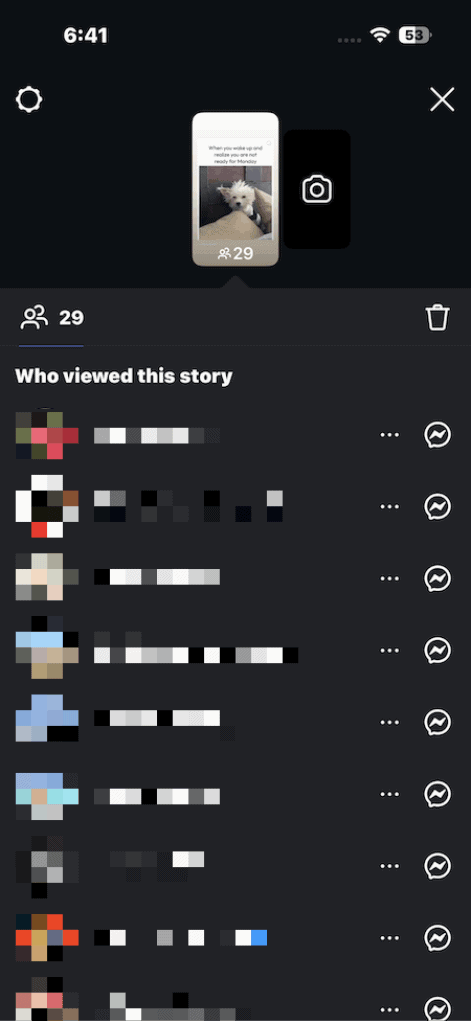
Your profile views might be hidden, but you can still see some interactions. Take Stories, for example. Just swipe up, and you’ll get a list of who has checked it out. Remember that Stories from private accounts can only be viewed by their approved followers.
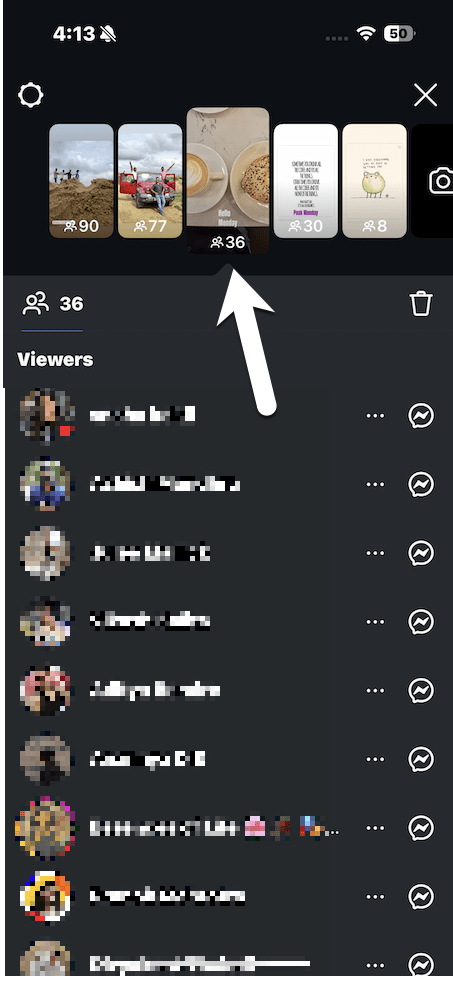
That said, note that viewer info disappears after 48 hours. Plus, viewer order depends on engagement and not on viewing time.
Can Third-Party Apps Show You Who Viewed Your IG Account
The idea of finding out who views your account has made a lot of third-party apps pop up, each claiming to give you the inside scoop. They promise features like spotting your top stalkers or revealing hidden profile visits that Instagram itself does not show. While these claims sound tempting, they are misleading and entirely false.
Let us debunk a few common ones.
Claim 1: Switching to a public account for one day reveals viewers.
Not true. Changing the account type does not change visibility. In fact, Instagram never reveals who visits your profile, regardless of your account type. This feature simply doesn’t exist on the platform, and no setting can enable it.
Claim 2: Using certain hashtags shows who is stalking you
Not true. Hashtags influence the reach of your posts by helping them appear in relevant searches and explore pages, but they do not affect the visibility of who views your profile or content.
Claim 3: Frequent Story views mean someone is stalking your profile
Not necessarily. They may simply be engaging with Stories without visiting your full profile. However, do note that if a person doesn’t engage with your stories for a long time, Instagram may stop showing your stories at the top of their feed.
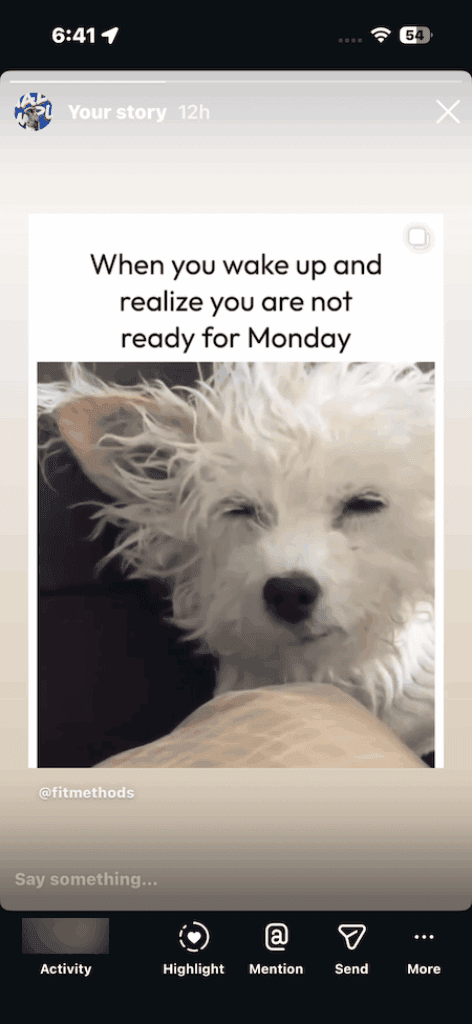
Instagram’s algorithm prioritizes content from people you interact with regularly, through likes, comments, DMs, or story views.
In short, third-party apps that claim to reveal your profile viewers are not only inaccurate but also dangerous. You should avoid them altogether since they can place your account at risk (they have your Instagram login credentials, remember). You never know which third-party Instagram app comes with spyware or malware that can steal personal data.
More importantly, the use of such apps violates Instagram’s Terms of Service. Your account may be flagged, suspended, or banned.
How to Protect Your Privacy on Instagram
Instagram gives you several built-in tools that lets you control who interacts with your profile or sees your content.
1. Make Your Account Private
You can make your account private, to keep your content visible only to approved followers.
To do so, go to your Instagram Profile > tap the three-line menu in the top-right corner. Tap on Settings and activity > Account privacy, and choose Private.
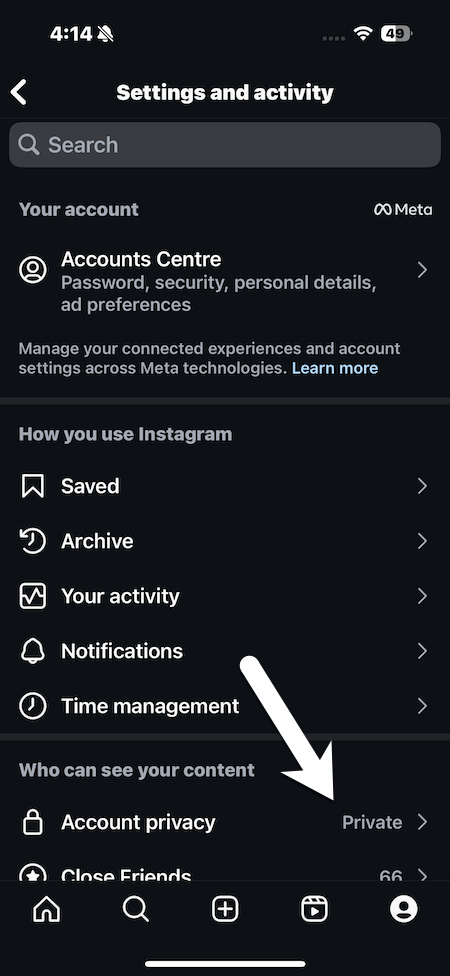
From now on, only people you approve will see your posts, Stories, and follower list.
To block someone, go to their profile, tap the three-dot menu at the top right, and choose Block from the options. Simple, see?
2. Control Story and Post Visibility
At the same time, you can use the Hide Story From and Close Friends List to control the visibility of your posts and stories.
To create your Close Friends list on Instagram, head to your Profile and tap the three horizontal lines (☰) in the top-right corner to open the menu.
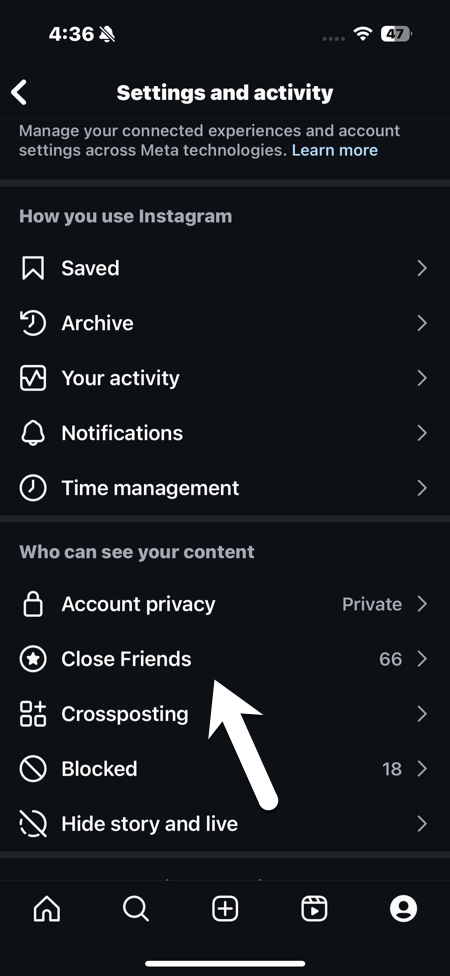
From the list of options, select Close Friends. Instagram will show you suggested accounts based on your recent interactions, but you can also use the search bar to find specific people. Simply tap Add next to the names you want to include.
However, if you feel threatened or harassed by someone, you can report inappropriate behavior or messages.
3. Restrict or Block Certain Users
If controlling story or post visibility is not your cup of tea, then you can restrict or block certain accounts. While Restrict limits their interaction on your profile, Block removes their ability to view your content or contact you. Don’t worry, they will not know they are restricted.
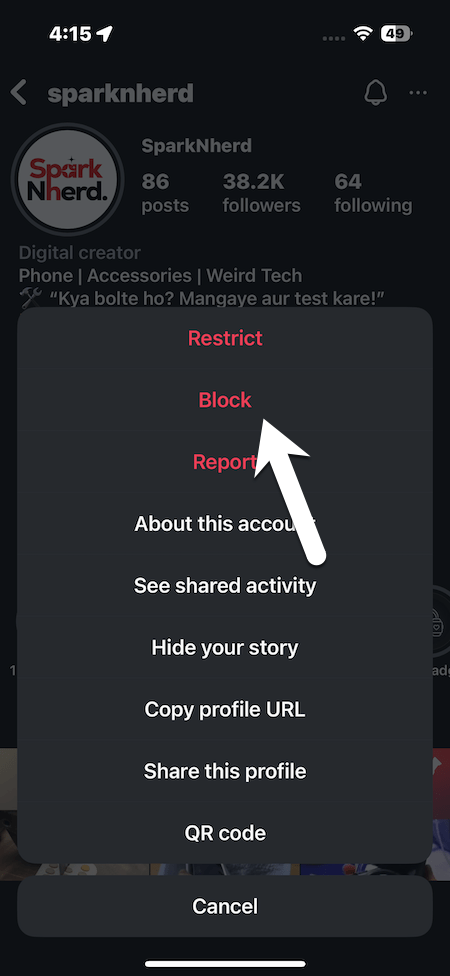
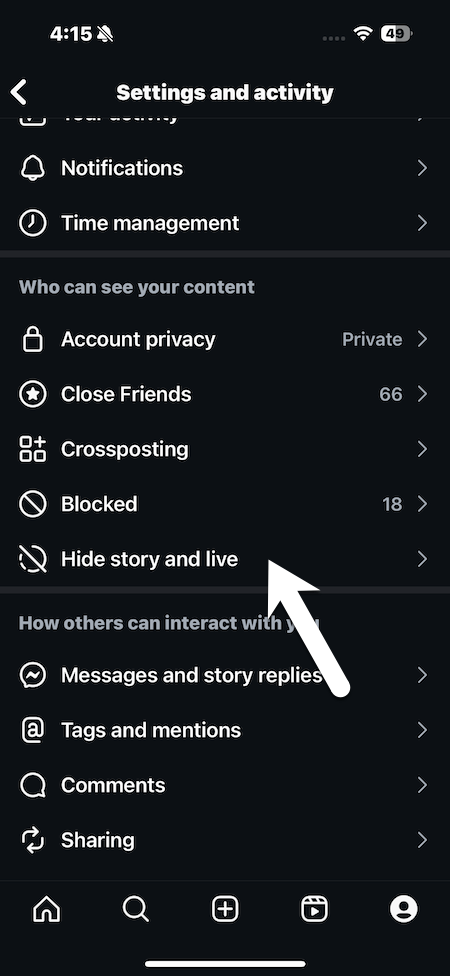
The good thing is that your actions are private, and the other person will not be notified that they have been blocked, restricted, or reported.
Wrapping Up
The mystery of “who viewed my profile” will probably always be a part of Instagram’s charm. And maybe that’s a good thing. By keeping profile visits private, Instagram gives us the freedom to scroll, explore, and even binge someone’s feed without the weight of being exposed.
What you can control is how much of yourself you share and with whom. With privacy tools like private accounts, Close Friends lists, and restrictions, you get to decide the rules of engagement.
So, instead of worrying about invisible visitors, focus on building the kind of Instagram experience you actually enjoy — whether that’s curating your feed, sharing your stories with a smaller circle, or simply lurking in peace. After all, Instagram is less about who’s watching and more about how you choose to connect.