A Brief Overview
– Google Personal Intelligence makes Gemini more personal by connecting your apps and data.
– It helps you find information faster and get context-aware suggestions.
– The feature is currently rolling out in the United States for free and paid users.
Google Personal Intelligence is a new step forward in AI that makes things feel a lot more personal and useful. It connects different parts of your digital life, like your emails, photos, and past activity, in a secure way to give you better, more relevant answers.
Think of it like having a personal assistant who already understands your context. So if you’re trying to find something you bought years ago or planning a trip based on old photos, it can help you do that quickly without the usual hassle.
Google Personal Intelligence is available for personal Google accounts on the free plan, as well as for AI Pro and Ultra subscribers, for users aged 18 and above.
What is Google Personal Intelligence?
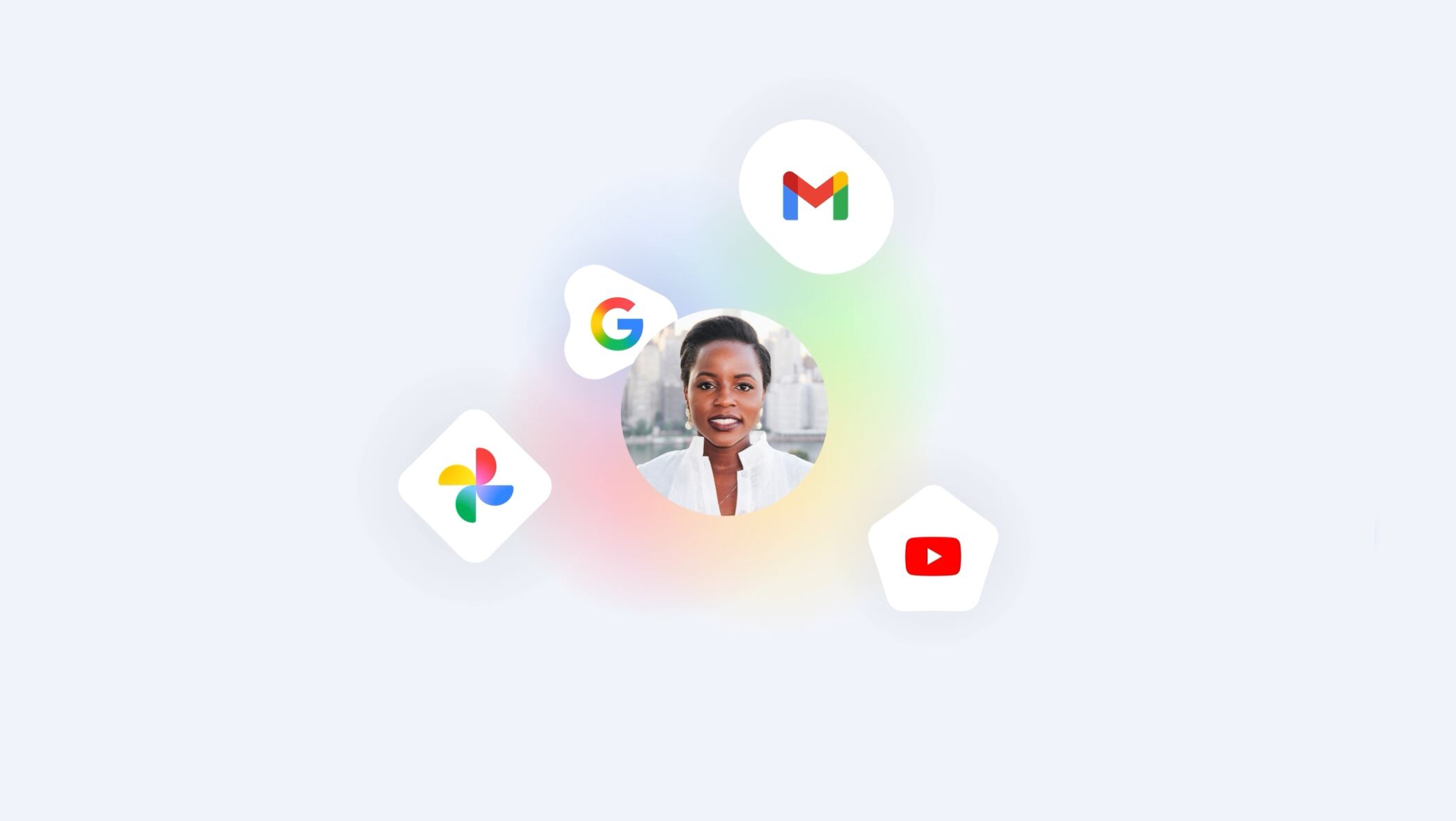
Google Personal Intelligence is a smart upgrade that makes Gemini feel more like a real assistant than just a chatbot. Instead of giving generic answers, it connects information from your Google apps like Gmail, Photos, Drive, YouTube, and Maps in a secure way. This helps it understand your habits and context better.
So, instead of just searching keywords, it can help you find details about a gadget you bought from an old receipt. Or, it can suggest what to eat based on your flight timings. Interesting, right?
Step 1: Open Gemini or go to gemini.google.com, tap your profile, and head to Settings > Personal Intelligence. Next, tap on Connected Apps.
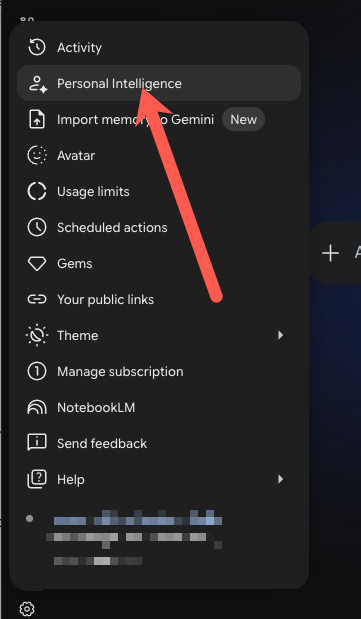
Step 2: Next, connect the Google apps you want Gemini to use. Just toggle on the services like Gmail, Google Photos, Google Drive, and Google Maps.
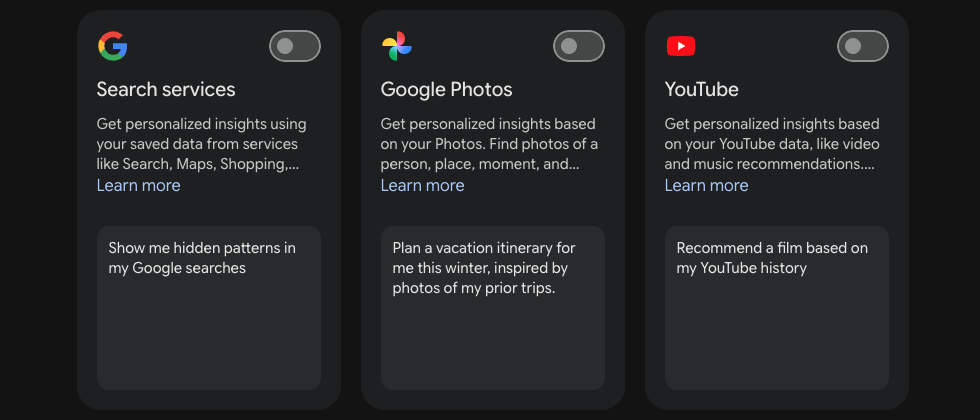
Step 3: Ask something personal, like your next flight or a past purchase, to check if it’s working. Each app has its own limitations when it comes to Google Intelligence.
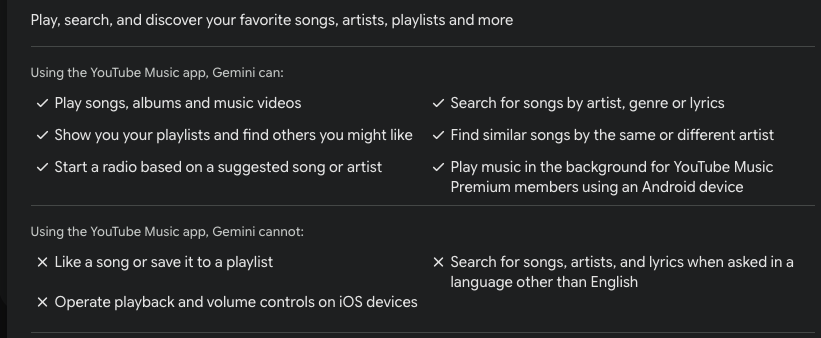
For example, you can ask Gemini to play a particular song, but you can’t ask it to like a song. In the same way, you can personalize your Gmail experience, but you won’t be able to access attachments from Drive, among others.
Step 4: Go to Connected Content Apps to control access. You can disconnect apps anytime, and your data stays private.
Final Thoughts
By following this Google Gemini Personal Intelligence guide, you can turn a regular chatbot into a smart, proactive assistant. Whether you’re fixing tech issues or planning a trip, it helps you get things done faster and more easily.
FAQs
Does Google Personal Intelligence cost extra?
No, Google Personal Intelligence is currently free for personal accounts.
Can I delete what personal intelligence knows about me?
Yes, via Gemini Activity settings, you can delete what personal intelligence knows about you.
Does Google Personal Intelligence work on an iPhone?
Yes, Google Personal Intelligence works on iPhones through the Google and Gemini apps on iOS.