There’s a unique kind of mess that only people who live inside documents all day truly get. Windows stacked, tabs multiplying, versions named “final_THIS_ONE,” feedback scattered across screenshots and half-buried chats. And well, this can be a real productivity killer. It’s 2026, and if you are still using Google Docs without integrating Google Gemini, then it’s time I told you about Google Docs’s productivity tips.
Once I started using Google Docs and Gemini together, everything felt different -and I could feel my productivity getting higher.
Also See: How to Add Signatures in Google Docs on Your Phone
Turning the Blank Page Into a Living Conversation
The worst enemy of productivity is the blinking cursor on a blank page. I used to stare at it, rearrange tabs, open Instagram for one second, and suddenly it was 40 minutes later. Pairing Docs with Gemini flipped this dynamic, and turned into into one of the best AI tools for writers.
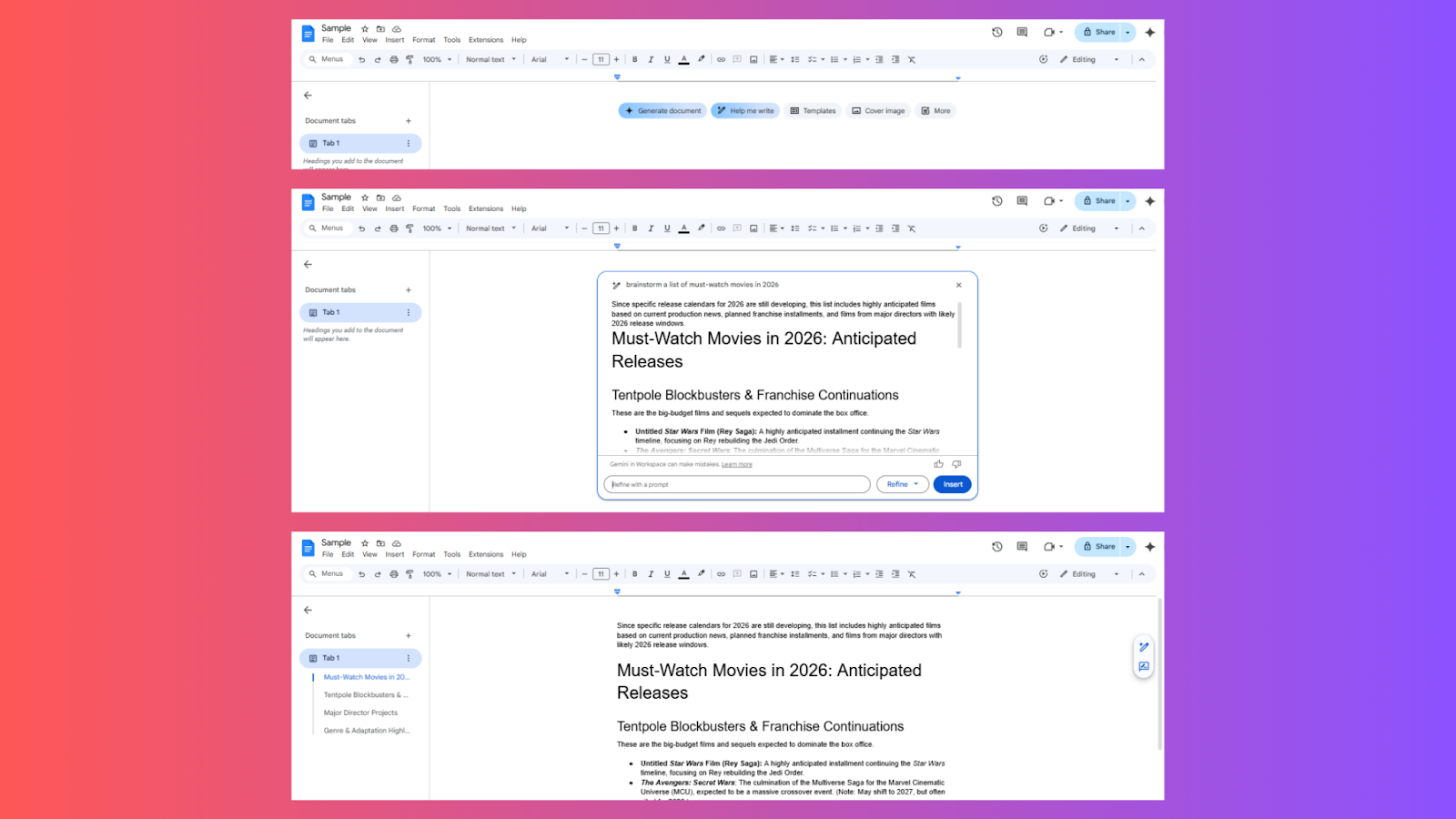
I write whatever rough, messy thoughts I have in Docs, and then I bring Gemini into the conversation. Gemini helps me shape all of that from scratch. With this, my scattered text becomes structured bullet-free sections, step-by-step breakdowns, or neat pointers I can actually use and give my own twist!
Editing Became Sharper & Shorter
We all know how emotionally attached we can get to our own words. Editing your own writing sometimes feels like deleting little parts of your brain. So, instead of asking Is this sentence good?, I asked, How do I make this clearer and tighter?
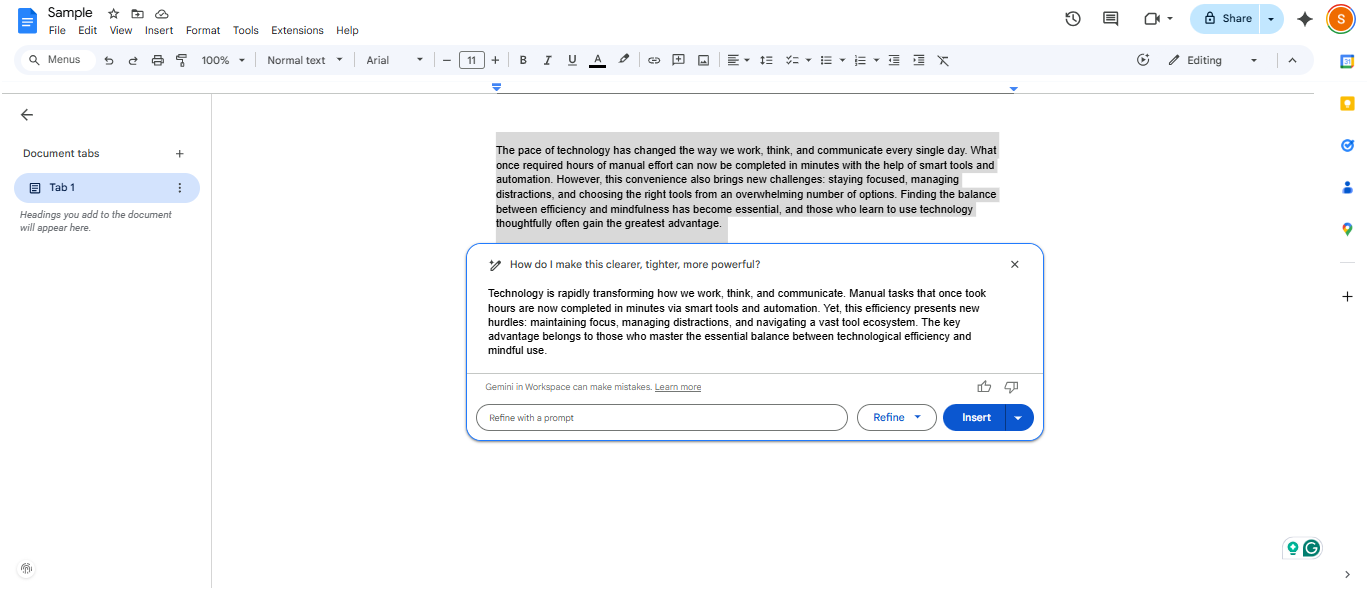
Now the process looks like this and has definitely supercharged Google Docs and my workflow. I write freely and without judgment. Then I turn to Gemini, which in turn identifies weak transitions and wandering arguments that I usually fail to see, which in turn helps me tighten up my writing.
Turning Ideas Into Structured Output Instantly
Not every day is the same. At times, the human brain thinks in clouds, and productivity requires a bit of a push. So, every time I have a vague idea, I drop it into Docs and then ask the able Gemini writing assistant to shape it.
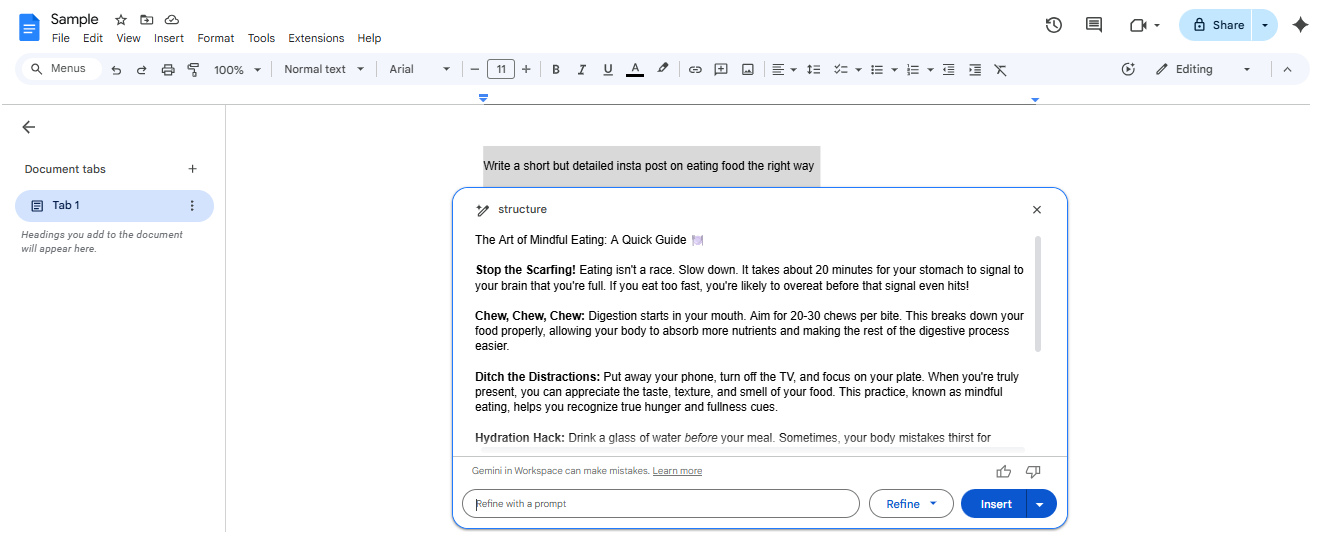
The AI tool gives it the needed structure along with headings, flow, and section logic, which I can further carve into the way I want. With this, I don’t lose ideas anymore just because they weren’t fully formed. I capture fragments and let structure happen afterward. Needless to say, this single shift has multiplied my output.
See Also: Google AI Plus And Its Benefits: Everything You Need To Know
Automation Without Losing Your Voice
If I use AI too much, will my work still sound like me? is a thought I have had since the time AI took a central part in our conversations. But pairing Google Docs with Gemini showed me something surprising.

I let Gemini help with drafts, rewrites, outlines, and expansions, but I always layered my personal tone back in. So, instead of replacing my personality, Gemini amplified it by clearing away the clutter. Gemini just helped me translate those thoughts into sharper sentences and thus became my most-used AI tool.
So yes – I automated parts of my workflow. But I never automated my identity.
I Can Also Make Images In-house
Imagine creating the images you need without leaving the document you are working on. Whoa, right?
That was my reaction when I first discovered that I could generate images directly inside Google Docs. All I had to do was click on Insert > Images > Generate, and then add my prompt.
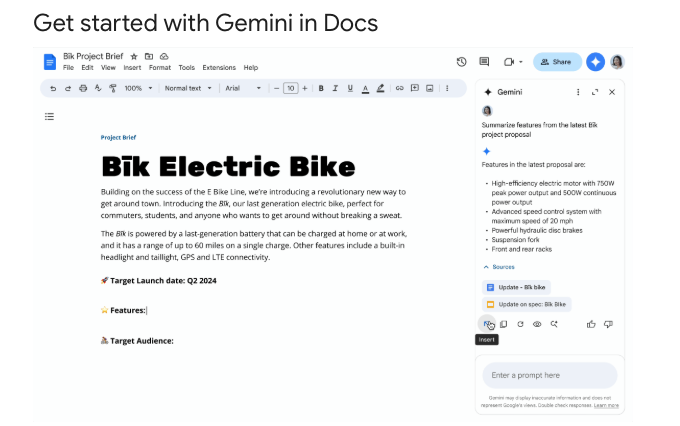
Then Gemini took care of the rest. Before I knew it, I had the image exactly where I needed it. No distractions. No hunting for apps or image generation tools.
Google Docs + Gemini = Productivity
The combination of Gemini and Google Docs turned the process into a true productivity hack. In fact, if you are part of Google Workspace, this combination turns out to be a cool AI tool for writers. Since the AI-powered assistant took care of things inside Google Docs, the distraction disappeared, and I could focus more, which in turn increased my productivity. I did not need to chase hacks anymore or time-block every second when I was not fast enough. They say work smart, not hard, and this Gemini integration with Google Docs actually showed me that.