Brief Overview
- Instagram Instants is a new disappearing photo-sharing feature.
- Instants cannot be edited heavily.
- The photo/image automatically expires after 24 hours.
If you are a regular Instagram user, you must already know that the social networking platform has more than enough ways to share your photos and moments — Stories, Posts, Reels, Notes (that little bubble), and not to mention Threads. Now, Instagram has introduced a new feature, Instagram Instants. While some people may find it useful, people like us may simply want to turn Instagram Instants.
So, if you are wondering how to turn off Instagram Instants (or even how to undo an Instant), you are in the right place.
What Is Instagram Instants?
Instagram Instants is a new disappearing photo-sharing feature introduced by Meta. The feature is designed to share unfiltered photos directly with your close friends and mutual followers.
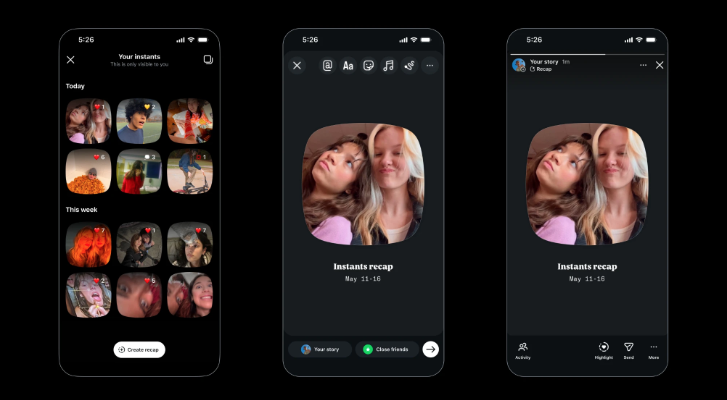
Unlike Stories, Instants cannot be edited heavily, uploaded from your gallery, or kept permanently visible. The idea behind Instagram’s new Instants feature is to make sharing feel more spontaneous and real.
Once someone opens an Instant, the photo disappears. If it is not opened, it automatically expires after 24 hours. Replies and reactions are sent directly to DMs instead of appearing publicly.
One important thing to know is that Instants work very differently from regular Instagram sharing. The moment you capture the photo, it can get sent immediately, which has already confused many users online.
How To Disable Instagram Instants
Before we get started, let me tell you that right now, there is no official setting to fully turn off Instagram Instants. But thankfully, Instagram has an option to hide Instants from your inbox.
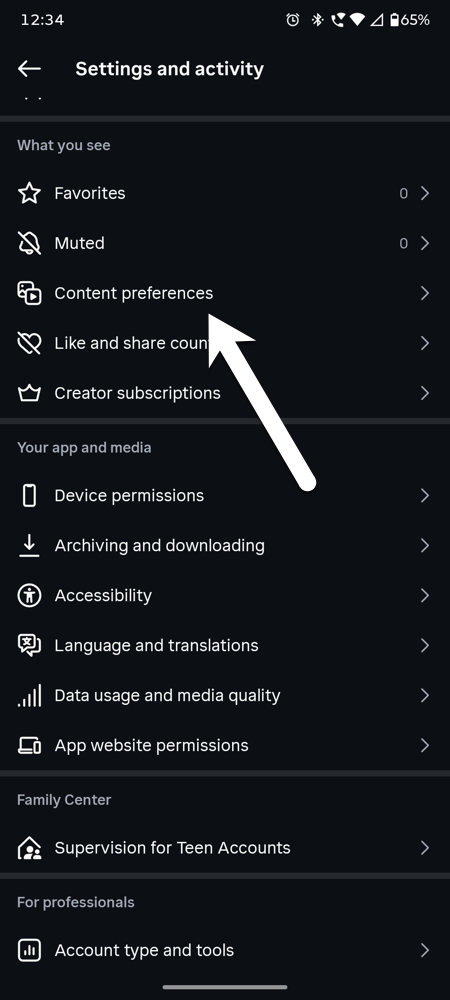
Step 1: Open Instagram and go to your Profile. Tap the three-line menu in the top-right corner and find the Content Preferences section.
Step 2: Look for the Hide Instants in Inbox option and turn the toggle On.
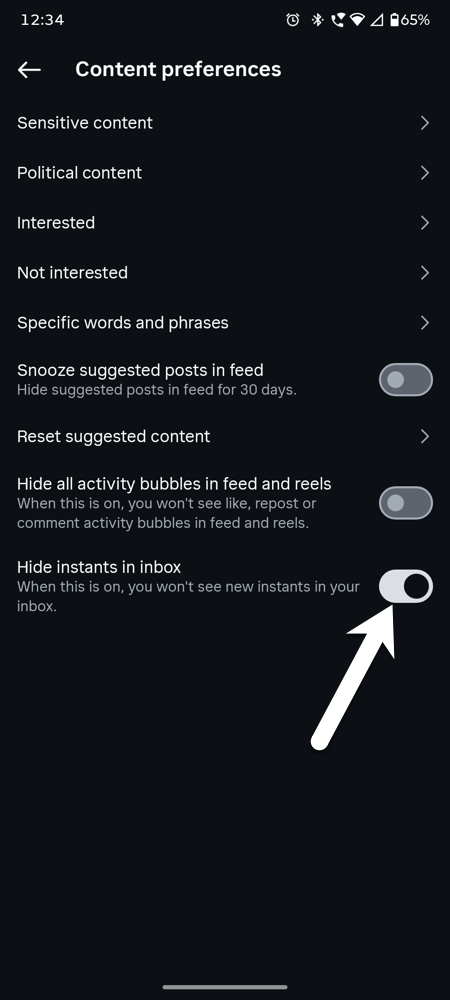
Once enabled, the Instants feature will no longer appear inside your Instagram inbox.
How To Undo An Instagram Instant
If you accidentally shared Instants, Instagram also lets you delete them.
Step 1: Open Instagram DMs and find the Instant you shared.
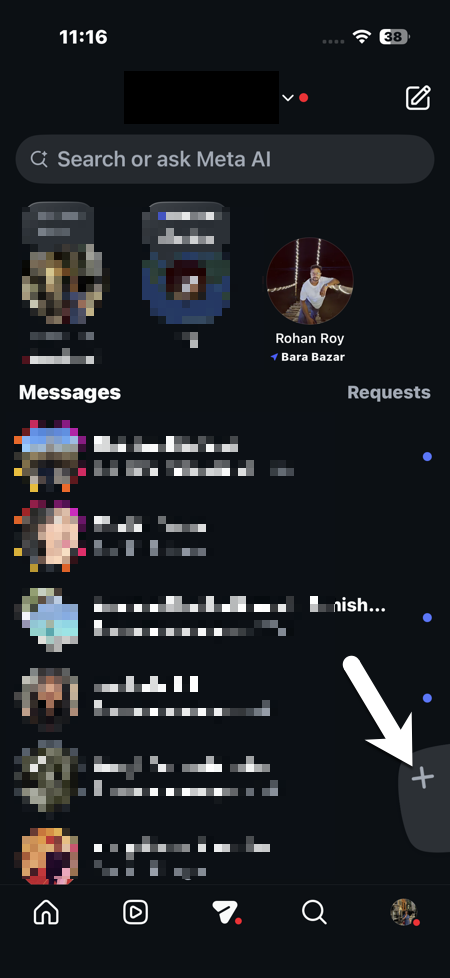
Step 2: Tap on the Instant and hold. You will see the Delete instant option. Tap on it and Voila. It’s deleted!
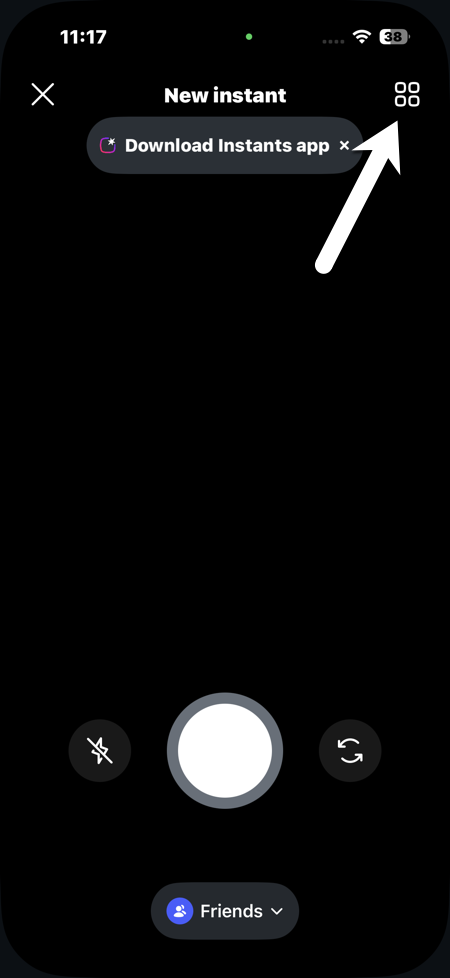
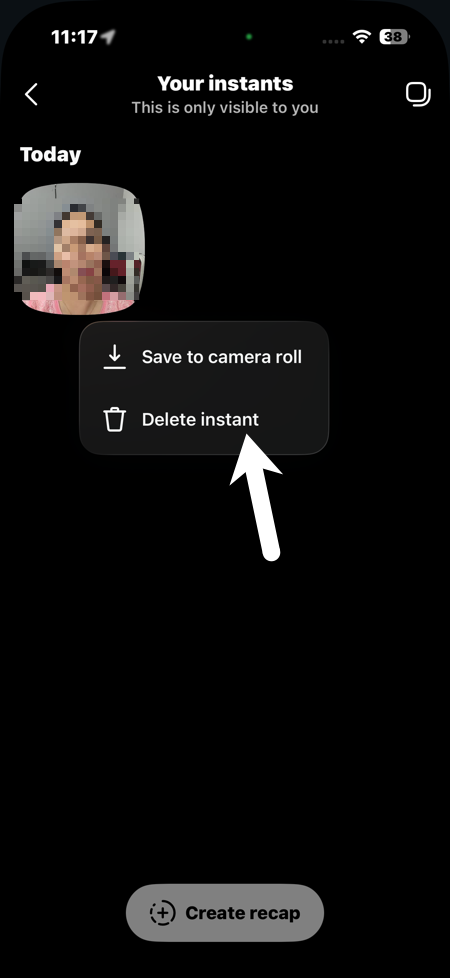
Once deleted, the Instant disappears from the chat for everyone.
Can You Completely Disable Instagram Instants?
At the moment, there is no guaranteed universal toggle to completely turn off Instagram Instants for all users. Since this feature is still rolling out gradually, Instagram may add more controls later through future updates.
For now, you know how to turn off Instants. The best option further is to keep the app updated and check the settings menu regularly for new controls.
FAQ
What is Instagram Instants?
Instagram Instants is a new disappearing photo-sharing feature inside Instagram.
Is Instagram Instants available for everyone?
No, the Instagram Instants feature appears to be rolling out gradually, so some users may not see it yet.
Is Instagram Instants available on Android and iPhone?
Yes, Instagram Instants is available on both Android and iPhone versions of the Instagram app, depending on the rollout in your country.