As you all know, Instagram has become a big part of daily life for many people. Scrolling reels in your free time has become quite normal. But there are times when you may want to take a break from this app and might want to delete or deactivate your account for social detox.
Whatever the reason, deleting your Instagram account is simple if you follow the right steps. This guide will walk you through the process.
Deactivate or Delete: Know the Difference
Before you take any action, it helps to know there are two options for an Instagram detox; one is temporary, and the other is a permanent solution.
The first solution is deactivating your account, which is temporary. This means your profile, photos, and comments will be hidden, but nothing is lost. You can log back in anytime to restore everything.
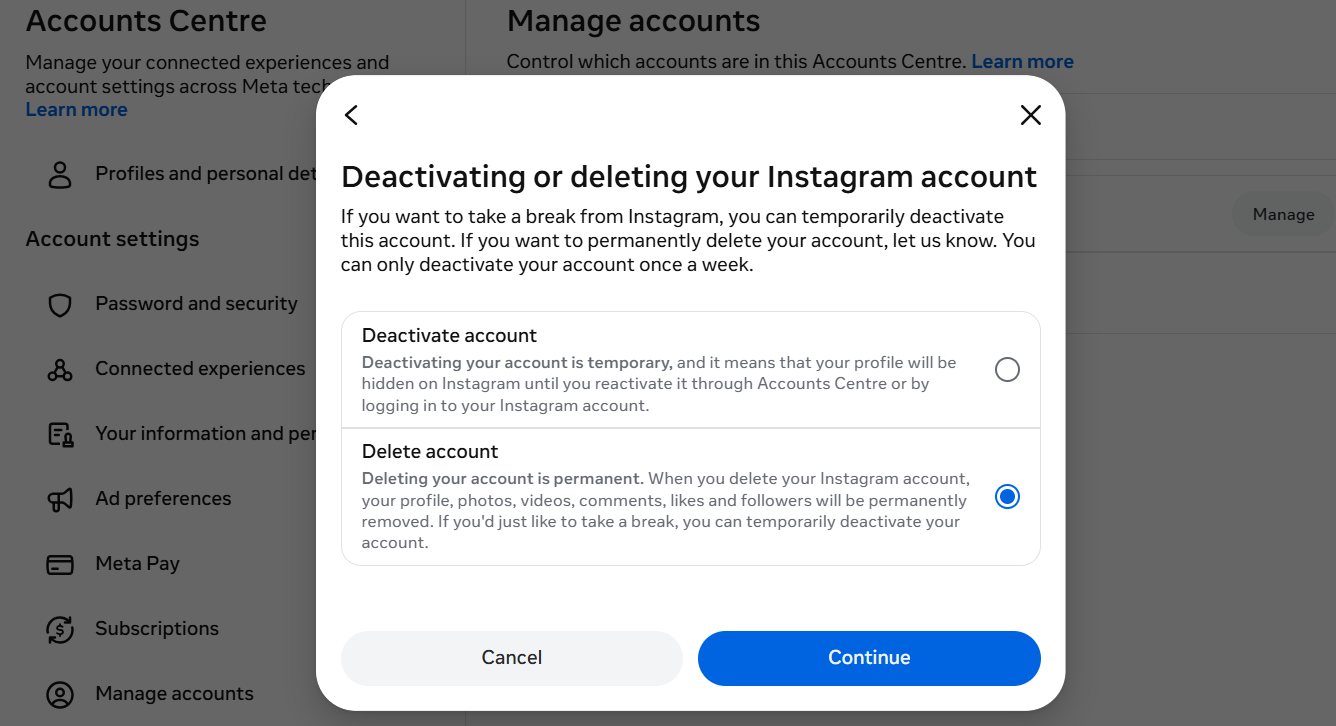
The second solution is permanent and needs a lot of thinking. Deleting your account is permanent.
Once you delete your profile, your photos, videos, comments, and followers are permanently gone. You cannot recover them, and your username cannot be reused.
If you are not fully sure about the duration of your detox, it is safer to deactivate first.
Back Up Your Data First
One important thing to remember is that before deleting your account, save a copy of your information. This includes your photos, videos, messages, and other content.
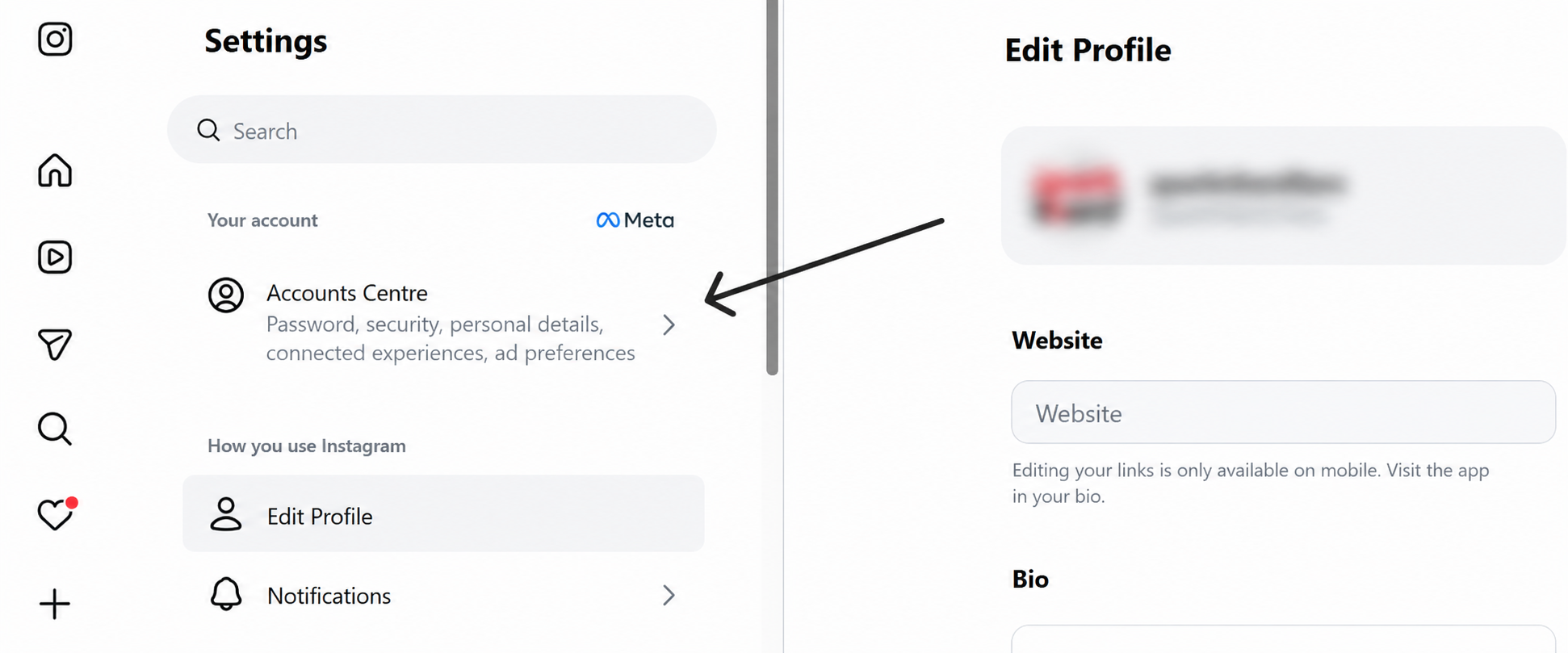
To do this, go to Settings, then Accounts Center, then Your Information and Permissions. From there, choose Download Your Information. Instagram will prepare a file with your data that you can save to your device.
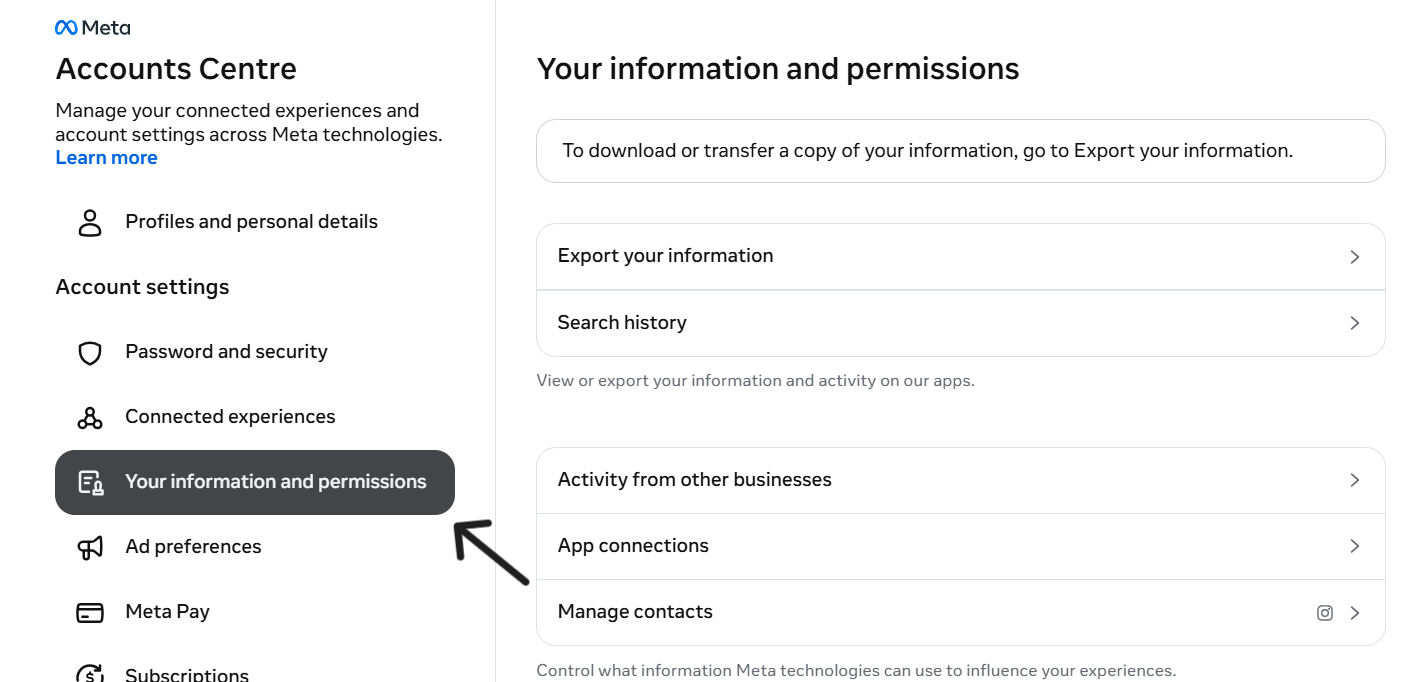
Note: This step is really important because once your account is deleted, there is no way to recover your data.
Steps to Delete Your Instagram Account
Here is how to delete your account using a web browser or the app.
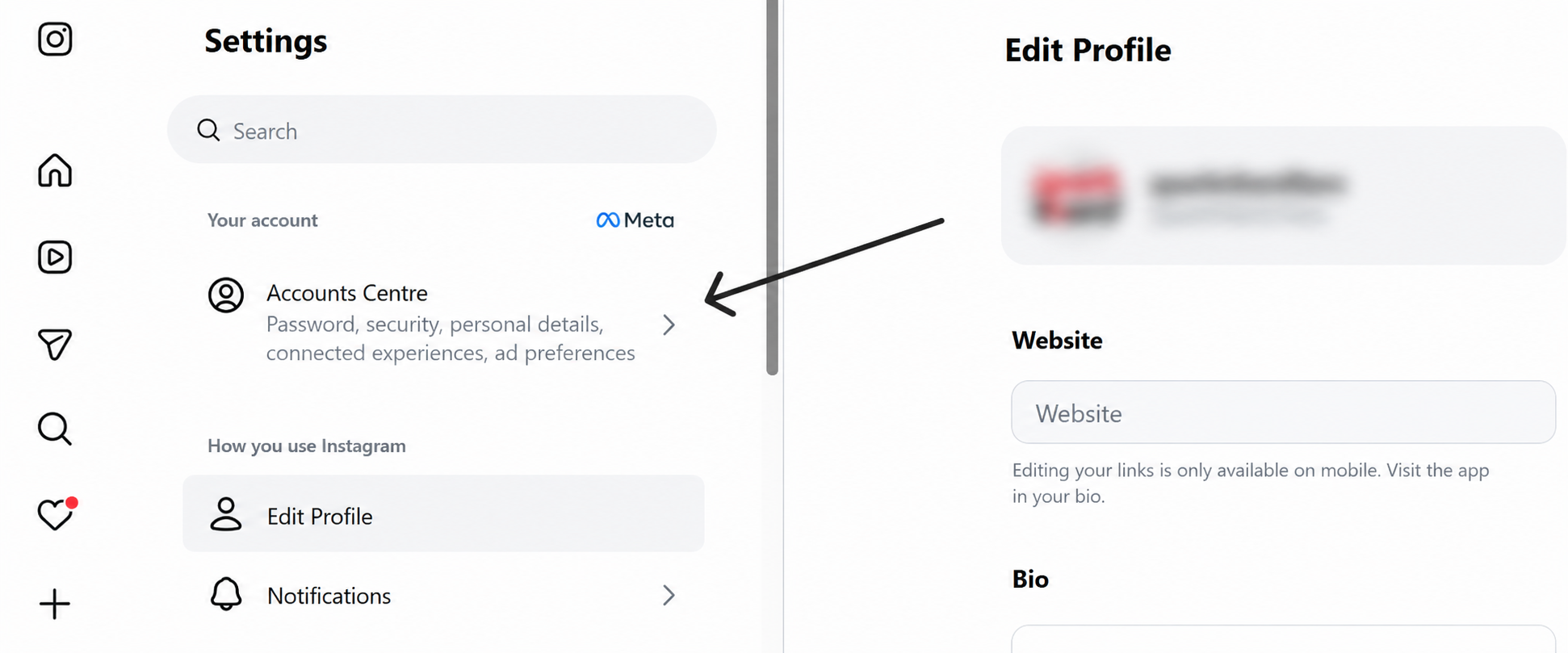
Step 1: Log in to your Instagram account and then go to your profile and open Settings.
Step 2: After that, select Accounts Center, click on Personal Details, and choose Account Ownership and Control.
Step 3: Then you will see an option: Deactivation or Deletion. Choose your account, then select Delete Account.
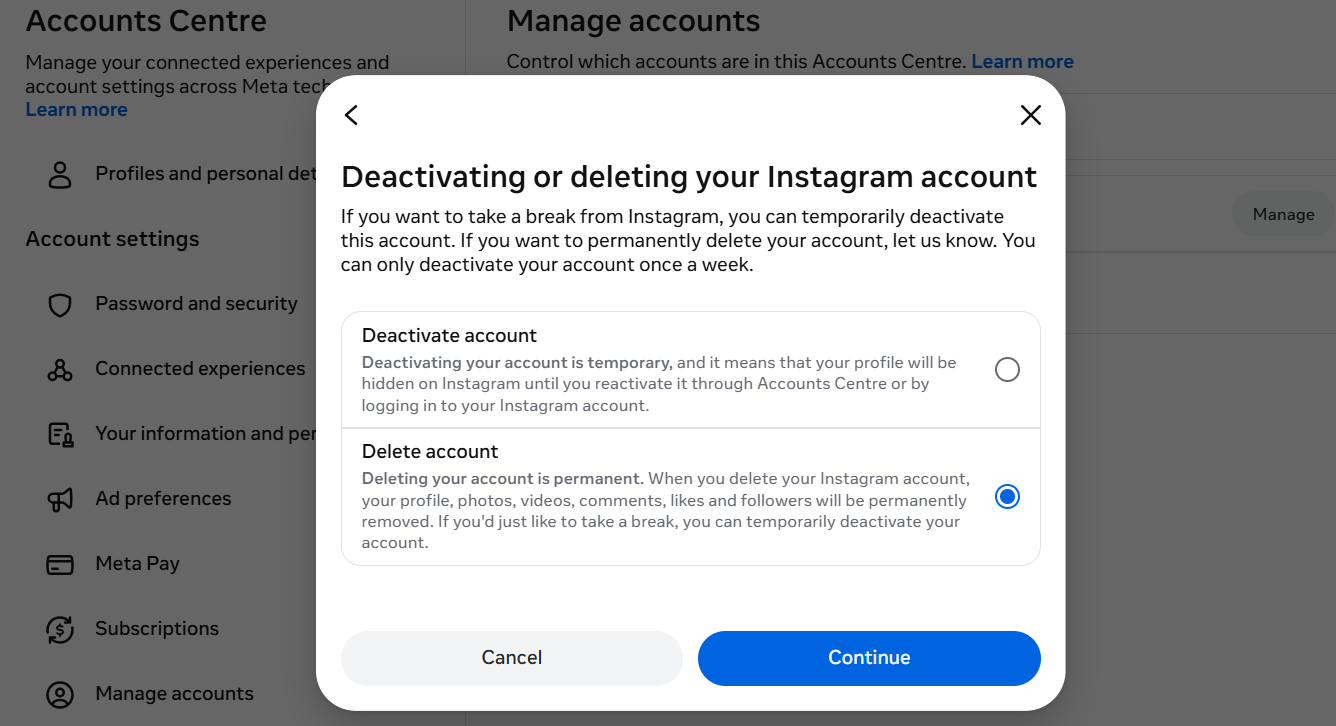
Step 4: Enter your password when asked and then pick a reason for leaving. Choose the option, and it will lead you straight to the deletion screen.
Step 5: Lastly, review the information shown, and then click Continue. For the last time, click Delete Account one more time to confirm.
What Happens After You Delete Your Account
So, deleting your account doesn’t mean that it disappears right away. Instagram provides a 30-day grace period. This is a time period where your profile is hidden from other users, but your data still exists on Instagram’s servers.
If you want to change your mind regarding the deletion of your account, you can log back in during these 30 days; the deletion is cancelled, and your account becomes active again.
After 30 days pass without you logging in, the deletion becomes permanent. Your photos, videos, stories, comments, likes, and followers are removed.
Other than that, direct messages you sent may still appear on the other person’s side. Anything others saved or shared from your account, such as screenshots, will still exist since Instagram has no control over that.
Read More: https://sparknherd.com/how-to/how-to-increase-watch-time-on-instagram/
If You Forgot Your Password
If you cannot remember your password, you can still delete your account.
Firstly, go to the Instagram login page and tap Forgot Password.
Enter your email, phone number, or username. Follow the link sent to your email or phone to create a new password.
Once you are logged in, follow the same deletion steps that are listed above.
Tired of Scrolling Instagram?
Deleting an Instagram account is a really big decision, since it cannot be undone after 30 days. So, if you are thinking about deleting your account, make sure to take the time and back up anything you want to keep.
If you are unsure about deleting your account, deactivating can be a much safer option, since it gives you the option to return later. But if you are ready to leave for good, the steps above will guide you through the process smoothly.
FAQs
Can I permanently delete my Instagram account?
Yes, you can permanently delete it through Instagram’s settings, and it will be fully gone after a 30-day waiting period.
How do I delete my Instagram account?
Go to Settings, then Accounts Center, then Personal Details, then Account Ownership and Control, then choose Deactivation or Deletion and follow the steps to delete.
Can I recover a deleted Instagram account?
Only within the 30-day grace period by logging back in; after that, it is gone for good and cannot be recovered.
Can I delete Instagram without logging in?
No, you must log in to your account first, and if you forgot your password, you need to reset it before you can delete the account.