If you notice your smartphone acting a little off lately, it’s time you pay a little attention to it. It can be something as big as the phone’s battery draining faster or something minor like some apps crashing out of nowhere. Or, you might be seeing unexplained data usage you cannot explain. It could be nothing. Or, it could be a sign that someone else has access to your phone.
If you suspect that your phone is hacked, here is how to know for sure and what to do about it.
Signs Your Phone Might Be Hacked
Before diving into the checks, here are some of the most common red flags that show up when a phone has been compromised.
Battery draining unusually fast. Background spyware does not take breaks. It keeps running and eats through your battery even when your screen is off.
Unexplained data usage. If your mobile data is disappearing faster than usual, an app could be sending information out of your phone without you knowing. To check, head to Settings and check which apps have been consuming the most data.
Phone heating when idle or running slowly. A phone that gets warm while idle is often running something in the background that it should not be.
Another sign your phone may have been hacked is if it suddenly starts running noticeably slower. An unexplained drop in performance can indicate malicious software or other unauthorized processes running in the background that are consuming your device’s resources.
Apps you did not install. Have you noticed any unfamiliar apps on your phone? If you have, it’s a clear sign that your phone has been hacked or accessed without your knowledge. Malicious software sometimes installs secondary apps to maintain access and manipulate data.
If two or more of these sound familiar, it is worth running through the checks below.
How to Check If Your Android Phone Is Hacked
1. Check for Unfamiliar Apps
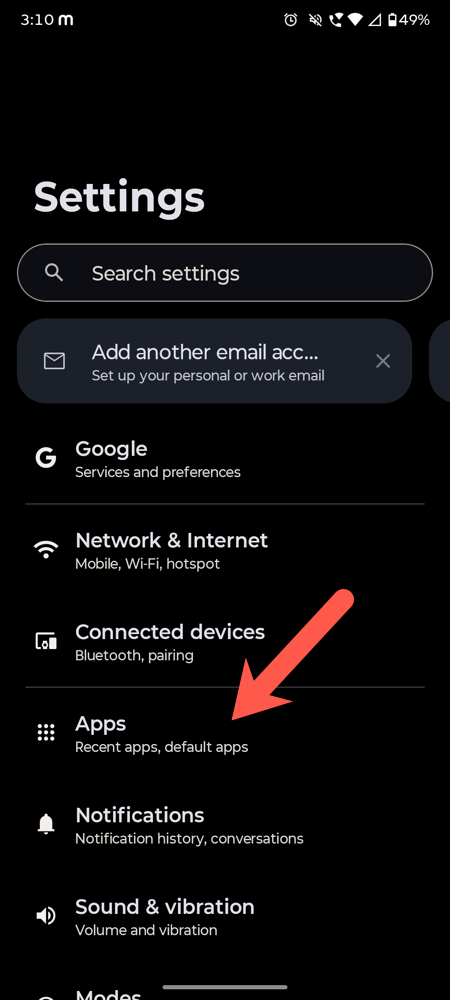
Step 1: Go to Settings and tap Apps (or Application Manager, depending on your device).
Step 2: Tap See all apps. Go through the full list and flag anything that looks unfamiliar. If you can’t remember downloading it, that is reason enough to dig deeper.
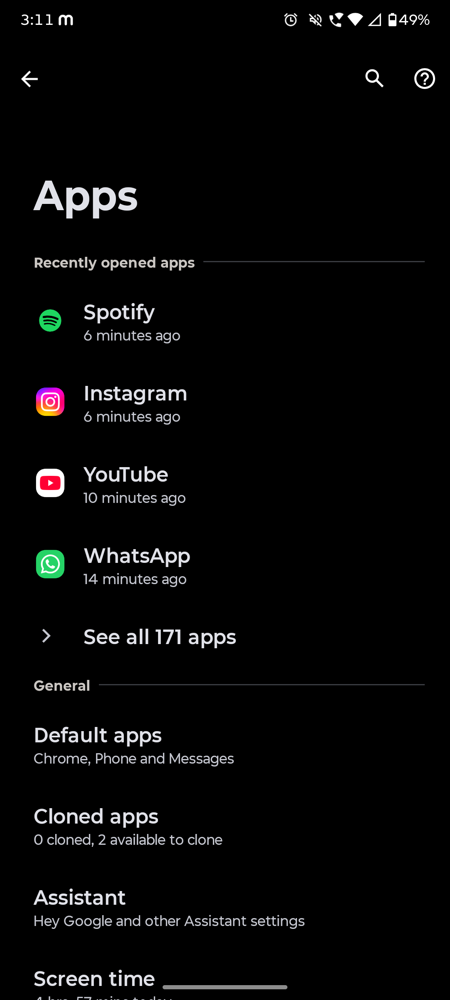
If you find something suspicious, tap on it and check the app permissions.
2. Check Data Usage
Open Settings on your smartphone, search for Data Usage, and check the apps at the top.
If something you do not recognise is eating through your data, that is a red flag worth following up on.
3. Check Active Device Admin Apps
Search for Device Admin Apps in Settings (older Android versions may list them as Device Administrators instead).
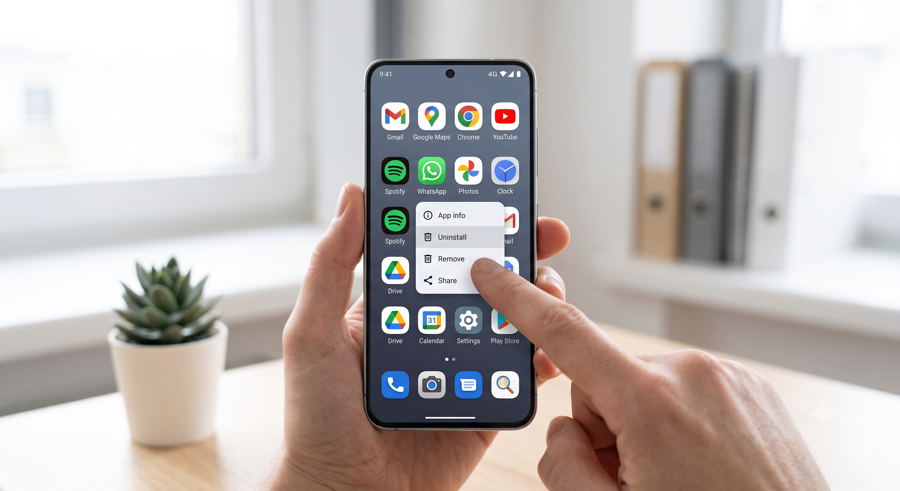
Any app listed here has elevated control over your phone. If you see something unfamiliar, remove its admin access immediately and then uninstall it.
4. Run a Security Scan
Most Android phones come with a built-in security scanner. On Samsung devices, go to Settings > Device Care > Device Protection and run a scan.
On stock Android, Google Play Protect is your go-to. You can search in the Settings for Google Play Protect and run a scan.
5. Check Battery and Background App Activity
Step 1: Go to Settings > Battery and tap on Battery Usage by App. iPhone also lists the apps and processes that consume more battery, helping you pin down the reason easily.
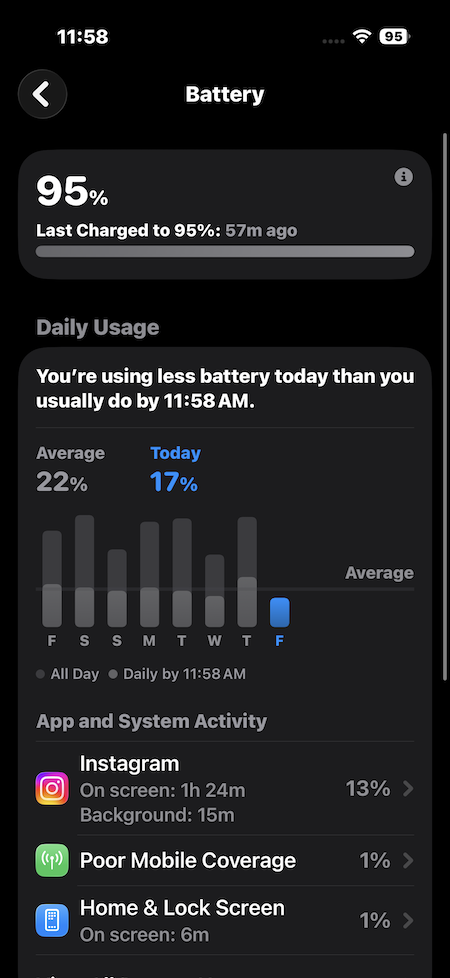
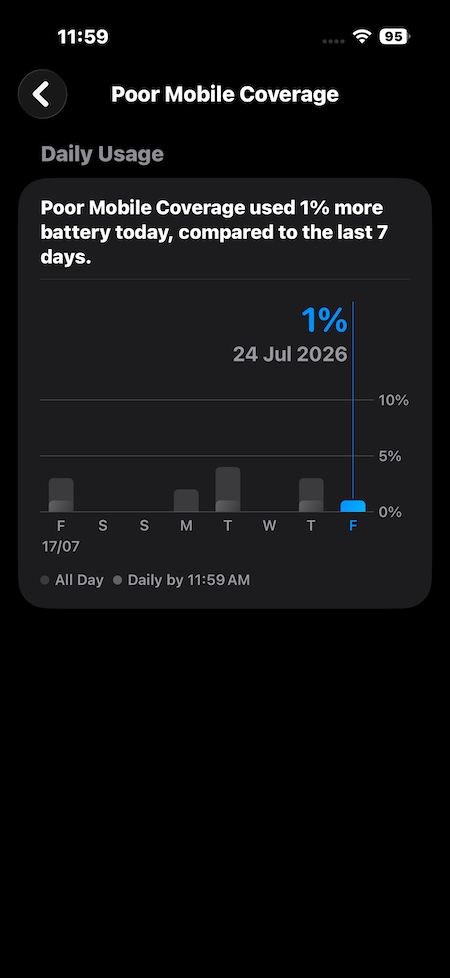
Step 2: If an unfamiliar app is sitting near the top of the background usage list, it is worth looking into.
What to Do If Your Phone Is Hacked
Change your passwords from a different device. If your phone is compromised, do not change passwords on the same device. Use a laptop or another phone first.
Revoke third-party app permissions. Go through your connected apps on both your phone and your Google or Apple account. Remove access for anything you do not recognise or no longer use.
Enable two-factor authentication. If you have not already, turn it on for your email, social media, and banking apps. Use an authenticator app rather than SMS wherever possible.
Factory reset as a last resort. If you cannot identify or remove the threat, a factory reset is the most reliable way to clean the device.
In A Nutshell
This was how you can check if your phone is hacked and what to do if it has. The thing to remember is that phone hacks do not announce themselves. They simply run in the background and escape your notice.
FAQs
Can you tell if your phone is hacked?
Yes. The checks in this guide will help you confirm whether something is actually wrong.
What is the first thing you should do if your phone is hacked?
First, switch to another device and update your passwords from there. After that, revoke permissions from any third-party apps you do not recognise and enable two-factor authentication across your accounts.
Can an iPhone get hacked?
Yes. A dodgy link, an unverified configuration profile, or a jailbroken device are all it takes to get in.