If your feed is spoiled with unnecessary Reels, it usually means Instagram’s algorithm has picked up the wrong signals from your recent activity. And well, it can be annoying to see posts and reels you don’t like. Thankfully, there are ways to reset Instagram’s reel algorithm in 2026.
The steps are easy, and with proactive steps you can reset Instagram’s Reels feed. Let’s see how. But first,
See Also: Can You Recover Deleted Instagram Messages?
Understanding the Reels Algorithm
Across Instagram, content ranking relies on metrics such as watch time, likes, shares, comments, saves, and even the way you engage. At the same time, Instagram Reels uses its own recommendation system, which is designed to showcase entertaining and engaging videos to a wider audience. Note that the follower count may not have as much emphasis as compared to the main feed.
So, if your current Instagram Reels feed feels cluttered with unnecessary Reels and irrelevant videos, it is likely due to mixed or outdated metrics from past likes, brief pauses, and inconsistent scrolling habits.
How to Retrain the Instagram Reels Algorithm
Step 1: Open your Instagram app and tap on Profile. Next, go to the three-dot menu on the top right corner and select Settings & Activity > Content Preferences.
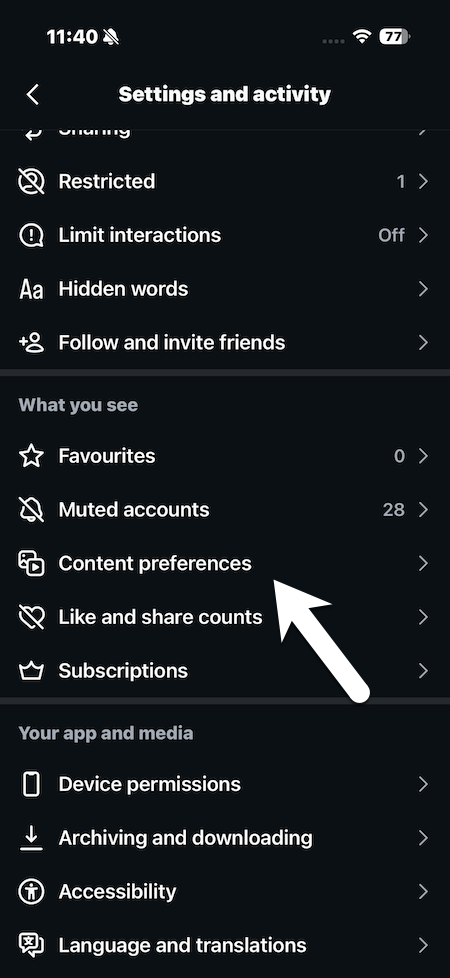
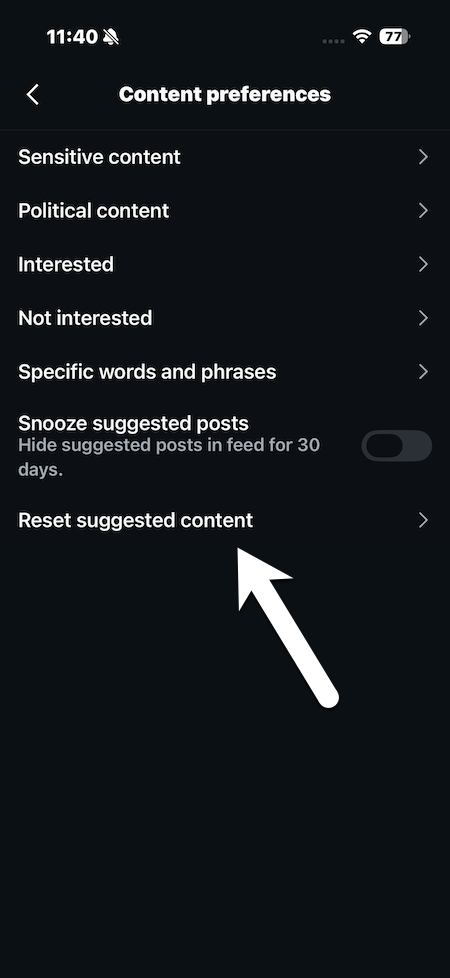
Step 2: Next, tap Reset Suggested Content > Review accounts/ad topics and hit the Confirm button.
Note that the above process is irreversible.
However, this is only the first step. To truly reset your feed, you would have to actively like the content you want more of and not engage with posts you do not like. Gradually, your feed will start reflecting your choices.
Reset Specific IG Reels
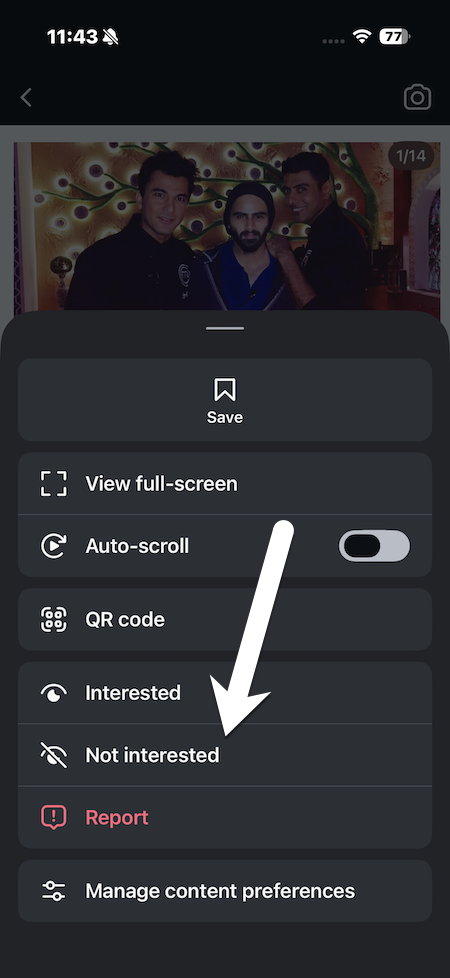
Instagram Reels has a micro-algorithm focused on watch behavior — it observes what you watch and presents accordingly. So if you do come across a reel that you do not like, you can let Instagram know that it’s not something you like.
All you need to do is open a Reel, tap on the three dots menu, and select Not Interested.
At the same time,
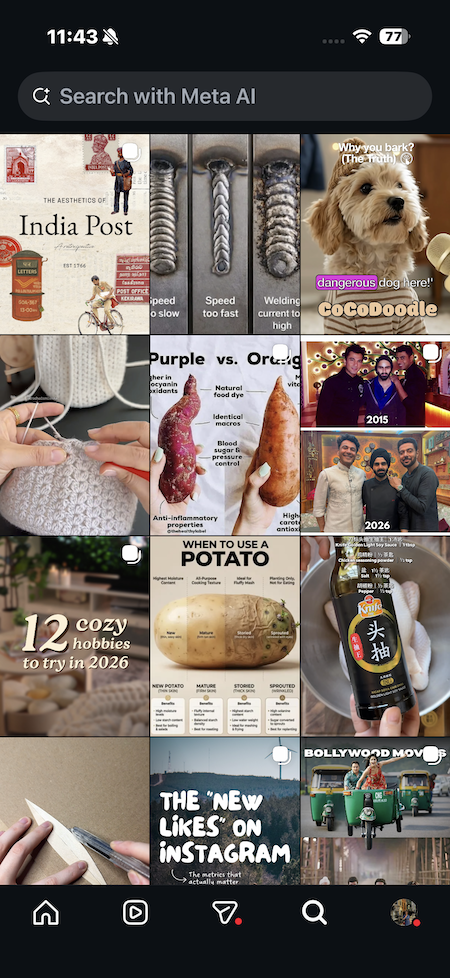
- Scroll past unwanted videos quickly. In fact, this is one of the best ways to align your Reels feed the way you want it. If you notice a pattern of content, make sure you immediately go back to the Search page to reset your viewing behavior.
- Fully watch, rewatch, like, save, or comment on preferred ones.
At the same time, many users say that clearing Instagram’s cache occasionally helps reset the Reels feed. However, that is more of a temporary refresh than a real reset and will only tweak your feed slightly.
Also See: Best Apps and Online Tools to Create Instagram Carousels
Signs Your IG Reels Feed Needs a Reset
If you start noticing that Instagram is pushing repetitive Reels and presenting off-topic Explore suggestions, then it is a sign that your feed needs a reset. Other than that, if your feed starts pushing outdated interests or low-quality videos, the algorithm needs a reset.
Fix Instagram Reels algorithm
These were some of the ways in which you can reset your Instagram algorithm. If followed, you can expect gradual and noticeable improvements in your feed.
The key lies in being consistent. Actively engaging with content you genuinely enjoy and limiting or outright rejecting content with irrelevant posts sends clearer signals to Instagram. Over time, the algorithm recalibrates based on these updated signals and your Instagram feed will be just the way you want it to be.
Reseting IG Reels Feed: FAQs
Can you reset the Instagram Reels algorithm in 2026?
Yes, Instagram lets you reset the Reels algorithm.
How do I retrain the Instagram Reels algorithm?
To retrain the Instagram Reels algorithm, consistently engage with content you genuinely enjoy and avoid interacting with content you do not want to see.