As we all know, video content is fast-growing, and as someone who has been in the industry long enough, one thing that really matters is good editing. I have tried multiple video editing tools over the years, but CapCut has always stood out to me, primarily for its powerful editing software and no-watermark rule. However, with CapCut blocked in India, it’s slightly difficult. Worry not, I have found a nifty way to download and install CapCut in India for Android users.
So, if you are someone like me who is looking to unblock CapCut, this cool workaround is verified and tested, and as such, CapCut works perfectly in India. In this blog, I will explain exactly how I did it and how you can do the same.
Also See: These 6 Android Apps Helped Me Grow in My Career
How to Download and Install CapCut for Android in India
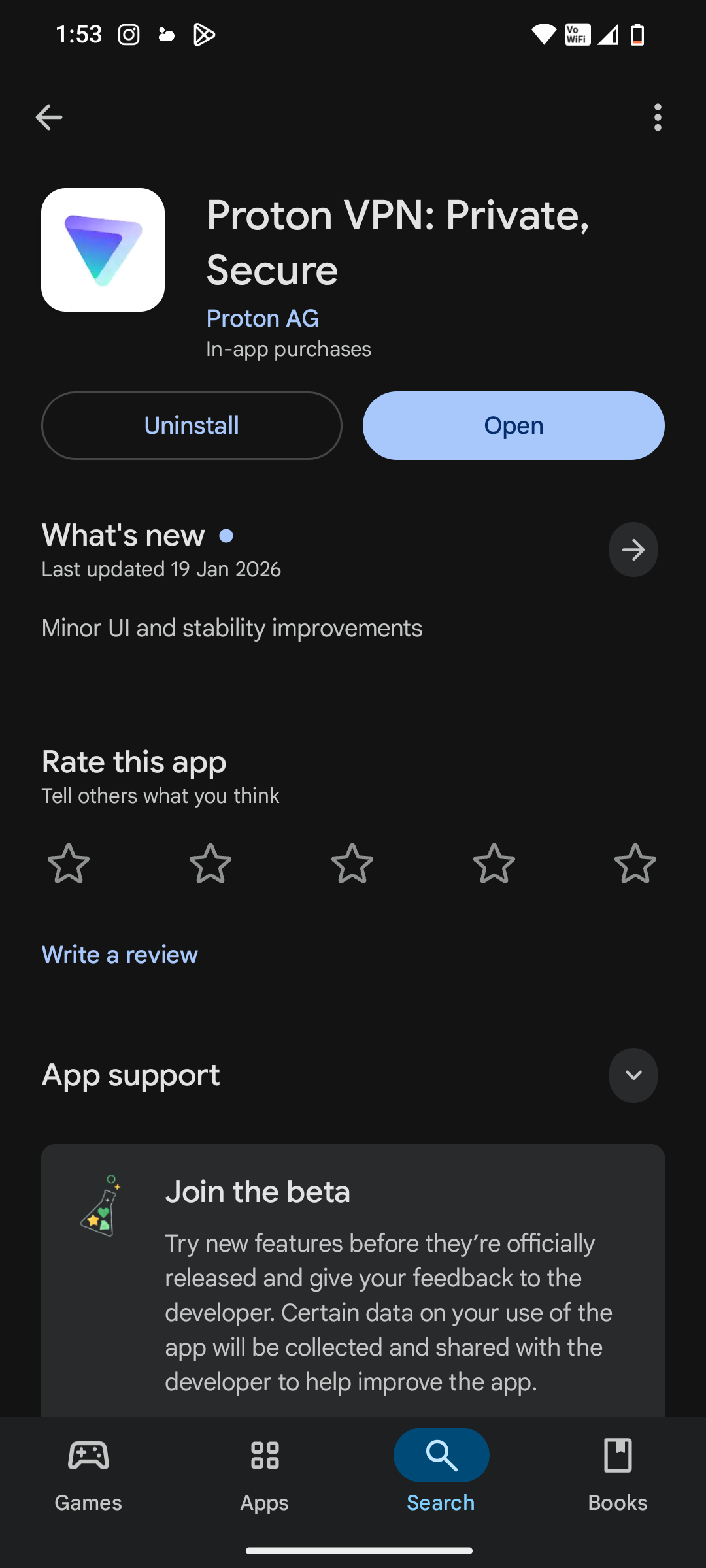
To download and install CapCut in India, first, you will need a VPN. I personally recommend Proton VPN because it is reliable and offers a free plan.
This VPN also lets you choose different locations. The only disadvantage is that you can’t choose the exact server location yourself.
What a VPN does is it simply masks your Indian IP address and lets CapCut think you are accessing it from another country.
Also See: How to Send a Fake Live Location on WhatsApp Using Android
How to Install CapCut on Android if It’s Blocked
Here is how I use CapCut on my phone:
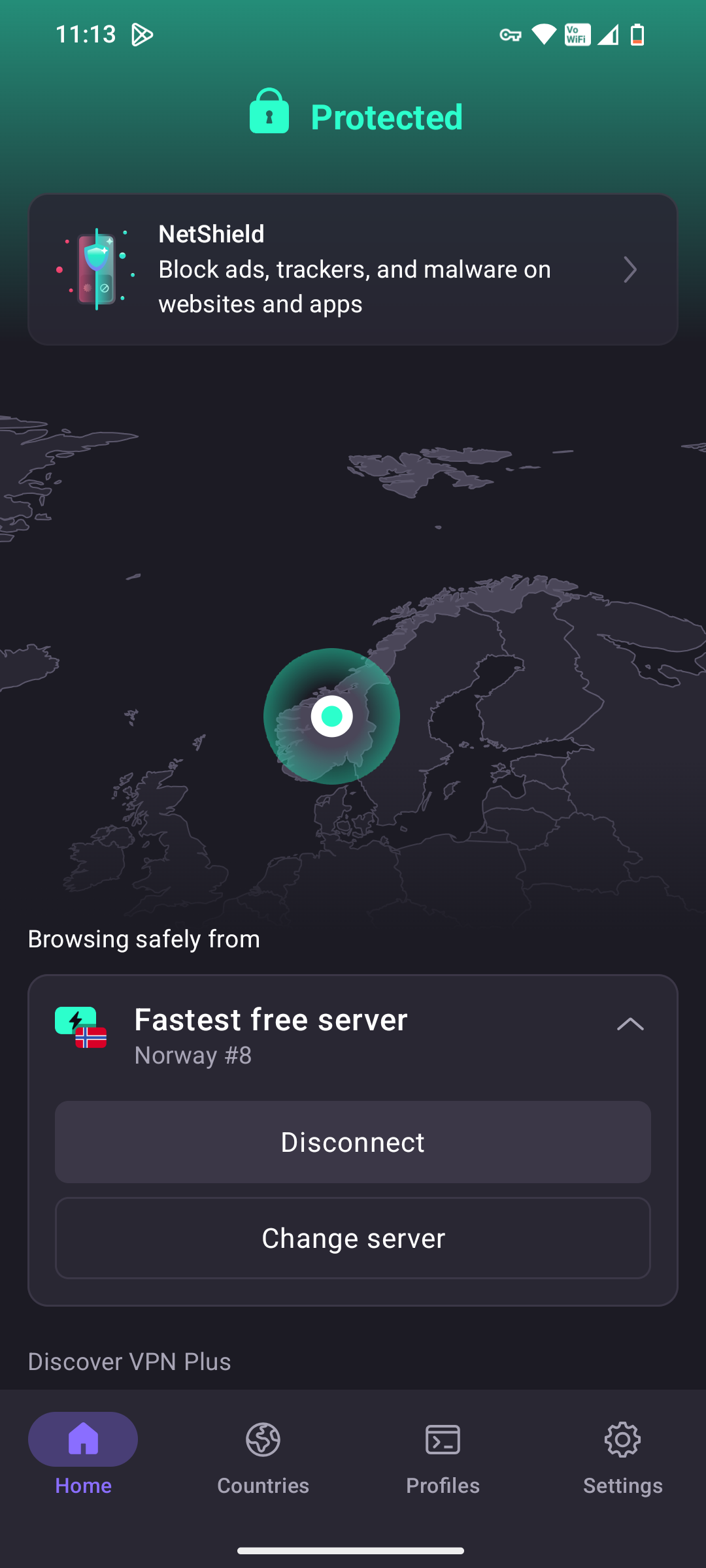
Step 1: Once you have installed Proton VPN from the Play Store, select Connect to a location outside India.
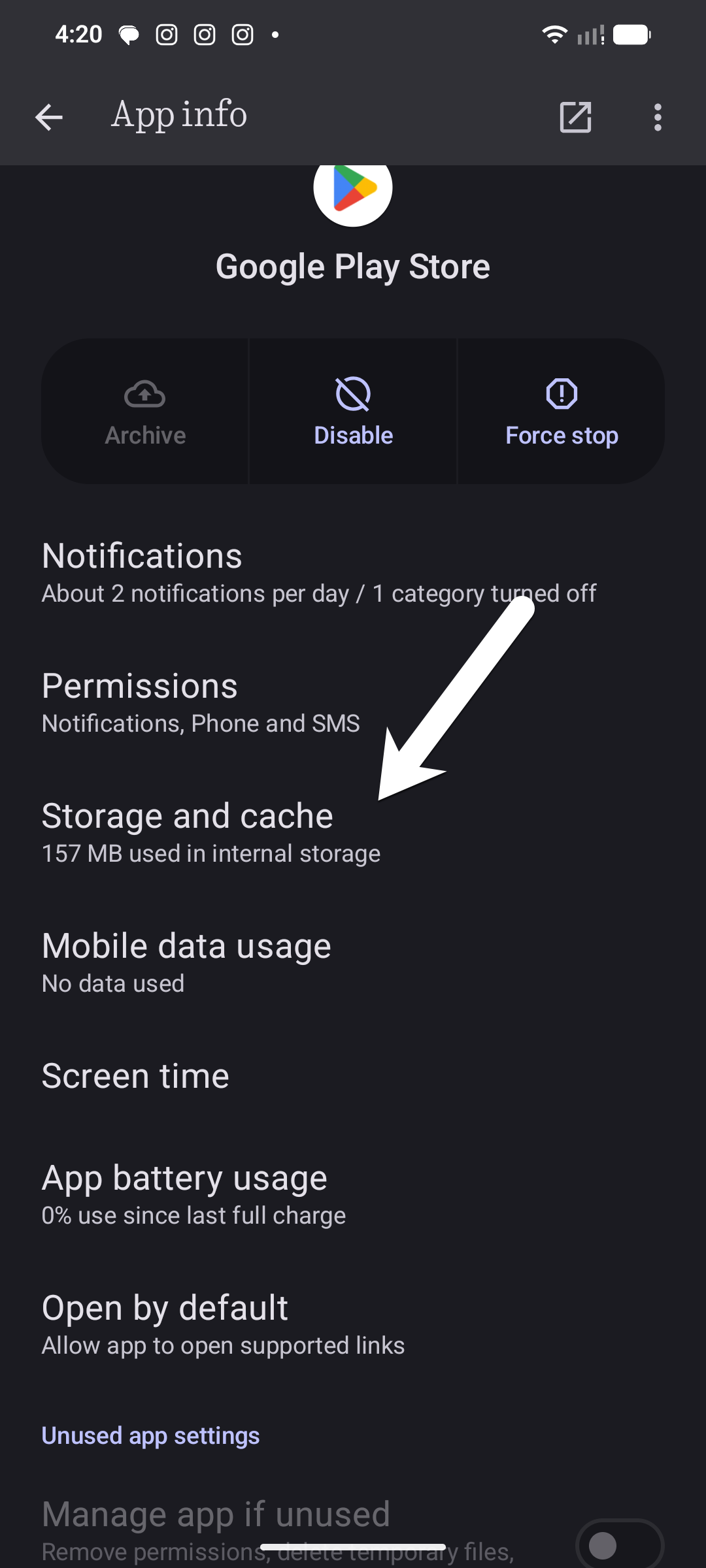
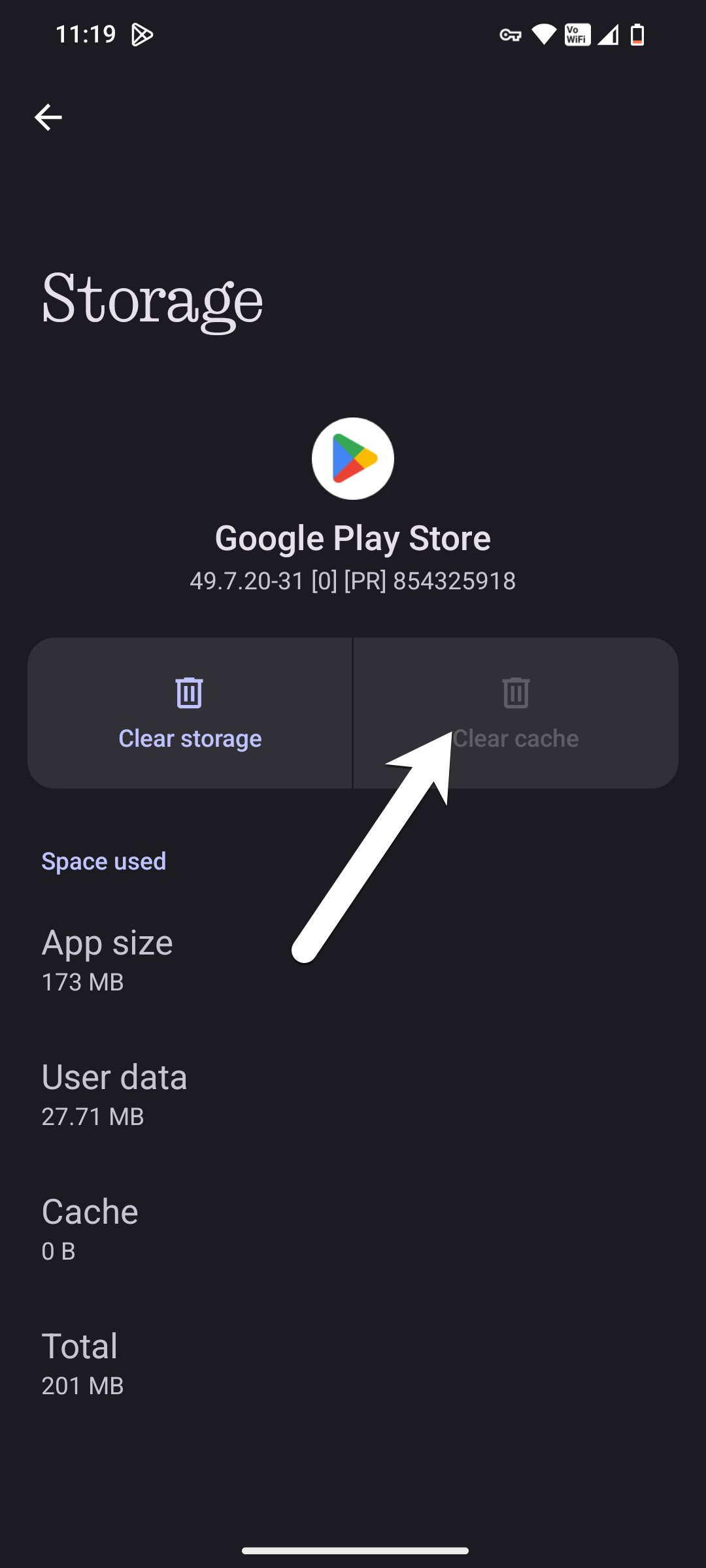
Step 2: Once connected, open the Play Store’s App info (long tap on the Google Play store icon and tap on i). Once done, select Settings > Storage and cache, and tap on Clear cache.
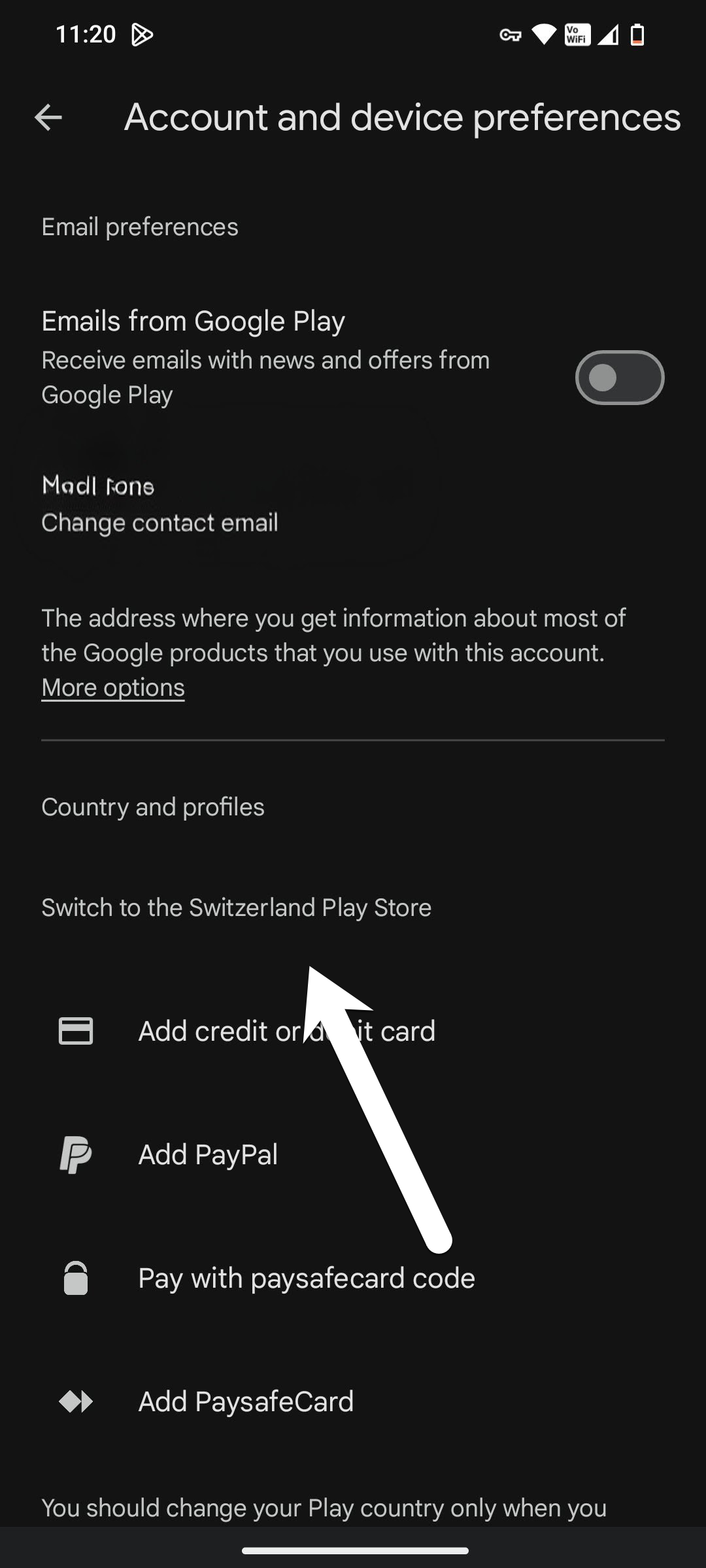
Step 3: Then, open Play Store settings > General > Account Preferences > Country & Profile. Here, you will see that your Play Store region has changed to the country your VPN connected to.
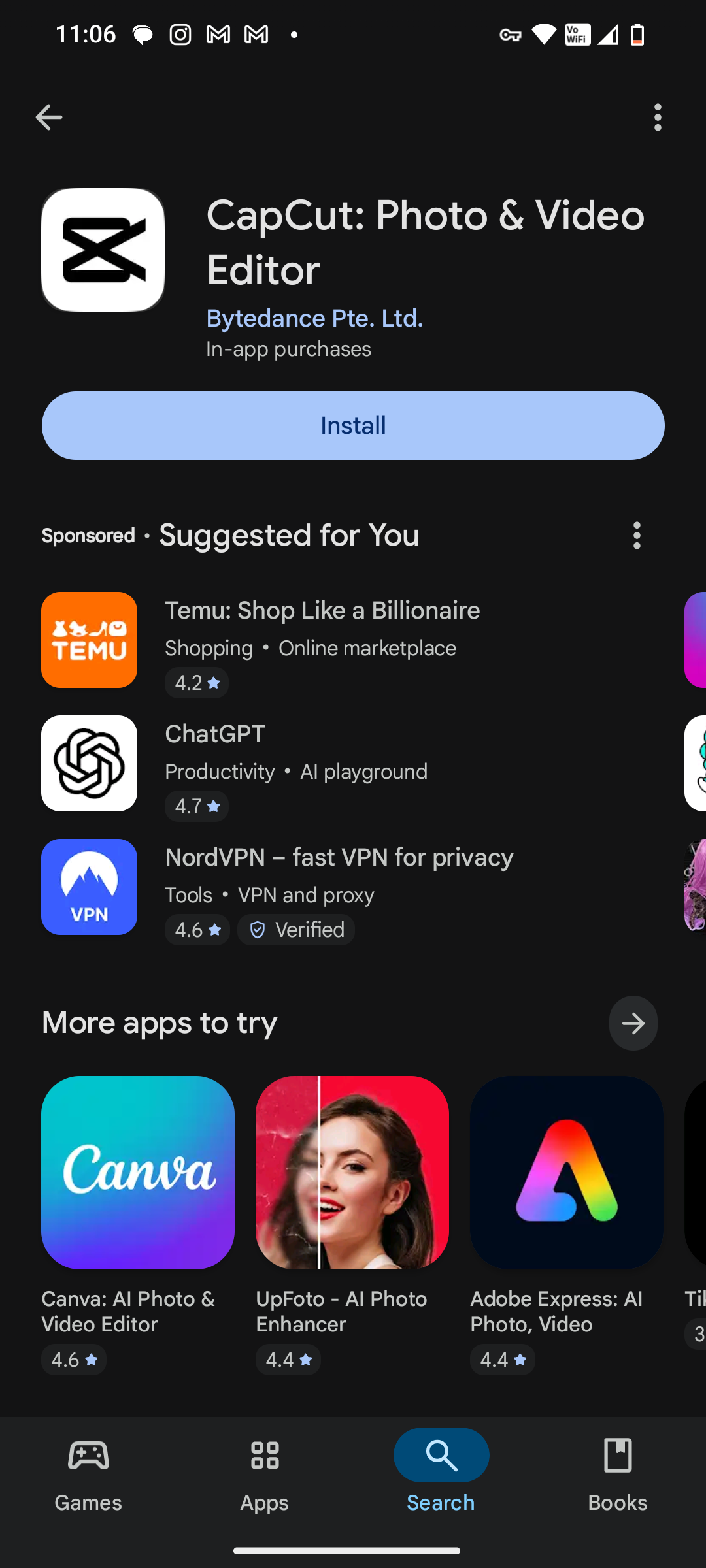
Step 4: Now, search for CapCut on the Play Store and download it.
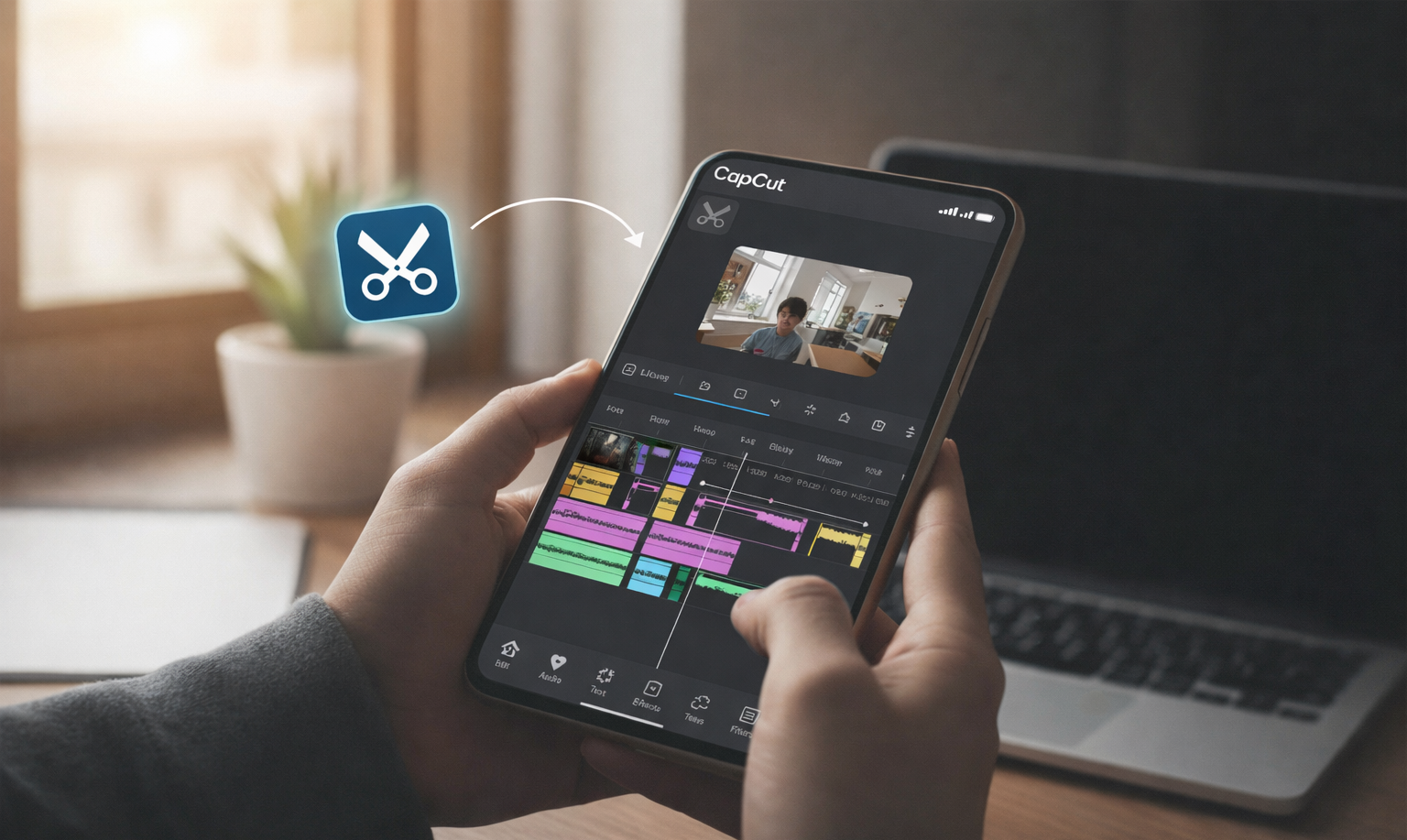
Step 5: Tap New Project, import your clips, and arrange clips on the timeline. You can also add your share of effects, text, transitions, and overlays.
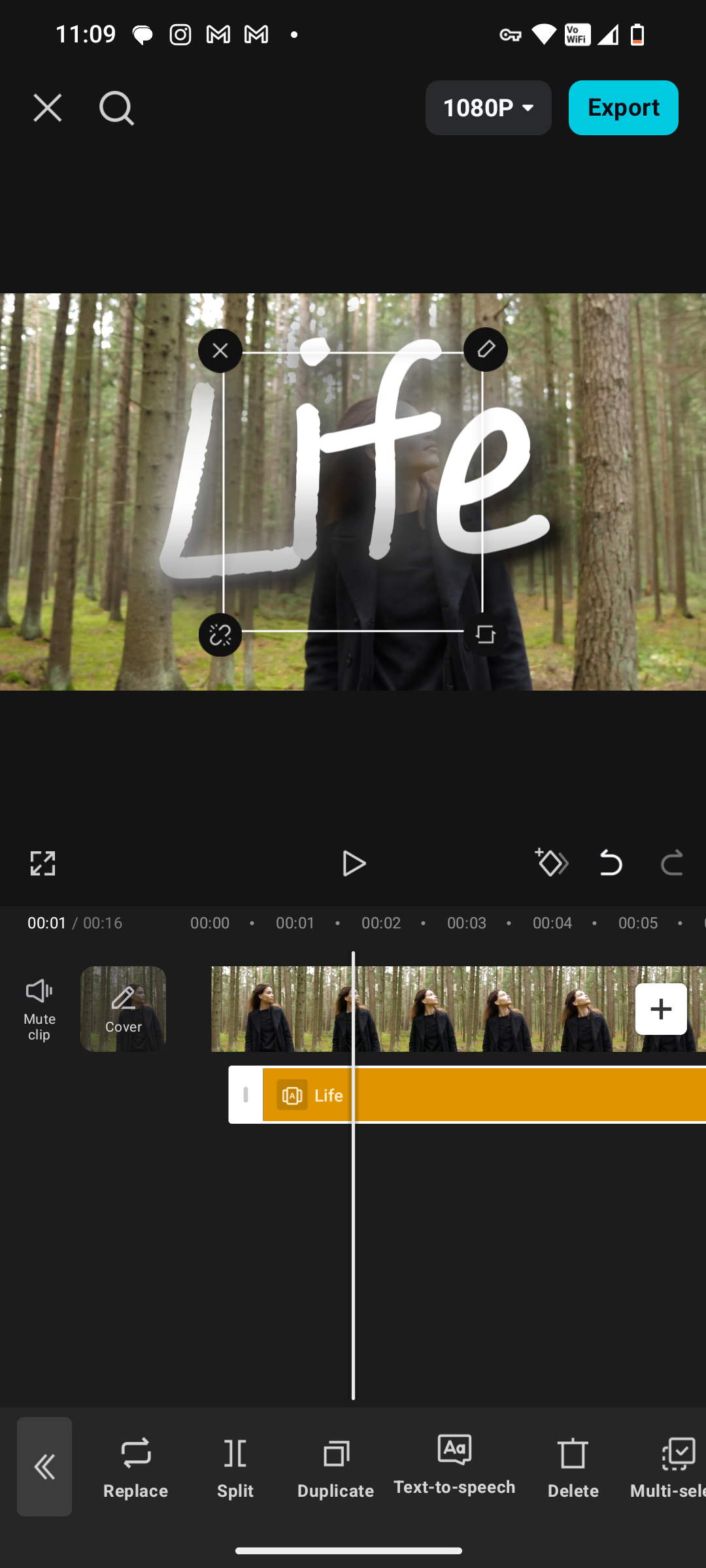
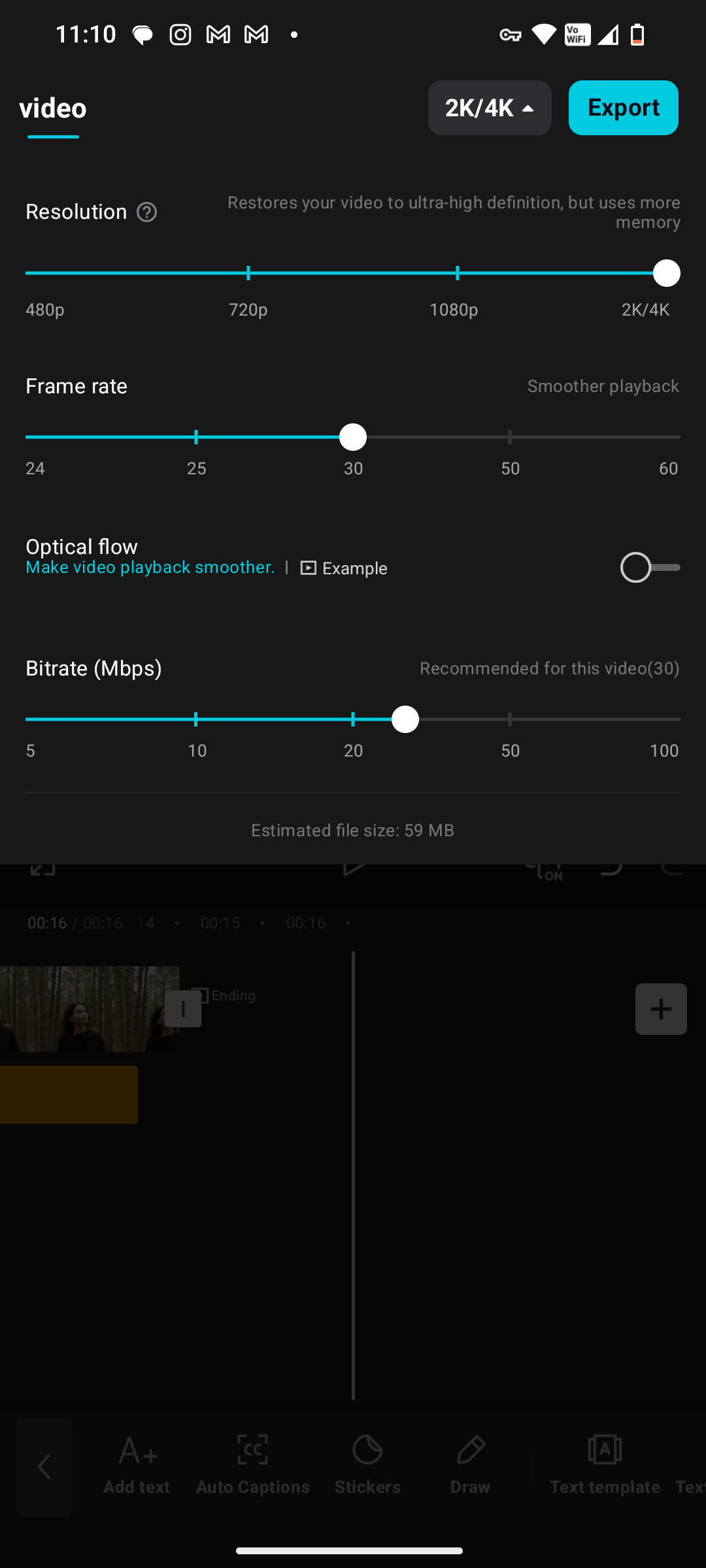
Step 6: Finally, export your CapCut video in your preferred resolution and frame rate. That’s it!
You are now ready to create videos like a pro! This method ensures that you do not have to worry about downloading the CapCut APK or tracking the latest version. You will always receive the most up-to-date release.
Also See: 9 Best iPhone Apps for Instagram Creators: Best Editing, Scheduling & Analytics Apps
Why CapCut Was Banned in India
Back in June 2020, the Indian government blocked CapCut along with 58 other Chinese-origin apps under the Information Technology Act, 2000, over concerns about user data privacy, allegations of excessive data collection and security and censorship issues
After the ban, CapCut was not available in the Indian Play Store. That said, CapCut has remained insanely popular, and for good reasons:
- Clean & easy interface (perfect for beginners) with no watermark, even on free exports
- Works across on Windows, macOS, Android, and iOS
- Runs smoothly even on low-end devices and generates auto captions with almost accurate timings
- Powerful AI tools like background removal, color correction, AI dubbing, and upscaling.
- Easy collaboration for group projects
- Huge library of music, stickers, effects, and templates
To find all these features for free in one tool is rare. So, if you want to try and use this image editing tool, you can now download and install CapCut and unlock one of the best free video editing tools. The VPN system takes just a few minutes, and once it’s done, CapCut works like a normal app. That said, remember not to download the CapCut Pro version APK from unverified sources, as these files may contain malware.
CapCut for Android in India: FAQs
Why is CapCut not available on the Play Store?
CapCut is blocked in some regions due to local regulations and compliance issues.
What are the best alternatives to CapCut on Android?
InShot and VivaCut are two of the good CapCut alternatives on Android.