Have you ever wanted to send a fake current or live location on WhatsApp for fun or privacy reasons? Whether you’re playing a harmless prank or simply protecting your location, this guide has you covered.
We’ll walk you through the exact steps using an Android app called LocaEdit.
Step 1: Install the LocaEdit App from the Play Store
Once you’ve installed LocaEdit, grant all the necessary permissions it asks for.
This app will allow you to change your device’s GPS location and even simulate movement.
Step 2: Enable Developer Options on Your Android
To allow LocaEdit to override your real location, you need to enable Developer Options on your phone. Here’s how:
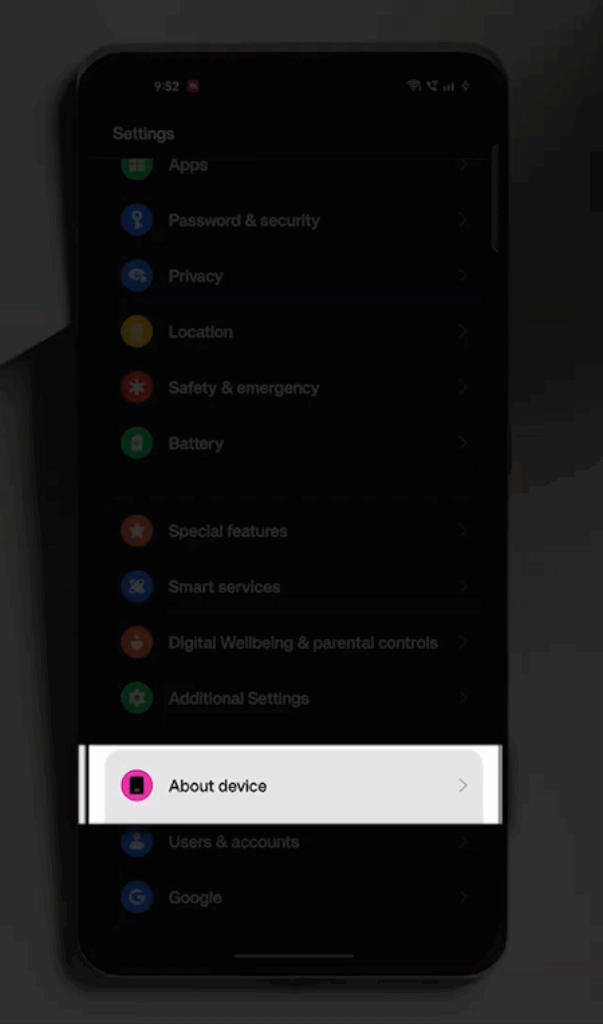
Go to your device’s Settings, and tap on About Phone to find the Build Number.
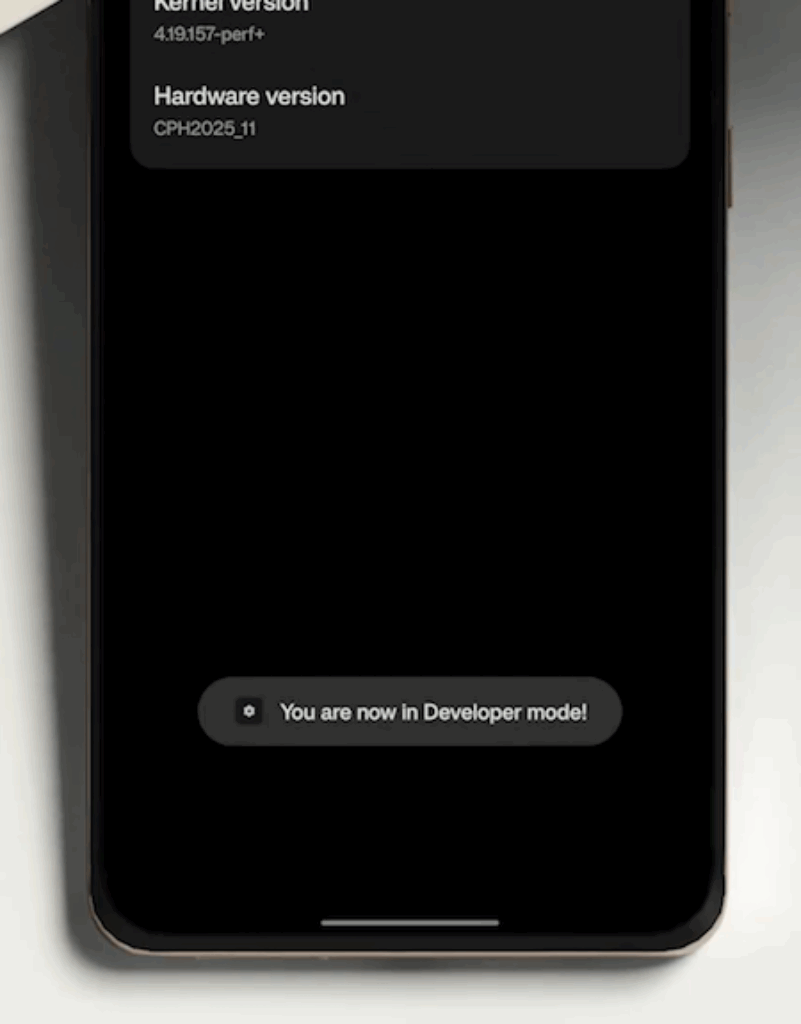
Now, tap it seven times, until you see the message saying that “You are now a developer.”
Step 3: Set LocaEdit as the Mock Location App
Once Developer Options are enabled, scroll down and select Developer Options from the settings menu.
Now, look for an option called Mock Location App, and tap on it and choose LocaEdit from the list.
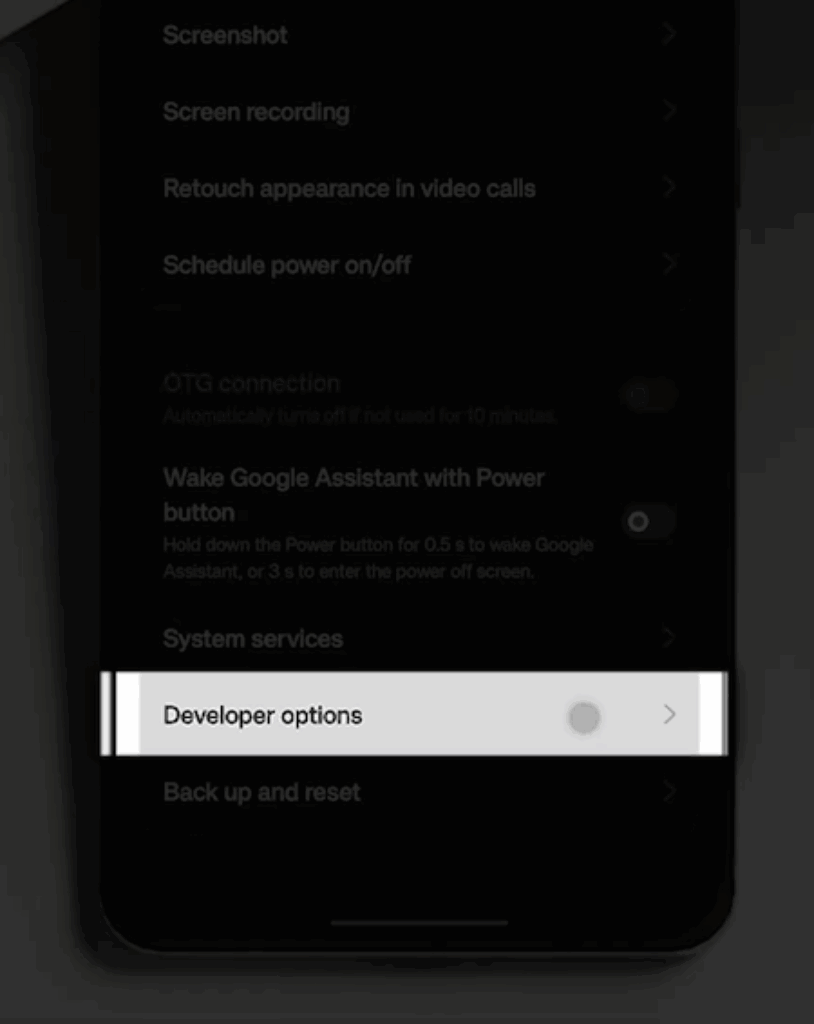
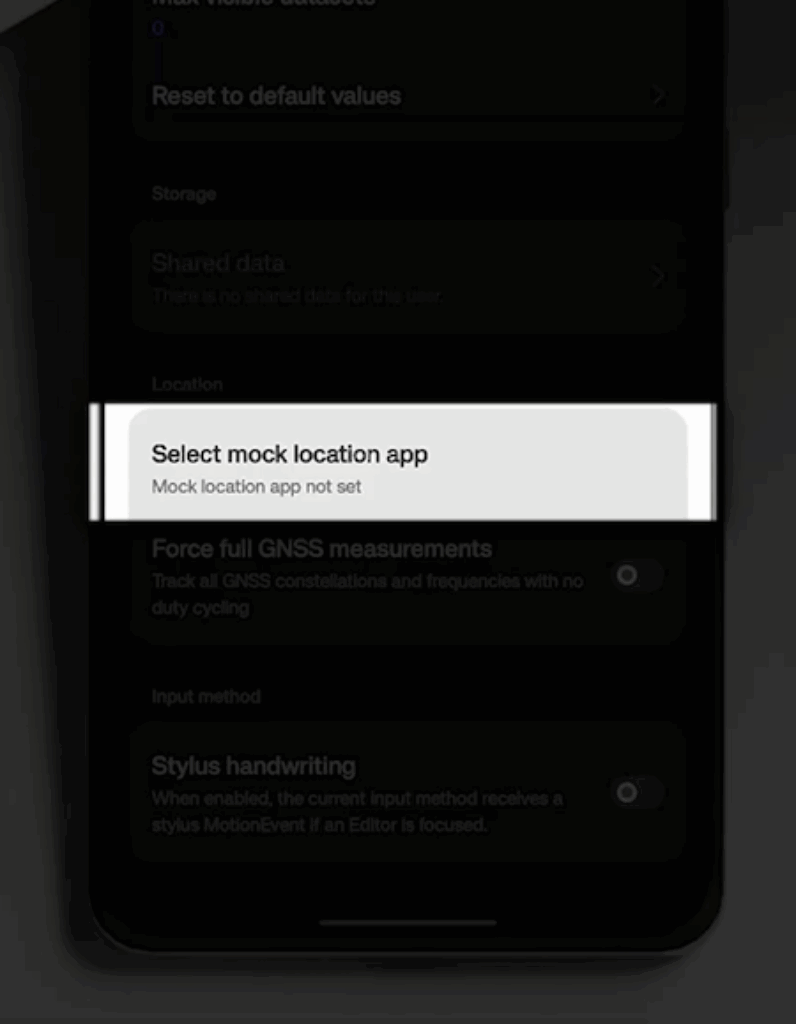
This setting allows the LocaEdit app to override your phone’s real GPS location with a fake one.
Step 4: Choose and Set a Fake Location
Open the LocaEdit app and use the search bar to look for the location you want to spoof, for example, New York or Paris and drop a pin on the location.
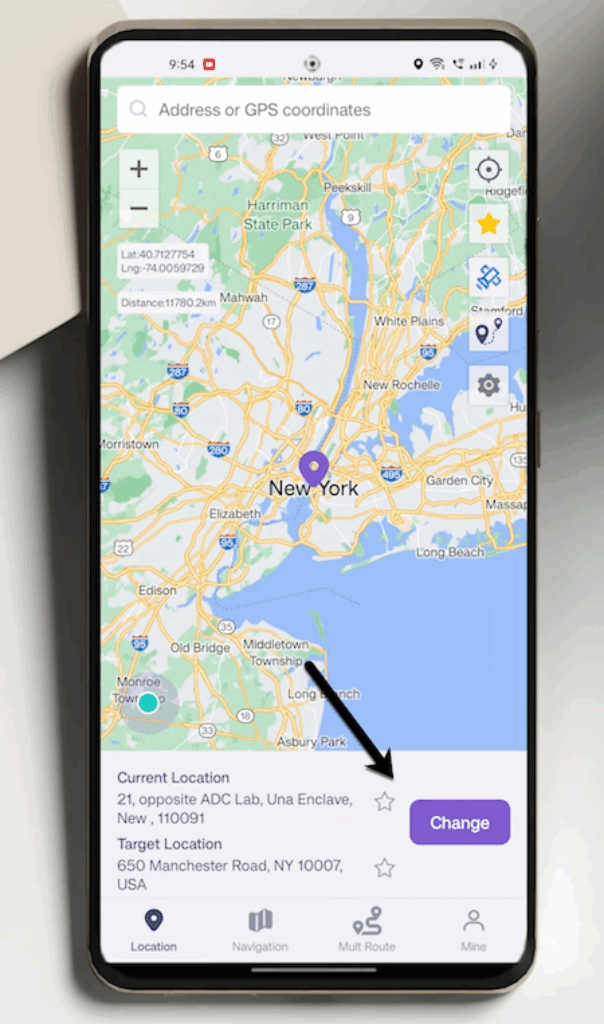
Now, tap the Change button to set your fake location. Now, you can also schedule a time duration during which you want the fake location to remain active.
Step 5: Send the Fake Location on WhatsApp
Now that your fake location is set and active, it’s time to send it on WhatsApp. To do so, open WhatsApp and go to the chat where you want to send the location. Tap the Paper Clip icon and select Location.
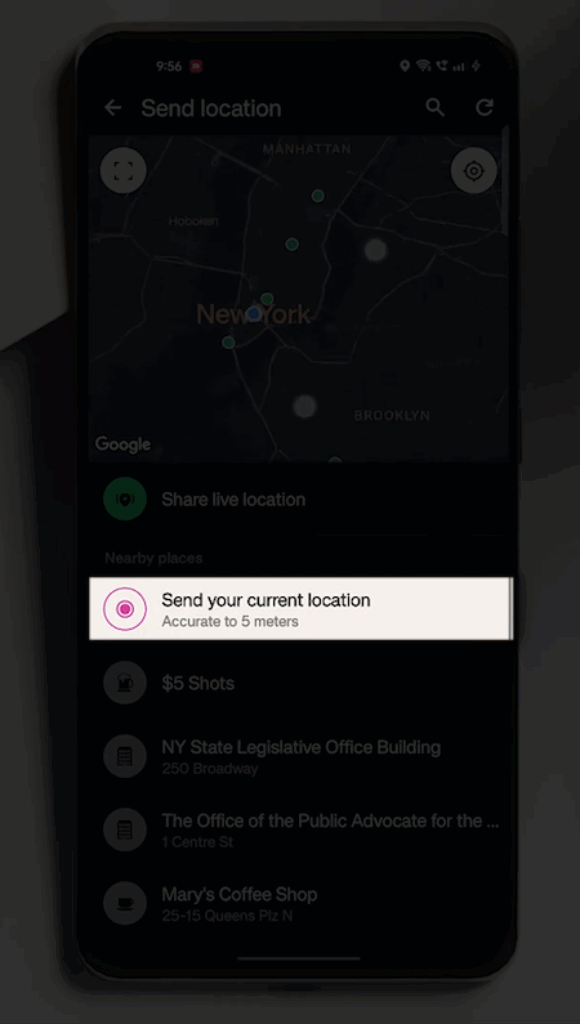
Now, WhatsApp will detect the fake location set by LocaEdit. Ta-da!
And if you choose Share Live Location, WhatsApp will share a fake live location.
FAQs
Q1. How to turn off the fake location?
Disable mock location or quit LocaEdit to return to your real GPS.
Q2. What to do if the fake location doesn’t work?
If LocaEdit doesn’t work, you can try reinstalling or restarting location services.
Q3. Will the location work seamlessly across all app?
Location apps with higher sensitivity like food delivery apps or banking apps may detect spoofed GPS and may not work as expected.
Conclusion: Use Fake Location Features Responsibly
And that’s it! This is how you can successfully send a fake location on WhatsApp using the LocaEdit app. While this trick can be fun or useful in some scenarios, remember to use it ethically and never mislead others in critical situations.