You may have noticed that your iPhone starts slowing down after a few years. It often begins with small lags, and soon the battery starts draining faster. So, you might wonder why this happens and how to improve performance.
This usually affects users like me who have a slightly older iPhone model. For instance, I have the iPhone 12 Pro, and with each new software update, older iPhones tend to lose a bit of their speed and efficiency.
My Experience With iPhone 12 Pro After the Latest iOS 26.2 Upgrade
So, recently Apple introduced iOS 26.2, which was supposed to be a bug fixer for the iOS 26.1 upgrade that reportedly had a lot of bugs and security issues.
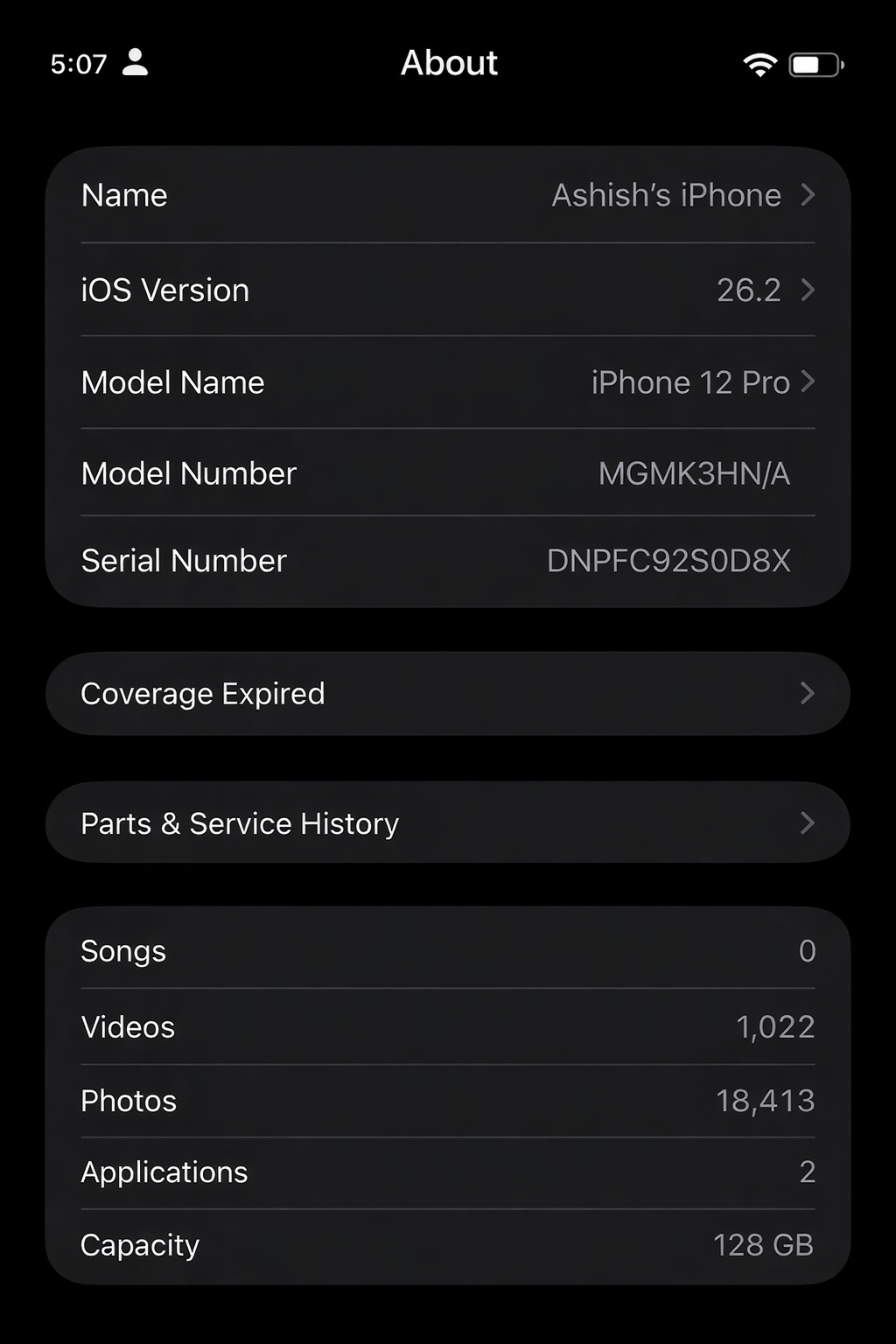
After my phone was upgraded, some of the bugs may have been fixed. However, the software update could not overcome the limitations of aging hardware. On older devices like my iPhone 12 Pro, these problems actually got worse. App launches took longer, occasional stutters became more noticeable, and battery drain increased, especially during routine tasks.
So do older iPhones slow down over time? Well, there are two ways to look at it. First, there are some simple hacks that you can use to speed up an old iPhone. However, let us also not forget that Apple was fined for slowing down older iPhones.
See Also: I Am Using a 5-Year-Old MacBook Air (M1) And Here’s My Take
Why do Old iPhones Slow Down?
Most iPhones slow down after years of usage due to a combination of factors, such as battery degradation, nearly full storage, and background app clutter. All of these reasons increase the workload on already aging hardware.
Now, the core processor doesn’t necessarily degrade. However, the growing software complexity and ….. leads to noticeable hardware slowdowns. And this comes into the picture more if your battery life is weak.
Solution and Reasons for iPhone Performance
Battery Health
The main reason for the decline in battery health is that lithium-ion batteries age over time, and their capacity to deliver peak performance declines. This is true for all phones and not just iPhones. To prevent unexpected shutdowns, iOS automatically throttles CPU performance to match the battery’s reduced capacity, which causes the slowdown.
You can also check your iPhone’s battery health by heading over to Battery > Battery Health.
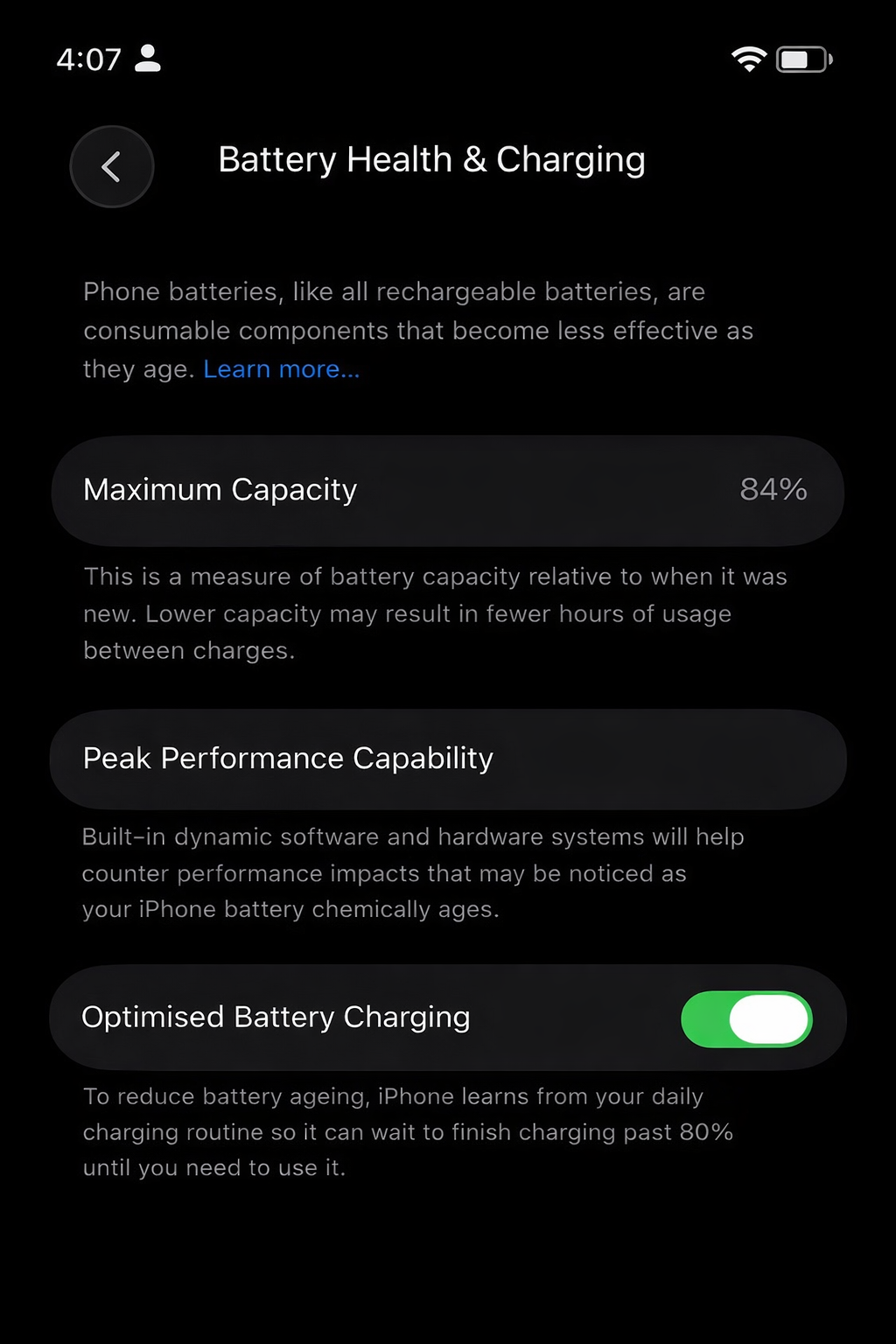
Apple suggests that if your iPhone’s battery health is below 80%, you should get it replaced for a smoother experience.
Software Demands
Another reason for iPhones slowing down is the new iOS updates. New updates usually mean newer and more performance-intensive features. Naturally, these require more processing power and memory and eventually result in slower performance as the older hardware struggles to keep up with the increased demands.
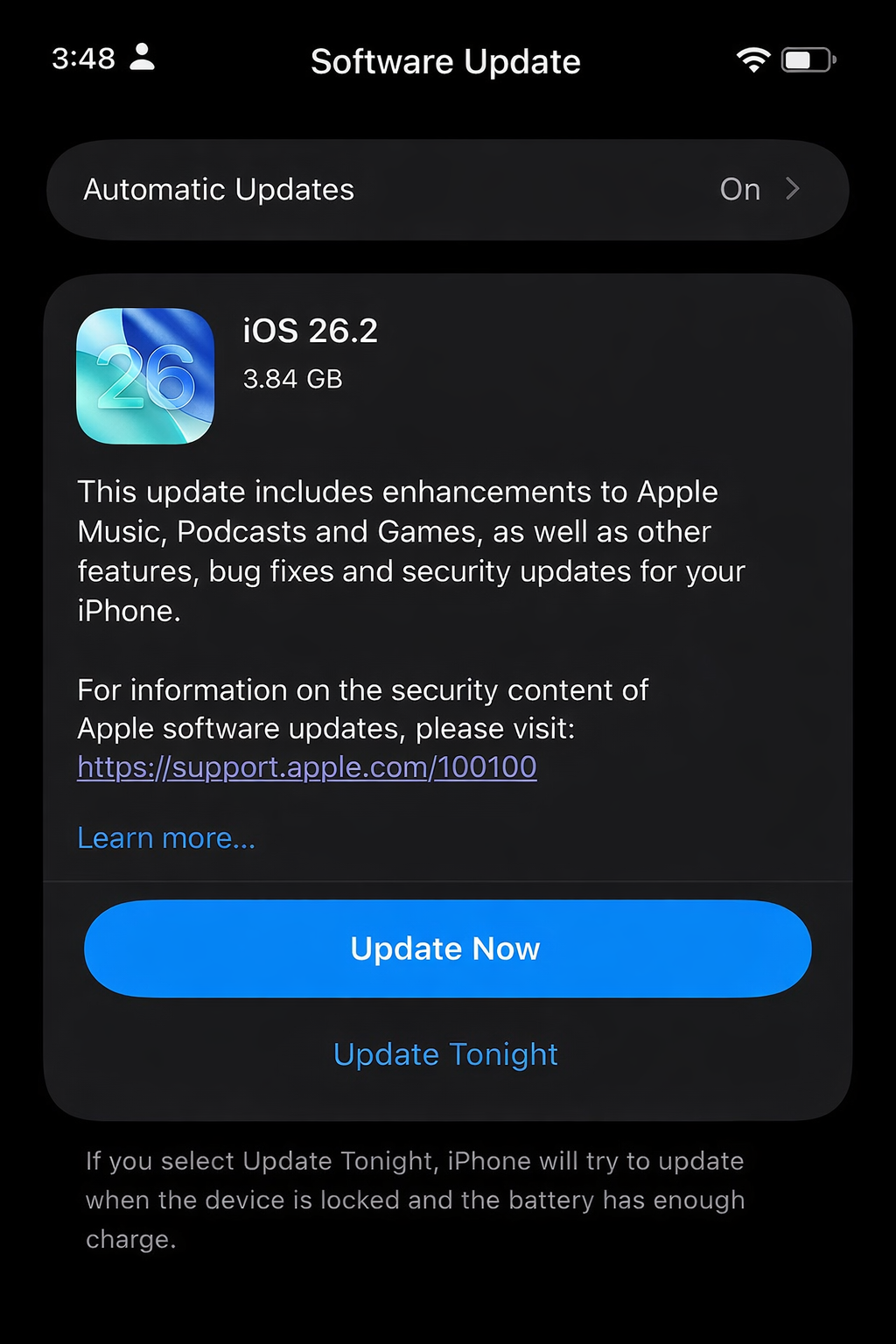
To be precise, Apple does optimize iOS for older models, but new features naturally favor newer chips, which is why performance differences become more noticeable as devices age.
However, here, I wouldn’t recommend to keep updates waiting. Because, at times, they also bring important security patches, bug fixes, and system stability improvements that help protect your iPhone from vulnerabilities. In many cases, updates also fix performance issues present in earlier versions and improve app compatibility.
A safe approach to improve iPhone performance would be to install updates after the initial feedback. This way, you will benefit from critical fixes while also avoiding early bugs and keeping your phone stable.
Storage Space
Another factor that can disrupt your iPhone experience and make it slow is storage, especially for older iPhones, since they have slower internal storage and less RAM.
So when your iPhone’s memory is nearly full, apps take longer to open, leading to a overall sluggish feel. The best workaround is to keep some free space by removing unused apps and offloading media.
In my case, I keep my iPhone clean and delete & remove unused apps and manage photos/videos. This will help in decreasing the load and improving the overall performance.
Background Processes & Apps
If you are a person who runs numerous apps simultaneously, these actions can result in the slowing down of your phone as these apps consume RAM and CPU. Again, recent versions of iOS are intelligent enough to automatically put unused apps to sleep, freeing up memory and processing power in the background.
That being said, keeping too many heavy apps active for long periods, especially on older devices, can still affect overall performance and responsiveness. Once in a while, you should restart your iPhone to help clear temporary data and files, thus improving the overall performance.
Can You Improve iPhone Performance with Apps?
No, third-party apps cannot improve your old iPhone’s performance. Because iOS is a closed and optimized system, other apps cannot directly speed up the hardware or have access to manage system-level processes.
Most of the apps that claim to speed up an old iPhone or boost performance mostly just delete cache or show storage usage.
The short answer is no. While some apps claim to find duplicate or unnecessary files on your iPhone, most are unverified and can pose a security risk with access to your data. It is safer to manually check for duplicates or large files and remove them yourself.
Conclusion
These are some ways using which I made my iPhone run a little bit faster. However, if you are facing a lot of problems, we’d recommend visiting the Apple Service Centre for further guidance. These steps are only advised if you are facing minimal problems.
Speed up old iPhone: FAQs
How do I speed up my old iPhone?
For starters, you can speed up an old iPhone by clearing unnecessary storage and disabling background activity, and visual effects.
How to improve iPhone performance without apps?
Unverified and third-party apps usually do not help speed up an old iPhone; instead, they can pose security risks and may steal your information.
Can an old iPhone be made to work like a new one?
While an old iPhone cannot become completely like a new one, regular maintenance and smart usage can significantly improve its performance.