I have been using iPhones for almost ten years now. And ever since Apple introduced Battery Health in iOS 11.3, I have been a little cautious about how I charge my phone. From learning about fast charging to avoiding overnight overcharging, I have explored every tip and trick. And one question keeps coming up — should I turn off optimized battery charging on my iPhone?
It sounds simple, but there is actually more to it than just flipping a switch.
Also See: Top 8 Apple iPhone 17 Series Battery Saving Tips and Tricks You Should Know
What does iPhone’s Optimized Battery Charging Do
Apple introduced optimized battery charging on iPhone with the iOS 13 update in 2019. This feature was primarily designed to smartly manage iPhone battery health and the charge levels for a better and prolonged battery life experience.
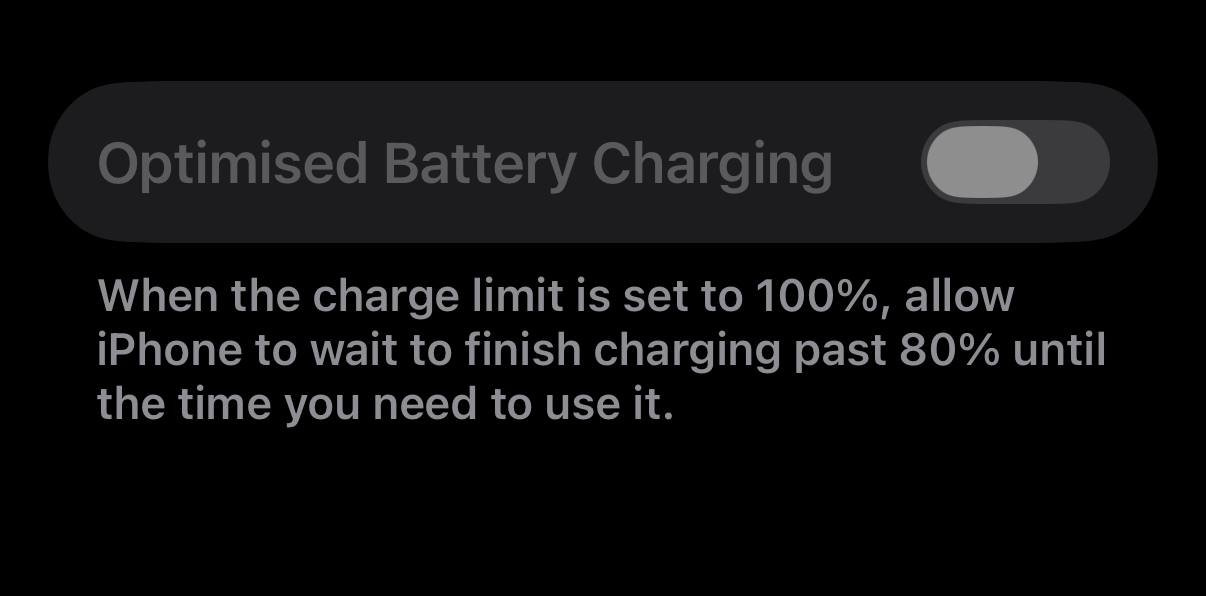
Lithium-ion batteries naturally degrade over time due to charging cycles, heat, and frequent charging to 100%. To help extend battery lifespan, ideally, you should keep the charge level between 80% and 90% whenever possible. This is exactly what Optimized Battery Charging on iPhones does.
This feature learns your charging routine through your iPhone’s on-device intelligence. So, it charges quickly up to 80% and then slows down and completes the final 20% just before you normally unplug your phone.
The main purpose of this feature is to manage iPhone battery health by reducing the time the battery spends at full charge, since lithium-ion batteries degrade faster when exposed to high voltage and heat for extended periods.
Apple also warns that turning off Optimized Battery Charging can increase battery wear and shorten its lifespan. The feature takes about two weeks and several long charging sessions (around 5+ hours each) to fully learn your routine and work effectively.
Battery Science Basics
The Lithium-ion batteries age chemically due to charging cycles, temperatures, and charging the battery to 100% frequently. To manage iPhone battery health, the battery percentage should be kept between 80%-90% for an extended lifespan.
When to Turn Off your iPhone’s Optimized Battery Charging
If your daily routine involves frequent travel or shifts that make it hard to charge your iPhone regularly, you can choose to disable Optimized Battery Charging. This step ensures that your iPhone charges to 100% whenever you plug it in (at the cost of the long-term battery health).
For iPhone 15 users and above, this battery charging feature is turned off by default when the charge limit is set below 100%. That said, some users have reported frustration when the feature mispredicts their routine, which can lead to unexpected charging behavior and extra battery usage while it learns new patterns.
To disable Optimized Battery Charging, head over to your iPhone’s settings and tap on Battery. Next, tap on Battery Health & Charging and toggle the button for Optimized Battery Charging.
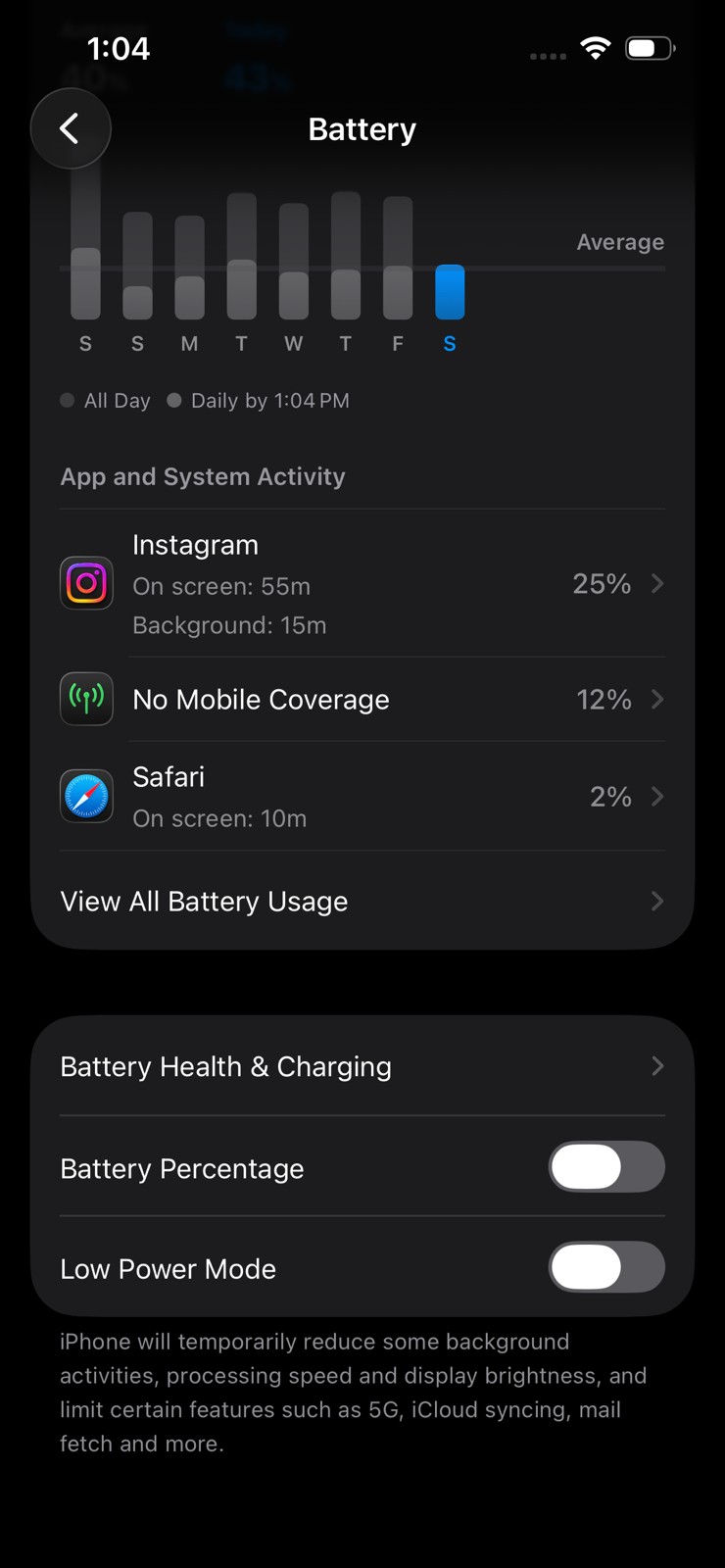
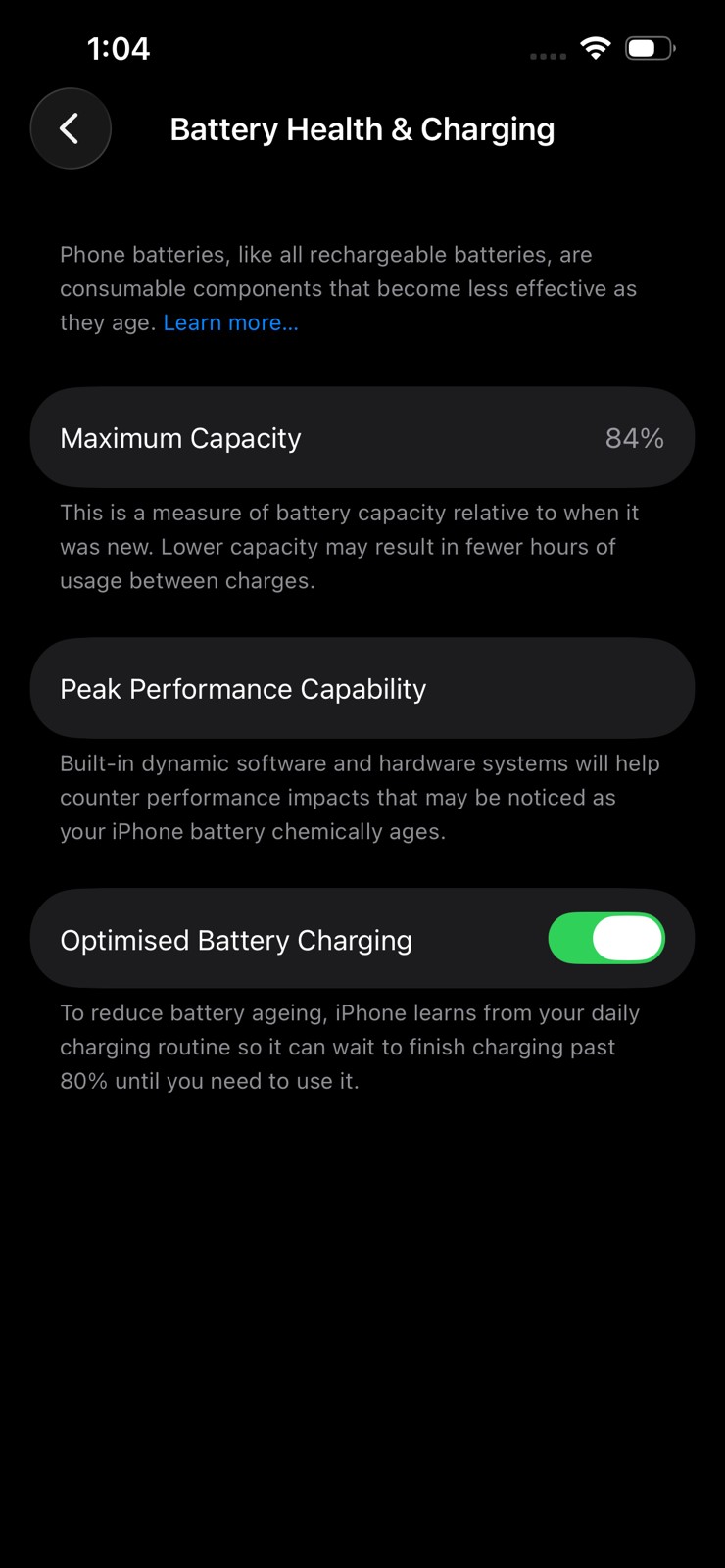
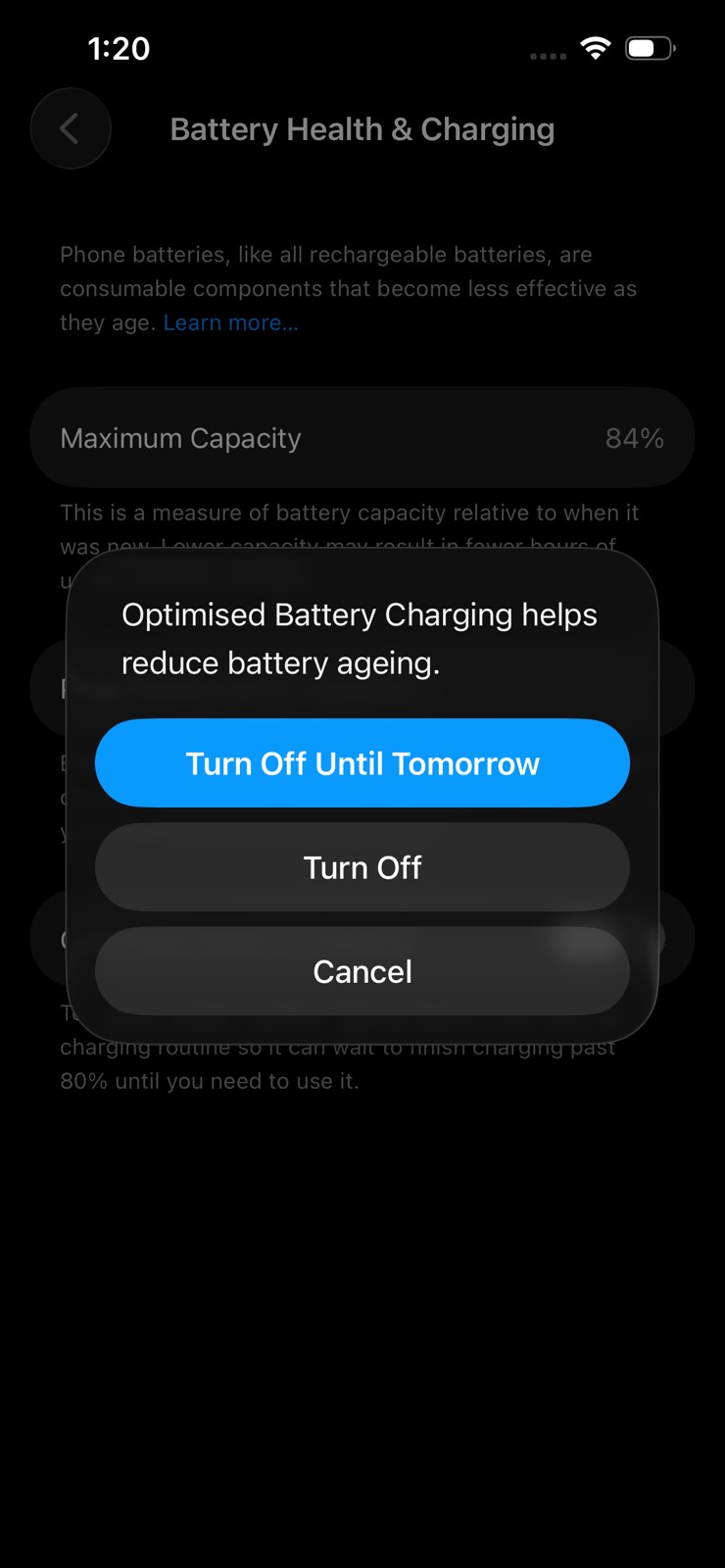
So, how does Optimized Battery Charging affect iPhone battery health over time? Well, some real-world tests show that optimized charging can slightly improve battery health, while still letting your iPhone reach full charge each day with less wear. At the same time, some users also reported 95-100% health after years with the feature on.
If you are a heavy user, you can combine it with the Charge Limit feature as well.
iPhone Battery Charging Tips
- Charge in spots with a cooler temperature, as heat damages the battery over time.
- Always use official chargers for charging your iPhone.
Conclusion
Keep Optimized Battery Charging on for most iPhone users, it smartly protects your battery by holding at 80% until you need 100%, reducing wear from full charges. Battery health deterioration is a major issue in iPhones, so this can save your battery health and help it last longer.