Brief Overview
- AI Chrome extensions bring tools like writing assistance, research, summarization, highlighting, and meeting transcription directly into your browser.
- Find the right extension for your workflow with six useful picks worth trying in 2026.
Most people still use AI through a single tab pinned open all day, copying text in and pasting answers out. It works, but it means constantly breaking away from whatever you’re actually doing just to ask a question.
Some free AI Chrome extensions fix that by sitting inside the browser itself, reading the page, PDF, or meeting you’re already in instead of waiting for you to explain it somewhere else.
The Chrome Web Store has no shortage of tools claiming to do this, but very few are worth keeping installed. After testing a stack of them, here are the 6 AI Chrome extensions worth installing in 2026 and what makes each one worth trying.
Grammarly: Best for Writing
Grammarly checks grammar, tone, and clarity wherever you type, including Gmail, Docs, Slack, and LinkedIn. It’s one of the more low-maintenance tools on this list of 6 AI Chrome extensions worth installing.
A small icon sits in the text field and only pops up when it finds something worth fixing. You can then review the suggestion and make the change without leaving the page.
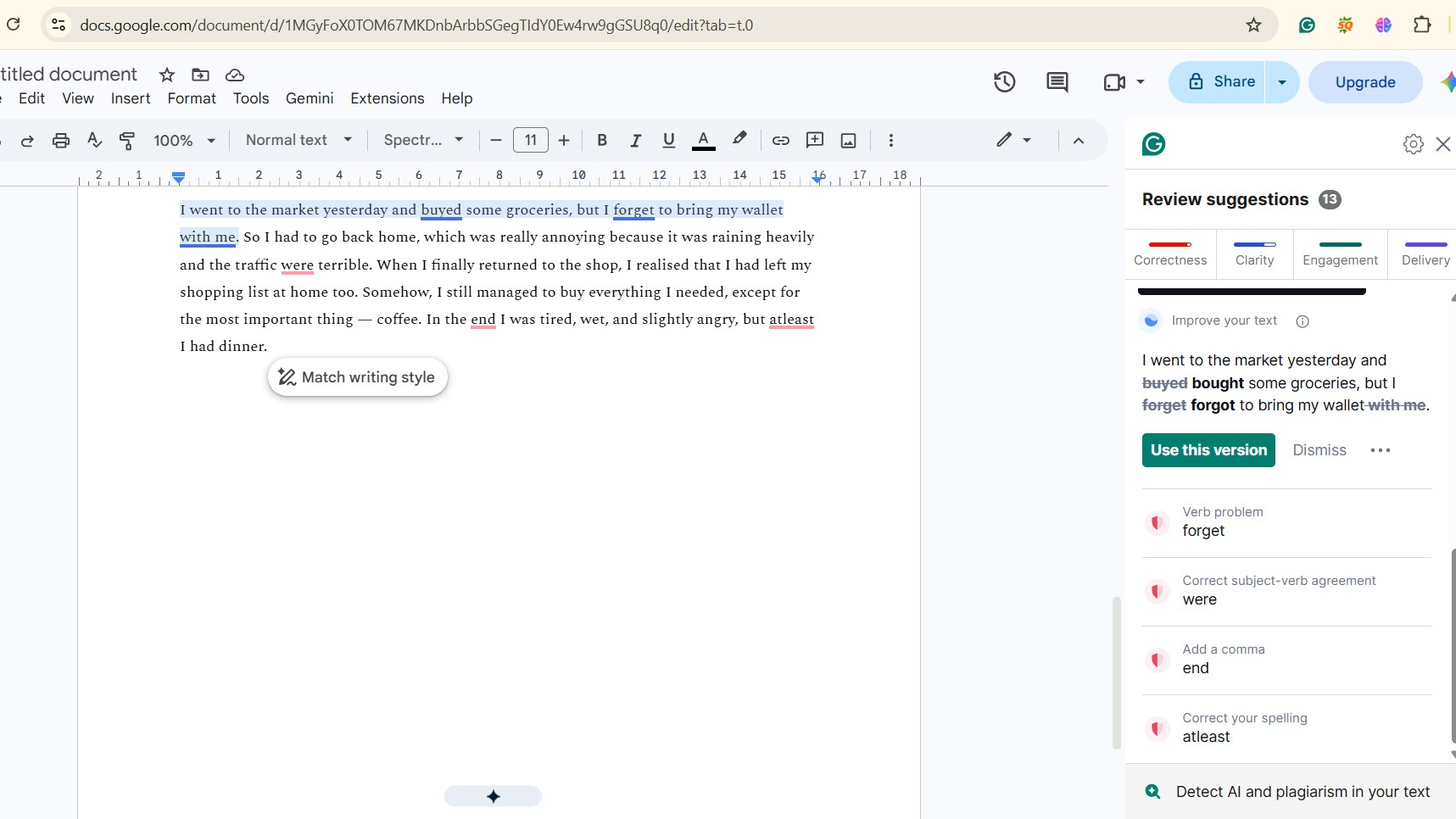
The free plan covers the basics, including grammar and spelling suggestions. The Pro plan includes full rewrites, tone adjustments and plagiarism checks, and costs about INR 1,150 when billed monthly.
Perplexity: Best for Research
Perplexity answers by searching the web in real time and citing where the info came from, making it more trustworthy than a typical chat response. It’s particularly handy when you want to verify a fact quickly, rather than wade through several sites.
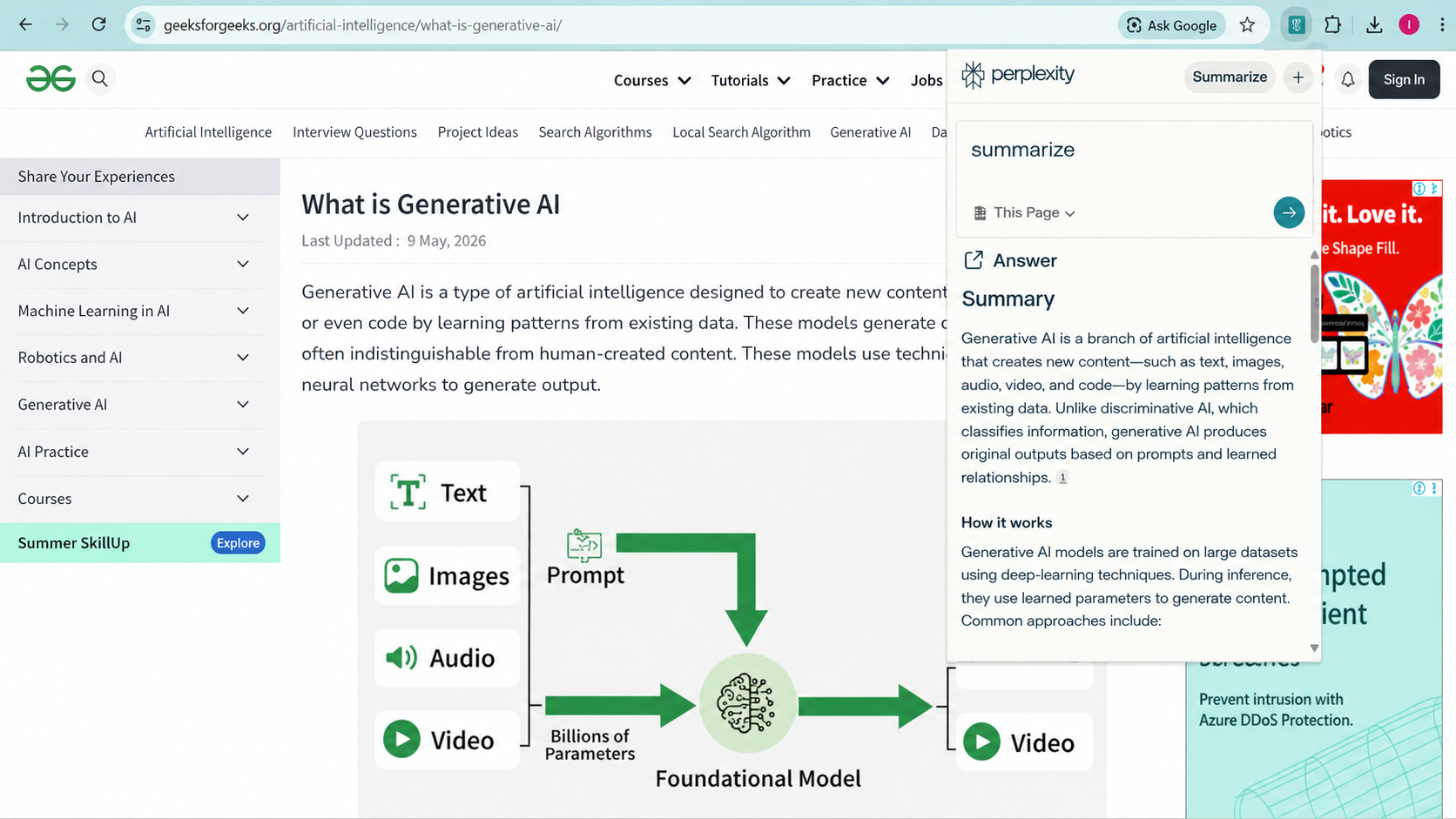
You can turn it on from the extension icon or set it as your default search engine. The free plan is limited to a number of queries per day, and Pro costs about INR 1,900 per month with unlimited searches and more powerful models.
Monica: Best Cheap Option
Monica connects you to GPT, Claude, and Gemini through its own sidebar. The part I like most is the toolbar that pops up the moment you highlight text, letting you explain, rewrite, or translate it right there. Moreover, it also has a no-code bot builder and basic image generation, syncing across Chrome, desktop, and mobile.

The free plan covers about 40 basic queries per day and handles light daily use fine, whereas the Pro plan runs around INR 700-800 a month on annual billing.
For many users, this has now become one of the best AI Chrome extensions in 2026.
Read More: AI-Native Browsers Explained: Is It Worth Switching From Chrome in 2026
Glasp: Best for Highlighting
Glasp lets you highlight text on webpages, PDFs, and YouTube videos, saving it all into one searchable library with AI summaries included. One thing worth knowing is that highlights are public by default on the free plan. That’s part of Glasp’s approach to learning and sharing insights with other readers.
Furthermore, it connects to Notion, Obsidian, and Roam, so highlights flow into your notes instead of getting stuck in a tab.
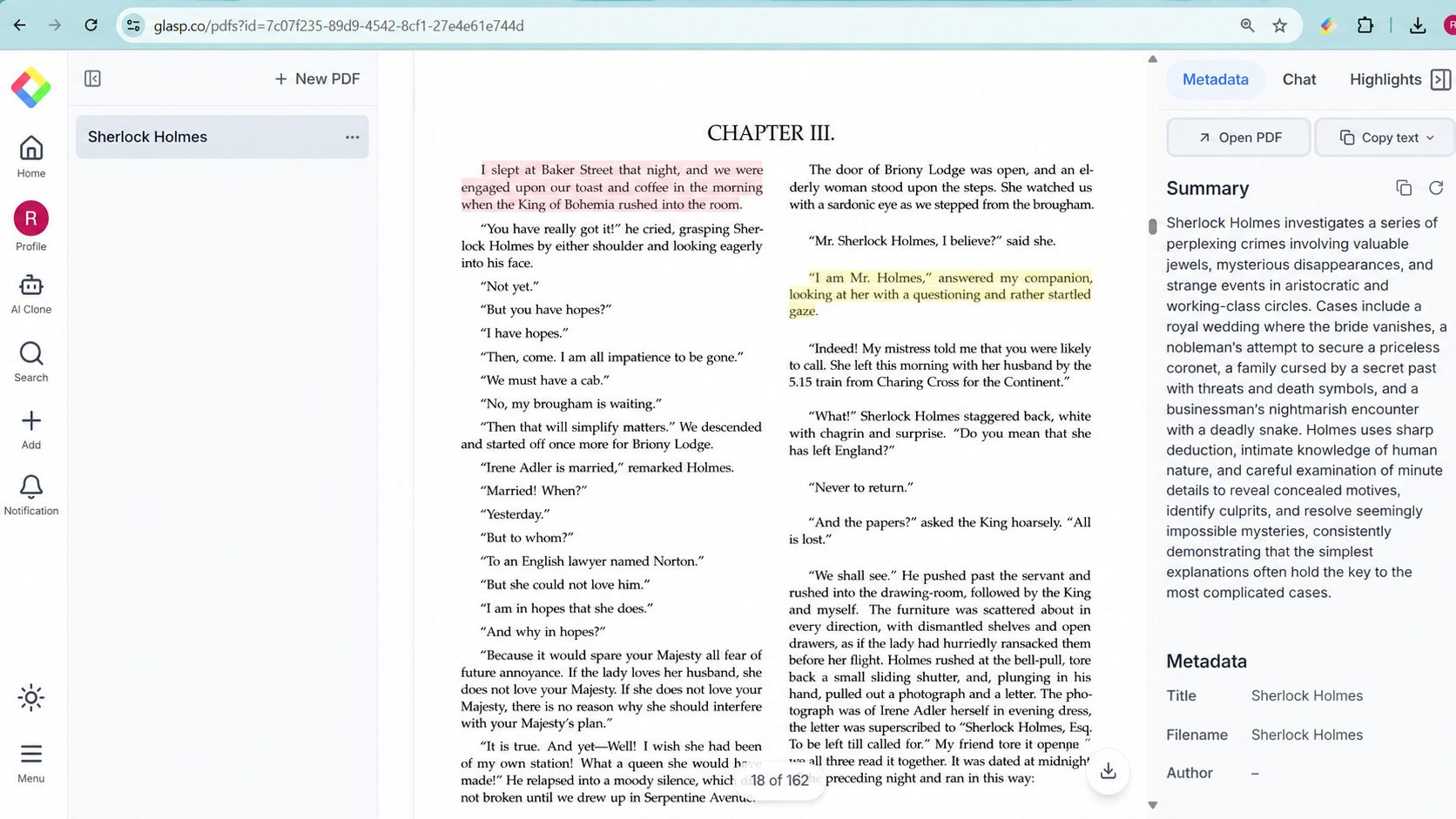
The free plan is fine enough for casual use, and the pro plan, which unlocks private highlights, is close to about INR 1,150 a month.
Sider: Best for Multi-Model Chat
Sider opens a sidebar on any webpage and gives you GPT, Claude, Gemini, and 20-plus other models in one panel. It summarises articles, chats about an open PDF, translates pages, and generates images without you leaving the tab.
It’s handy for skimming long articles before deciding if they’re worth reading. On top of that, the Group Chat feature, where one question gets answers from several models side by side, makes it easy to see which AI gives the better answer.
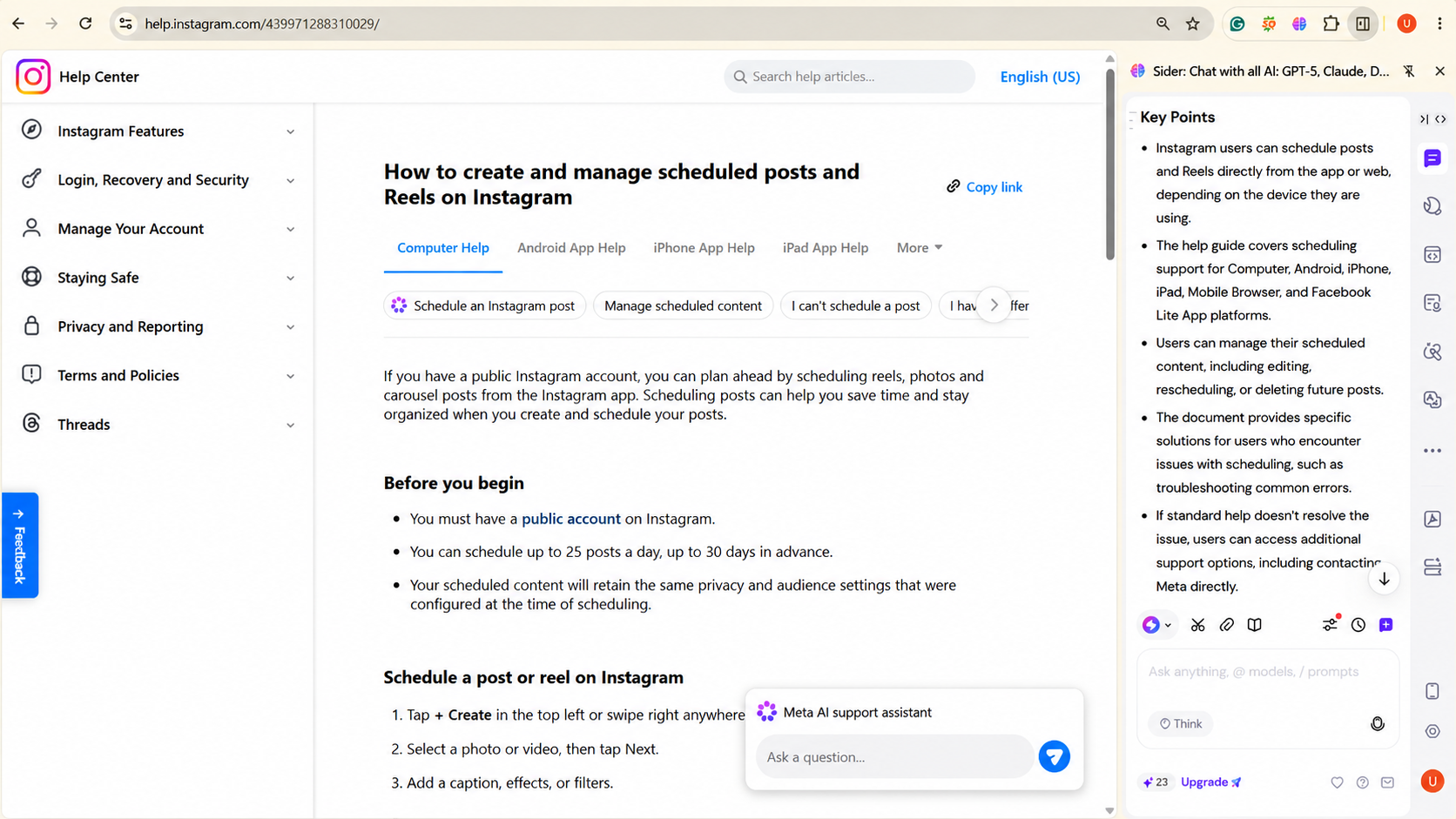
The free plan gives 30 daily credits, and paid plans start roughly from INR 350 to INR 700 a month. However, the pricing can change from time to time, so it’s worth checking the official website for the latest plans and rates before you subscribe.
Read More: How AI-Cloned Voices Are Used to Con Elderly People
Tactiq: Best for Meetings
Tactiq transcribes Google Meet, Zoom, and Teams calls live without a bot joining. Once the call ends, it can turn the transcript into a summary with key points and action items, saving you from trying to take notes while keeping up with the conversation.
Additionally, the transcripts can also be exported straight to Google Docs, Notion, and Slack, so sharing notes takes no retyping.
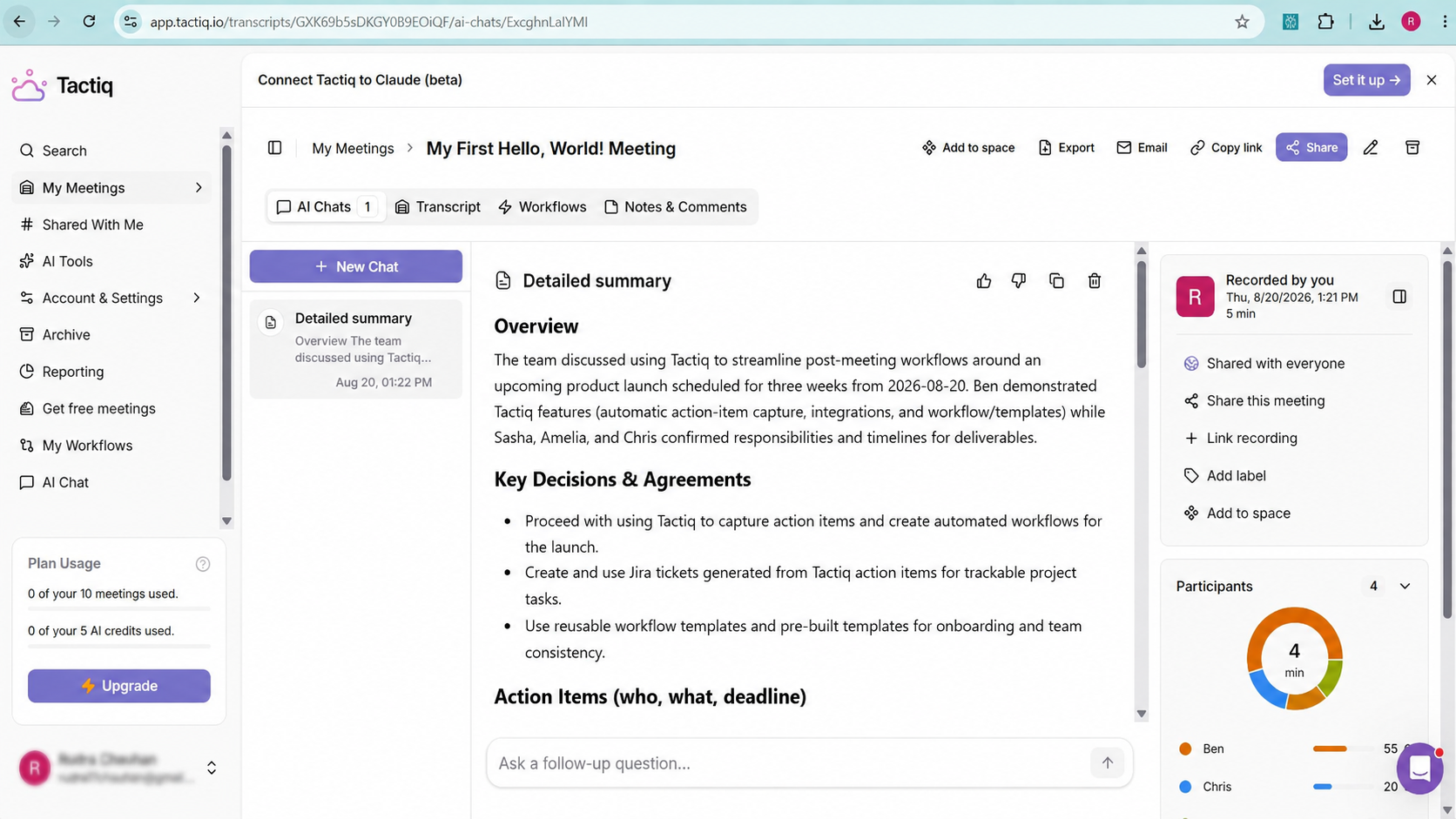
The free plan allows for a limited number of transcripts per month, while the paid version starts at around INR 700 per month, billed annually.
Picking the Right Tool for You
So, these were the top 6 AI Chrome extensions worth installing in 2026 based on my testing, with each one handling a different kind of task.
Think about what takes up most of your time. If you spend a lot of time writing, Grammarly is a good place to start. If you’re constantly going through search results and gathering information, try Perplexity. And if you’re stuck taking notes during meetings, Tactiq is worth testing.
Keep in mind that the pricing and features on these tools change often. Treat the numbers here as a starting point and confirm the latest details on each extension’s own site. Most have decent free tiers anyway, so there’s no real reason to pay upfront.
Try one for a few days, see how well it fits your workflow, and you may have just found one of the best AI browser extensions for your daily use.
FAQs
Which AI Chrome extensions are worth installing?
Sider or Monica for AI chat, Grammarly for writing, Perplexity for research, Glasp for highlights, and Tactiq for meetings are some useful AI Chrome extensions.
Are AI Chrome extensions useful?
Yes, as long as you pick ones that match what you actually do all day.
How do I use AI Chrome extensions?
Install one from the Chrome Web Store, pin it to your toolbar, and try the free plan for a week before paying anything.