
Writing captions is perhaps one of the last things anyone wants to do after putting together a good Instagram post. While it is a small thing, it somehow ends up taking twenty minutes. Yes, I have been there too. The good news is that there are a couple of AI social media caption generator apps that actually fix this problem.
From quick Instagram one-liners to structured posts, the best AI writing apps for iPhone can handle much of the work for you, letting you focus on everything else.
I tried a bunch of these tools myself, and guys, I am pretty impressed. Let me walk you through which social media caption apps are actually worth your time and space on your phone.
ChatGPT
ChatGPT remains one of the most flexible AI writing apps for iPhone when it comes to captions. It adapts to any tone, any platform, and any length, and the voice input feature on iOS makes it easy to talk through an idea instead of typing it out.
The free plan runs on GPT-4o mini and is enough for everyday captions. That said, the Plus plan costs roughly INR 1,999 a month and unlocks GPT-5.5. The latter is known to write noticeably sharper and context-aware captions.
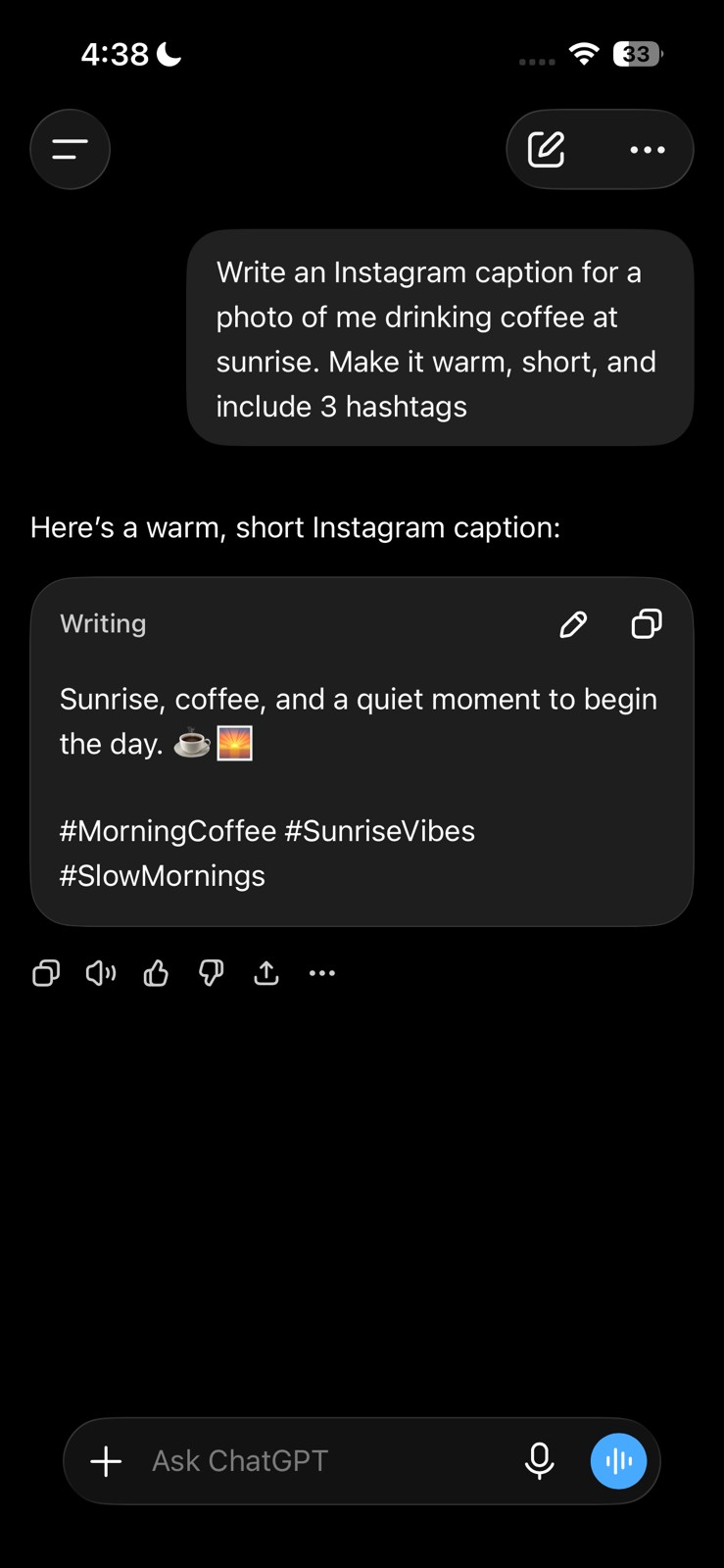
You will need an account to use the platform. There are no ads at all, which is a big plus. The only real downside is that it needs a clear, detailed prompt to avoid sounding generic.
Moreover, one genuinely useful feature that most people overlook is the memory setting. If you turn it on, ChatGPT remembers your brand tone, your audience, and your preferences across sessions.
That means you are not re-explaining yourself every single time you open the app.
Claude
The reason Claude stands out for caption writing specifically is that it tends to write closer to how you yourself would, which means less editing at the end. I tested it and found it particularly strong for longer, story-driven captions where the tone needs to be in a flow across several sentences.
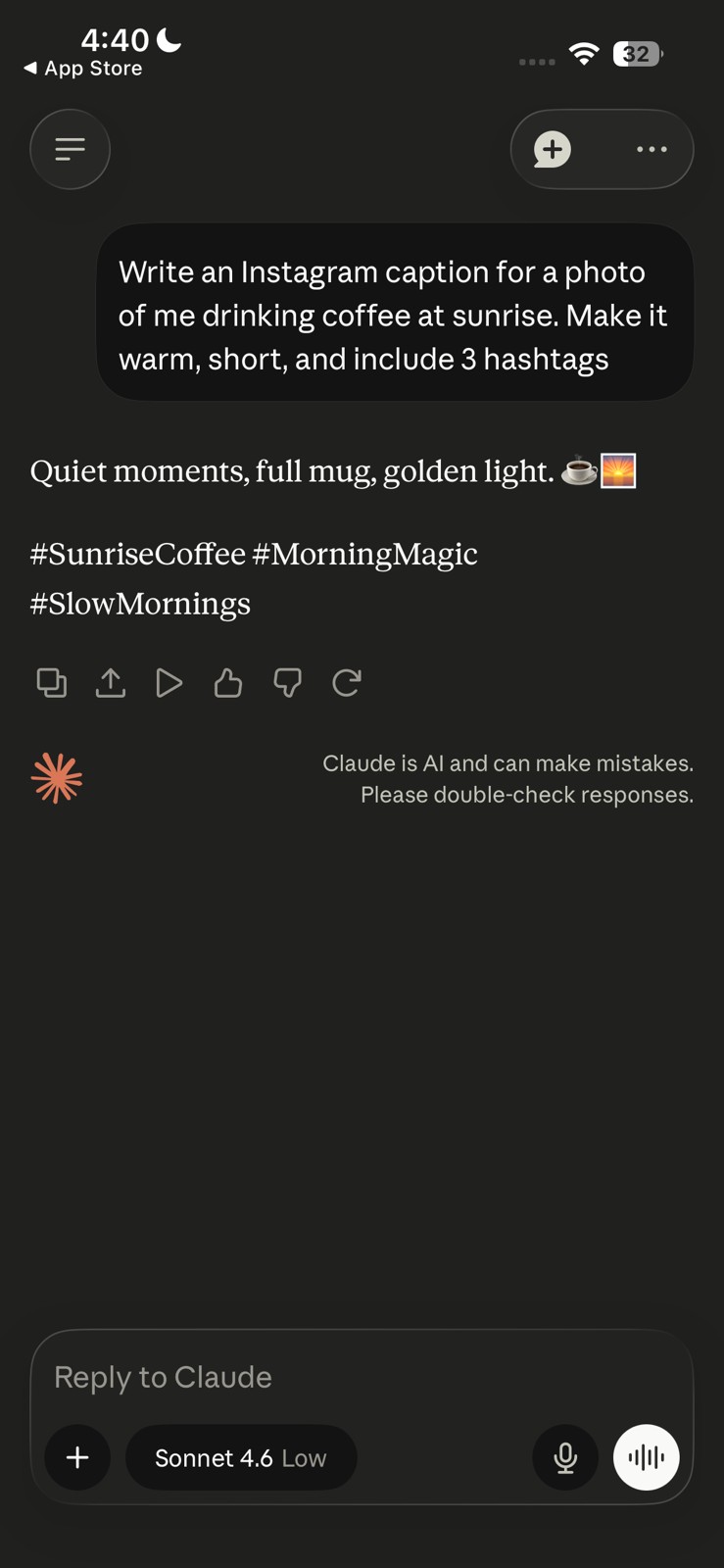
Claude requires a free account to use, and there is no guest or anonymous mode. The free plan runs on a rolling 5-hour usage window rather than a fixed daily count. This works out to roughly 15 – 40 messages before you hit the rate limit. Like ChatGPT, it has no ads and the interface is easy to understand.
So, for someone who is writing one or two captions a day, this is rarely an issue. But if you are drafting content for the week (or asking for several variations back to back), you can run out faster than expected and have to wait out the reset.
Coming to price, Claude Pro costs roughly INR 1,609 a month and unlocks the more capable Opus model for longer or finer captions.
CapGen
CapGen is a genuinely useful AI social media caption generator that is built specifically for photos rather than videos. The standout part is its seamless process.
It supports over 100 languages and lets you set a specific tone for the caption it generates. Once it gives you a caption, you can post the image straight to Instagram, Facebook, Twitter, Threads, Snapchat, or LinkedIn directly from the app, or just copy it and paste it wherever you need.
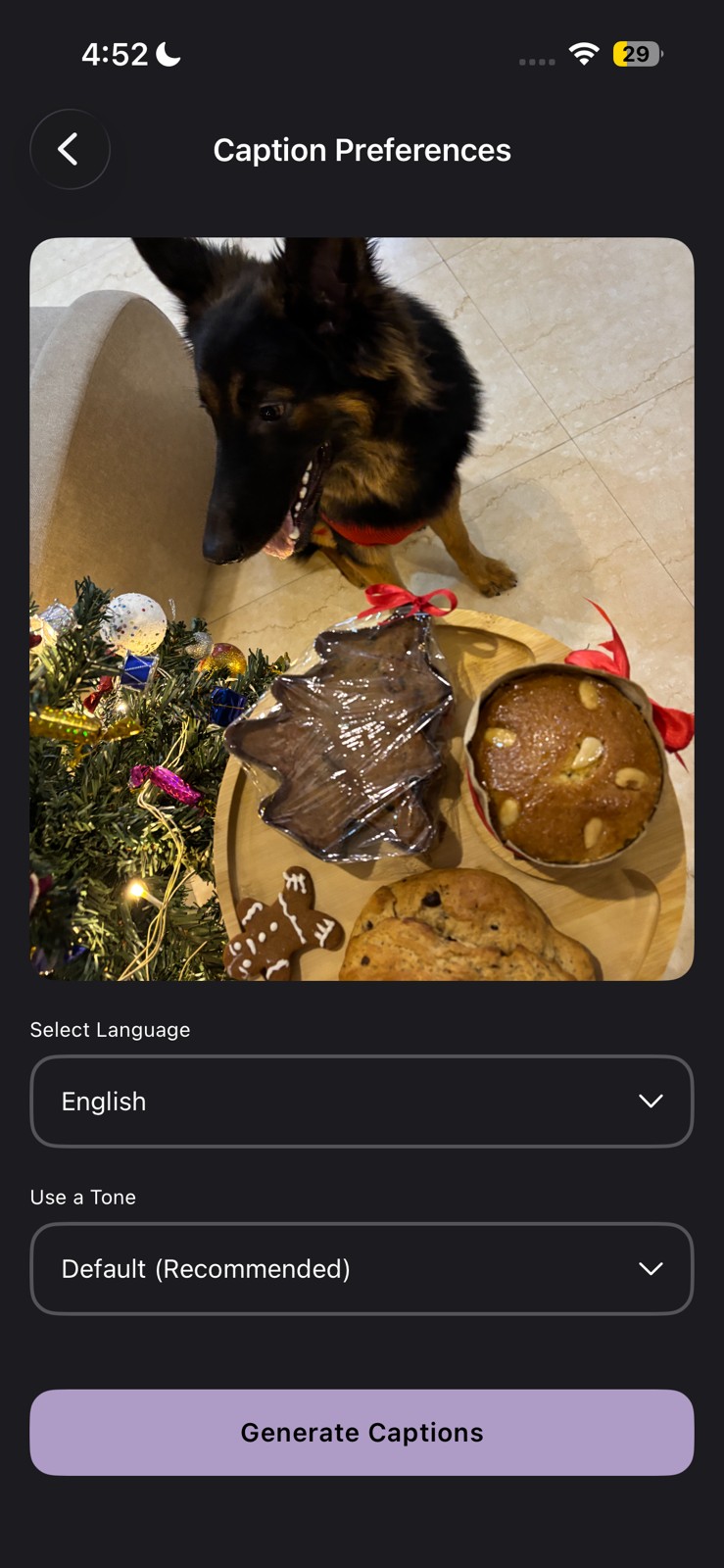
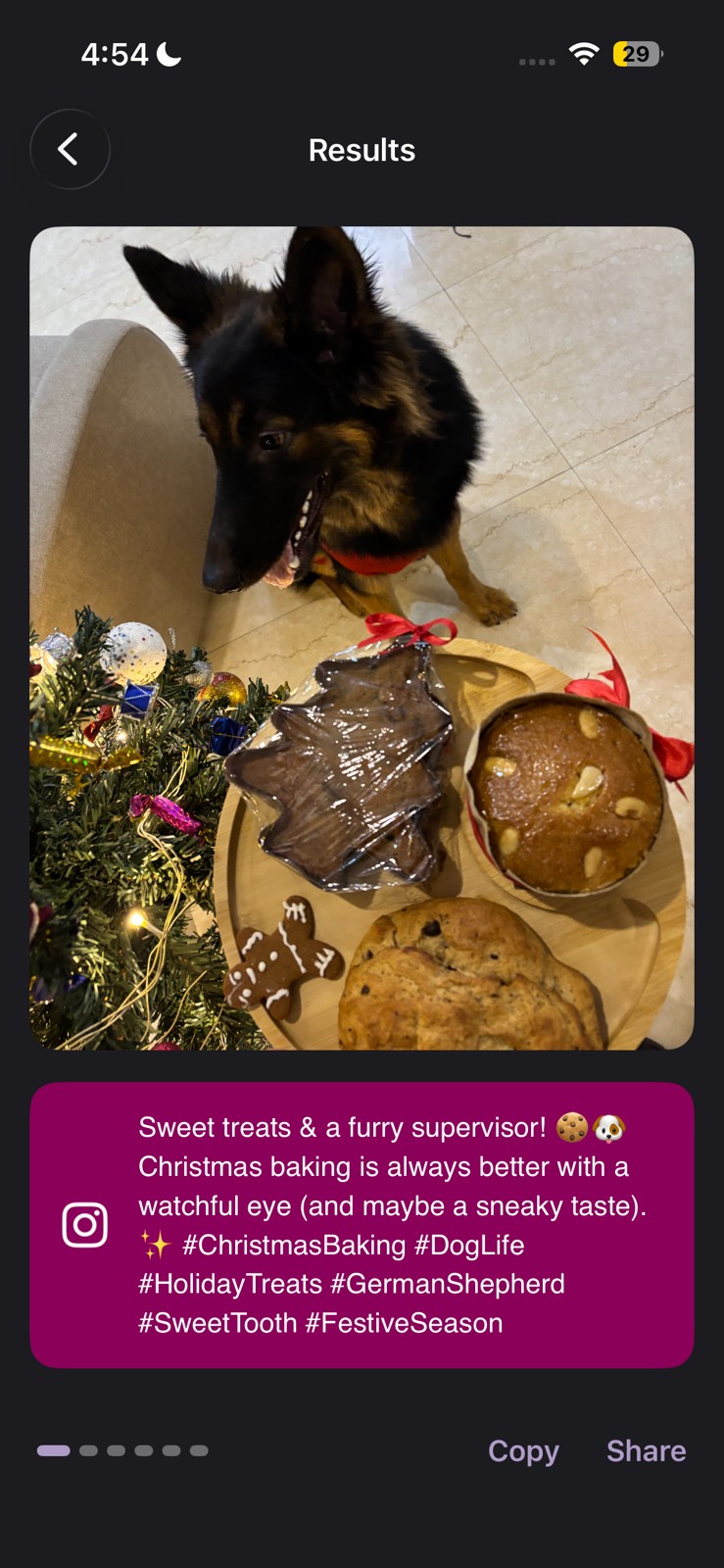
CapGen is free to use, no credit card required upfront, with an optional premium tier if you want more generations. The weekly premium plan is just for INR 99, while the monthly subscription costs around INR 199.
No watermark issues since it is purely a caption tool, not a video editor, so there is nothing to export.
Canva
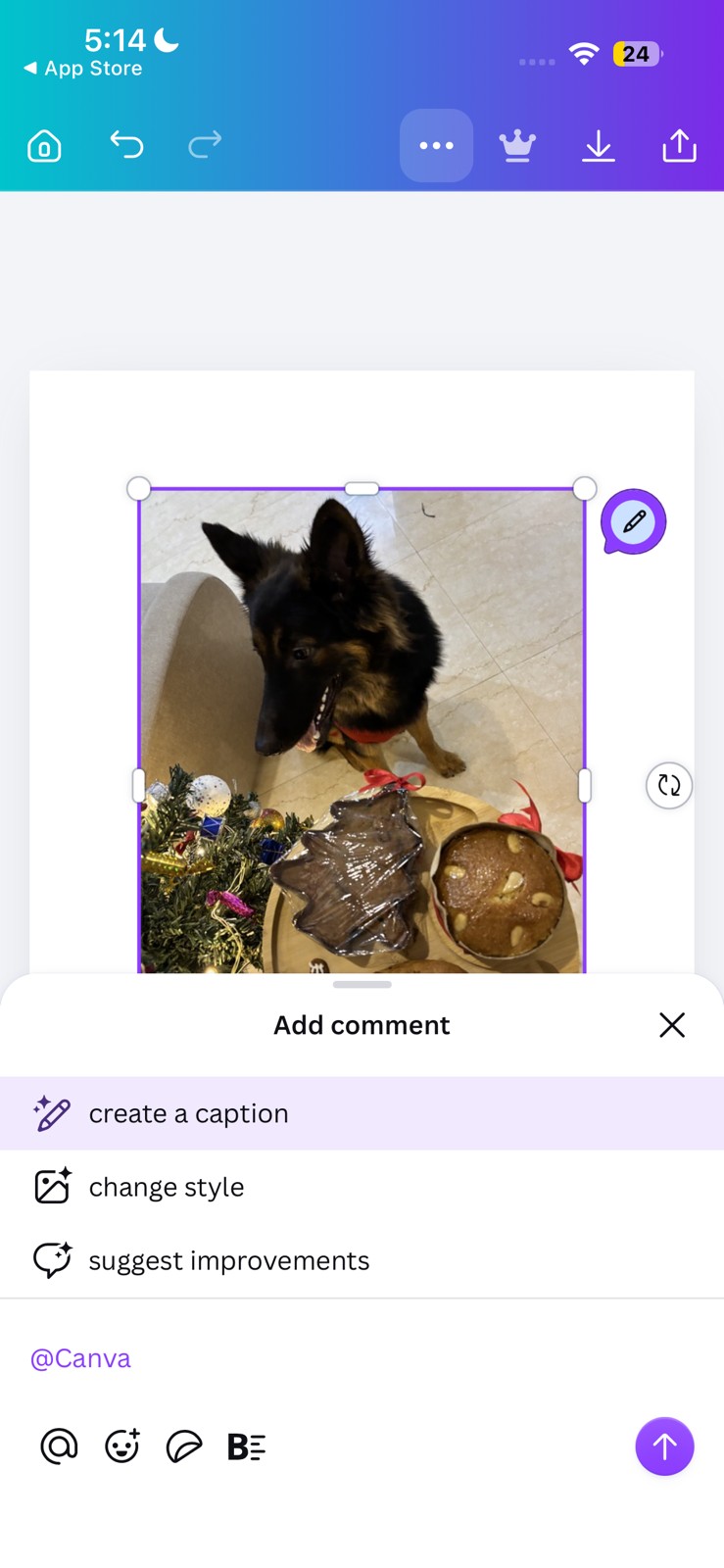
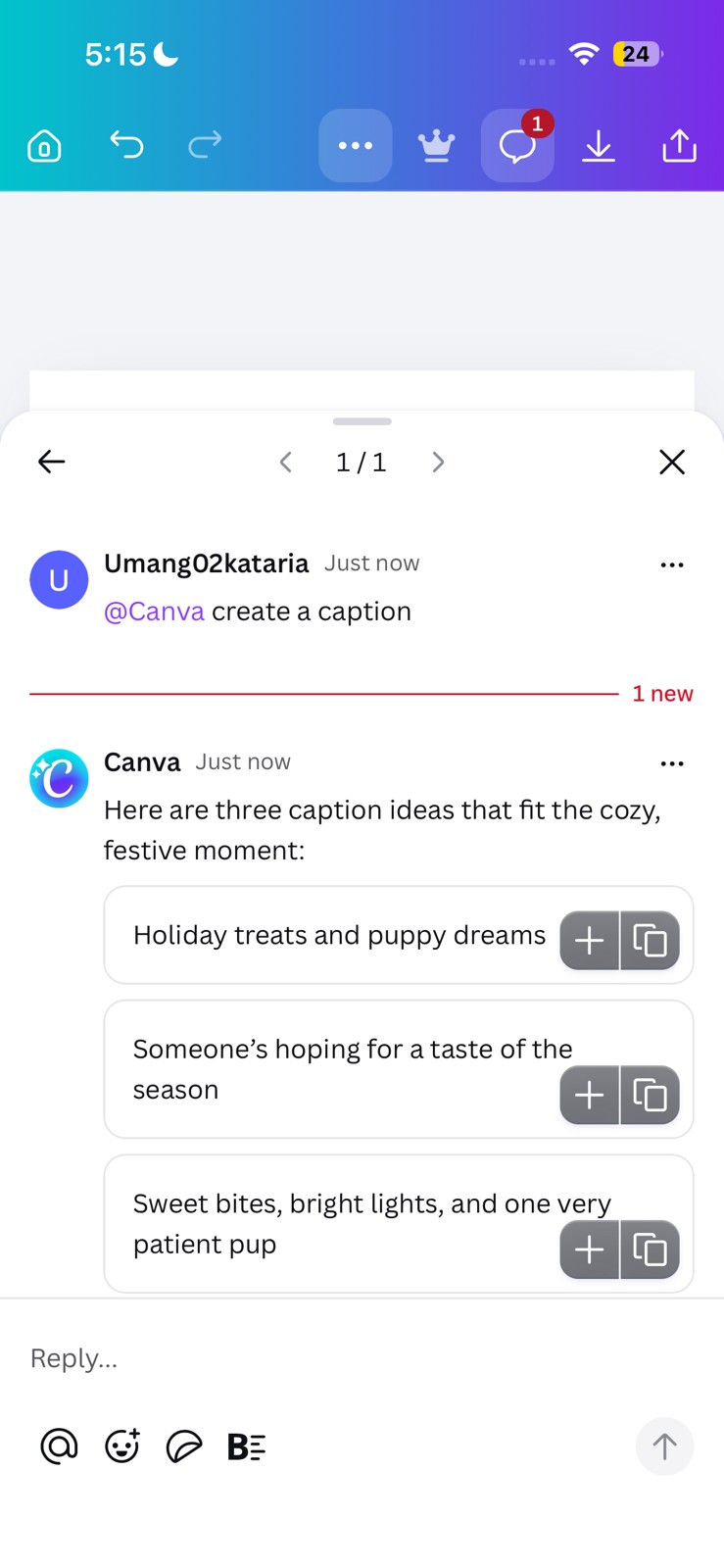
Canva’s Magic Write feature has become one of the most useful caption tools when it comes to graphics. And it also doubles up as a nifty AI-powered caption generator, especially if you will be designing your post inside the app.
All you need to do is write a rough idea, pick a tone, and it generates a caption right next to your graphic, so you are not switching between two separate apps just to finish one post.
The free plan includes limited Magic Write credits each month, which is enough for casual, regular posting.
Canva Pro costs around INR 499 a month and increases the AI usage limit considerably, along with unlocking premium templates.
A Few Things I’d Keep in Mind Before Picking One
Every AI social media caption generator app I have mentioned above requires you to sign up before you can generate captions, as there is no fully anonymous option anywhere. At the same time, free plans come with real limits, whether that is a message cap, a credit system, or watermarked exports, so plan around that depending on what you actually need.
Also worth remembering, none of these tools know your specific audience. They handle structure and tone well, but the small detail that makes a caption feel personal, an inside reference, a specific story, still has to come from you. In short, none of these apps replace your voice. Instead, they help you get you past the blank space faster.
FAQs
What are the best AI iPhone apps for creating social media captions?
Claude, ChatGPT, Photo Caption Generator AI, VEED, and CapCut are the most reliable options on the App Store in 2026.
Which AI app generates the best Instagram captions on iPhone?
Claude tends to write the most natural-sounding Instagram captions, while Photo Caption Generator AI is strongest when you want a caption based directly on what is in the photo.
Are there free AI caption generator apps for iPhone?
Yes, some free AI caption generators for social media on iPhone apps include Captions: AI Edits Your Video, Canva, Caption, and more. Though the quality and experience on these are not up to the mark.
How do AI caption apps help improve social media engagement?
They help maintain consistent posting, match tone to each platform, and structure captions in a way that holds attention better than a rushed last-minute caption.