I will not lie, creating presentations and slides takes both time and effort, especially when you have to start from scratch. However, if most of the information is already added for you, it becomes much easier and faster to polish and refine.
On that note, here are some of the best free PPT generators that deliver quality, speed, and most importantly, reliable results. In this post, we will cover the very best AI PPT generator tools available today.
Also See: How to Detect AI-Generated Fake Videos and Images Instantly & Accurately For Free
Canva
Canva is an all-in-one platform for everything you need, including media, photos, and videos. Another thing that it is pretty good at is AI presentations. Yes, you read that right. Over the last few years, Canva has evolved into a powerful AI-focused presentation tool.

Pros
What impressed me most about Canva is how polished everything feels right from the start. Even on the free plan,
- The templates look clean, modern, and genuinely professional.
- The Magic Design feature is a real time saver too.
- Add your text, and it instantly turns into well-structured slides.
- Canva is pretty simple to use. You just drag, drop, tweak a few elements.
Cons
However, it has its side of cons as well.
- The best AI templates for presentations are locked for free users.
- Canva’s AI focuses more on slide layouts and design. Here, you will have to rely on your research.
What makes Canva stand out is its smooth and reliable visuals. The slides look clean and professional, and the platform itself is stable and smooth to use.
Also See: 6 Best Hidden Tips and Tricks for Canva
Kimi Slides
Kimi Slides is part of the Kimi AI ecosystem, and right now, it’s one of the most interesting tools in the AI presentation space. Kimi Slides is free software, which does not require a subscription. The catch is that it has a word limit of 1,500 words per ppt.

Pros
- Kimi Slides handles content really well.
- It actually understands the context and starts creating slides with a clear & logical flow.
- Free
It feels more like a smart assistant that knows what your presentation should say (and not just how it should look). While it is currently free, it may move to a tiered structure soon.
Cons
- The design options are still limited compared to Canva.
- The UI can feel a bit raw or unfinished, especially if it’s your first time using it.
What makes Kimi Slides stand out is its focus on strong AI thinking and content structure, which acts as a backup to your own information and research. If your priority is meaningful content over flashy visuals, it really shines.
Z.AI
Yes, that’s the name. However, do not judge the tool by its name, for this free AI PPT generator is capable of so much. It positions itself as an AI productivity tool, with presentation generation being just one of its features.
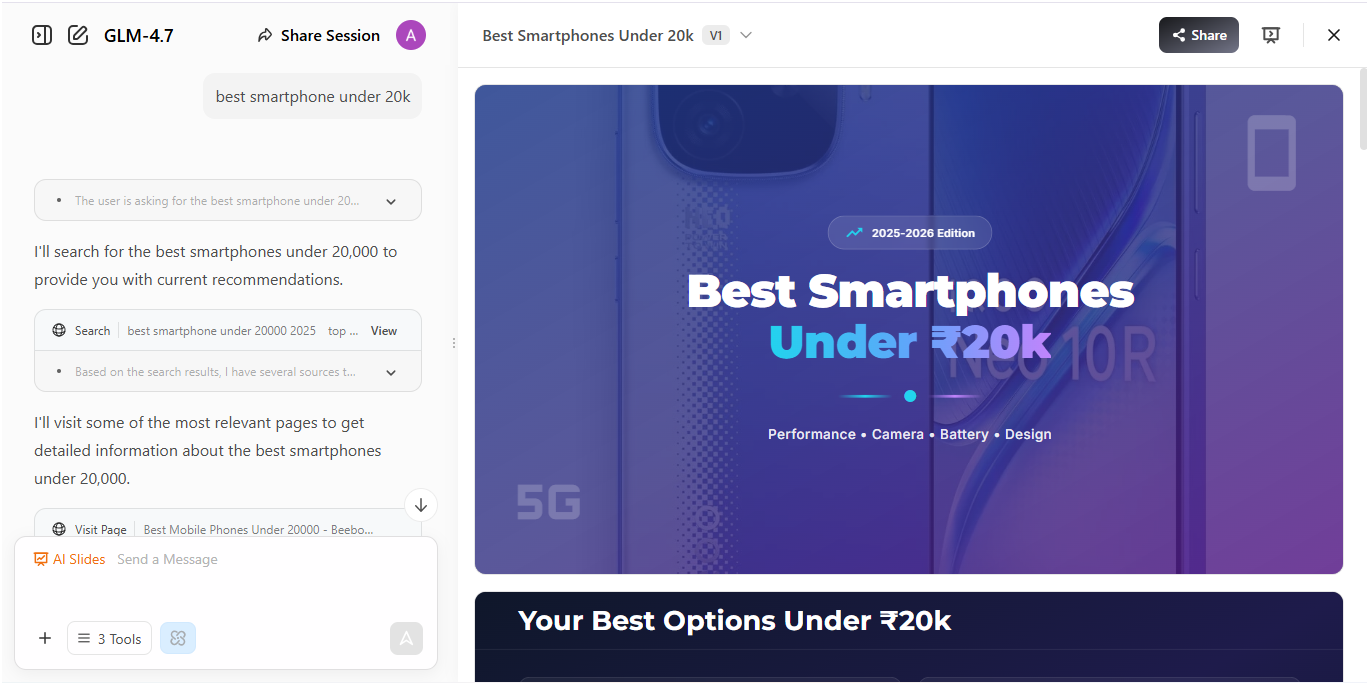
Like its counterpart above, this free PPT generation tool generates slides with deep content and research.
Pros
- Generates slide content with deep research
- Gives you a basic structure without much effort, thus naturally reduces your time and effort in research.
- Easy UI, so you never feel overwhelmed while using it.
Cons
- Takes a little longer than other platforms since it spends more time on image search and research.
What makes Z.ai stand out is its usefulness for ideation. If your goal is to generate content ideas rather than a polished final deck, then it works well. It’s best for brainstorming, outlines, and early-stage drafts.
Also See: Create AI Videos Without Recreating Your Face
Manus
Manus feels like a more advanced AI platform built around deep reasoning and structured thinking than a free AI slide generator. In fact, it’s one of the best AI tools for presentation design. It creates slides and presentations on complex topics with well-structured information.
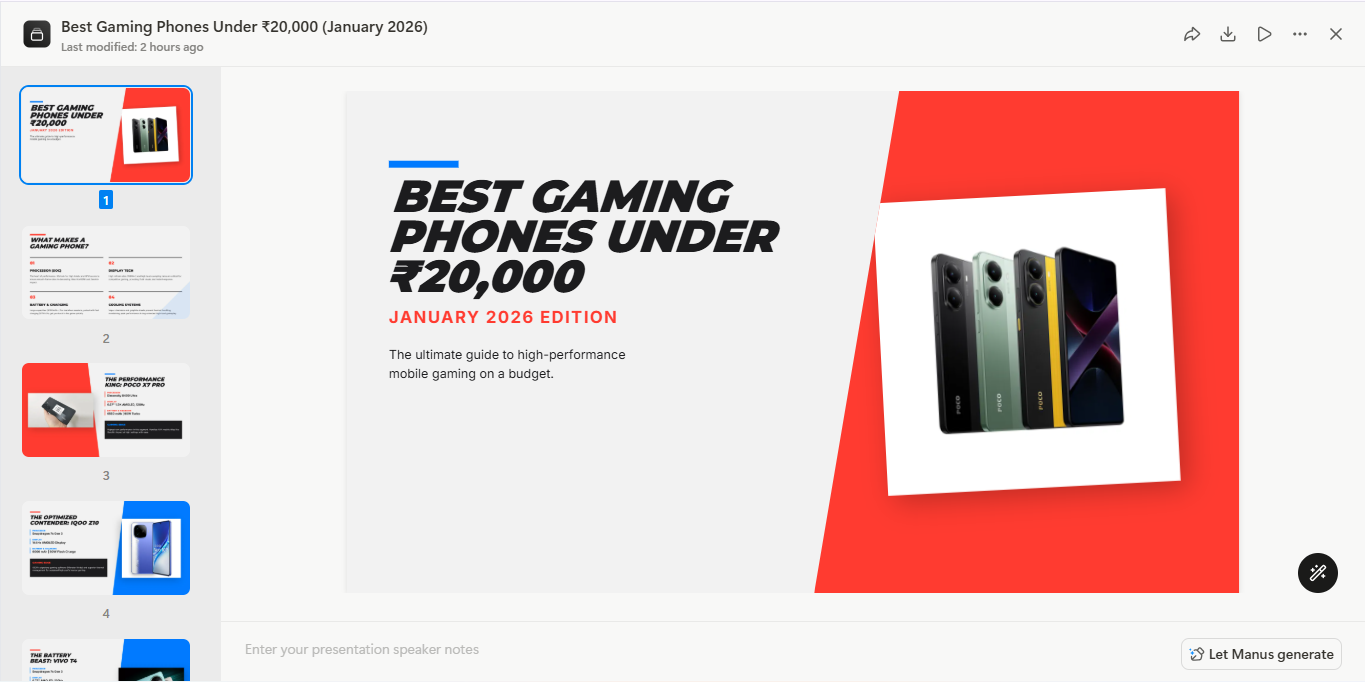
Like most AI tools, Manus has limited credits, including starter and daily credits of 1,000 + 300 for basic features, along with several paid plans. The daily credits reset to 1,000 each day.
Pros
- Creates well-thought-out presentations, especially for complex or professional topics.
- The flow, logic, and sequencing are strong, which makes it a good choice for high level presentations.
Cons
- Slightly clunky UI
This free AI PPT generator tool feels a bit dated and, as such, requires a little learning curve. But what makes it better than others is depth and intelligence. It is best for professionals and complex topics.
Final Thoughts
These are some of the best free AI PPT generators available right now. Like most AI tools, they are not completely foolproof, and you will still need to add your personal touch to refine the final presentation. However, if you are looking to create stylish, well-structured slides quickly, these AI PPT tools can make the process significantly easier and more efficient.
Right now, if we talk purely about free usability, then Canva and Kimi Slides feel like a smarter option by using Kimi Slides for content, and then moving that content into Canva for design.
Best Free AI PPT Generators: FAQs
What is the best free AI PPT generator?
Can I use AI PPT generators for business presentations?
Yes, most AI presentation generators are suitable for business presentations. But as mentioned above, you will need to review and customise the content.
Can I export AI-generated PPTs to PowerPoint or Google Slides?
Most of these AI-powered presentation tools allow both format.
Can AI PPT generators improve my presentation design skills?
Yes, AI PPT generators can help you understand layout, design and structure.