Brief Overview
- Instagram’s Active Status lets others see when you’re online or last active, but you can turn it off for more privacy.
- Find out the steps required to disable the feature and understand how it affects your messaging experience.
If you are a regular Instagram user, you are already familiar with that little green dot that shows up next to someone’s name in DMs. It is handy when you want to catch someone at the right moment, but it can also feel like a little too much exposure when you just want to scroll through your feed in peace.
In that case, how to hide active status on Instagram is what you need to know. The good news is that Instagram makes it quick like a breeze.
What Is Instagram’s Active Status?
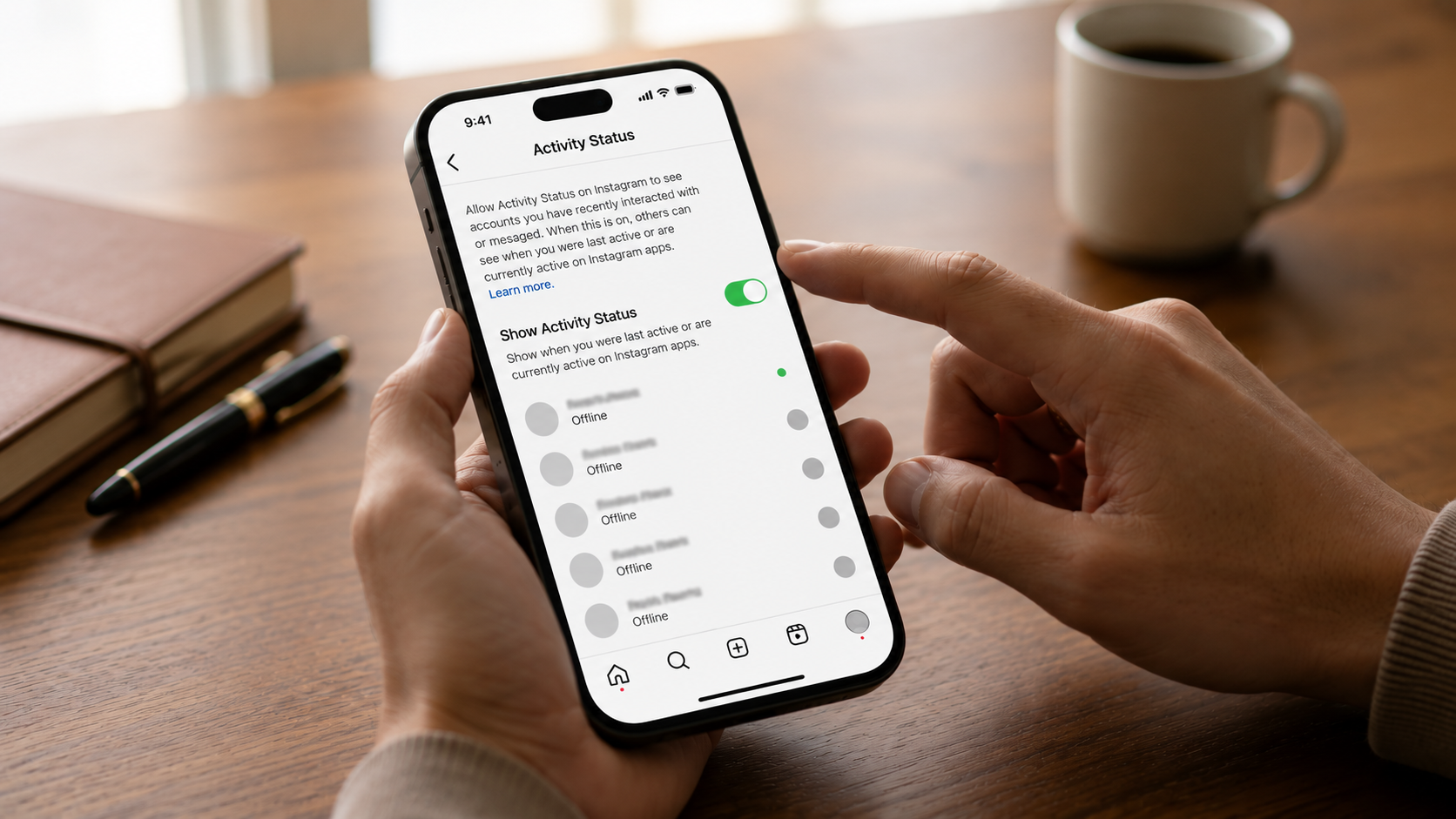
Instagram’s Active Status is a feature that shows your followers and anyone you have DM’d when you were last on the app. It appears either as a green dot on your profile picture in the DMs section or as a timestamp such as Active 5 minutes ago or Active today.
The feature is turned on by default. Unless you have already switched it off, people can see when you are online. That said, this works both ways. Once you turn it off, you will no longer be able to see other people’s active status either.
How to Turn Off Active Status on Instagram
This method to disable Instagram activity status applies to all types of devices.
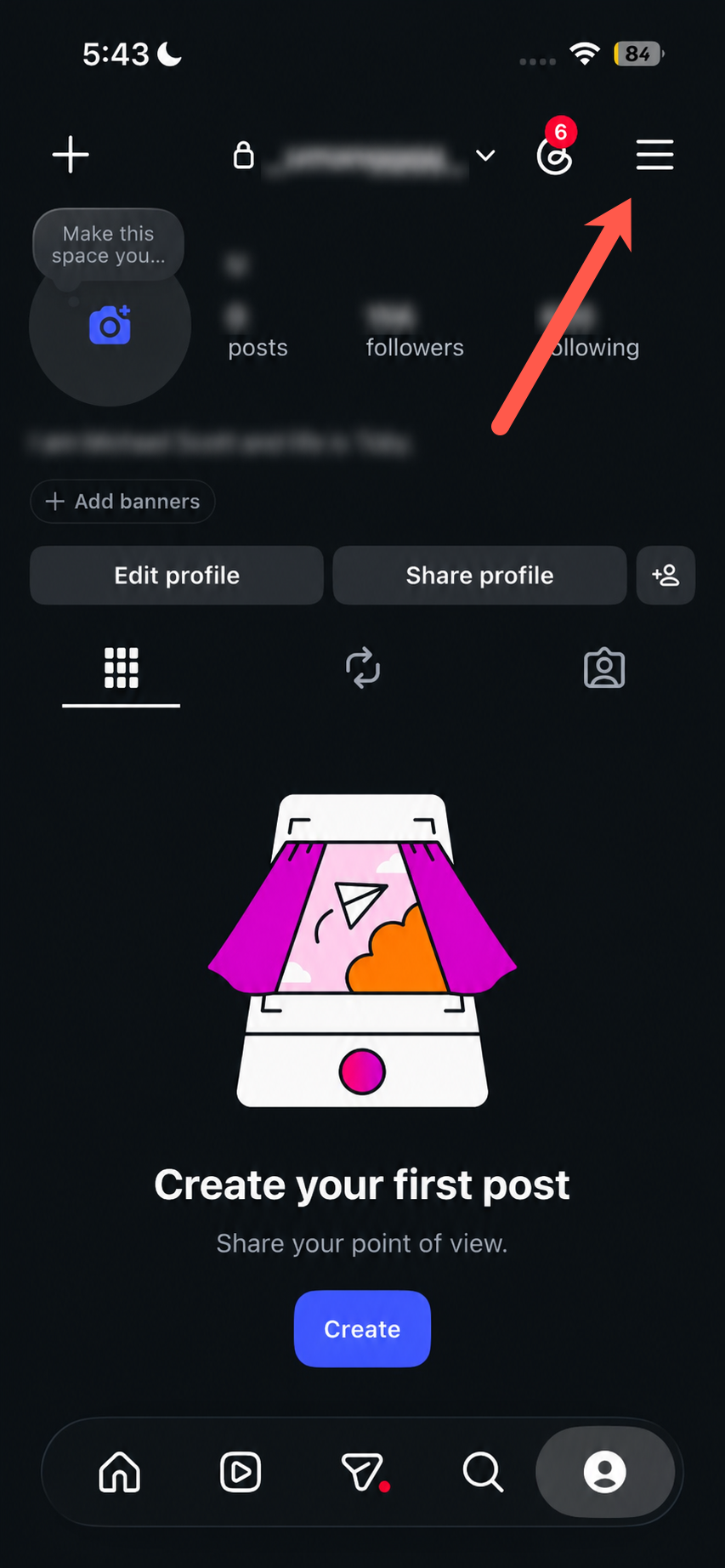
Step 1: Open Instagram and head to your Profile by tapping your profile picture at the bottom right corner.
Step 2: Tap the three-line menu in the top-right corner, and you will land on the Settings and Privacy page.
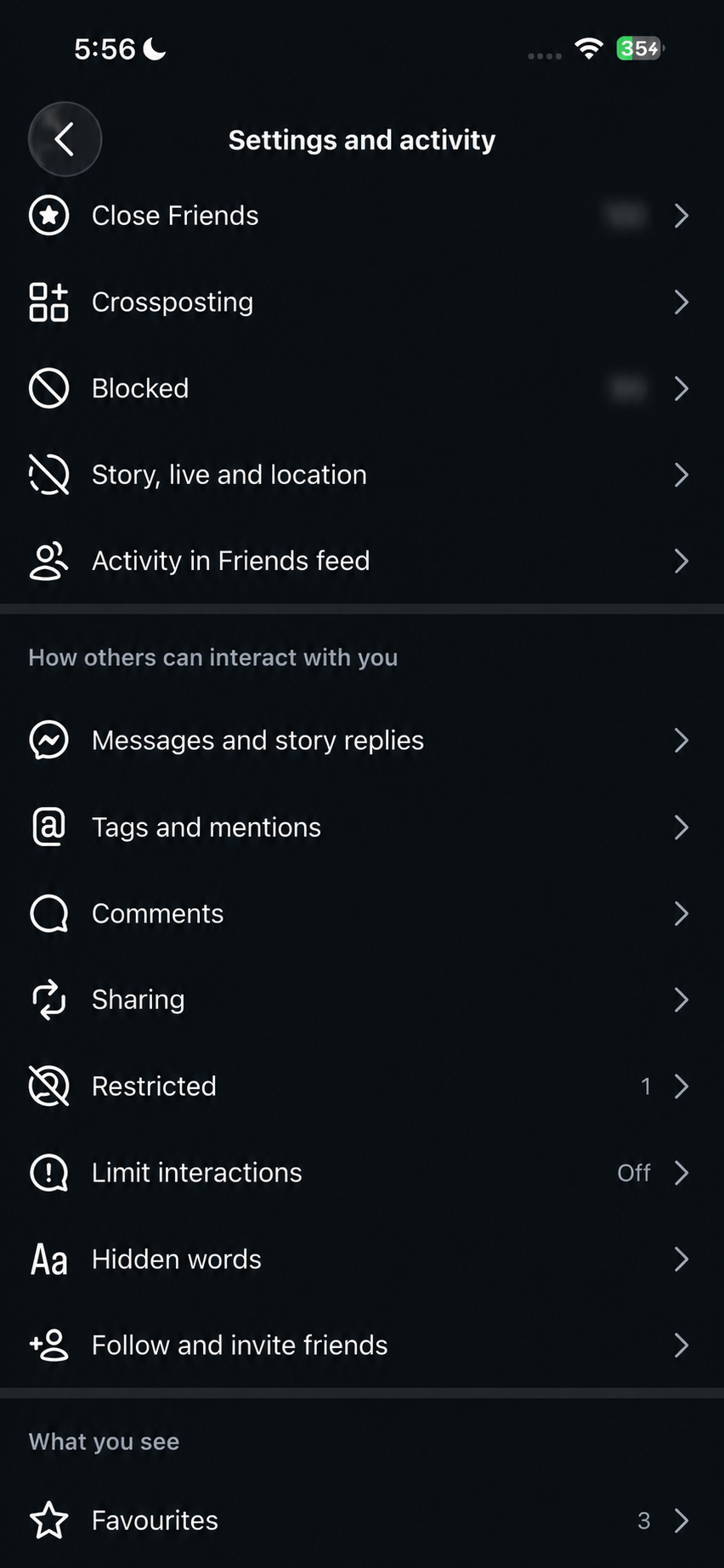
Step 3: Now, scroll down and tap on Messages and story replies and select Show activity status.
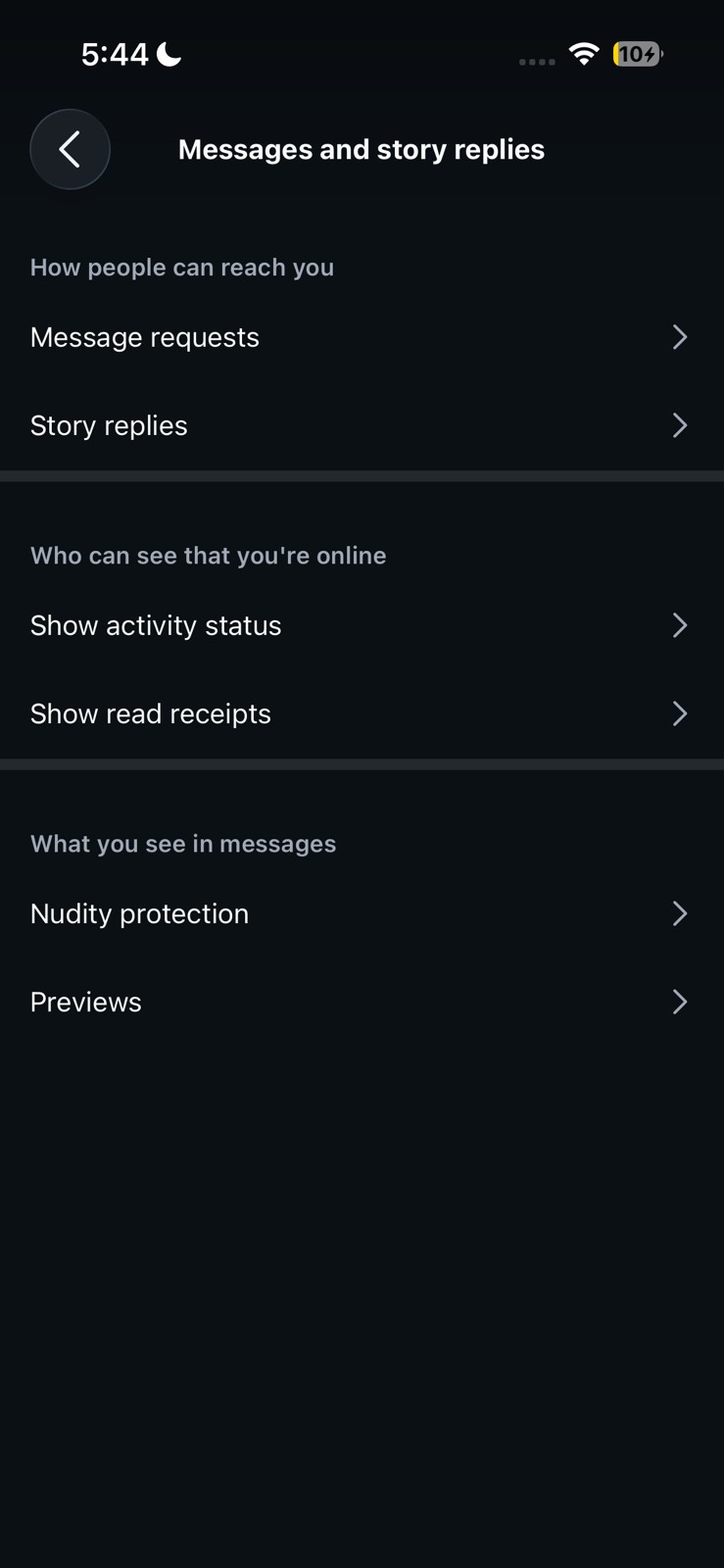
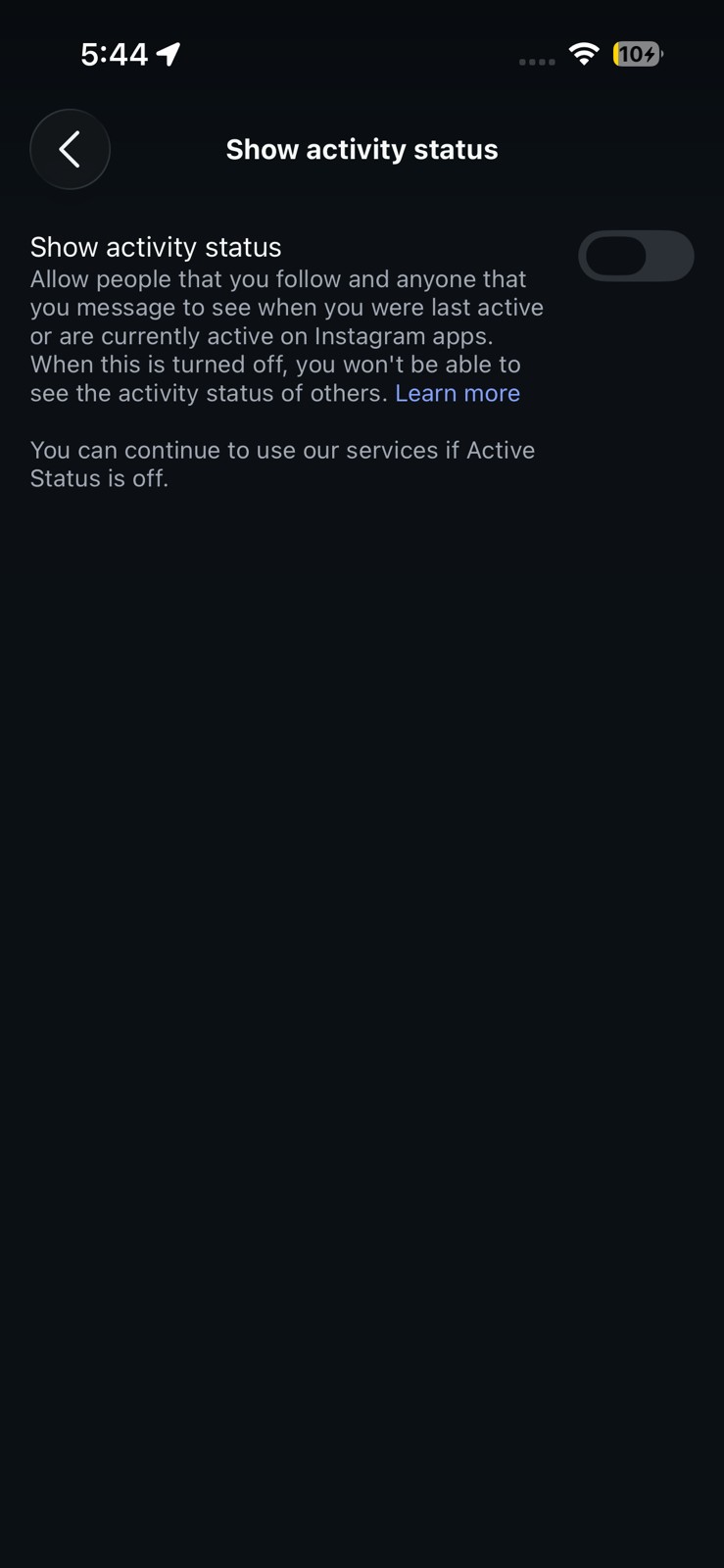
Now, all you need to do is toggle the switch off. That is it. From now on, your active status is hidden from everyone on Instagram.
Do note that this setting only controls your status on Instagram. If you are also connected to Facebook Messenger through the same account, you will need to handle the active status there separately.
Here’s a More Privacy
So this was how you can turn off the active status on Instagram. Just keep in mind that once it is off, you will not be able to see when others are active either. A fair trade-off for a little more privacy.
Have a question? Drop it in the comments below.
FAQs
Does turning off active status on Instagram hide read receipts?
No. Turning off active status only hide last seen on Instagram and the online indicator. Read receipts in the DMs will still be there, so the other person will still know when you have read their message.
Can someone still tell I am online if I turn off active status?
Not directly. However, other signals like you suddenly replying to messages or liking posts may still give it away.
Will turning off active status affect my Instagram Stories or posts?
Not at all. Your Stories, posts, and Reels work in the same way. The active status is accessible only in the DMs section.
Does this setting apply to Facebook Messenger too?
If you’ve linked your Instagram and Facebook accounts in the Accounts Centre, you will have to turn off the active status on each profile individually.