It is 2026, and social media has become an integral part of our lives. Naturally, this also comes with risks. In fact, just a few months ago, there were reports of Instagram accounts being breached. Worry not, we have compiled a list of easy and actionable ways to secure your Instagram account and keep it safe from such threats.
Also See: How to Reset the Instagram Reels Algorithm in 2026
How to Secure Instagram Account
The most common problem nowadays is that hackers often use phishing emails or DMs mimicking Instagram to steal your login details. They DM you with fake pages that look real, thus tricking the users into believing that the links are authentic. Once you enter your credentials, your account gets hacked.
Additionally, third-party apps, often used to increase followers or track analytics, can also gain access to your login credentials.
With that in mind, here are some effective ways to help you secure your Instagram account from getting hacked.
Create Strong Passwords
The most effective Instagram security tip is to use a strong password with 14-16 characters with a mix of uppercase, lowercase, numbers, and symbols.
One thing that is recommended is not to reuse passwords across sites and to avoid using easy passwords like birthdays. Plus, tools like ProtonPass help in generating strong passwords, and they also store unique passwords safely.
Enable Two-Factor Authentication
The second most important thing on your safety list should be enabling Two-Factor Authentication on Instagram. After the authentication, every time you log in from a new device, it will be required to enter an extra code to confirm.
To enable Two-Factor Authentication on Instagram, go to Settings > Accounts Center > Password and security, and tap on Two-factor authentication.
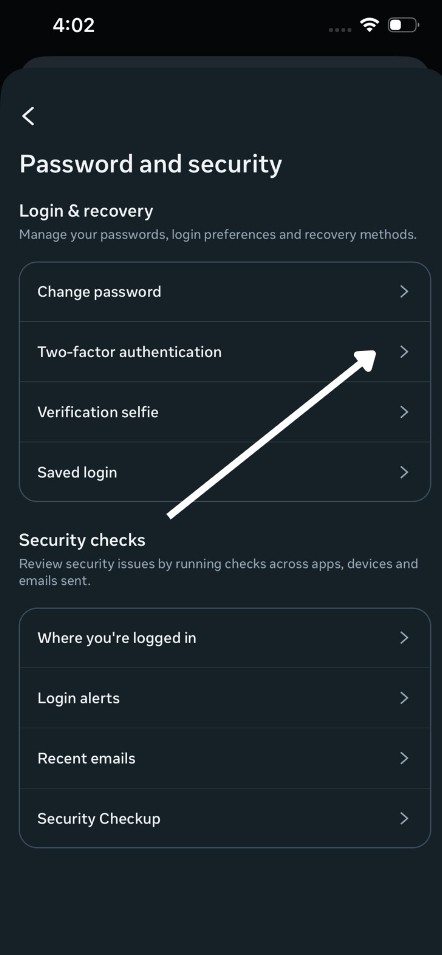
Here, it is better to choose an authenticator app, like Google Authenticator, instead of SMS. This adds an extra layer of protection and can block most attacks, even if your password is compromised or is leaked.
Check Login Activity
A basic way to secure your Instagram account is to always monitor your login activity. At the same time, make it a habit to review your active sessions regularly.
To do so, go to Account Center on Instagram and navigate to Security > Login Activity. If you spot any unfamiliar devices or locations, then quickly log them out and change your password instantly.
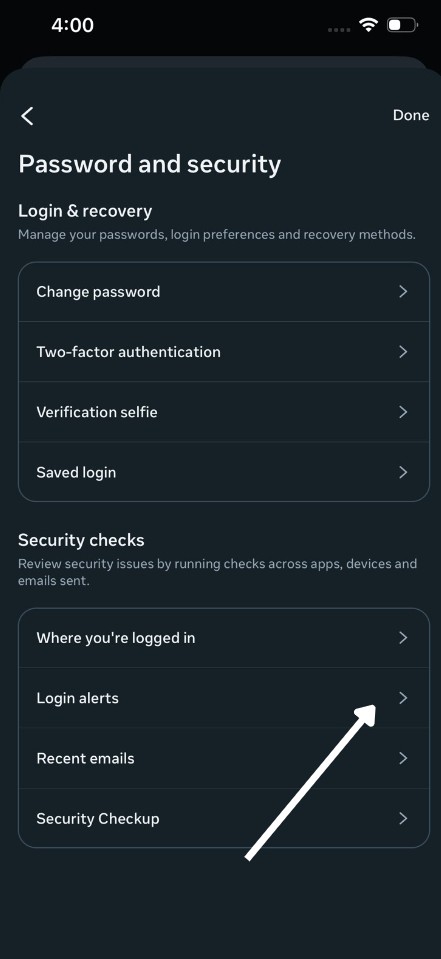
At the same time, configure the Login alerts for both Facebook and Instagram.
Also See: Why Is Instagram Not Showing My Story to My Followers
Avoid Phishing Traps
One of the most common threats today is a DM claiming that there is an issue with your Instagram account. It tricks you into entering your password by pretending to be Instagram Support.
First of all, Instagram never provides official help through DMs or random links.
The safest way to change your password is to go directly to Instagram’s Account Center and change your password. Do not click on any links or emails claiming to be from Instagram.
Manage Apps and Privacy
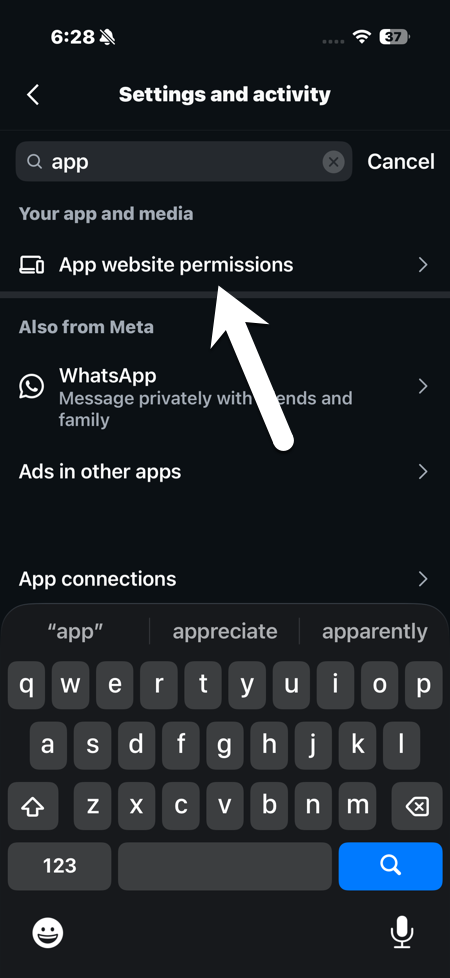
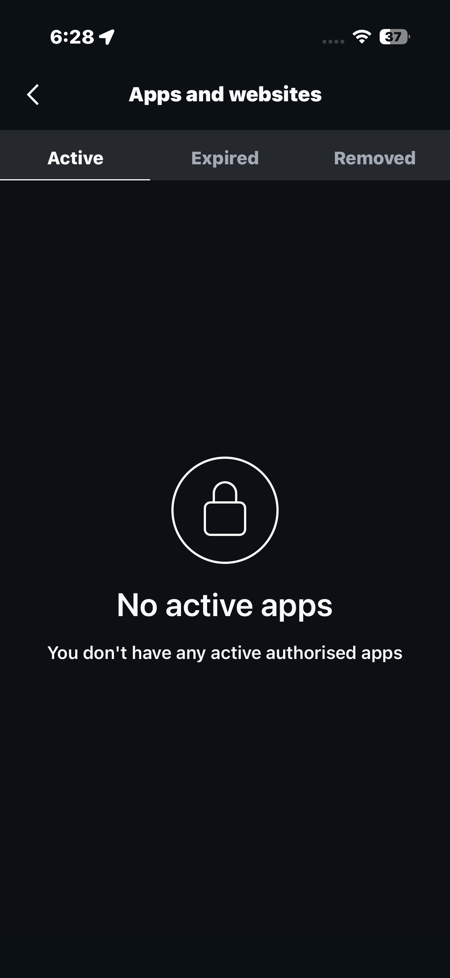
At the same time, keep an eye on the apps you connect to your Instagram. Some of them can see your personal info or even your login details, so checking regularly helps you stay in control and keeps your account safe.
To see third-party apps access, head over to Settings and search for apps.
Additionally, you can also limit story replies to followers only to avoid such scenarios.
Also See: Best iPhone Apps for Instagram Creators
Run Security Checkups
One of the basic Instagram hacking prevention tips is to keep your email and phone numbers updated if outdated.
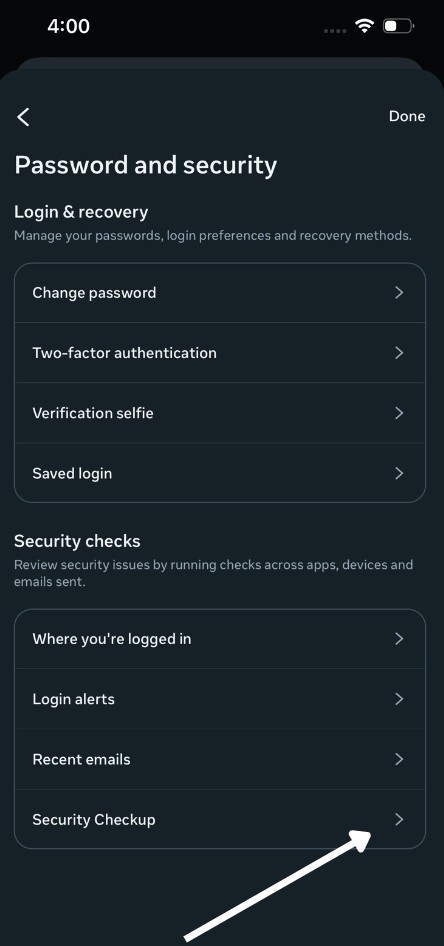
Instagram launched the Security Checkups feature in 2021, which enables a built-in checkup that reviews passwords, contacts, and Two-Factor Authentication.
To see them, go to Accounts Center > Security Checkup to enable the security checkup for your Instagram account.
What Should I Do if My Instagram Account Gets Hacked?
Even after all these precautions, if your Instagram account still gets hacked, do not panic. First of all, act really fast, use Forget Password with your username/email/phone for a login link.
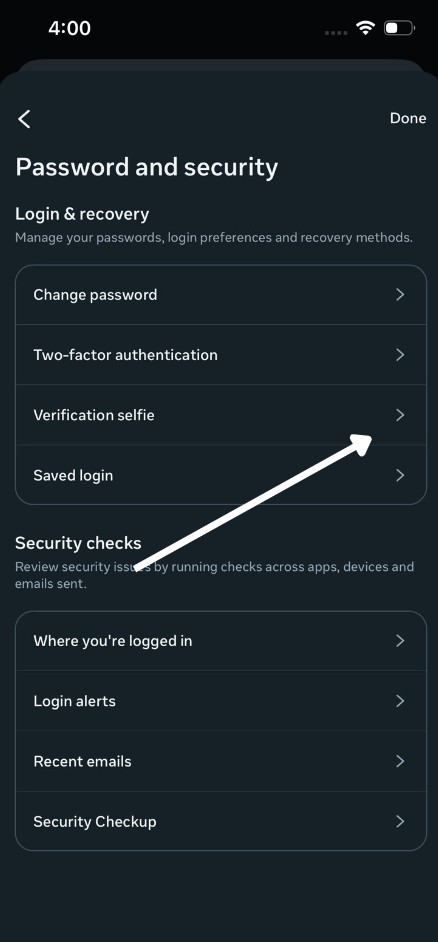
Once done, request Instagram support via app, submit a video selfie for verification, then report Instagram and change all related passwords.
Secure your Instagram Account from Hackers
These were some of the best security tips for an Instagram account. Other tha them, you can also save your account from getting hacked by following a simple rule — logging out from shared or public devices and avoiding public Wi-Fi for logins.
Another safety tip includes using a password manager and antivirus for keeping your passwords safe. These steps make your account hacker-resistant. Most breaches happen from basics like choosing weak passwords or skipping 2 Factor Authentication.