A Brief Overview
– The Chibli AI trend turns your photo into an adorable anime-style character.
– Use ChatGPT or Grok to generate the image, and animate it with Google Veo 2.
– Copy the prompts in this guide and you’re done in minutes.
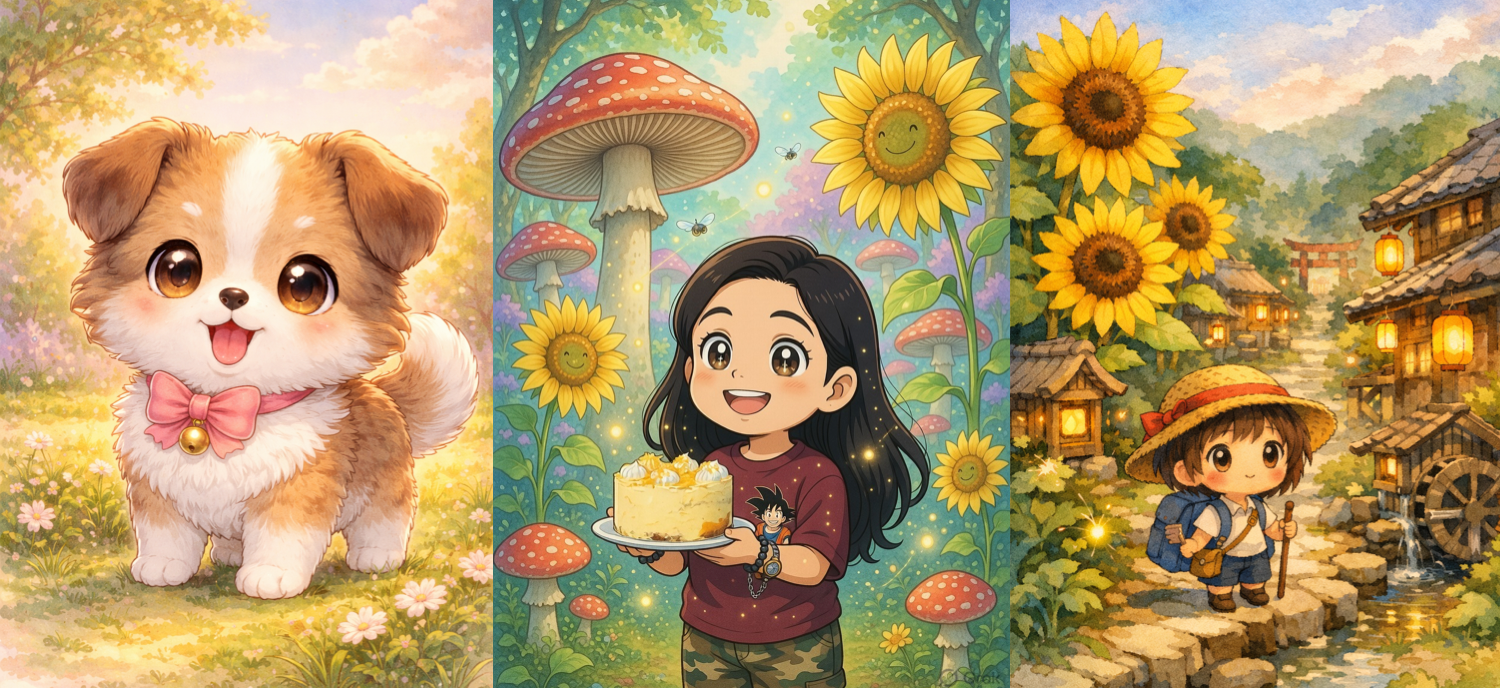
If you have been on TikTok, X (Twitter), or Instagram lately, you must have seen the Chibli AI trend — oversized-head anime characters wandering through soft watercolour worlds. So if you want an adorable Chibi AI avatar, an animated video, or a full scene starring a miniature version of you, this guide walks you through every tool, every prompt, and every step to create Chibi AI photos and videos in minutes.
Let’s get going, shall we?
Best Tools to Create Chibli AI Photos & Avatars
ChatGPT: Best for Beginners
ChatGPT is by far the most popular AI tool, and it is also the fastest entry point. All you need is a photo, a descriptive and detailed prompt, and you will have a soft, colourful Chibli version that feels like it came straight from a Studio Ghibli film.

The good thing is that you can create even on the free plan.
Grok: Also Free
Head over to Grok and upload your photo or type what you want, and Grok spits out a surprisingly detailed Chibli image in seconds. The style blending is impressive — it picks up your facial features and details well, and handles the soft Ghibli lighting better than most tools.

Like ChatGPT, it’s free to try and you can experiment with the prompts.
Google Veo 2 in Gemini: Best for Video Animation
Once you have your static Chibli image, Google Veo 2 is arguably the most powerful tool to bring it to life. Just upload your image, write a prompt describing how you want it to move, and Veo 2 builds the motion from there.

Veo 2 supports both 9:16 vertical and 16:9 widescreen aspect ratios, so your output is ready for TikTok, Instagram Reels, or YouTube Shorts right out of the box.
How to Create Your Chibli Photo in ChatGPT
Step 1: Open ChatGPT and click on Images. Next, upload a clear, well-lit photo of yourself.
Step 2: Paste the prompt below into the text box, hit send. ChatGPT will generate the image.
Ready-to-Use Chibli Prompts (Copy & Paste)
Basic Avatar Prompt
“Transform this photo into a Chibli-style anime character with an oversized head, big glossy sparkling eyes, tiny body and hands. Place the character in a Studio Ghibli-inspired watercolour background with warm golden light, soft green hills, and floating dust particles. Preserve my facial features. Clean anime linework, pastel colour palette, high detail.”
Scene Prompt
“Chibli anime character exploring a whimsical Ghibli-style enchanted forest, oversized mushrooms, glowing fireflies, soft pastel watercolour palette, painterly hand-drawn background, warm dappled light, ultra-detailed, 4K –ar 1:1 –style raw”
Scene Prompt: City
“A cute Chibli version of me walking through a quiet Ghibli-style Japanese town at dusk, paper lanterns glowing, cobblestone streets, cherry blossom petals falling, soft orange sky, watercolour illustration, dreamy and nostalgic.”
3D Avatar Prompt (for social media):
“Create a 3D cartoon Chibli-style character with red hair, wearing shorts and a backpack, holding a fan. Smiling expression. Use pastel tones and soft studio lighting. Aspect ratio vertical.”
Animated Video Prompt (MyEdit / Runway):
“Animate this Chibli character: gentle walking loop through a Ghibli-style meadow, soft wind moving hair and clothes, butterflies floating past, warm afternoon light, seamless 6-second loop.”
See Also: NotebookLM Tips and Tricks to Get More Out of Google’s AI Tool
How to Create a Chibli Video in Google Veo
Step 1: Once your image is generated via either Grok or ChatGPT, upload it to Google Veo.
Step 2: Add the above prompt to create a video.
The tool will take a couple of minutes. But the patience is worth it as it takes into account minute details. It even adds its own music. Once done, you can download it to share directly as a reel on Instagram.
What to Know Before You Upload
So this was how you can create Chibli AI photos and videos in minutes. That said, do note that many AI tools require users to upload photos, which may then be stored, reused, or analysed depending on the platform’s policies.
Hence, it’s always a good idea to check privacy policies before uploading your face.