I received over 5 “loan approved” calls yesterday, and trust me, it’s annoying. If you must know, India logs some of the highest spam call volumes in the world, and most of it lands on Android phones. The good news is that you can stop spam calls on Android to some extent, which helps cut spam calls by 80–90%.
Intrigued? Let’s see how to block spam calls in India.
Why Spam Calls Keep Getting Through
Most spam calls in India aren’t from a person dialing your number manually. Instead, they are automated systems firing off thousands of calls a minute, often through neighbour spoofing, where a number is disguised to look local.

That’s why blocking one number is rarely of any help since a new number will take its place within hours. Effective protection means stacking multiple layers rather than relying on one switch.
Step 1: Turn On Android’s Built-In Spam Protection
Every new Android smartphone running the Google Phone app has a built-in Caller ID & Spam Protection feature.
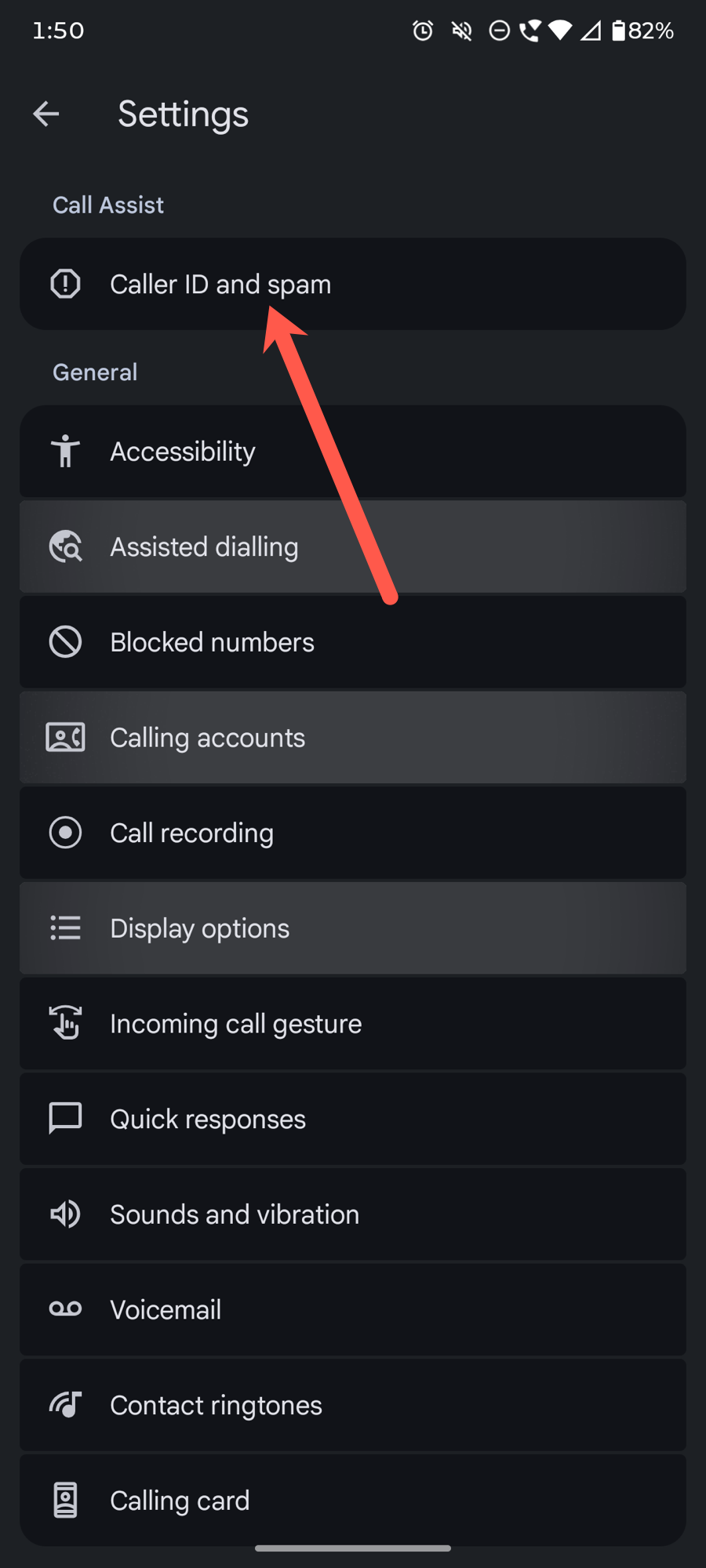
Step 1: To check if it’s enabled, open the Phone app, tap the three-dot menu and head over to Settings.
Step 2: Select Caller ID & Spam (or Spam and Call Screen), and enable See caller and spam ID and Filter spam calls.
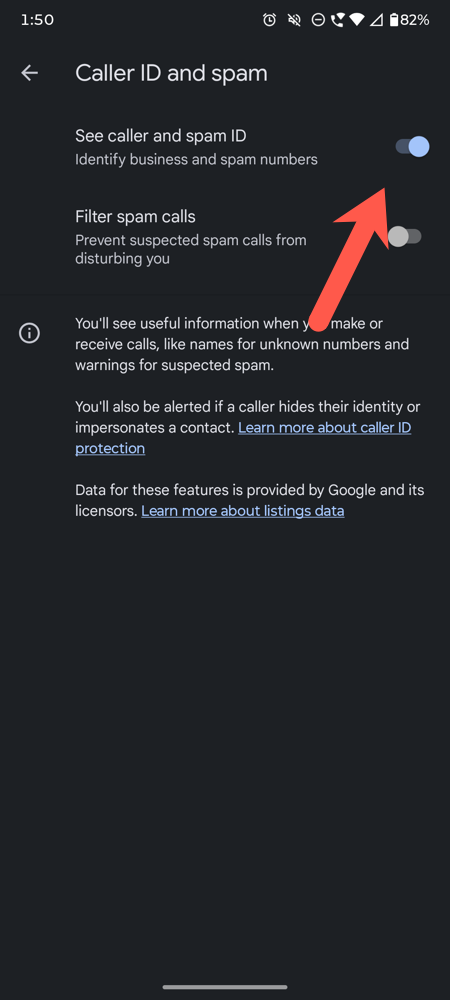
Once enabled, Google cross-checks incoming numbers against its spam database and either flags or silently sends suspected spam straight to voicemail. Alternatively, Google Pixel owners can also enable Call Screen, Android’s most powerful free spam defense, whereas Samsung users can turn on the built-in Smart Call feature.
Step 2: Register on TRAI’s DND Registry
India’s Telecom Regulatory Authority of India (TRAI) runs the National Customer Preference Register (NCPR), commonly called the DND registry. Once you register, telemarketers are legally barred from contacting you.
Registering is simple and easy. All you need to do is send an SMS START DND to 1909.
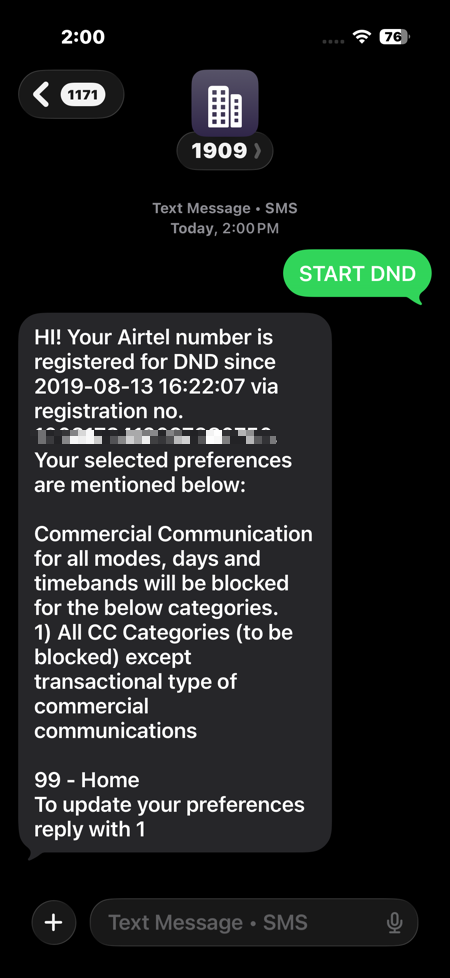
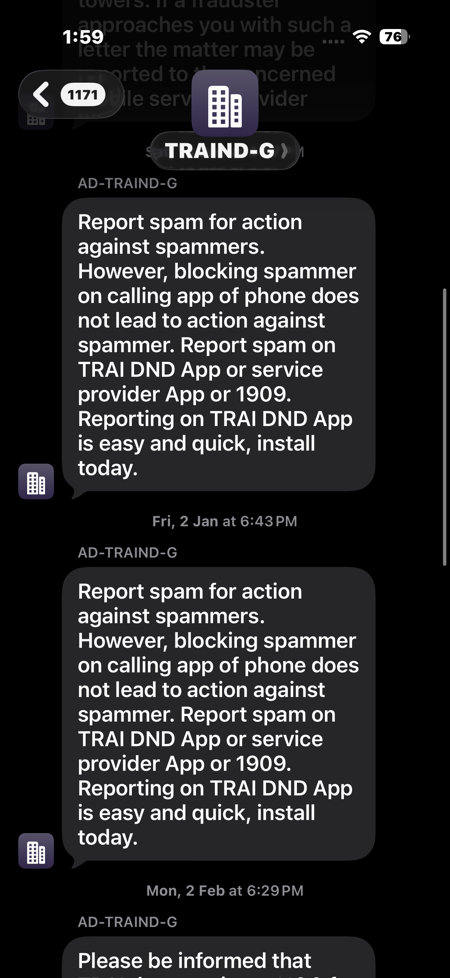
Alternatively, you can download the official TRAI DND app from the Play Store. Through it, you can also block specific categories instead of having an umbrella ban.
And that’s not all. You can file a complaint directly through the same app or by texting 1909. If spam calls continue after seven days.
Should You Still Install Truecaller?
Truecaller remains genuinely useful in India because of its massive local number database, and the free tier covers caller ID and basic spam blocking. And it’s a solid supplement to Android’s own tools and the DND registry. As long as you keep the app active in the memory, Truecaller ensures that you receive fewer spam calls and the like.
At the same time, the Department of Telecommunications (DoT) has mandated Calling Name Presentation (CNAP) that displays a caller’s KYC-registered name directly on your screen for every incoming call.
It sources the numbers from telecom operators’ verified SIM registration records rather than crowdsourced app data. This actually prevents scam calls that hide behind legitimate names.
The Bottom Line
Stopping spam calls on Android for free is about stacking Android’s built-in filters and spam engine and India’s legal DND registry together. Do all four, and you’ll notice the difference within a week.