Brief Overview
- Google recently announced the Fake Call Detection feature for Android users.
- The feature informs you about AI deepfake calls and helps you avoid scammers.
- It has started rolling out on Pixel devices with a global rollout expected this month.
AI-based scams are on the rise, and now people can impersonate your voice and call a relative asking for money. To address this problem, Google has introduced a new security feature called Fake Call Detection for Androids. Google’s Fake Call Detection feature will work against AI-powered deepfake impersonation scams and will roll out globally this month
This anti-scam feature will debut first on Google Pixel devices running Android 12 or later.
Google’s Fake Call Detection: What Does This Solve?
Imagine your phone rings and the caller ID shows your friend’s name. You answer the call and hear your friend, in distress, asking for money due to an emergency.
In such a situation, many people could be fooled. But it may not be your friend at all. It could be a scammer using AI to clone their voice and spoof their phone number.
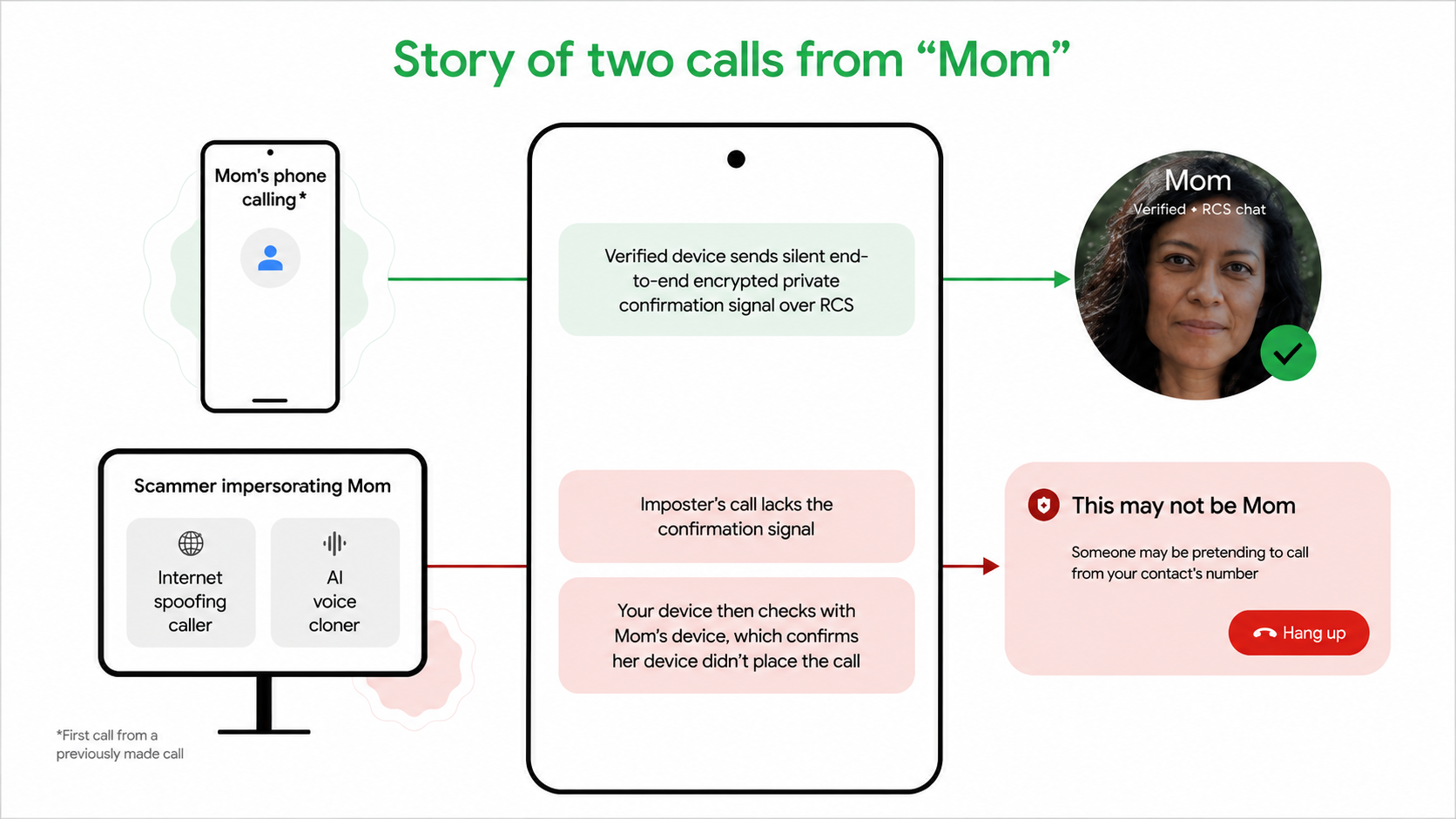
There are two tactics scammers are using. The first is caller ID spoofing, which makes you believe the call is from your contacts.
The second is the most dangerous one, which is AI voice cloning to create realistic deepfake audio that may sound like your close one.
How Google Detects AI Scam Calls
The Google Fake Call Detection feature works automatically in the background with no direct action required from users. So, when a contact calls you using Phone by Google, their phone sends a silent confirmation signal to your device. This uses end-to-end encryption RCS, which ensures complete privacy.
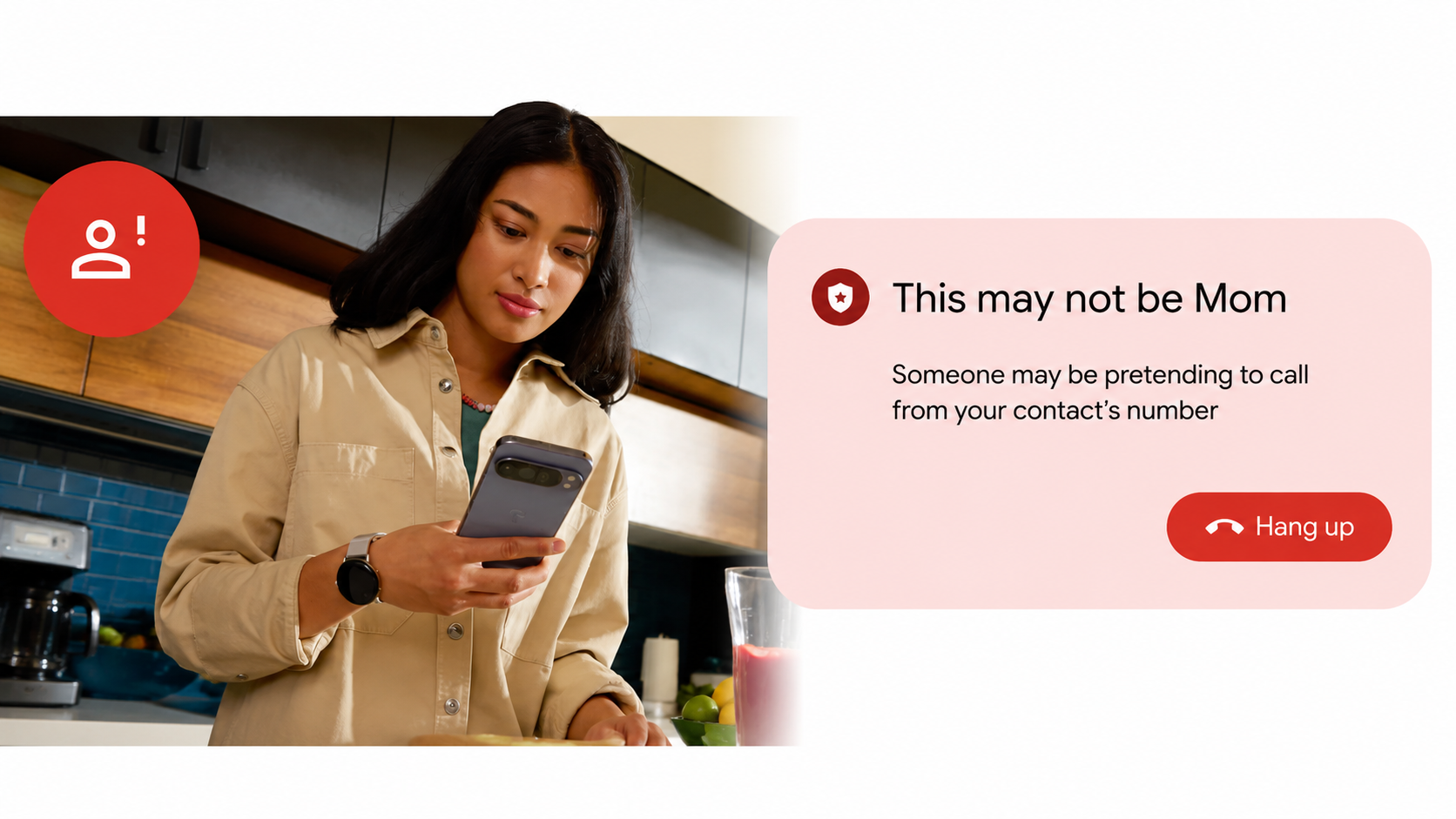
So, when a scammer tries to impersonate your contact, this signal won’t be present. Your phone then pings your contact’s actual device to verify whether they are calling right now. So the real device will obviously send a negative signal, to which your phone will instantly display a warning screen alerting you to hang up the call immediately.
Key Requirements and Availability
To use this scam call prevention feature, the basic requirement includes Android 12 or later running on your phone. Please note that both users must be using a phone by Google.
Other requirements include Google Messages and Google Contacts installed.
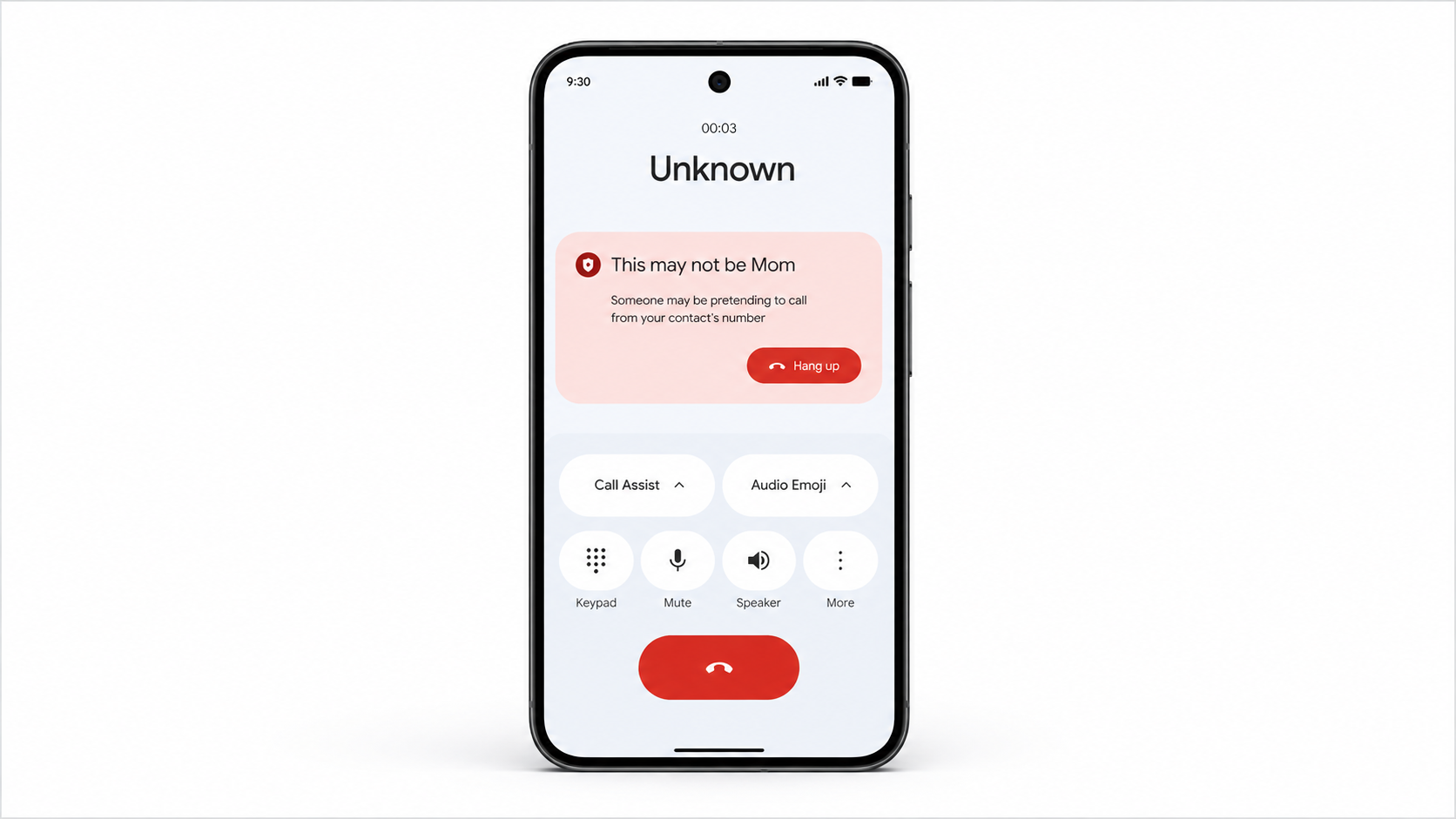
The feature will roll out globally this month, starting with Pixel devices, and will be enabled automatically by default. Though you can disable it anytime if needed.
Phone by Google is already the default dialer for most Android devices. If you’re using a different app, you can download Phone by Google from the Play Store and set it as the default.
Bye, Scammers?
Looking at the rising scams, this feature will be like a protective layer for the users. It is designed to defend them from AI voice cloning attacks that often target their family and friends. To raise security standards across the entire industry, Google built it on RCS. This is an open standard, making it possible for other apps and manufacturers to adopt this technology.
Fake Call Detection represents the next major step in protecting users as scammers are growing increasingly and coming up with new tactics to scam people.
To stay protected, ensure you are running Android 12+, have Phone by Google set as your default dialer, and keep both apps updated. The feature works silently behind the scenes, alerting you only when danger is detected.
FAQs
What is Google’s Fake Call Detection feature?
Fake Call Detection is a new Android security feature that warns you when scammers use AI-cloned voices and spoofed numbers to impersonate your trusted contacts, like family or friends.
Is Google’s Fake Call Detection feature free?
Yes, the feature is completely free and comes enabled by default on all compatible Android devices.