If you are a new creator, chances are you have already considered switching to a professional account on Instagram. And if it feels like a big commitment, here is the truth. It is actually one of the easiest and smartest decisions you can make as a creator.
If you are still not convinced, here are a few reasons why switching to a professional account on Instagram can make all the difference.
What Is a Professional Account on Instagram?
When you switch to a professional account on Instagram, you’re moving out of a standard personal profile into one of two modes — a Creator account or a Business account.
Now, creator accounts are designed for influencers, public figures, content creators, and anyone building a personal brand, such as lifestyle bloggers, fitness coaches, artists, etc. On the other hand, business accounts are meant for brands, companies, and service providers, such as a local bakery and an online store.
So, if you are just starting out as a creator, the Creator account is almost always the right pick. That being said, both unlock the same core features that matter most in the early stages.
IG Professional Account: What You Actually Get
1. Instagram Insights aka Analytics
Analytics is perhaps one of the biggest advantages when you switch to a professional account on Instagram. With it, you can see who is watching your reels and posts. From reach, impressions, and follower demographics to best posting times and posts & reels performance, you can see them all here.
Naturally, this lets you start learning what type of content actually resonates
2. Contact Button
Professional accounts can add a contact button. It could be an email address or a phone number right on the profile. And it plays a big role when brands want to reach you directly (and not rely on DMs). After all, DMs can get lost as your account gains more popularity.
3. Category Labels
Switching to a professional account on Instagram also lets you display a label under your name. So, depending on your IG page, you can have labels like Content Creator, Photographer, or Blogger.
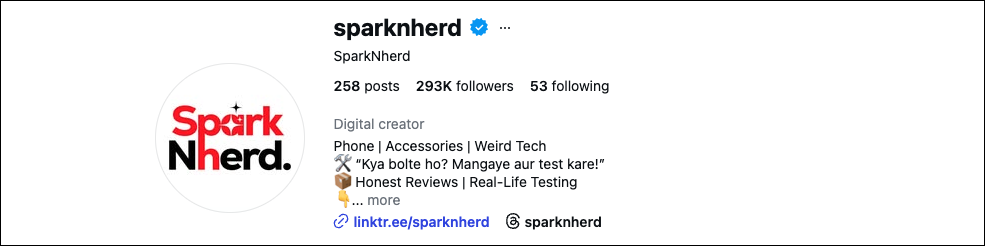
Naturally, this helps establish what your brand is all about and also builds instant credibility with new visitors who land on your profile.
4. Monetization Features
Switching accounts in Instagram also opens the door to cool features like Instagram Subscriptions, Gifts in Live, and brand partnership tools. Of course, you won’t be eligible from day one, but switching now means you will be in the pipeline when the time comes.
Perhaps the biggest misconception about switching to a professional account on Instagram is that it gives you a reach boost. Unfortunately, it doesn’t. Instagram has confirmed that account type doesn’t directly affect how content is distributed in the algorithm. So, you will still have to deliver quality content, stay consistent, and regularly engage with your followers.
Should I Switch Instagram Account
If your intent is to grow, then Yes, you should switch. There’s no meaningful downside for a new creator, and the Insights data alone is worth it.
How to Switch to Instagram Professional Account
Step 1: Go to your IG profile, and tap the hamburger menu on the top right corner.
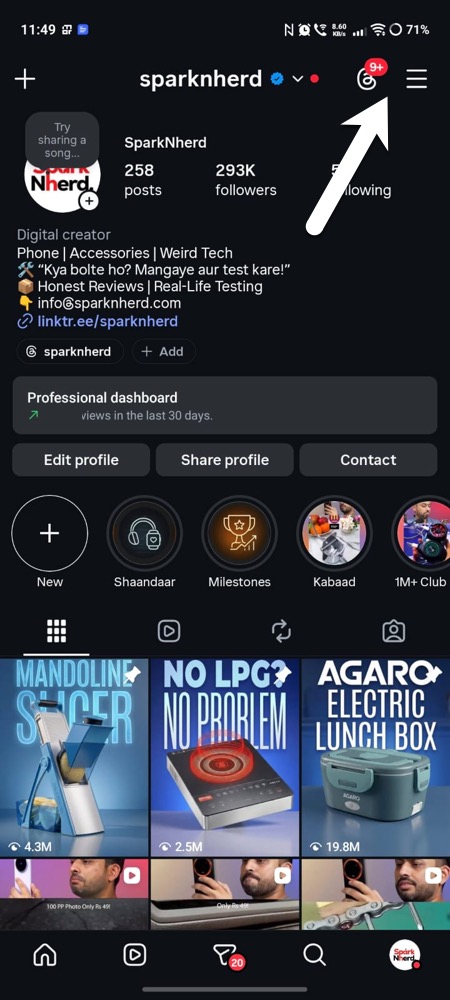
Step 2: Select Settings and activity > Account type and tools > Switch to Professional Account.
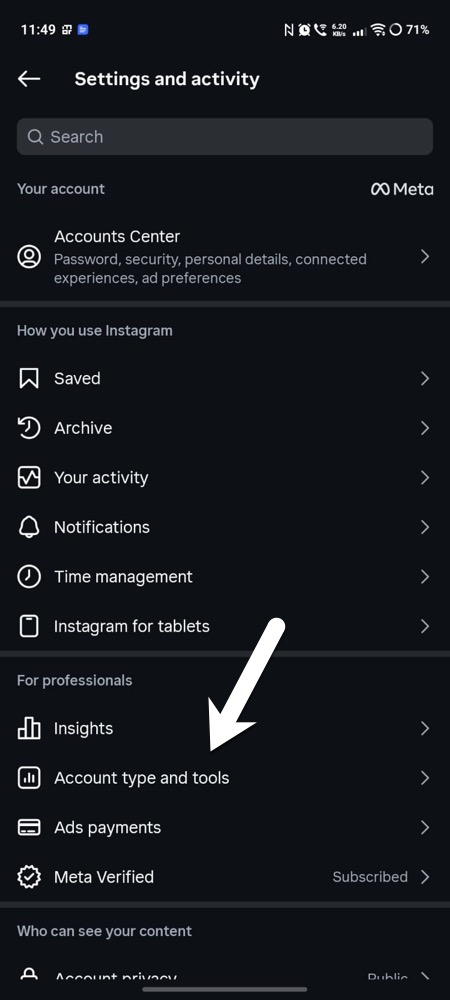
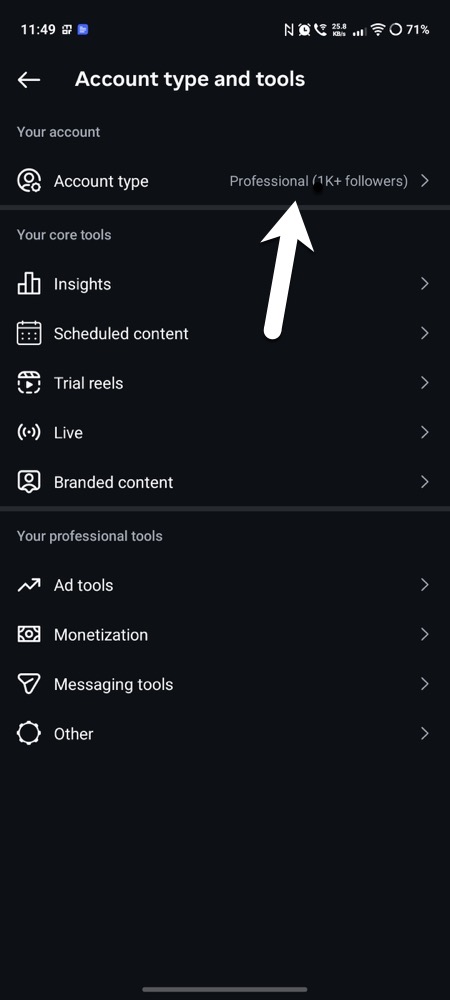
Next, follow all the prompts, choose Creator, and pick a Category. Easy-peasy, right?
Bottom line
Switching to a professional account on Instagram is one of the lowest-risk (but high-value) decisions you can make as a new creator. While it doesn’t directly guarantee growth, it gives you the tools to understand your audience and make smarter content decisions from day one.
FAQs
Will switching to a professional account hurt my reach on Instagram?
No. Instagram has confirmed that account type does not directly affect how your content is distributed.
Can I switch back to a personal account after switching to professional?
Yes, the switch is fully reversible
Does a professional account cost anything?
No. Switching to a professional account on Instagram is completely free.
Can I keep my Instagram account private after switching to professional?
No. Professional accounts must be public.