If you have been a fan of vertical tabs on browsers, then surely you must have heard about the Arc Browser. Developed by the folks at The Browser Company, this vertical browser has seen its share of popularity over the years. However, now I have this complicated feeling that I did not expect to have—uncertainty about its future. And now that the company has stopped any further development of the browser, I find myself wondering what comes next.
As such, this makes it the right time to take a closer look at the Arc Browser itself, which is exactly what I am going to do here.
What is Arc Browser
Arc removes the typical top tab bar and introduces vertical tabs and spaces for organizing work. It runs fully on macOS and is available on Windows in an actively developed release. It is based on Chromium, so websites work just like they do in Chrome and also support standard Chromium extensions.
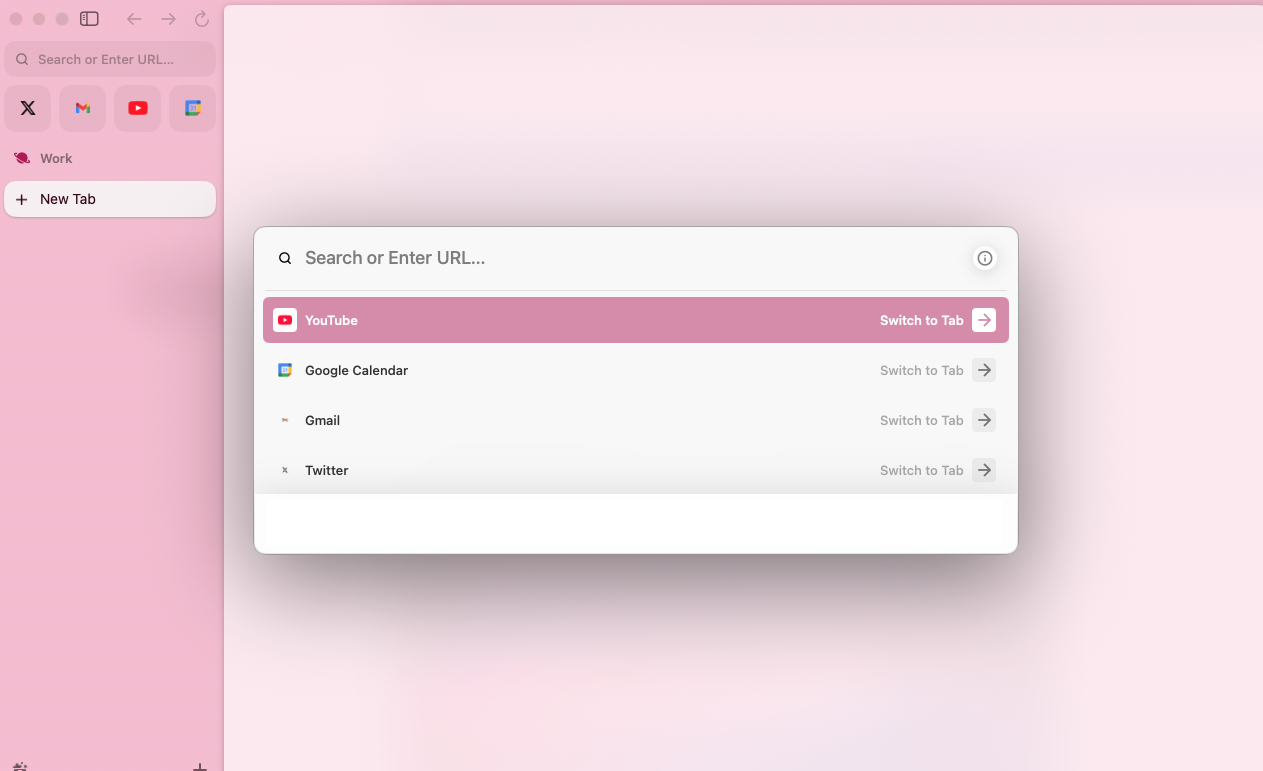
Built natively in Swift, Arc also emphasizes performance and personalization, and I felt the difference in speed on my MacBook Air. Animations would run smoothly on webpages, and that was huge.
The Core Features That Make Arc Different
The Sidebar and Vertical Tabs
The Arc browser is all about vertical placement, and everything moves to a collapsible sidebar on the left, including your Pinned tabs and Favorites. As such, I felt that this placement gave the webpages more room to breathe, and the vertical real estate is easily noticeable when you are reading long-form content or writing in Google Docs.
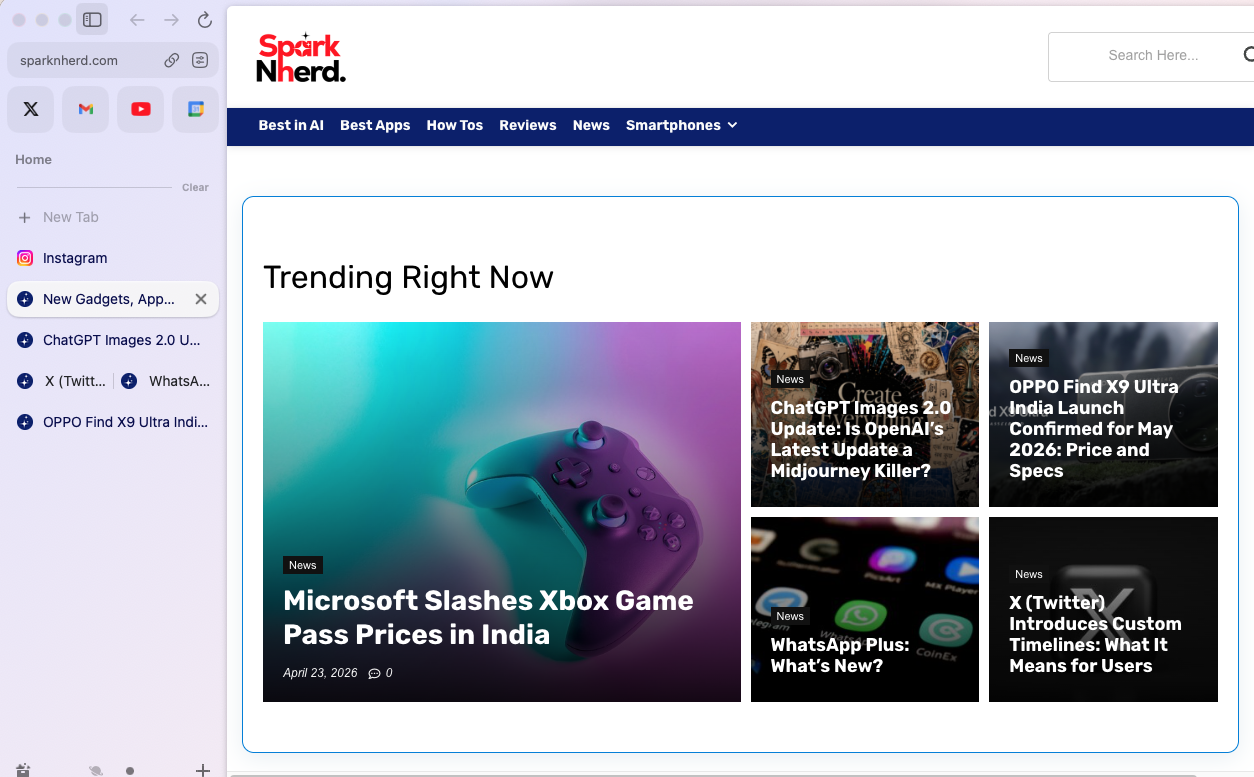
And whenever you notice the tabs getting squished, you can easily move them into specific folders. Apart from cleaning up the space, this feature also lets your browser look organized.
Spaces: The Feature That Changes Everything
Perhaps what I used to love about Arc is Spaces. This neat feature would let you create distinct environments. For instance, you can have different spaces for Work, Personal, and your Hobbies.
Needless to say, each space can have its own theme and set of pinned tabs. Back in the day, I found this a massive upgrade over the other browsers when it came to tab management and switching between different spaces.
Split View and Easels
Another cool feature that I loved about this vertical browser for Mac was the fact that it let you view up to four tabs at the same time in a single window using its Split View feature.
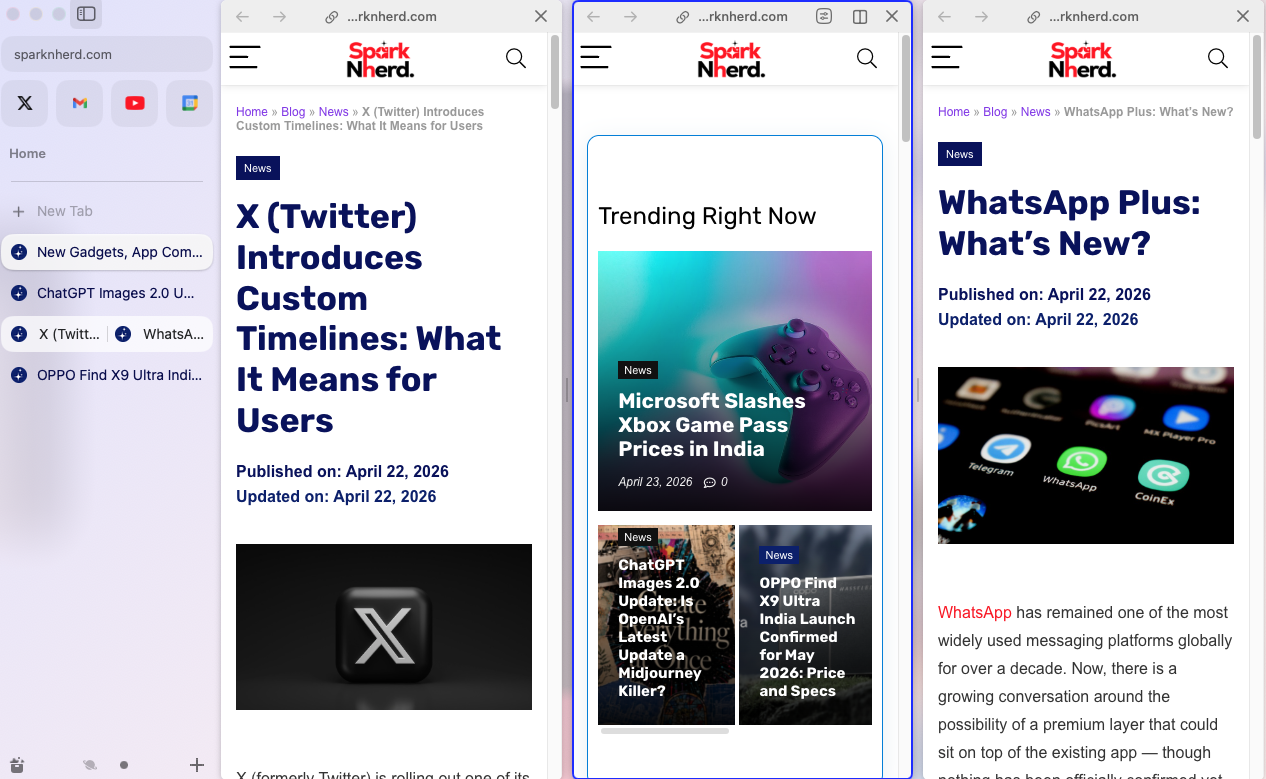
You can drag one tab on top of another to create a split. And that’s not all. You could also save that specific layout as a pinned tab. Naturally, this saved me time and energy on my Mac by replacing the manual work of tiling browser windows.
Performance on Mac: Impressive With a Caveat
As I mentioned earlier, Arc on Apple MacBooks is fast. Not only do web pages and animations load super quickly, but it also prevent background tabs from eating up your system’s RAM.
But this vertical browser for MacBook has its share of shortcomings. For one, Arc is heavy on MacBook’s battery. In fact, some users report MacBook battery life dropping significantly compared to Safari, from around 8 hours to 5 to 6 hours under similar workloads. This is a major dealbreaker issue, especially if you rely on battery power for most of the day.
Despite all the cool features, the Arc browser is free for individual users, and this is one of its strongest selling points against Chrome, Safari, and Brave.
But ….What Happens to Arc Now?
Up until the AI era, Arc was one of the most organized and powerful browsers on the market. However, the makers have stopped active feature development in favor of its AI-native successor, Dia. In short, it is being maintained rather than being developed at the velocity we would love.
Who Should Use Arc in 2026?
Arc is made for you if you keep more than ten tabs open regularly and manage work and personal browsing in the same browser. But, Arc is not for you if you rely on Safari’s Handoff or iCloud Keychain integration, need maximum battery life from your MacBook, want a browser that requires zero re-learning, or need a platform with active new feature development guarantees.
In my opinion, Arc’s vertical tabs, spaces, and split view features represent a genuine rethink of what a browser should be. For users like us who are on Mac, the performance that feels native and the free price tag are the cherry on top.
FAQs
Is Arc Browser still being updated in 2026?
Yes, Arc is receiving maintenance updates in 2026, but there’s no active new feature development.
Is Arc Browser better than Chrome for Mac users?
If you value workspace organization, Arc is significantly better than Chrome.
Is Arc Browser free in 2026?
Yes. Arc remains completely free for individual users in 2026.
What is the best Arc Browser alternative in 2026?
The best Arc alternatives for Mac users in 2026 include Safari, Brave and Vivaldi.