Instagram has come a long way from being just a photo-sharing app. It is almost 2026, and now Instagram has grown into a full creator economy, with reels, stories, and posts being created and shared every minute. In fact, if we talk numbers, IG Reels are reshared over 4.5 billion times per day.
So, it’s only natural that creators need tools and apps to help them edit, schedule, and track performance seamlessly. Fortunately, iPhone users have access to an entire ecosystem of apps designed to enhance the Instagram experience.
In this guide, we will cover the best iPhone apps for Instagram creators in 2025. Since it’s going to be a long one, let’s get started.
Essential Editing Apps for Instagram Creators
A strong Instagram strategy begins with polished, eye catching content. The following iPhone apps are essential for creators:
Canva
Canva makes designing super easy with ready-to-use templates, AI design tools, and even a built-in content calendar. The best part is that you get templates for pretty much everything, whether it’s for travel, food, or general tech.
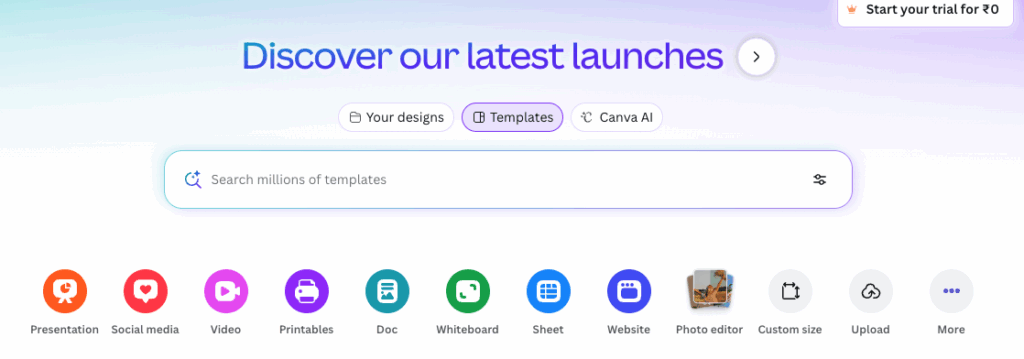
The good thing is that the mobile app syncs with your desktop, so you can create posts and Stories on the go without missing a beat.
CapCut
If you are searching for an editing app, your search ends with CapCut. CapCut is one of the most popular free editing apps and brings home a plethora of ready-to-use templates, trending effects. Plus, the automatic captioning and one-tap formatting simplify the process of creating IG Reels.
CapCut offers an excellent balance between speed and quality, allowing creators to achieve professional-looking results without a steep learning curve. So, whether you are producing quick social clips or more polished edits, CapCut makes the process fast, efficient, and stress-free.
Instagram Edits
Meta recently introduced Edits, a standalone application that offers AI-powered animations, green screen effects, and advanced editing tools. It connects directly with Instagram and provides real-time performance insights, giving creators both creative flexibility and valuable data to guide their content strategy.
Overall, Edits is a promising option for creators who want convenience and direct integration with Instagram, but for those seeking more advanced or specialized editing features, pairing it with another app may deliver the best results.
Snapseed
Snapseed is one of the oldest image editing tools out there, and it’s easy to see why. And lately, the tool has seen an interface update, which is a big plus.
One of its strongest advantages is its support for RAW files. Plus, the intuitive interface means you will be able to edit pictures and images easily.
InShot
InShot is another app that has been around for years, and it is easy to see why. From trimming tools and smooth transitions to music overlays, it has it all. The best part is that you can adjust the aspect ratios as per the asset you have with you. So whether it’s a Story, Reel, or a simple post, you will find all the options here. And yes, it also gives you the option to add a watermark.
InShot’s biggest strength is its balance of simplicity and versatility. Beyond the basics, it offers creative touches such as music overlays, voiceovers, text, and stickers, among others. With flexible aspect ratio options for Stories, Reels, TikTok, and YouTube, it adapts seamlessly to any platform.
Top Scheduling and Planning Apps
Consistency is key to Instagram growth. These iPhone apps allow you to schedule content effectively:
Later
Later stands out as a scheduling tool with a strong focus on visual planning. Its content calendar allows creators to map out posts with a clear, drag-and-drop interface, making it easy to see how a feed will look in advance.

Interestingly, it also provides caption and hashtag suggestions, helping to spark ideas and improve reach. Beyond planning, Later supports scheduling for Stories, Reels, and static posts, while offering performance analytics to track how each piece of content performs. It is a well-rounded choice for creators who want both organization and insights in one place.
Buffer
Two other well-known names in social media management are Buffer and Hootsuite. These two tools allow you to schedule posts, manage multiple accounts, and access performance insights.
That said, both these tools shine in slightly different ways. Buffer is praised for its clean and user-friendly interface and straightforward scheduling features. Hootsuite, on the other hand, is built for larger teams and more complex needs.
Analytics, Hashtag Tools, and Performance Tracking
Performance insights are like your behind-the-scenes guide to what’s actually resonating with your audience. They show you which posts are hitting the mark, which ones might need a little tweak, and how your overall strategy is playing out.
The following apps do not just help you create, they will also give you the necessary feedback you need.
Iconosquare
Iconosquare goes beyond the basics of analytics by giving you a really clear picture of how your content is performing. It not only tracks follower growth over time but also helps you understand what’s driving that growth.
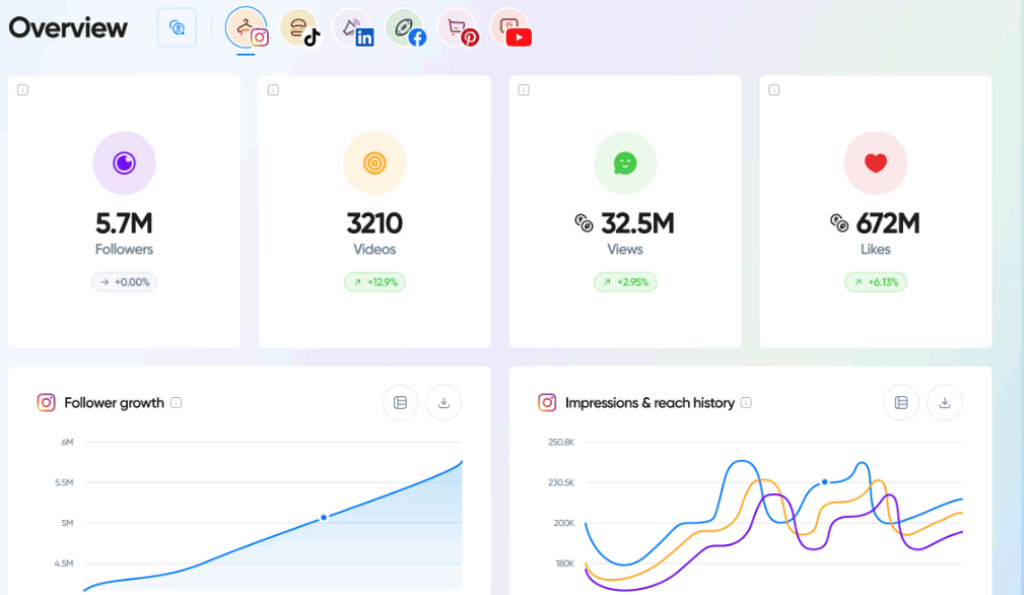
The platform’s detailed reports let you see which posts and hashtags are actually bringing in engagement. On top of that, Iconosquare’s scheduling and monitoring tools make it easy to manage multiple accounts in one place, which is a huge time-saver for busy creators and teams.
Hashtagify
Hashtagify is like a cheat sheet for smarter hashtag use. It lets you dig into trending hashtags, see how effective they actually are, and track how they perform over time.
On top of that, it suggests related hashtags you might not have thought of, helping you expand your reach and connect with a wider audience. Whether you are trying to boost visibility on a single post or build a long-term hashtag strategy, Hashtagify makes the process a lot less of a guessing game.
Conclusion
Instagram success requires more than creativity. It requires consistency, presentation, and performance tracking. The best iPhone apps for Instagram creators in 2025 takes these into account.
The smartest way to work is to keep things simple – pair one solid editing app with a reliable scheduling tool and a strong analytics platform. That combo gives you everything you need. From there, it’s all about balancing the data with your own creative instincts. The numbers point you in the right direction, but your gut is what keeps your content authentic and uniquely you.
FAQs
1. What iPhone app is best for editing Instagram Reels?
CapCut is the most popular free option, while Instagram Edits has the advantage of being directly connected to the platform.
2. Are there free tools to schedule Instagram posts?
Yes. Buffer, Preview, and Later all provide free versions with limited scheduling features.
3. How can I track my Instagram performance on iPhone?
Iconosquare, Tailwind, and Buffer provide detailed engagement and growth insights.