Brief Overview
- X does not provide a direct download feature.
- It is illegal to download videos from X.
- Private or age-restricted videos can not be downloaded
We all have come across a funny meme or motivational clip on X (previously Twitter), only to notice there is no option to download it. Bummer, I know. While X does not provide a direct download feature for the majority of users, thankfully, there are still multiple safe ways to download such videos.
Before we get any further, let us tell you that it is illegal to download videos from X. But, if the download is for your own personal viewing, you can save it to watch offline. That said, reposting videos may violate copyright regulations, especially if it’s a brand video. That’s the reason we would recommend adding due credit.
With that said, let’s explore how to download videos from X on iPhone and desktop.
Also See: Instagram Not Showing Your Story? Here’s Why
Steps to Download Videos from Twitter on iPhone
Method 1: Built-in Download Option (For Blue Tick Users Only)
If you are a premium user, you can only use this feature for newer videos and only if the uploader has granted the necessary permissions. Again, private or age-restricted videos can not be downloaded. Note that downloads work only inside the phone app and not on browsers or third-party apps.
All you need to do is open the video in full-screen mode once you’ve located the video tweet. Next, tap the Share icon > Download.

That’s all. The video will be saved in your Photos app.
Method 2: Use TweetSave (Third-party App)
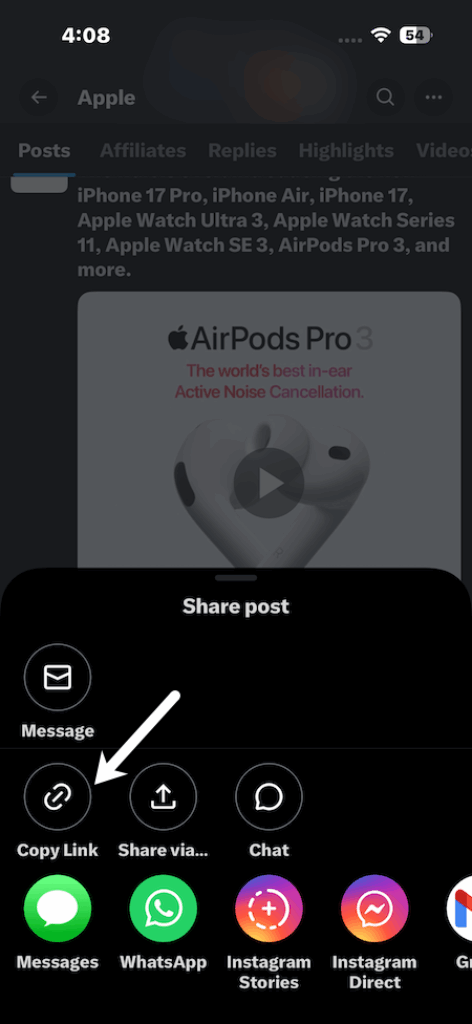
Step 1: Open the X app, locate the video tweet, and tap the share icon on the tweet. Next, select Copy Link.

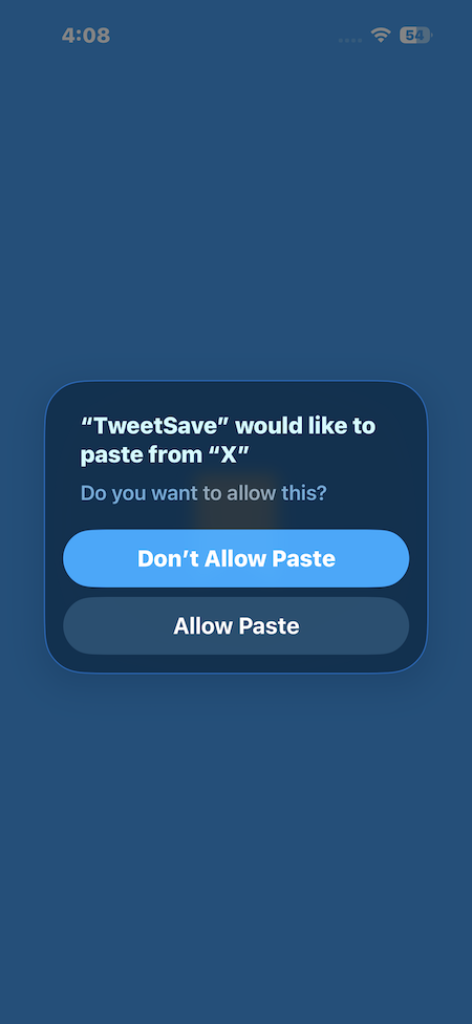
Step 2: Now, open the TweetSave app and paste the copied link to save the video.
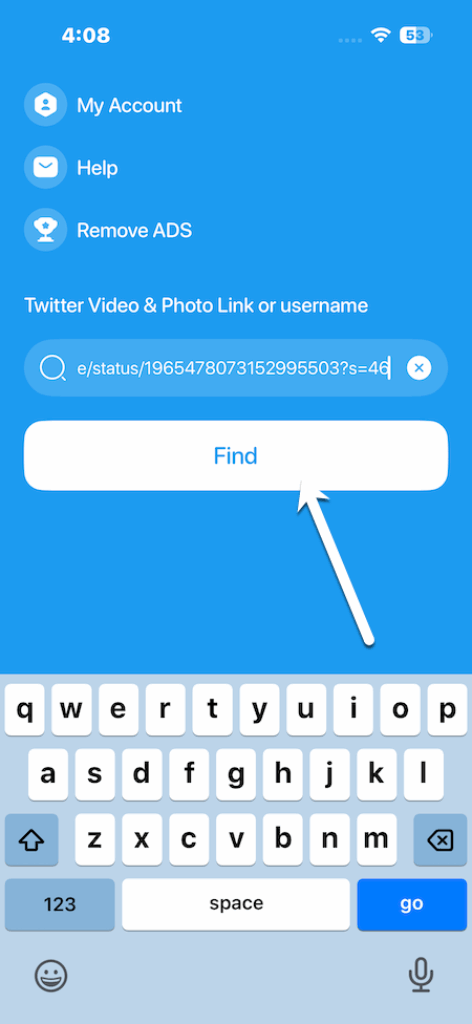
Note: TweetSave shows its fair share of ads, which can get a bit annoying in the long run.
Also See: Should You Switch to a Professional Account on Instagram?
Steps to Download Videos from Twitter on Desktop
Downloading on PC is not as complicated as on iOS, and you don’t need any extra software. Here’s how you can do it.
Step 1: On Twitter, go to the tweet with the video you want, click on Share > Copy Link.
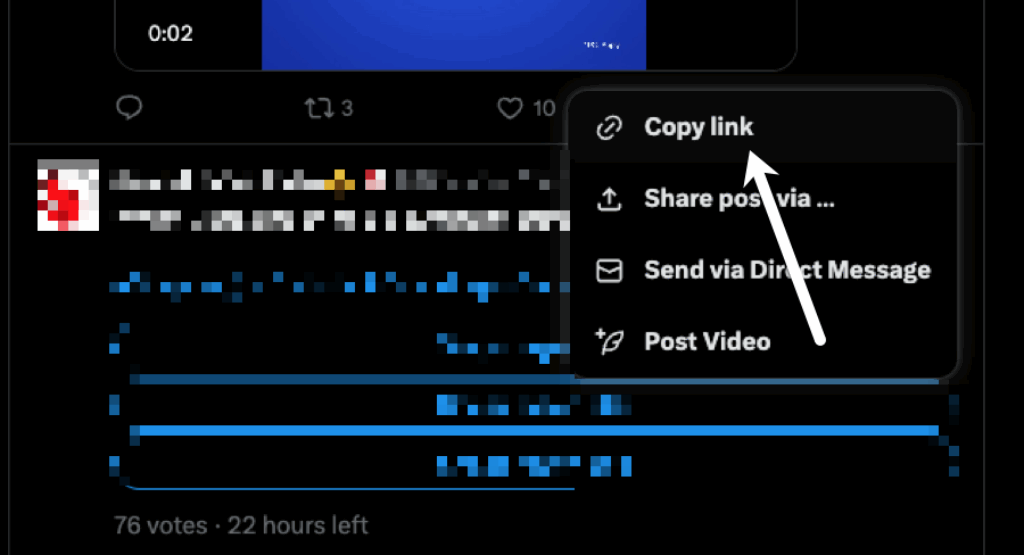
Step 2: Next, go to ssstwitter.com. Paste the link, hit the Download button, and choose your preferred video quality.
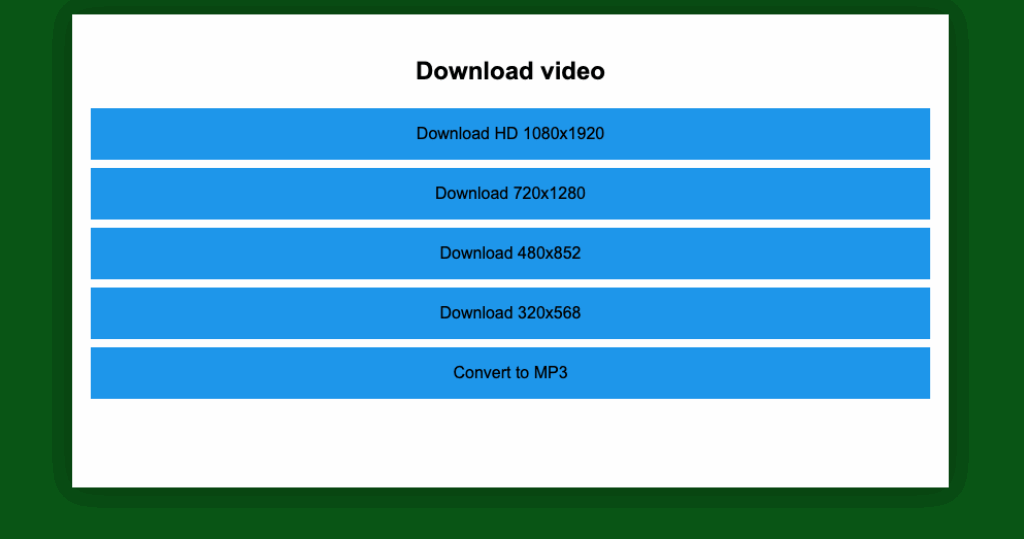
Simple, right?
Note: Only download videos for your personal use and always respect copyright. Keep in mind that videos marked private, age-restricted, or with downloads disabled can’t be saved. And we’d recommend to stick to trusted sites. Using random tools or extensions may put your security at risk.
Before You Hit Download
At the end of the day, downloading videos from X (Twitter) is really about balancing convenience with responsibility. Sure, there are plenty of apps, websites, and shortcuts that make it super easy, but the legal and ethical side of things is just as important. Platforms like X block downloads to protect creators’ work and their ad revenue. And in most places, sharing videos without permission counts as copyright infringement.
That’s why the safest move is to keep downloads for personal use, give proper credit if you’re reusing anything, and avoid those shady third-party tools that might put your data at risk.