We all run into images or screenshots that are old, blurry, or just nowhere near the sharpness we are used to these days. And sometimes, there’s an odd little watermark stuck at the bottom that makes the photo look even trickier to use. If you have ever wanted to remove a watermark from an image, you are not alone.
However, before we go further, there’s one thing to keep in mind — Ethics and Ownership matter. Using someone else’s work without permission can get messy, both legally and morally. However, if you are looking at an old image or want to remove the watermark for personal use or a project, we have some practical tips. And not only that, we also have a pretty cool trick to enhance the image quality in just a few clicks. Curious? Let’s get started.
See Also: 9 Best iPhone Apps for Instagram Creators: Best Editing, Scheduling & Analytics Apps
How to Remove Watermarks from Any Images
To remove watermarks from images, we will be using a tool called Cleanup.pictures. This is a super simple AI tool that can erase watermarks easily.
All you need to do is upload your image to Cleanup.pictures and use the brush tool to highlight the watermark, as shown below. You can also play with the size of the brush.
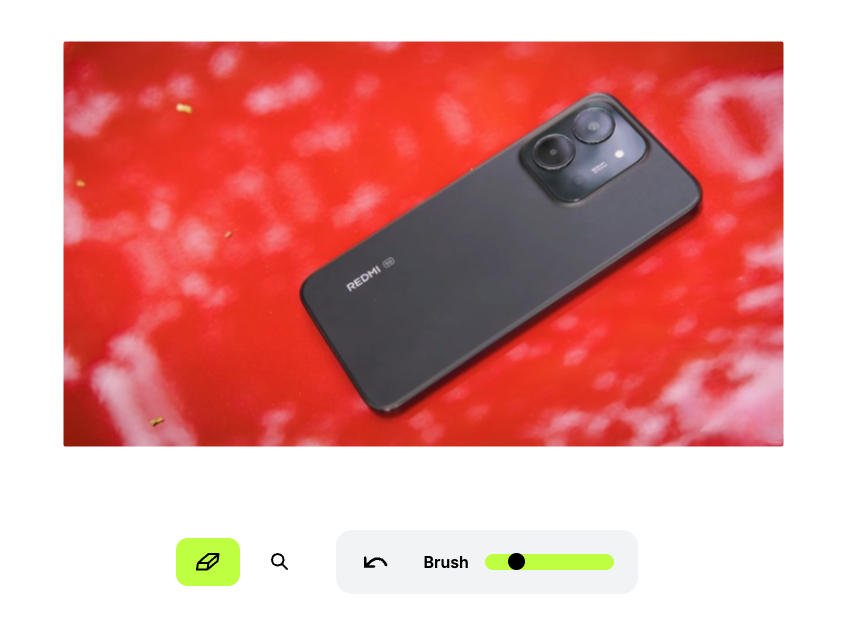
You get an image with no weird smudges or distortions in seconds. Cleanup.pictures is free to use and thanks to its swift turnaround time, it’s perhaps one of the best watermark removers. However, the free version limits the image size to SD. On the bright side, you can also use this tool to remove any unwanted elements from your photos.
Read Also: 6 Best Tools to Make AI Videos
How to Enhance Image Quality
If your image is looking pixelated, blurry, or just plain dull, it is time to bring it back to life! The tool we are using for this magic trick is LetsEnhance, super simple, super fast, and ready to turn your old, fuzzy photos into crisp, vibrant images in just a few clicks.

LetsEnhance is free to use at first, and every free account gets 10 credits. Each image enhancement will set you back by 4 credits. If you frequently upscale images, you may want to know about the pricing of this AI tool.
To enhance image quality using AI, all you need to do is upload the image. The tool will show you the required details, like size and type of upscale (Gentle, Balanced, Strong, etc.).
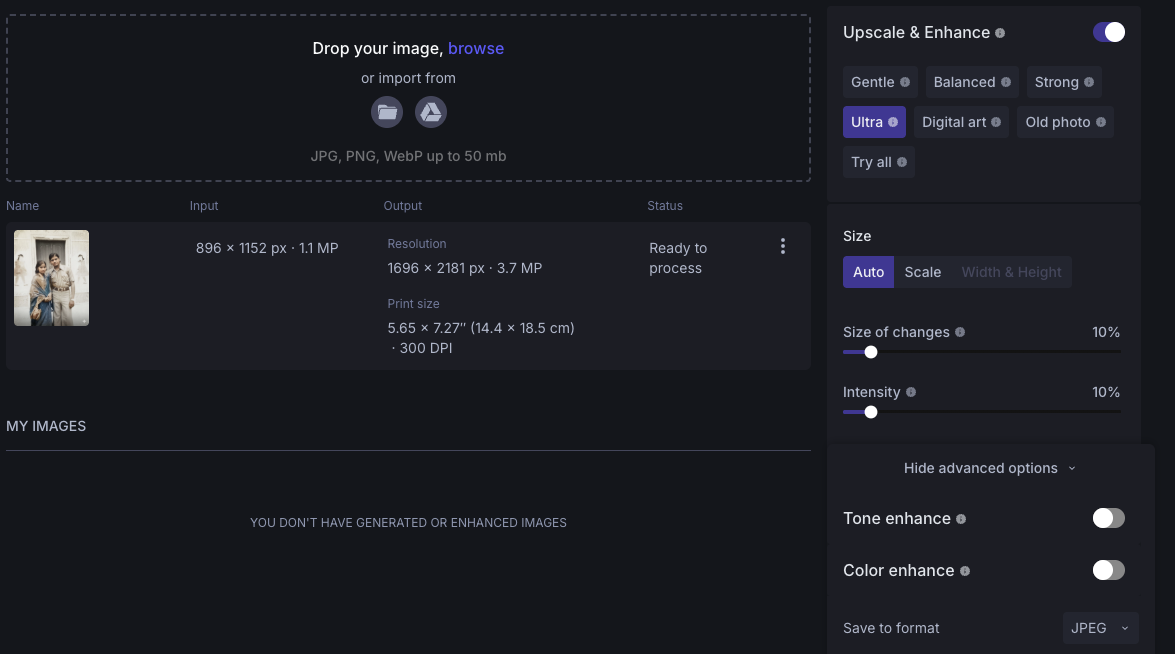
Once you have chosen everything, click on Enhance and that’s it!
This AI tool for enhancing photos and images is the perfect pick for you if you often work with old photos and low-resolution images, or even AI-generated art that needs a quality boost. And yes, the basic version is free.
Bring Your Images Back to Life
So, that’s how you can remove watermarks from images or enhance their quality in under a minute. With tools like Cleanup.pictures and Let’s Enhance.io, what used to take hours can now be done with just a few clicks.
If you are okay with uploading images to a website, these tools are perfect. They are fast, accessible, and they save you from the hassle of hunting for and installing heavy software. That said, we’d recommend not to upload personal or sensitive pictures.
At the same time, while it is tempting to tweak any image you find online, always keep ethics and ownership in mind. Use these tools for personal projects, licensed content, or your own creations, and you’ll stay on the right side of both the law and good creative practice.
These AI tools are a clear example of how technology can get your job done in minutes, freeing you from wasting time and energy. With just a little help from AI, your old, blurry, or watermarked images can look better than ever—fast, simple, and stress-free!

Team SparkNherd
Multiple authors in the SparkNherd team contributed to this article. SparkNherd's team is an experienced group of geeks who combine deep passion for tech with genuine expertise.