When Google first unveiled Nano Banana, it felt like magic. A single prompt would turn text into pictures. And with each iteration, the experience is getting better. While Nano Banana 2 improved visual coherence, Nano Banana Studio preview opened the gates for background editing.
And now, with Nano Banana Pro, Google has added Gemini 3 Pro to the mix. This combination will not only make AI images look better, but will also make them work better with real-world grounding and accurate text rendering. In fact, it promises to bring professional-grade consistency by having character consistency across multiple images.
Curious? In this post today, we will break down the key features.
Nano Banana Pro: Key Features
Real-world Context
Since Nano Banana Pro is built on Gemini 3 Pro, one key advantage is contextual reasoning. Instead of merely guessing what an image should look like, it can reference real-world information to improve accuracy. That means you can ask it to create an infographic about global climate patterns, or a plant illustration that reflects relevant data, and it will align the final render with associated facts.
Naturally, it’s a huge advantage for creators and educators who need images that need to look both accurate and visually correct.
Correct Text Rendering
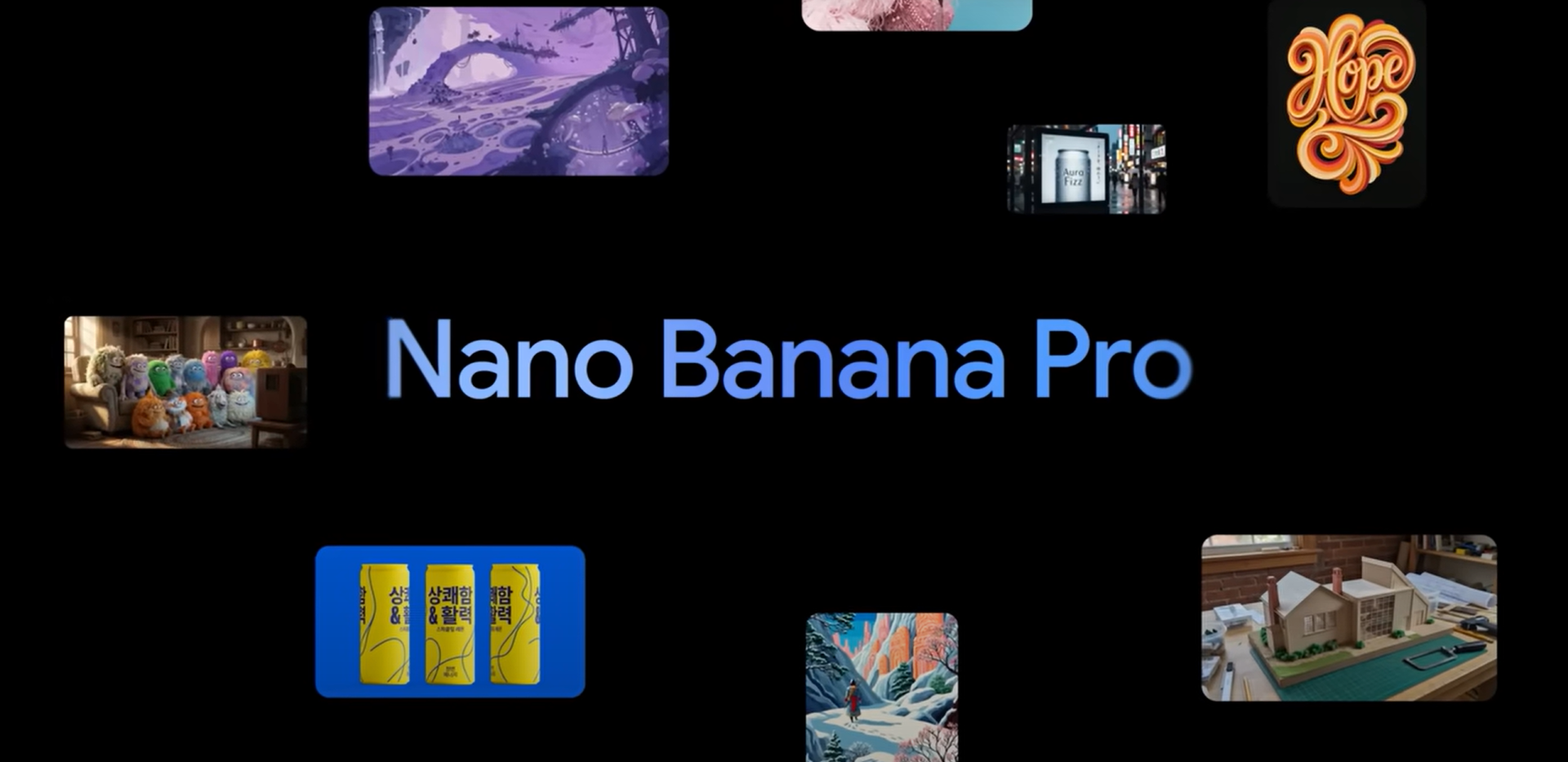
For the longest time, text inside AI images has been a pain point, be it the jumbled letters, unreadable words or warped fonts. With Nano Banana Pro, you can bid farewell to such issues. It can render sharp, legible text directly inside images, including in multiple languages.
For designers working on international campaigns or bilingual content, this feature will be a game-changer with no Photoshop corrections post-render. Posters, mockups, and ads can now carry brand text exactly as you want them to be.
Studio-Grade Visuals and Advanced Controls
The “Pro” in the new AI tools’ name is not just for show. Here, it mainly refers to the upgraded resolution. Nano Banana Pro outputs up to 4K-resolution visuals with fine control over lighting, focus, depth of field, and camera angles.
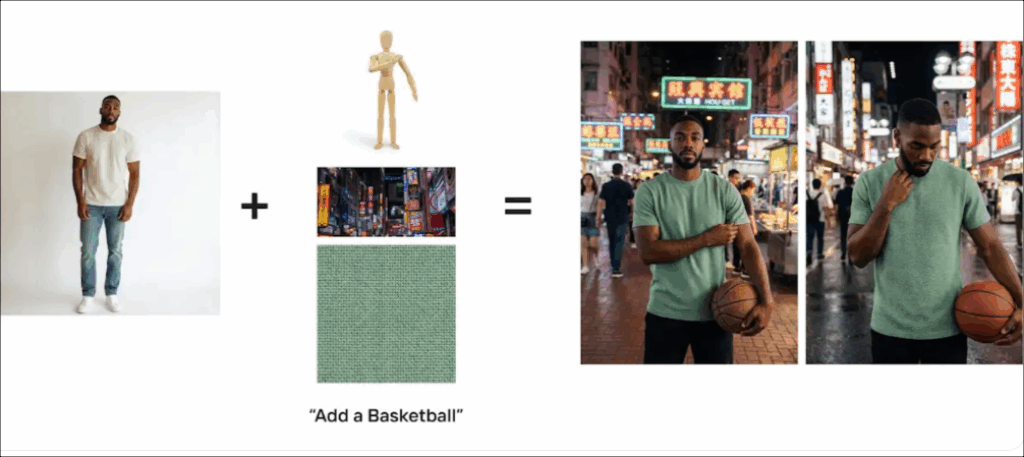
So, if you want to change the time of day or create a cinematic bokeh background, you can now do so. And that is not all. If you want the same character in different poses or scenes in your creatives and posters, you can now do so.
Nano Banana Pro can maintain consistent visual props across up to 14 input images, thus opening new creative possibilities for someone who needs cohesive visual sets.
Brand Alignment
Apart from consistency in poses, Nano Banana Pro introduces multi-input consistency. You will be able to feed several reference photos and get a cohesive visual output.
So, on paper, you can now maintain a consistent aesthetic across an entire campaign just like you would with a traditional design suite.
Tight Integration Across the Google Ecosystem
Google is rolling Nano Banana Pro into several of its services. Casual users will find it inside the Gemini app’s “Create Images” tab, while AI Pro and Ultra subscribers will get more quota and advanced controls.
Workspace users will find it integrated into Google Ads, Slides, and even developer tools such as Gemini API and Google AI Studio.
Ethical Transparency
Every image generated by Nano Banana Pro carries a digital fingerprint. Google uses SynthID, its invisible watermarking system, and for most users, a visible “Gemini sparkle” watermark as well.
This will ensure audiences and businesses have the control to verify if the images they see are AI-generated, thereby promoting ethical use and reducing misinformation. That said, Enterprise users will be able to opt for watermark-free images in certain specialised professional workflows.
Nano Banana Pro vs Nano Banana
Here’s how Nano Banana and Nano Banana Pro differ —
| Feature | Nano Banana | Nano Banana Pro |
| Image Resolution | Up to 2K | Up to 4K |
| Text Rendering | Basic, often distorted | Sharp, multilingual text |
| Creative Control | Limited (lighting, style tweaks) | Advanced (camera, focus, angle, scene control) |
| Reasoning Power | Pattern-based generation | Context-aware, grounded with real data |
| Input Support | Single image prompt | Multi-input (up to 14), 5 consistent subjects |
| Use Cases | General fun and casual content | Professional and commercial workflows |
| Integration | Gemini basic interface | Deep integration with Ads, Workspace, API |
| Transparency | Visible watermark | SynthID + tier-based watermark flexibility |
Essentially, Nano Banana Pro brings enterprise-grade control for production-ready creativity. In short, if Nano Banana was your sketchbook, Nano Banana Pro is your design studio.
Hello, Creativity (or Is It?)
With Nano Banana Pro, Google is redefining how AI integrates into real-world creative workflows by integrating multilingual text, brand consistency, fine-tuned visual control.
That said, it remains to be seen how these tools will actually perform outside the controlled demos we see today. AI-generated visuals are already so convincing that it is becoming hard to tell what is real and what is not. As these tools improve, that line will blur even further, making authenticity harder to judge and pushing us to rethink how we interpret digital content.