If you love listening to long and detailed podcasts or YouTube videos but do not have the time, you are not alone. While we all enjoy long-form content for its in-depth research and storytelling, it can take up a lot of time. So if you are looking for tools to summarize long podcasts and YouTube videos, worry not. There are plenty of tools available that let you do just that.
See Also: 5 Best YouTube Extensions That You Must Have
Note GPT
From my personal experience, NoteGPT performs the best in daily use. It is one of the most popular quick-to-use platforms that not only generates transcripts and subtitles but also offers multilingual support for users.
To use it, all you need to do is create an account, paste the YouTube video link, and then hit the Summarize button.
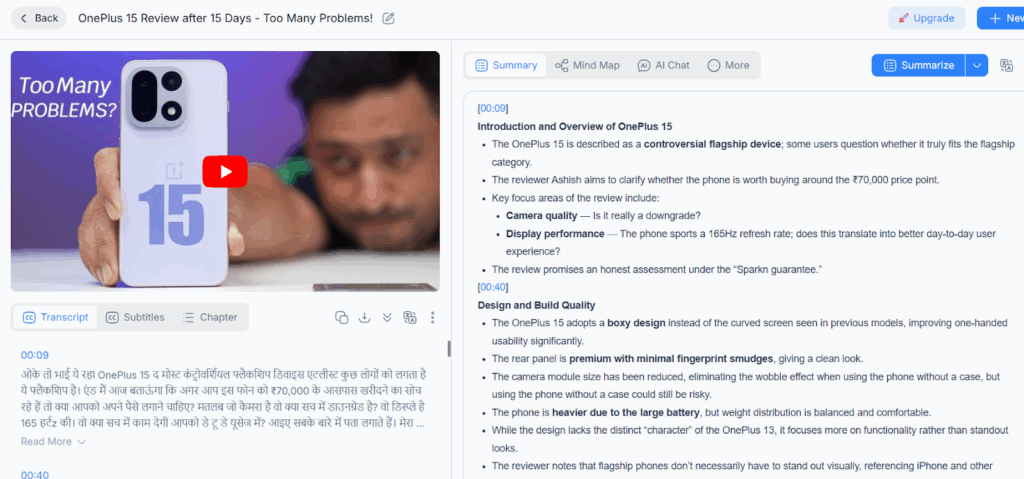
The best part is that it retains the core of the video and highlights the key points in bold. At the same time, it generates a timeline of events and adds a conclusion. Plus, it provides definitions for terms that might be uncommon or unfamiliar to many users.
Chat GPT
Who does not know ChatGPT? In recent years, it has become a go-to AI tool for everything from writing assistance to answering questions, and even summarizing content. Another lesser-known feature is that it provides good summaries of YouTube videos. It answers intelligently and often keeps things short and concise. However, at times, it can give incorrect observations, especially when the context is unclear.
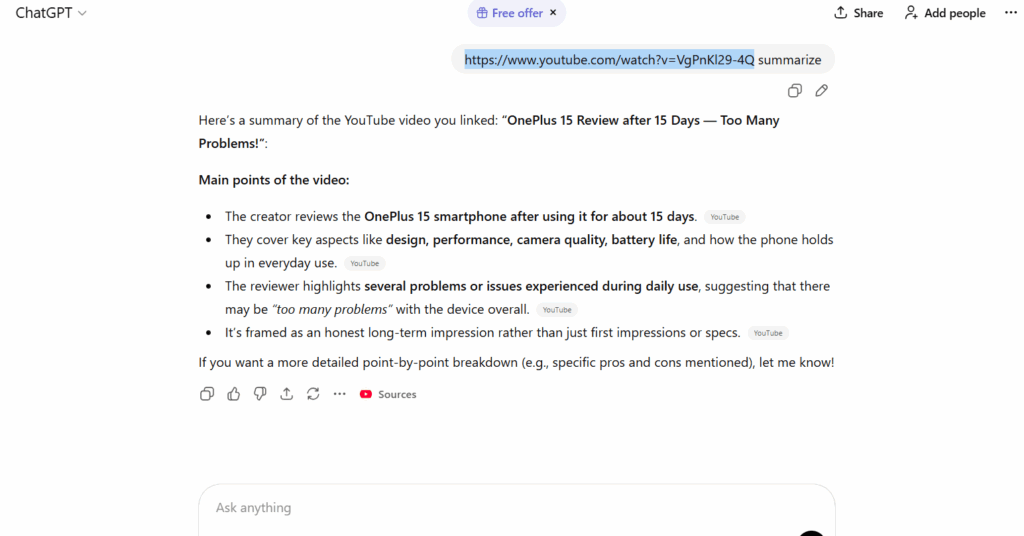
While it is excellent for summarizing long videos, it tends to fall a little short when summarizing long podcasts. It often leaves out a lot of important information.
See Also: ChatGPT’s Image Generation vs Nano Banana Pro’s Image Generation: Which Is Better
Notta AI
Notta AI is perhaps one of the best AI video summarizers out there. It comes packed with a plethora of unique features. For instance, you can record and transcribe conversations live, whether you are in a meeting, at college or university, or attending a lecture. This video summarizer also supports a variety of integrations, allowing users to connect tools like Google Drive to automate workflows.
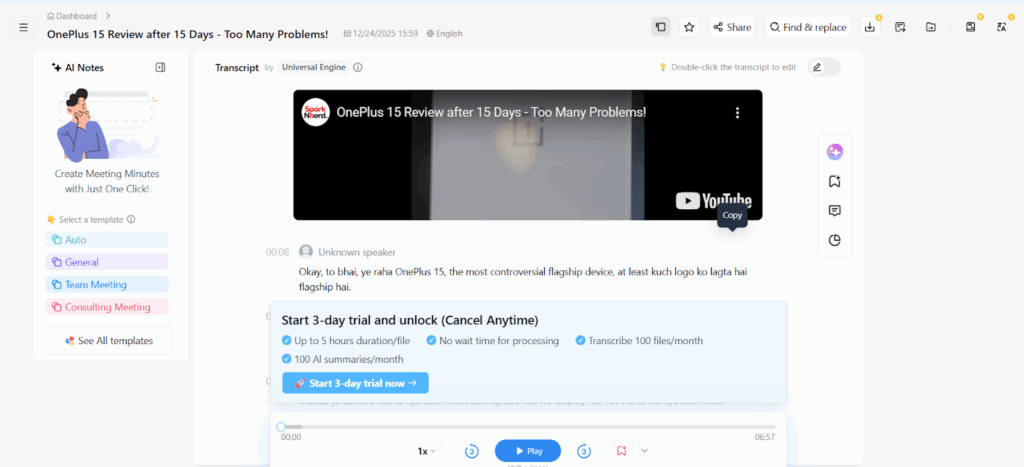
One of the key things I noticed is that it is slower compared to NoteGPT, and some users might find it a bit complex to use. Keep in mind that you need to create a Google account first before you can start using it.
Conclusion
My recommendation is that if you are a free user, NoteGPT is the better choice, as it offers clearer and more structured content delivery compared to other tools. However, keep in mind that free credits are limited, so you can only summarize a certain number of videos per month. If you need higher usage, you can upgrade to the paid version for uninterrupted access.
However, if you want a quick and fast summary, ChatGPT is the way to go. It is the easiest to use and provides fluent summaries. Users can find relevant details without logging in and quickly summarize their podcasts.