Instagram was built for sharing, but not everyone wants their entire life on display for anyone to see. Your followers list can say a lot about you, your friendships, your interests, even your location. The good news is that you can hide followers on Instagram. Well…almost. So, let’s get into it straight away.
Can You Hide Followers on Instagram?
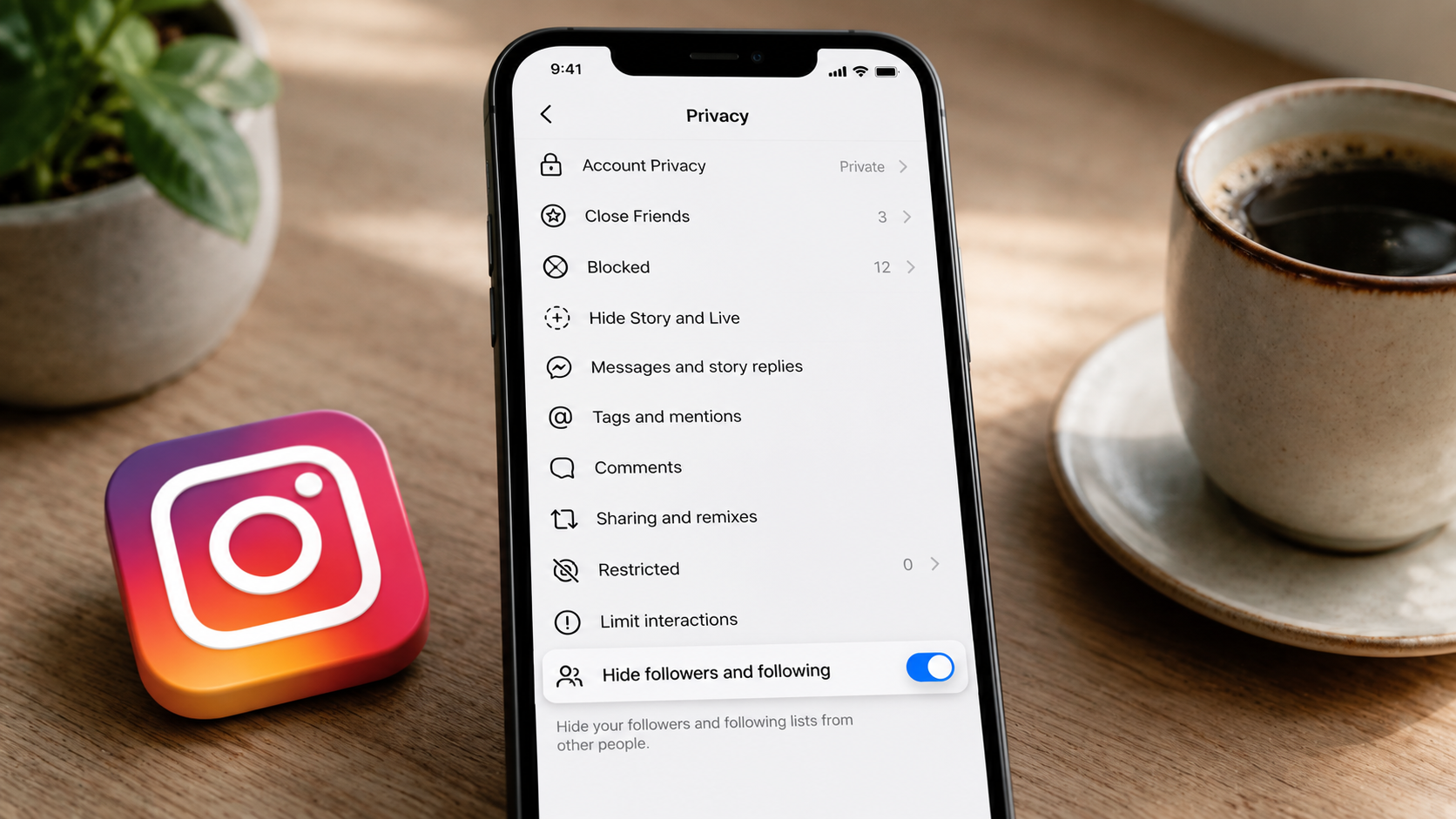
Unfortunately, Instagram does not directly give an option to hide followers. But you can actually control who sees them.
Public accounts leave the followers and following list open to anyone. Private accounts limit it to approved followers only. There is nothing in between, no matter how many Instagram privacy settings you scroll through.

Moreover, many users assume that Close Friends or Restrict can hide followers as well. Unfortunately, that’s not the case. Close Friends only decides who sees your Stories, whereas Restrict only limits how someone interacts with you. Unfortunately, neither one affects your Instagram follower count privacy.
So, how to Hide Followers on Instagram then?
To your relief, there are actually more than one way to control your Instagram follower privacy, depending on how much you want to limit and from whom.
Method 1: Make Your Account Private
This is the method that actually works, as confirmed in Instagram’s official Help Centre.
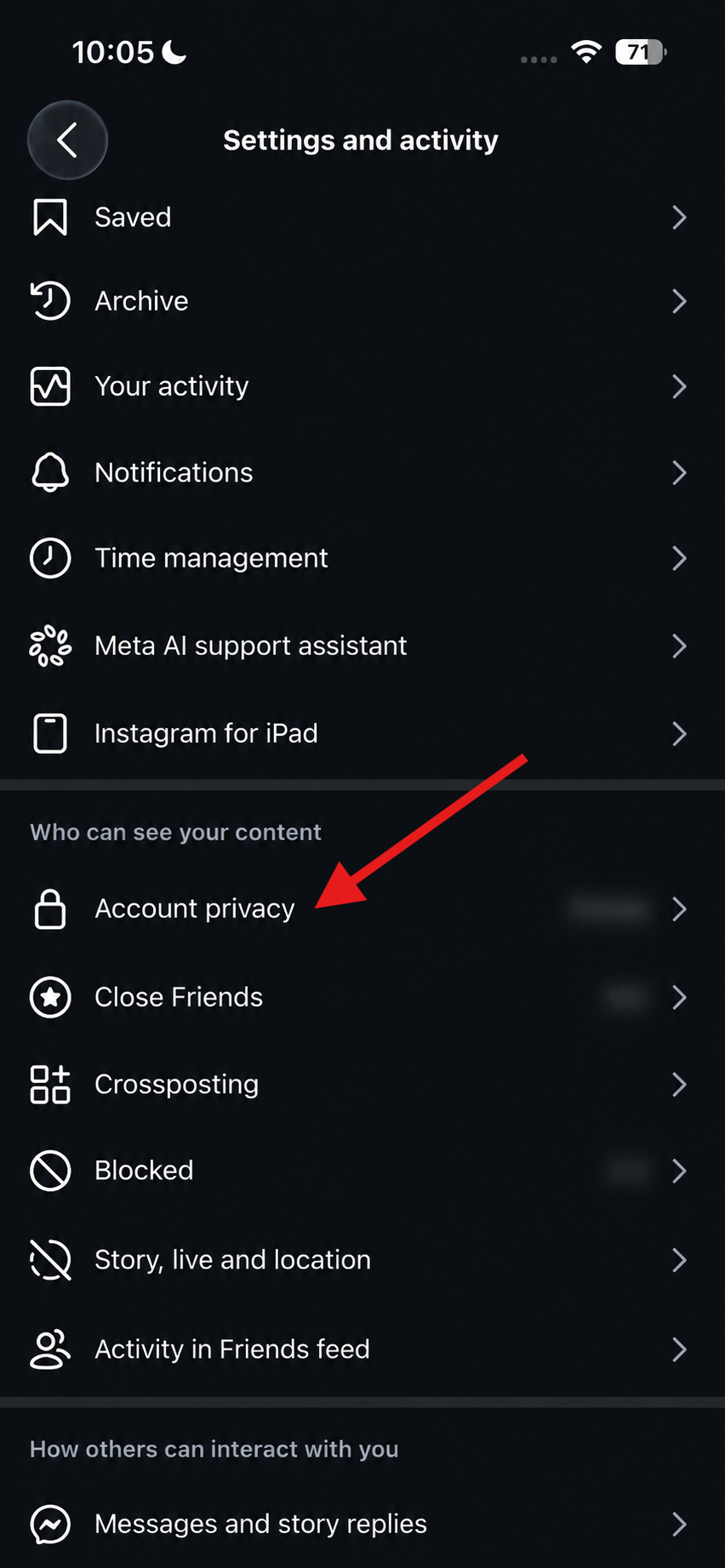
Step 1: Tap your profile picture and click on the three lines in the top right corner. Next, tap on Settings and activity > Account privacy.
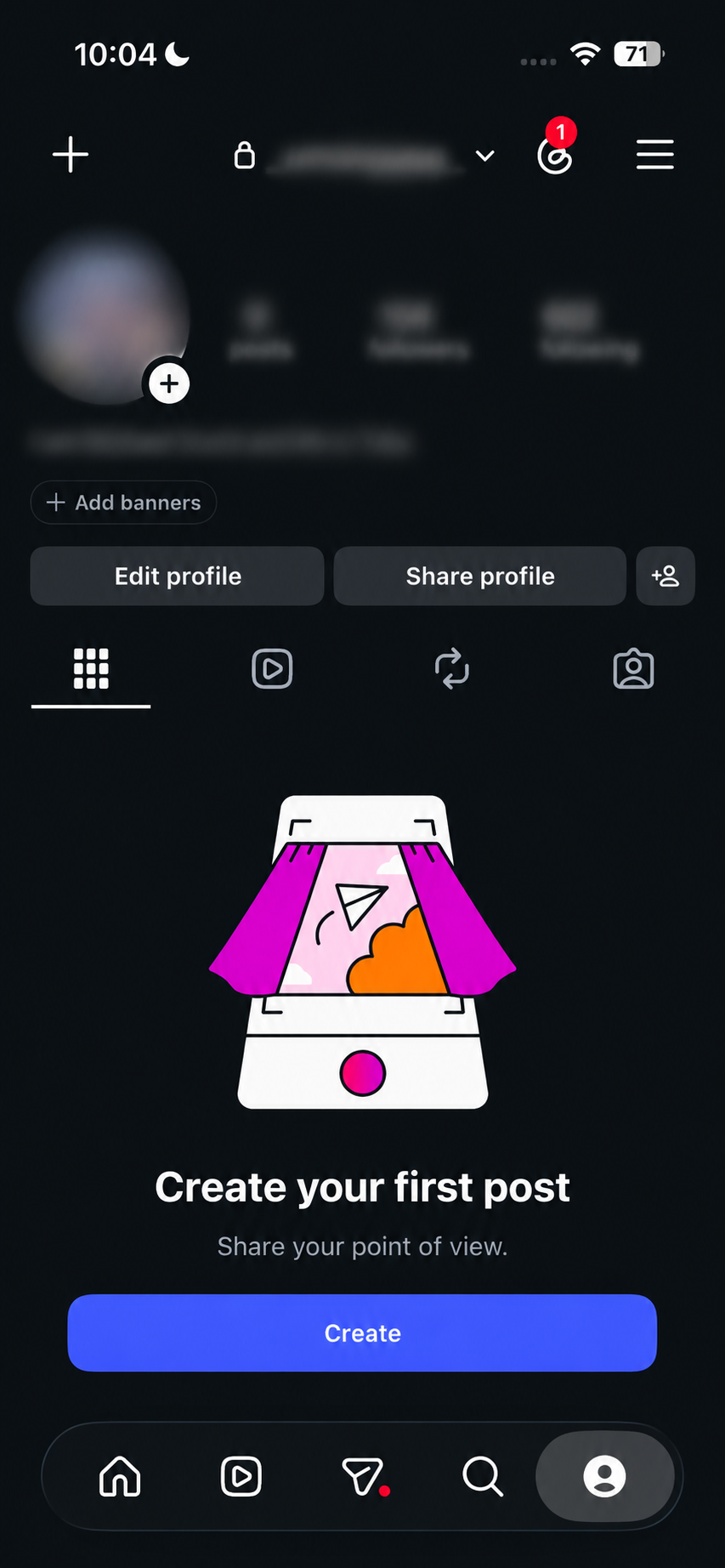
Step 2: Now, simply toggle the switch for Private account.
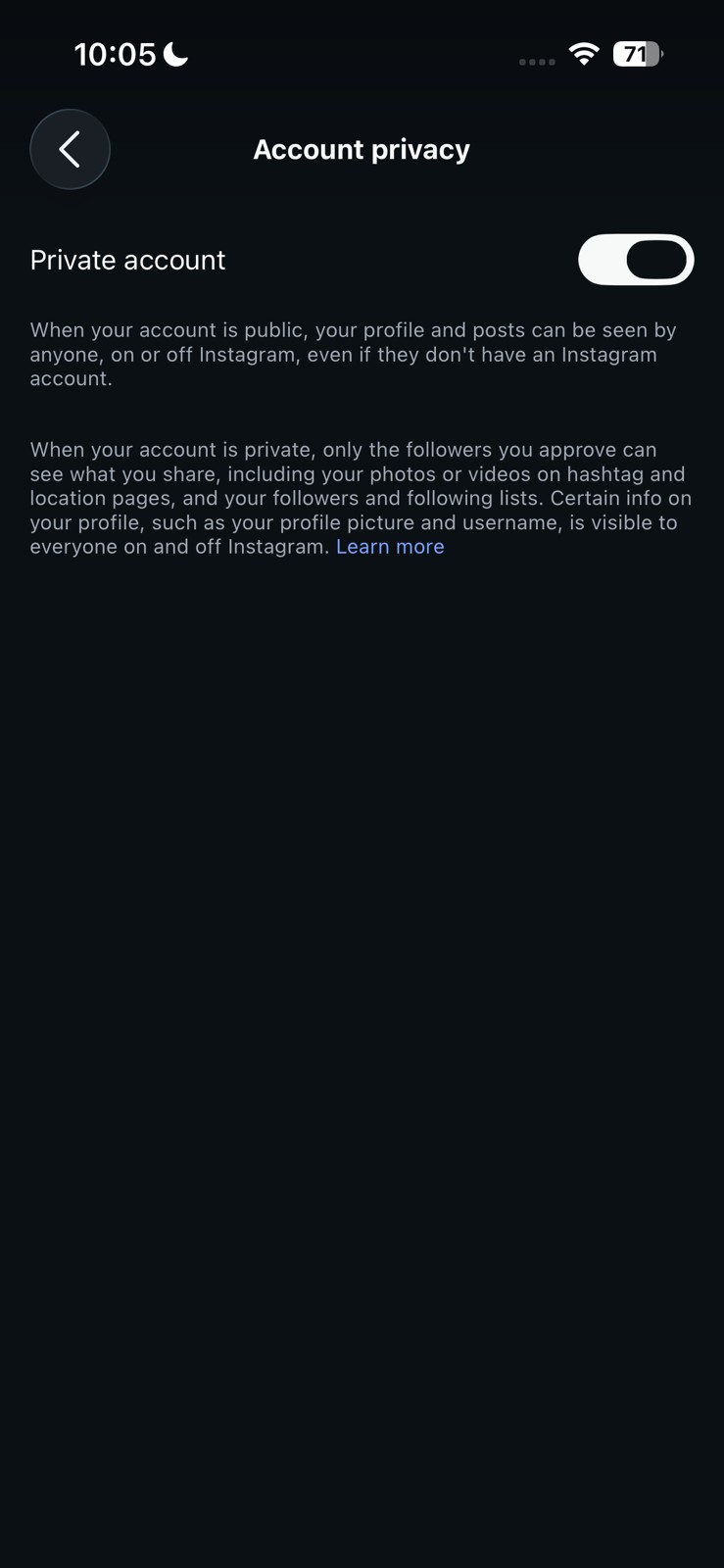
Once your account is private, anyone who does not follow you will only see your follower count, not the names on the list. Furthermore, people can still send a follow request, but you decide who gets in.
Keep in mind, this will not hide your list from people who already follow you, so it works best combined with the next two ways.
Method 2: Remove Followers You No Longer Want on Your List
If you want to hide Instagram following list details or hide your following list on Instagram from someone who already follows you, going private alone will not help.
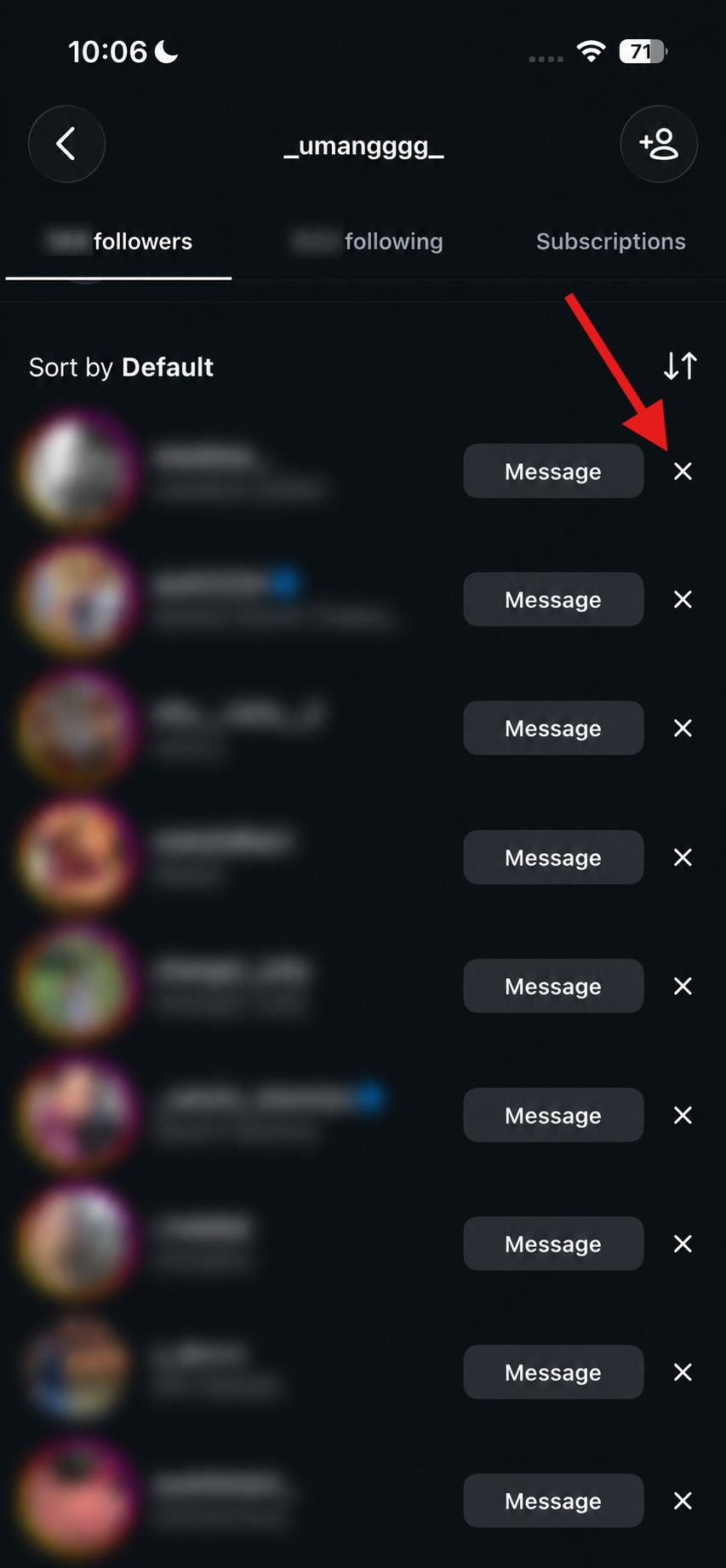
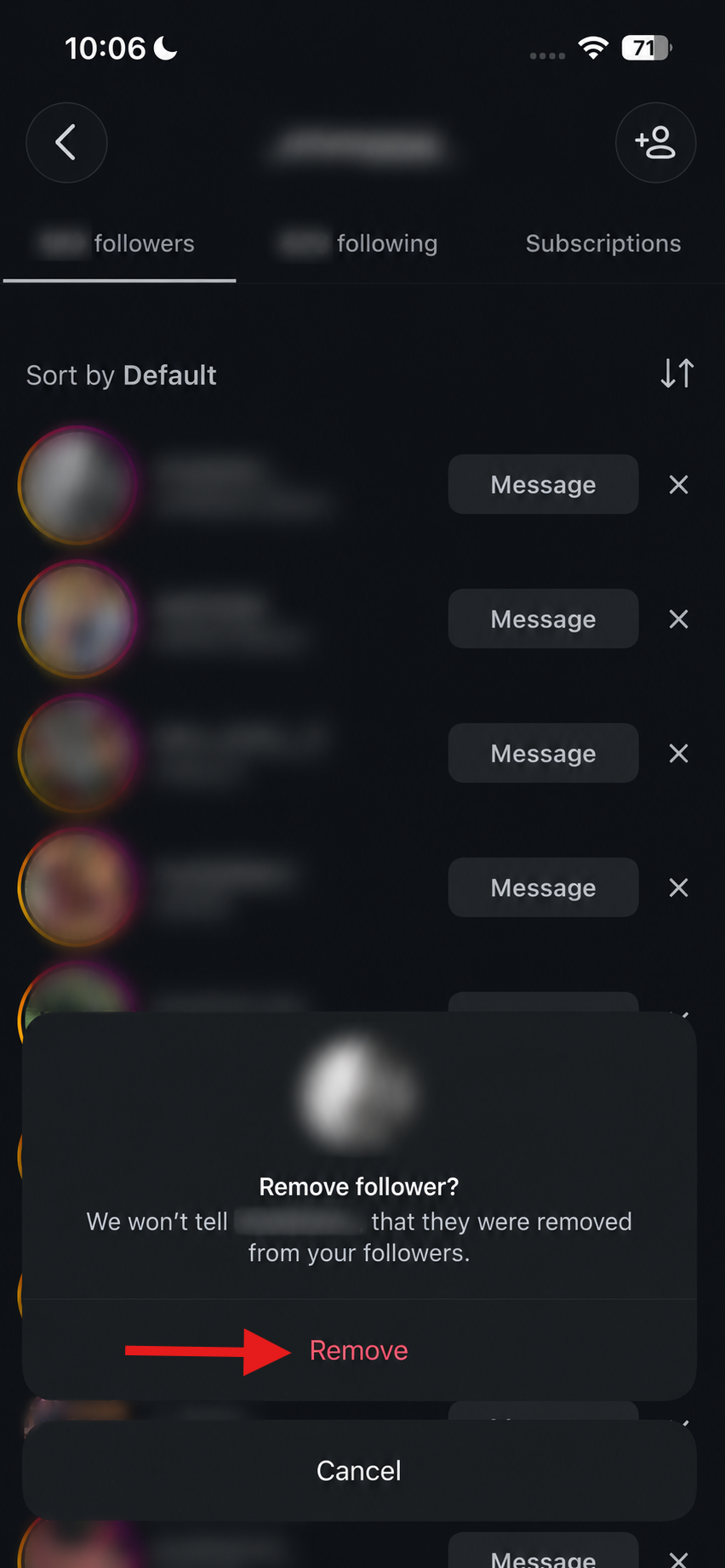
Open your followers list, tap the cross sign next to the person’s name, and select Remove. This works without sending them a notification.
Method 3: Block Someone Completely
If you want to prevent a specific person from viewing your followers and profile altogether, blocking them is the most effective option.
Visit the person’s profile, tap the three dots in the top right corner, and then hit Block.
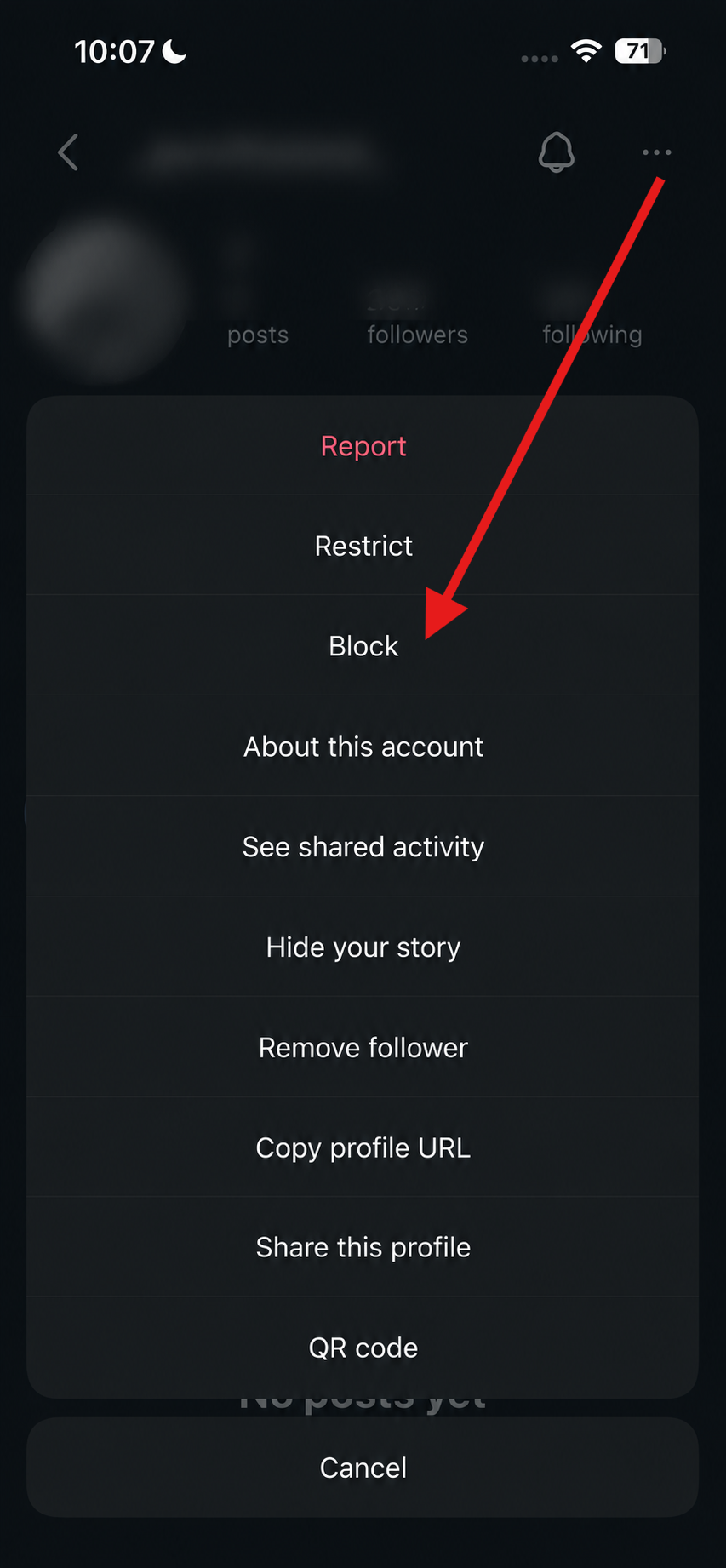
Additionally, blocking cuts off their access to everything, not just your followers list, so use it only when removing is not enough.
Extra Instagram Privacy and Security Settings
If you’re serious about protecting your privacy, you can also consider these additional settings along with the above ways to hide followers on Instagram:
- Review your followers regularly. Remove accounts you don’t recognise or no longer want following you.
- Approve follow requests carefully. Once someone follows a private account, they’ll be able to see your followers and following list.
- You can also limit who can tag or mention you. Head to Settings and Privacy > Mentions and Tags to control who can interact with your profile.
- Hide your Activity Status if you don’t want others knowing when you’re online.
- Enable Two-Factor Authentication to keep your account secure from unauthorised access.
These small changes, combined with the right Instagram privacy settings, can significantly improve your account security.
A More Private Instagram Starts Here
This was how you can hide your followers on Instagram from strangers. Because at the end of the day, your Instagram doesn’t have to be an open book, and removing unwanted followers keeps your account limited to the right people.
So, go ahead, take a moment to review your privacy settings and choose what works best for you. Your Instagram profile should feel like a space you control, and not one that just anyone can browse.
FAQs
How to delete Instagram followers at once?
There is no bulk option. You need to remove followers one at a time from your list.
How do I hide my followers list on Instagram?
Switch your account to private so only approved followers can see it.
How to hide followers on Instagram from friends?
If they already follow you, you will need to remove or block them, since a private account will not hide your list from existing followers.