You probably hear Siri’s voice dozens of times a day ever since you git your iPhone. Whether you want Siri to speak in a different accent, switch to another language, or simply sound more natural, thankfully your iPhone gives you plenty of ways to customise Siri’s voice on iPhone.
On that note, here’s how to customise Siri’s voice by changing its accent, language, and speaking pace.
Where Are Siri Voice Settings On iPhone
To find Siri’s settings on your iPhone, head over to Settings > Apple Intelligence and Siri, then Siri Voice.
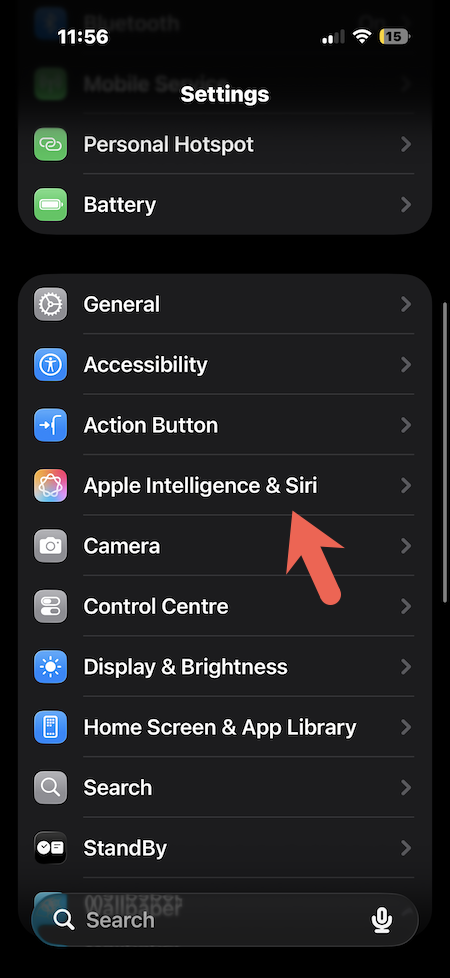
Note that on older versions of iOS, that same section is called Siri and Search instead.
How To Change Siri Voice On iPhone, Step By Step
Follow these quick steps to seamlessly change Siri’s accent:
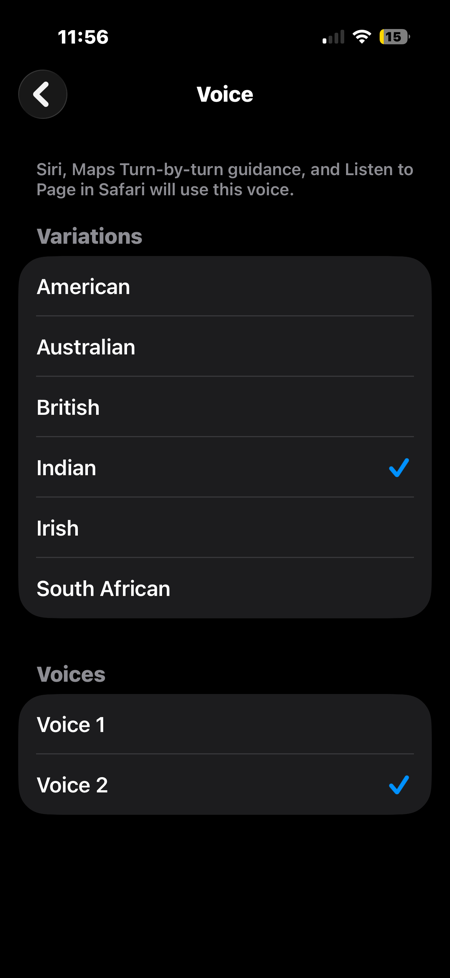
Head over to Siri Voice under Settings. Now, under Voice, choose a Variety.
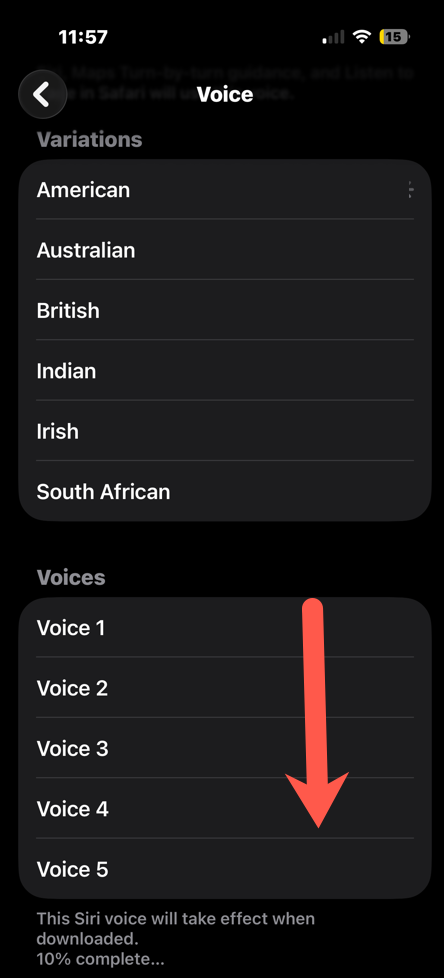
All you need to do is tap any option to hear a short sample before deciding. If a voice takes a second to switch over after you select it, that is completely normal. It is just downloading in the background and will turn on its own once ready.
Also worth keeping in mind, this setting only applies to the device in your hand. An iPad, Mac, or HomePod will each need the same steps done separately.
Siri Voice Options On iPhone
Siri currently offers six accents: American, Australian, British, Indian, Irish, and South African.
For now, American English has the widest range, with four voices to choose from. Most other accents offer two. It helps to remember that the accent only changes how Siri sounds, not what it understands.
Which iPhones Support Siri Voice Customisation
This was how you can customise Siri’s voice on your Apple iPhone. The above settings will work on any iPhone running a reasonably recent version of iOS.
FAQs
How do I change Siri voice on my iPhone?
Go to Settings > Apple Intelligence and Siri > Siri Voice, and pick an accent and voice.
Where are Siri voice settings on iPhone?
The Siri voice settings are inside Apple Intelligence & Siri under Settings.
Which iPhones support Siri voice customisation?
Any iPhone on a recent iOS version, with iOS 17 or later needed for the speaking rate slider.