
Instagram Stories have always been the backbone of the image-sharing platform, and user adoption has risen astronomically over the years. It all started in 2016 by allowing users to add simple daily highlights, and Instagram gradually added features like Mentions, Polls, Highlights, and Collages.
Now, the feature set for Instagram Stories has expanded further, and you can even repost public Instagram Stories directly to your own Story.
Also See: 9 Best iPhone Apps for Instagram Creators: Best Editing, Scheduling & Analytics Apps
How Reposting Instagram Stories Works
With this feature, you will be able to repost a Story from a public profile. When you view a Story from a public profile, you will see an Add to Your Story option directly inside the viewer. Naturally, the username of the original poster will also appear on the reshared Story, improving transparency.
That said, this feature is only available for public profiles. Stories from private accounts will remain restricted and can be viewed by approved followers only, and cannot be reshared.
At the same time, creators who do not want their Stories to be reposted can disable the feature.
How to Repost a Public Instagram Story
Step 1: On Instagram, go to your favorite creator, such as SparkNherd (subtle integration, you see) and tap on their profile picture to view their Story.
Step 2: Tap on the Share icon next to the message box. Next, tap on the Add to Your Story icon and tap on Publish.
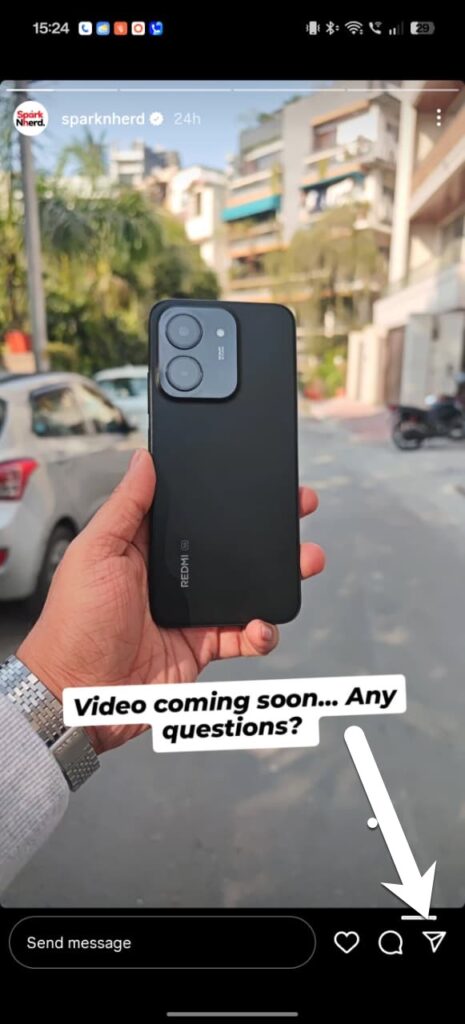
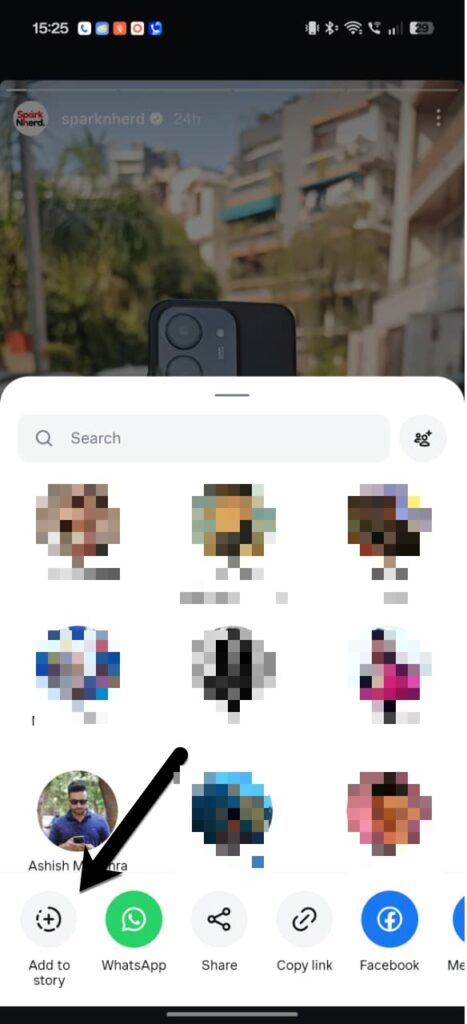
The story will be posted with automatic attribution. Just like normal stories, you can also double tap on the window to expand the view.
See Also: Can You See Who Viewed Your Instagram Profile?
How to Disable Instagram’s Repost Instagram Stories
To disable Allow Sharing to Story, start by opening your Instagram settings.
Step 1: Go to Settings and Privacy > Sharing and Remixes > Story.
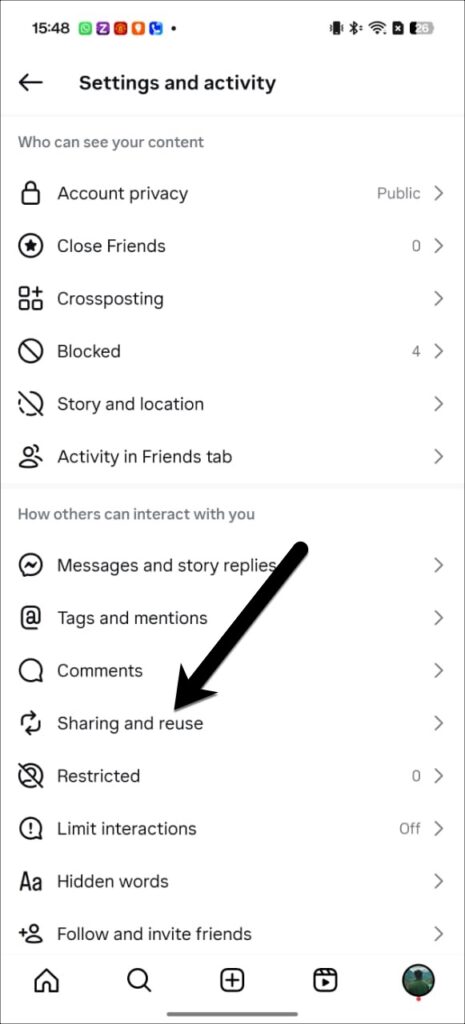
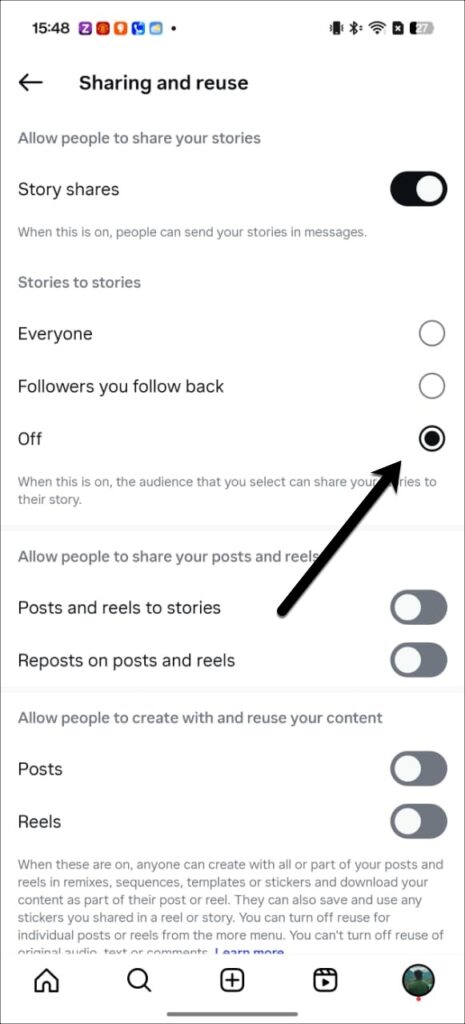
Next, toggle the switch to Off under Story Share.
Why Reposting a Public Instagram Story Matters
This update removes the hassle of tagging and manual re-creation of Stories. At the same time, it also aligns with Instagram’s broader push to make sharing simpler and easier, similar to its repost tools for Reels and feed posts.
On the other hand, this feature enhances reach and visibility for creators and businesses by allowing followers to amplify content while still preserving proper attribution. It also strengthens Instagram’s ecosystem of collaborative sharing.