Ever open YouTube thinking you will watch just one video, but end up stuck in non-stop Shorts? Yeah, me too. YouTube Shorts can be fun sometimes, but if you are like me and mostly want regular videos, it can get a bit frustrating. And well, there is no official way to completely remove YouTube Shorts from your feed. Unfortunately, there’s no option to turn it off either.
But worry not. There are ways to see fewer YouTube Shorts on your timeline, or almost (not completely) remove them from your feed. I have tried these myself, and they work surprisingly well. Here’s how I do it.
Also See: 5 Best AI Tools to Summarize YouTube Videos
Go for Less
A very simple and easy way to reduce the number of YouTube Shorts you see is to tell YouTube you’re not interested in them. When a short pops up in your feed, tap the three dots menu at the top and select Show fewer Shorts.
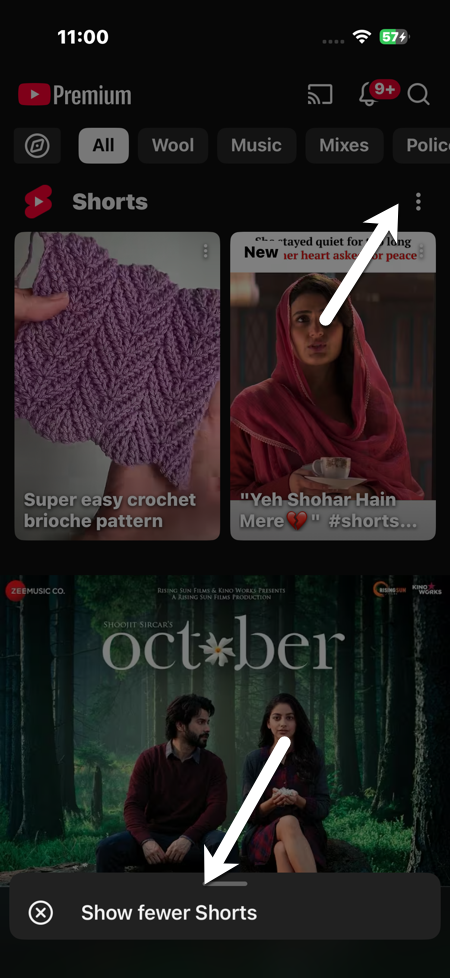
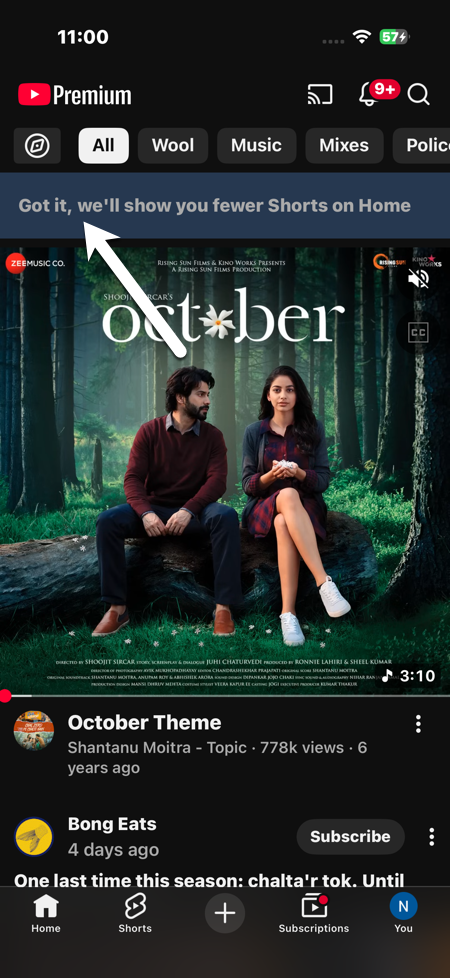
After marking them, the Shorts section vanishes or reduces. However, do note that it is not a permanent solution, and the YouTube Shorts section will show up once again after a few weeks. Hence, you will have to be a bit consistent.
Avoid Watching Shorts Completely
Even if you watch a short for like 5 seconds, YouTube’s algorithm thinks you are interested in it. So, the trick is simple. Don’t click on them at all.
- Scroll and skip past Shorts in your Home feed
- Ignore the Shorts section entirely
After a couple of days of doing this, my feed began to show more regular long-form videos instead of random short videos. At the same time, interact only with long-form or non-Shorts videos. YouTube notices what you engage with. This way, you are training the algorithm to show more such related content.
For instance, I watch tech stuff regularly. So by consistently engaging with them, my feed now shows only tech-related videos, covering a wide range of topics and channels.
Select Videos Only After Searching
Since YouTube invests heavy on Shorts, they often show at the top of search results. While you can’t remove YouTube Shorts entirely, you can filter them out.
All you need to do is search for something you like. You will see various tabs at the top. Now, select Videos to see only regular videos.
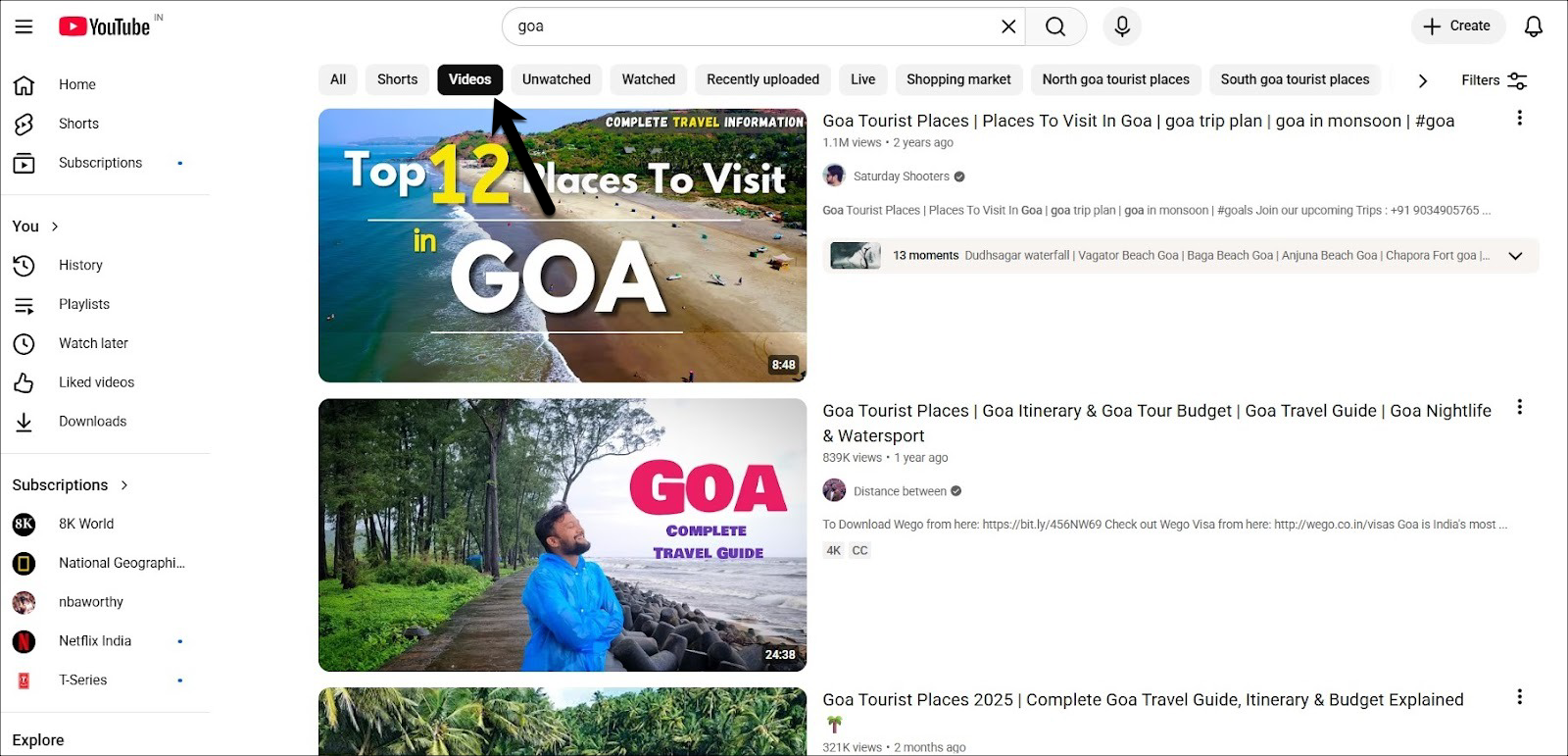
I do this when searching for things like reviews or tutorials, and it’s much easier than scrolling through Shorts.
Get a Nifty Chrome Extension
If you spend a lot of time on YouTube on your PC, there is a Chrome extension that can hide YouTube Shorts completely.
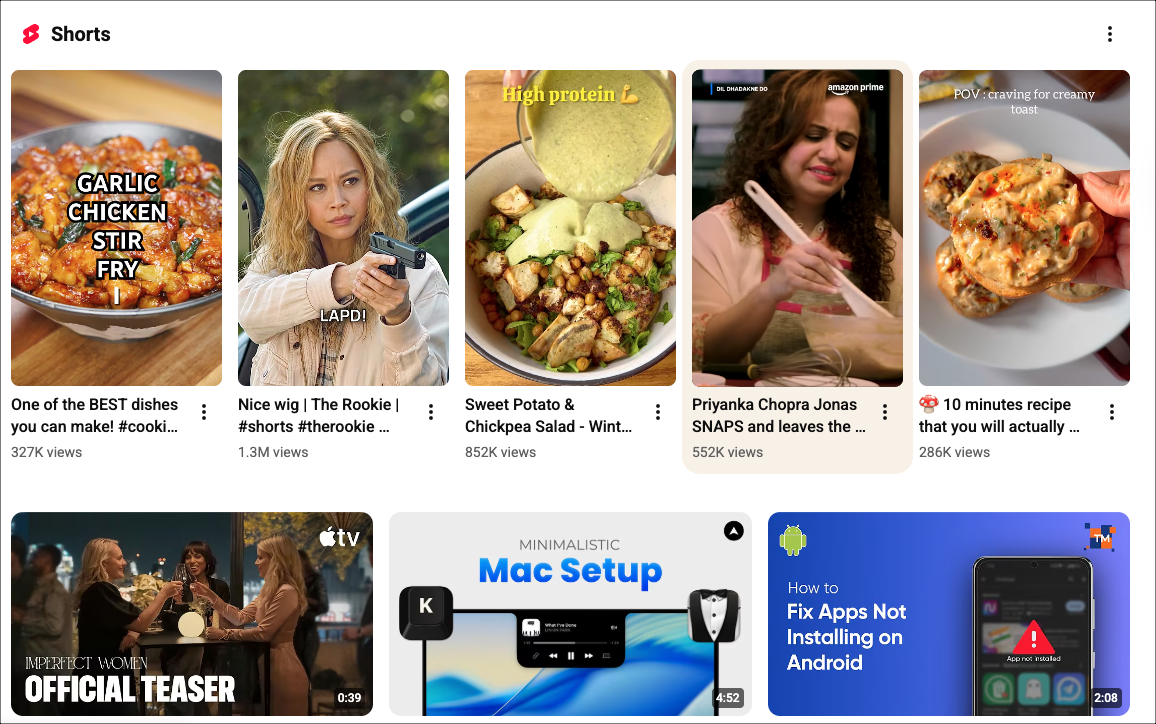
Remove YouTube Shorts is a simple Chrome extension that hides the Shorts shelf, Shorts tab, and Shorts recommendations.
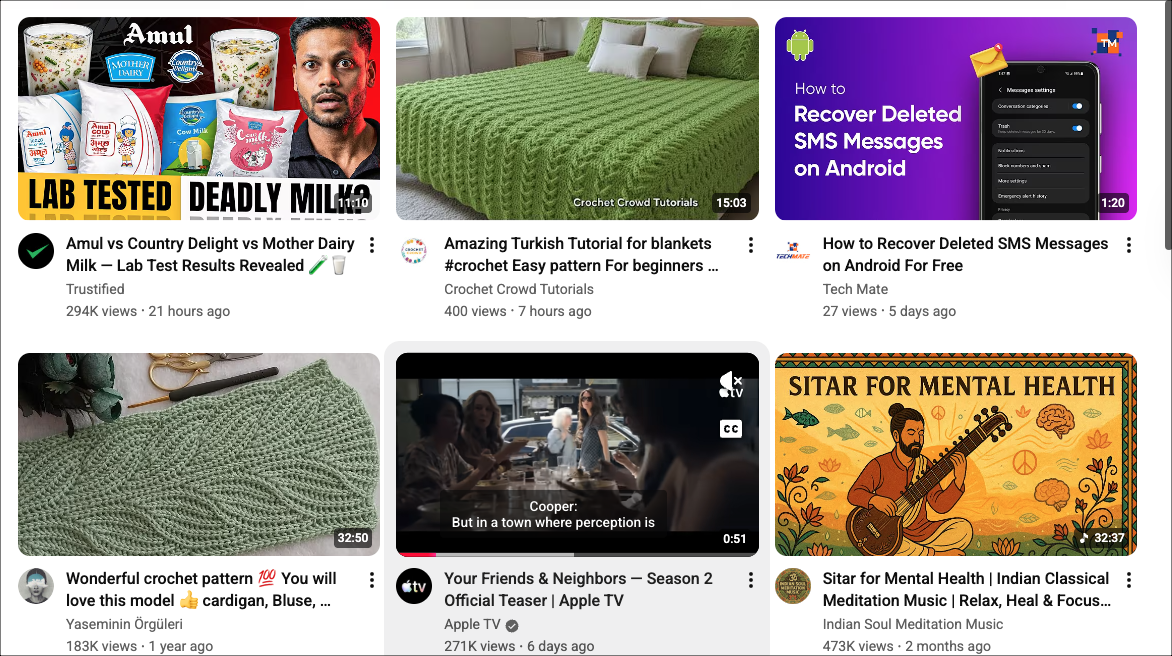
I installed it on my laptop, and my homepage felt less cluttered immediately. The extension is easy to set up, safe, and works directly in your browser without compromising your account.
Be Patient and Consistent
YouTube Shorts may never truly or officially disappear from your feed. It’s a built-in feature and most users actually enjoy it (unlike us). But by following these steps, you can hide YouTube Shorts and see more videos you actually want to. The more you interact with content you like and avoid Shorts, the better your feed will reflect your preferences.
See Also: 5 Best YouTube Extensions That You Must Have
Hide Shorts from YouTube: FAQs
Can you hide YouTube Shorts from your feed?
Yes, you can hide and disable YouTube Shorts from your YouTube feed.
Is there a way to completely disable YouTube Shorts?
Unfortunately, there is no way to completely disable YouTube Shorts.
How do I hide YouTube Shorts on Android?
There are a couple of methods, as well as third-party apps (NewPipe) that will help hide and disable YouTube Shorts on Android.