WhatsApp’s username feature is finally here, and if you want a shot at grabbing your preferred handle, right now is the time to reserve your WhatsApp username before someone else does.
Here is everything you need to know!
What Is the WhatsApp Username Feature?
For years, adding someone on WhatsApp meant exchanging phone numbers, and there was no way around it. The new WhatsApp username feature changes that. Once it rolls out, you will be able to share a username instead of your number. After that, even new contacts can reach you without ever seeing your phone number at all.
It works a lot like a handle on Instagram or X. However, there is one key difference — there is no public directory. As such, nobody can search for you. The only way someone can message you using your username is if they already know it. Interesting, right?
The feature is rolling out in phases over the coming months. Reservations are open right now, which means you can lock in your preferred name today and activate it once it reaches your account.
How Do I Reserve My Username on WhatsApp?
The WhatsApp username setup takes under a minute. Here is how to do it.
Step 1: Update your WhatsApp to the latest version if not already updated. Open the App Store (iPhone) or the Play Store (Android) and check for any pending updates.
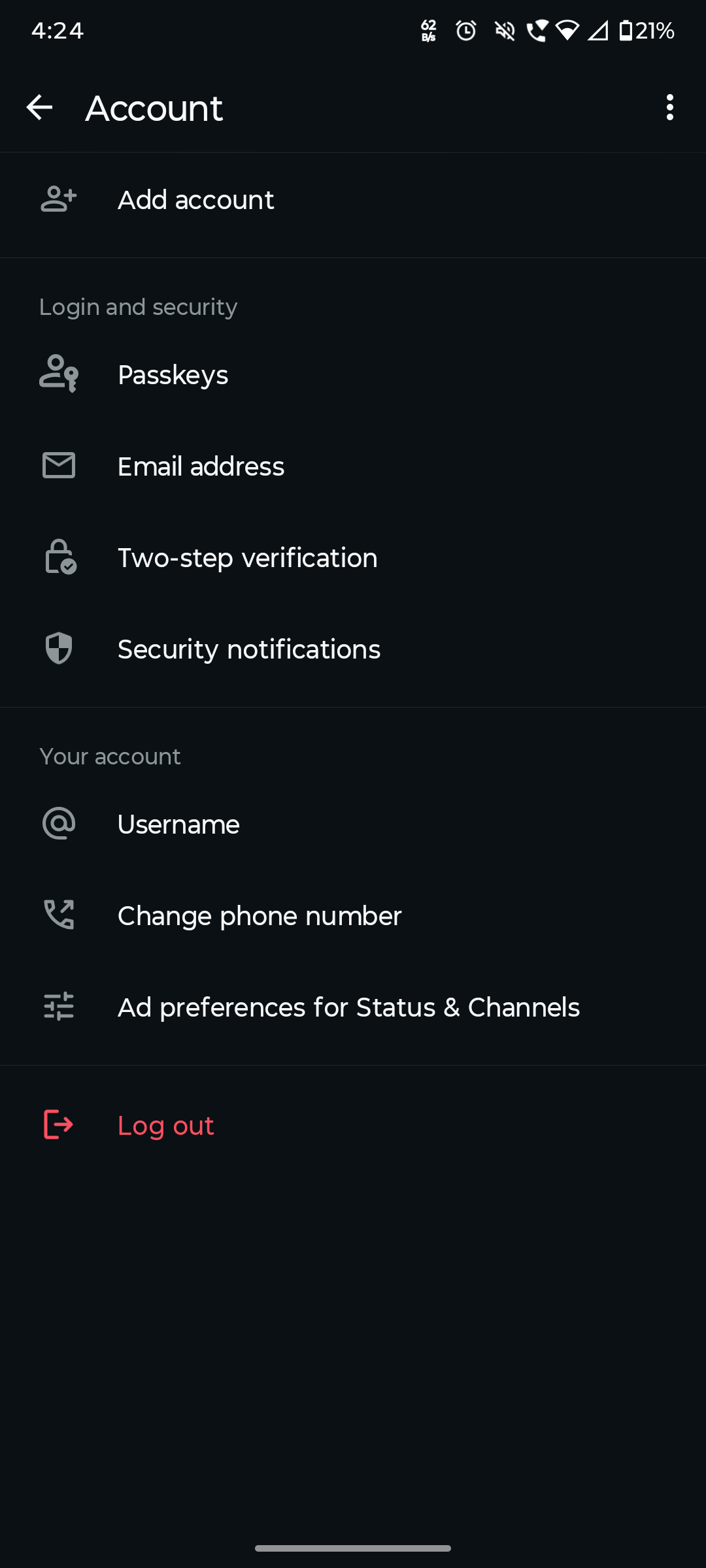
Step 2: Open WhatsApp Settings, tap Account, then tap Create Username.
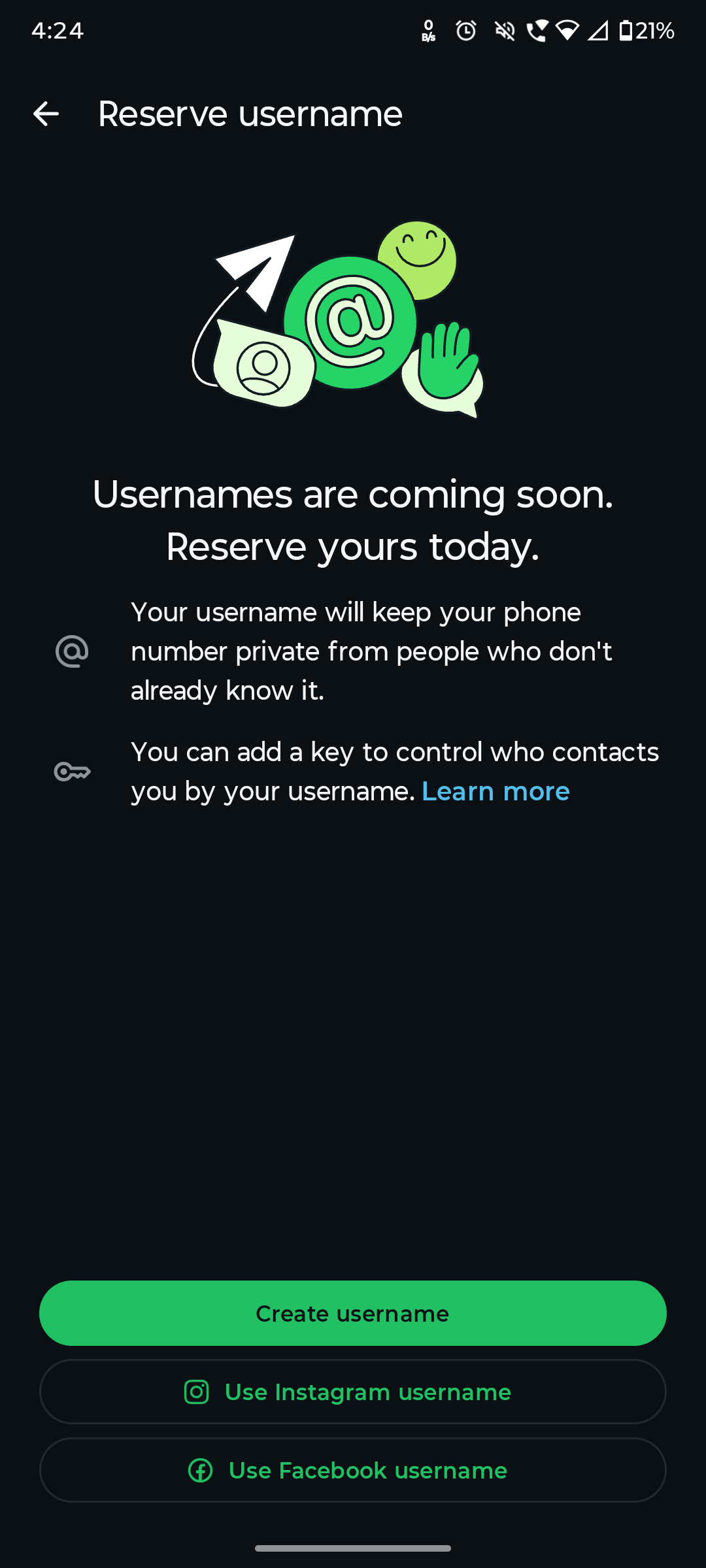
Step 3: Type in the username you want. WhatsApp will instantly tell you whether it is available or already taken.
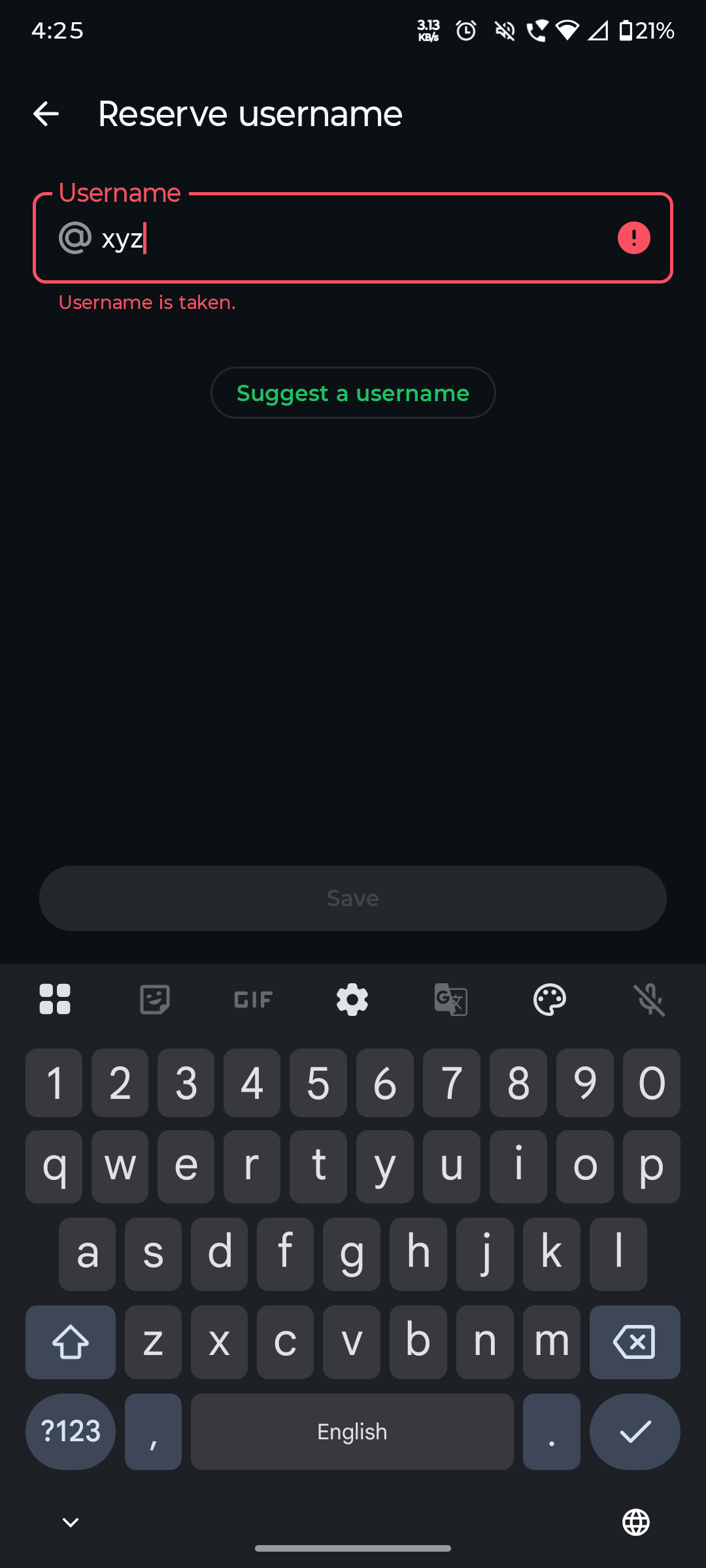
Step 4: If your preferred name is gone, use the built-in username generator to get suggestions based on what you typed, or try a variation yourself.
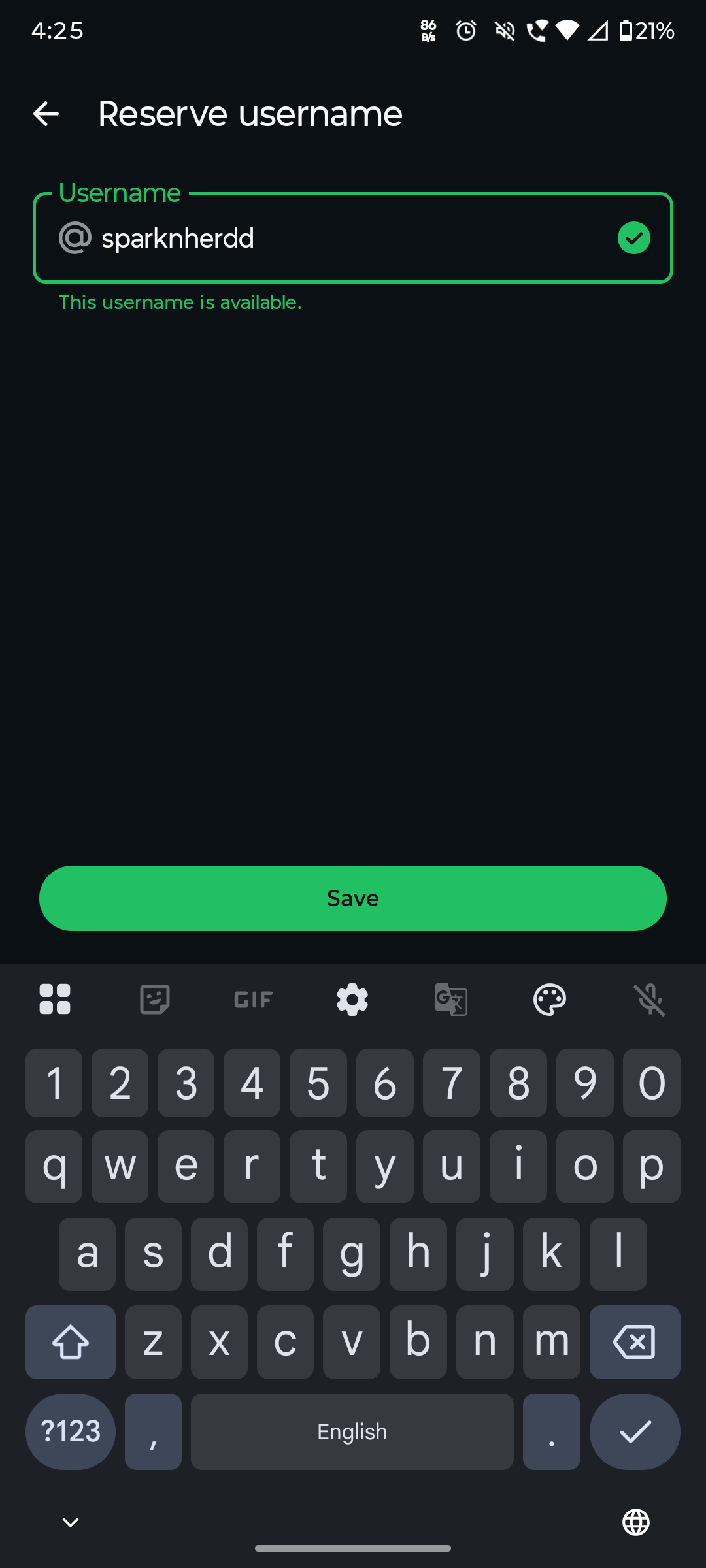
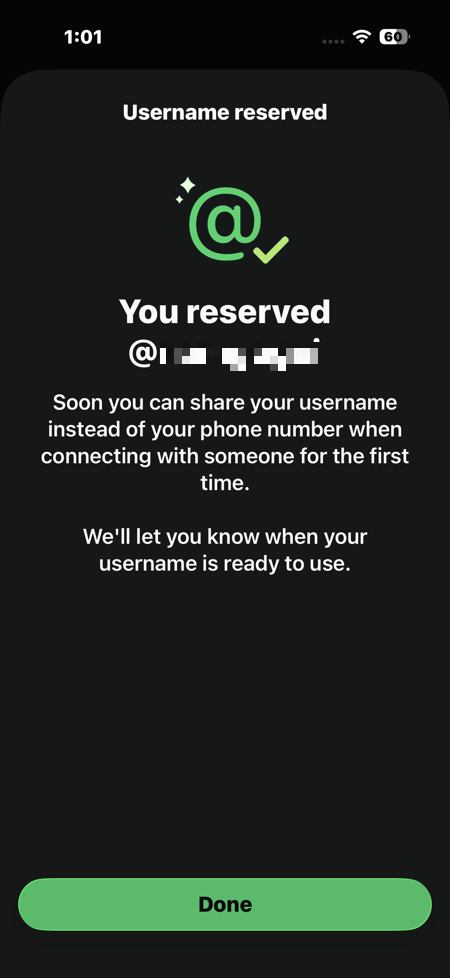
Step 5: Once you land on an available name you like, tap Save or Reserve to lock it in. That’s it!
But there’s a slight catch. For now, you will have to connect your WhatsApp account with Meta’s Accounts Center to reserve your username in WhatsApp.
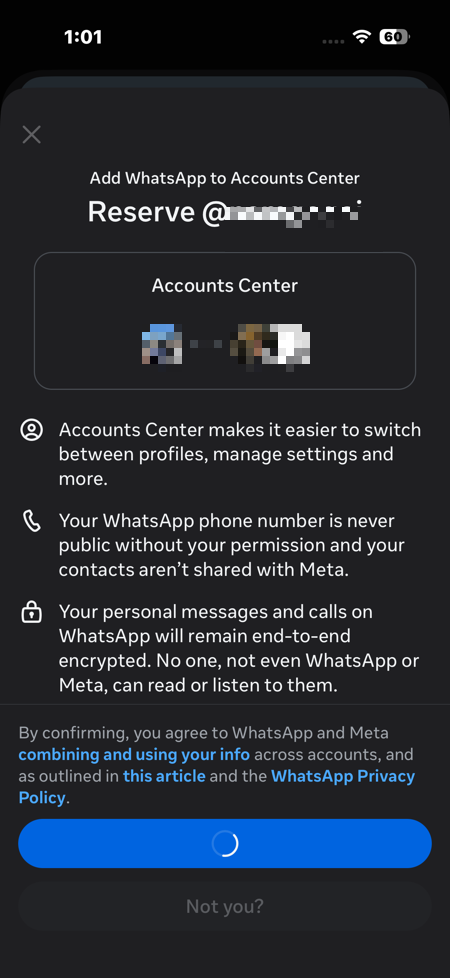
And voila – you now have a reserved username on WhatsApp. It will be activated on your account once the full rollout reaches you. WhatsApp will send you an in-app notification when that happens.
WhatsApp Username Tips: Rules to Keep in Mind
Before you land on a name, here are the ground rules WhatsApp has set for usernames.
- Usernames can be up to 35 characters long.
- They must be unique – no two accounts can share the same username.
- Names linked to well-known public figures, politicians, and celebrities are blocked to prevent impersonation.
- Usernames are optional – you do not have to set one up if you do not want to.
- They can be changed or removed at any time after the feature goes live.
- Once you reserve a name, nobody else can claim it – even if the feature has already rolled out for them and not yet for you.
What Changes Once Usernames Go Live?
This was how you can reserve your username on WhatsApp. Right now, anyone who messages you for the first time automatically sees your phone number. Once your username is active, that will change with new contacts seeing your username instead. This way, your number stays private.
For existing conversations, nothing changes. People already in your contacts will continue to interact with you the same way they always have.
WhatsApp is also adding an optional username key – a unique code that you can require before anyone can send you an initial message using your username. It is an extra layer of control for people who want to be even more selective about who can reach them.
FAQs
How do I reserve my username on WhatsApp?
Update WhatsApp to the latest version, go to Settings > Account > Username, type in the name you want, and tap Reserve. If it is taken, try a variation or use the built-in suggestion tool.
Can I change my WhatsApp username later?
Yes. Once the feature fully launches on your account, you can update or remove your username at any time from the same Settings > Account > Username menu.
What are the rules for choosing a WhatsApp username?
Usernames can be up to 35 characters long, must be unique across all WhatsApp accounts, and cannot impersonate public figures or celebrities.
How can I check if a WhatsApp username is available?
Just type the name you want in the username field inside WhatsApp Settings. The app will tell you immediately whether it is free to claim or already taken.