Brief Overview
- Spotify launched Playlist Notes, letting users add short notes to songs, podcasts, and audiobooks explaining why they picked them.
- Spotify editors are using the same feature on major playlists to explain their song choices, alongside new Editor Profiles.
- User notes are live in over 100 markets, while editor notes are limited to six countries for users 16 and older.
Spotify has rolled out a new feature called Playlist Notes, giving both everyday users and the platform’s editorial team a way to add written context to the songs, podcasts, and audiobooks inside playlists.
The update, announced this week, builds on the User Notes tool the company introduced last month and marks another step in Spotify’s push to make its app feel more social and personal.
What The Feature Does
With Playlist Notes, people can add short entries of up to 250 characters to the songs, podcast episodes, and audiobooks they include in their playlists.
The idea is to let listeners explain the story behind a track, whether it is tied to a memory, a mood, or simply a recommendation they want to pass along.
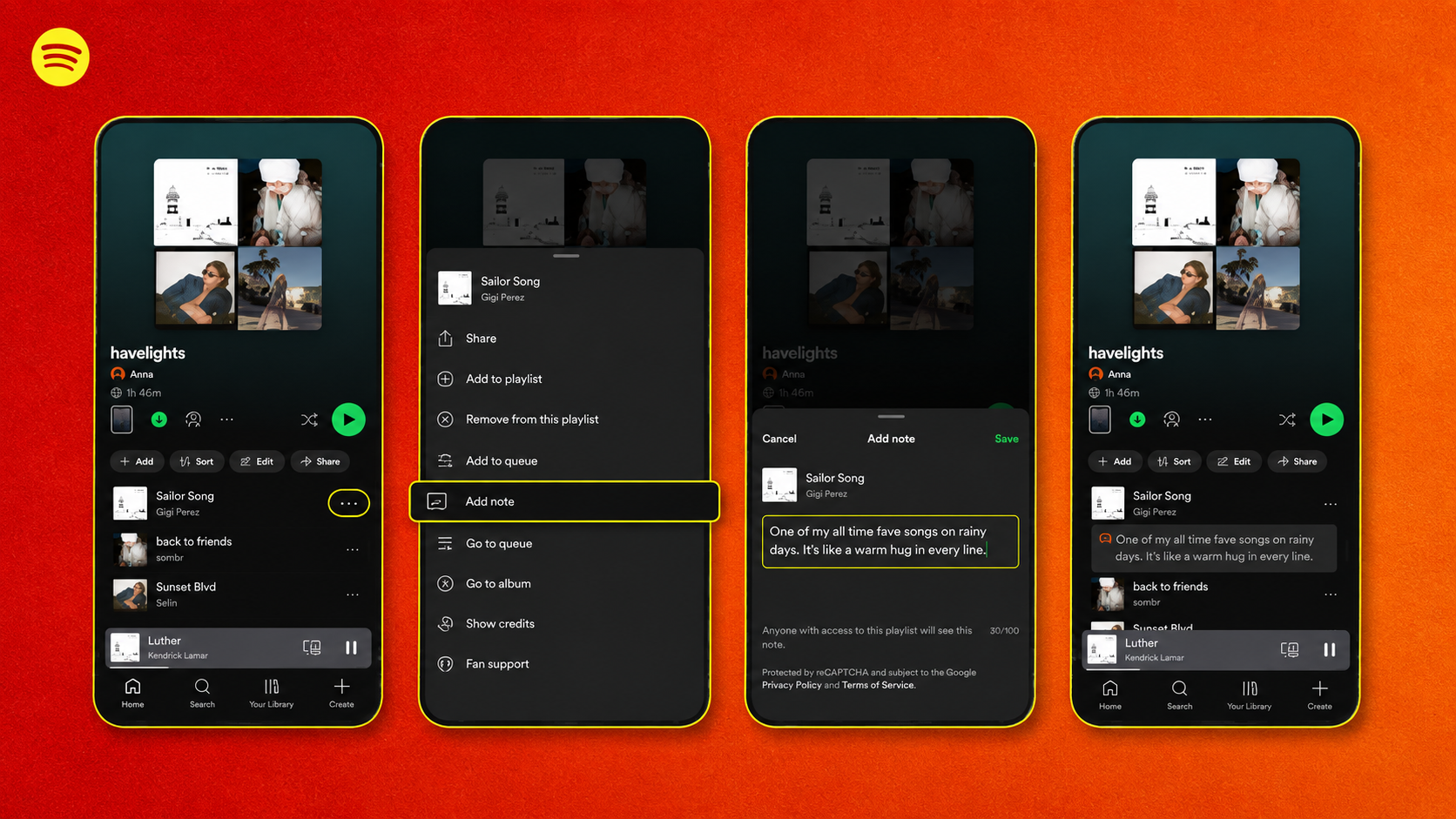
To add one, users open a playlist they own or collaborate on, tap the three dots next to a track, episode, or audiobook, choose Add Note, and save it. Anyone who can view the playlist can also see the added note.
Editors Get Involved Too
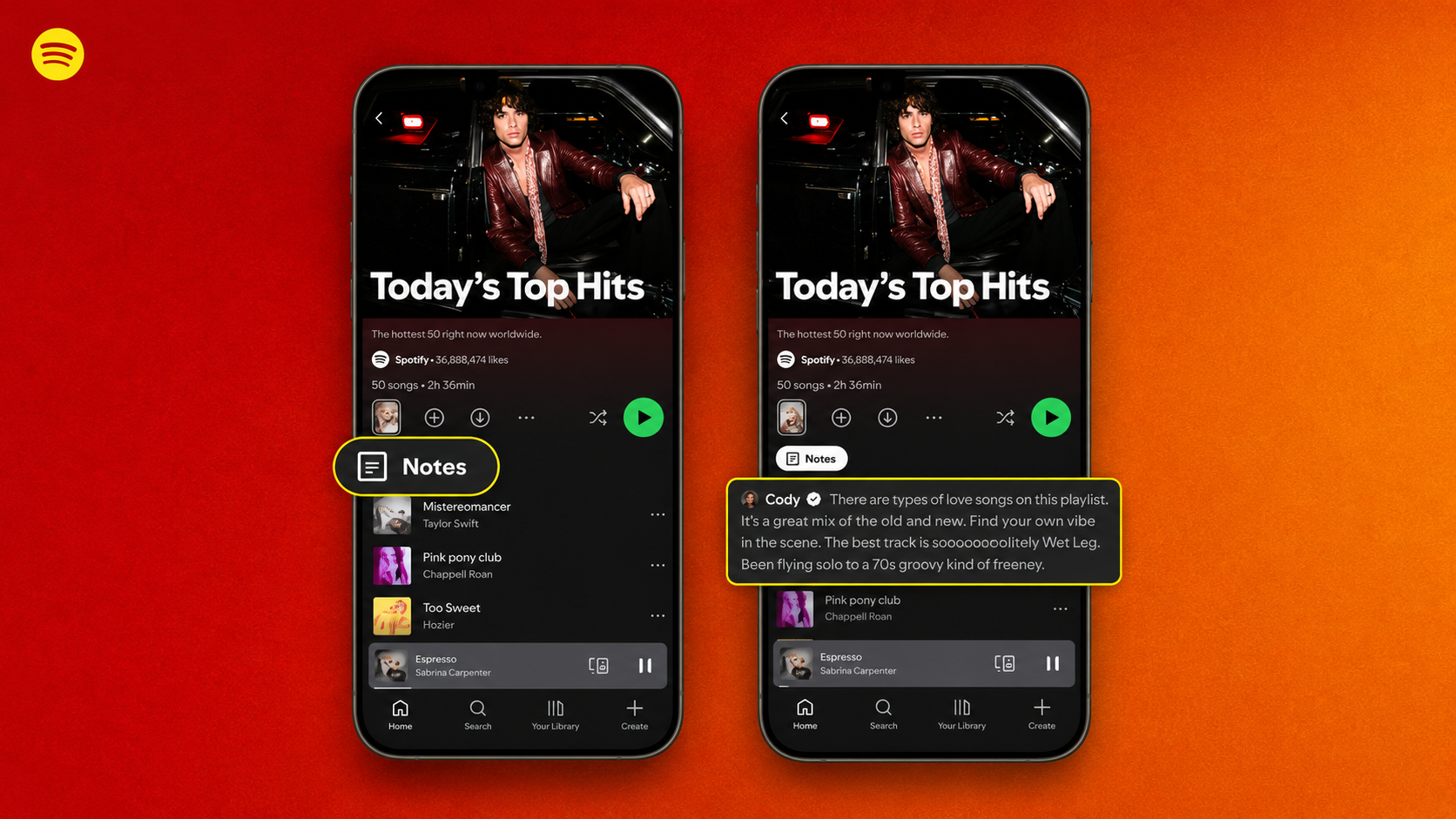
Spotify is not limiting the feature to regular users. The company’s own editors will use Playlist Notes to explain why a particular track was included in a curated playlist, highlight its cultural relevance, or simply explain why it matters.
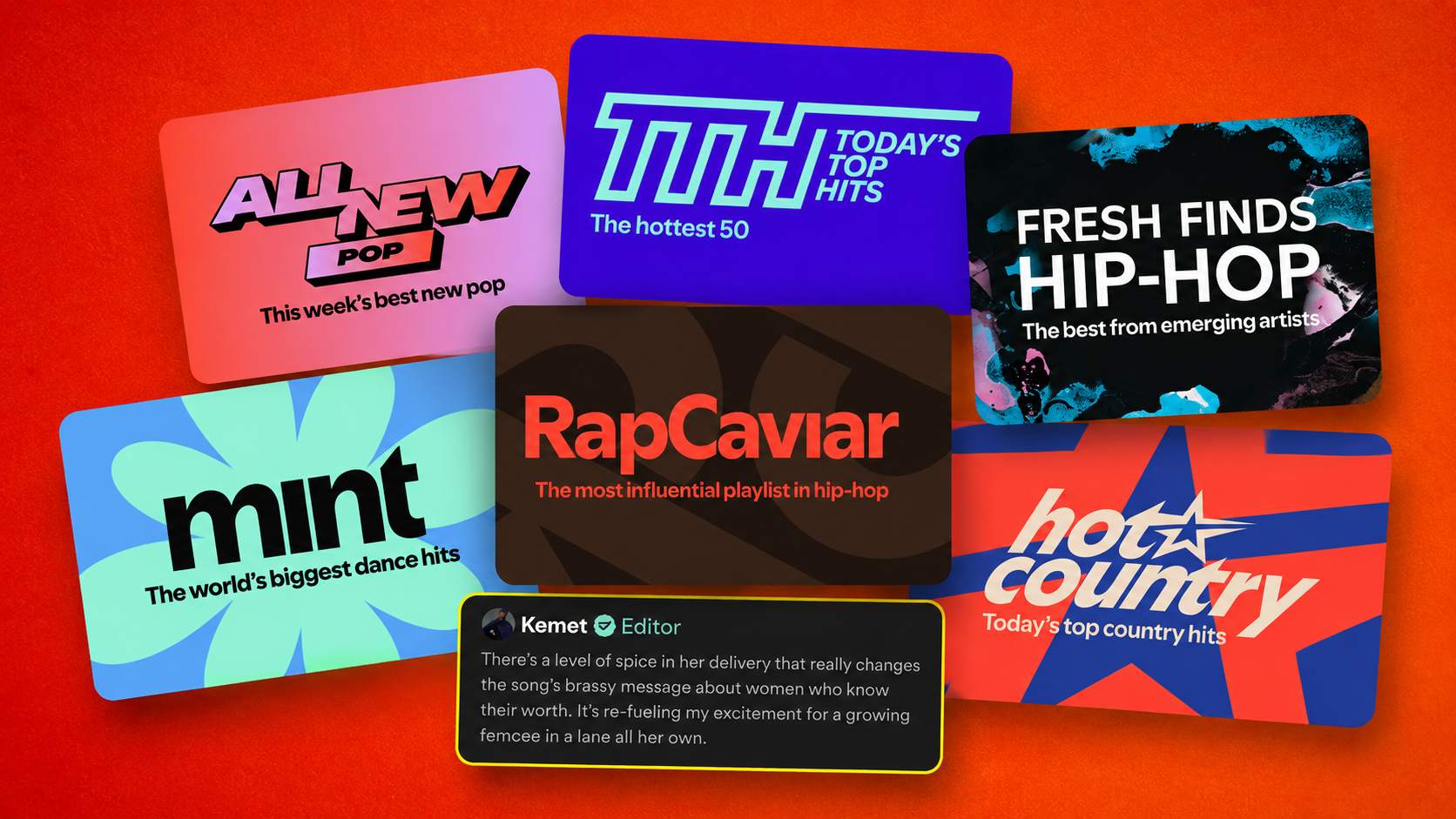
These notes are showing up on some of Spotify’s most visible playlists, including Today’s Top Hits, RapCaviar, Hot Country, All New Pop, mint, and Fresh Finds Hip-Hop.
Alongside this, Spotify has introduced Editor Profiles, which let listeners see an editor’s own top tracks and albums along with the playlists they work on, offering a closer look at the people shaping the platform’s recommendations.
Read More: https://sparknherd.com/how-to/how-to-find-trending-audio-on-instagram/
Where It Is Available
The rollout is split into two tiers. User-written notes covering songs, podcasts, and audiobooks are live on iOS and Android in more than 100 markets worldwide, with no mention of desktop or web support so far.
Editor Notes and Editor Profiles have a much narrower release. They are launching for free and premium users aged 16 and older in the United States, Canada, the United Kingdom, Ireland, Australia, and New Zealand.
Part Of A Bigger Pattern
This is not Spotify’s first attempt at turning playlists into something more personal.
The original User Notes feature, launched in late July, let users add captions to individual tracks noting things like why a song was added or when they first discovered it. That earlier version covered songs only; Playlist Notes extends the idea to podcasts and audiobooks as well.
Spotify frames the update as part of a longer effort to help playlist creators tell a story, alongside earlier tools like custom cover art, playlist descriptions, and options for adjusting how tracks transition into one another.
Why It Matters
The feature also gives Spotify a way to stand apart from rivals such as Apple Music and YouTube Music, neither of which currently offers a comparable note-taking tool.
The timing lines up with strong momentum for the company, which recently reported crossing 300 million subscribers for the first time and reaching 777 million monthly active users.
Whether Playlist Notes becomes a habit for casual listeners or mainly a way to browse editorial commentary remains to be seen, but it adds one more layer of personality to what was once just a list of songs.
FAQs
How do Spotify Playlist Notes work?
They let you attach a short written note, up to 250 characters, to any song, podcast episode, or audiobook in a playlist you own or collaborate on.
How do I use Spotify Playlist Notes?
Open the playlist on the Spotify mobile app, tap the three dots next to a track, episode, or audiobook, select “add note,” type your thought, and save it.
Can I edit Spotify Playlist Notes?
Spotify has not clearly confirmed public editing for the new Playlist Notes feature, so it’s best to delete and re-add a note if you want to change it.
Can I delete Spotify Playlist Notes?
Yes, you can remove a note you’ve added by going back to the same track and clearing it out.